How to Reload Ufone Balance via Scratch Card
Load a Ufone scratch card by dialling 126 then the 14 digit code. What to do if the code is rejected or the card is damaged.
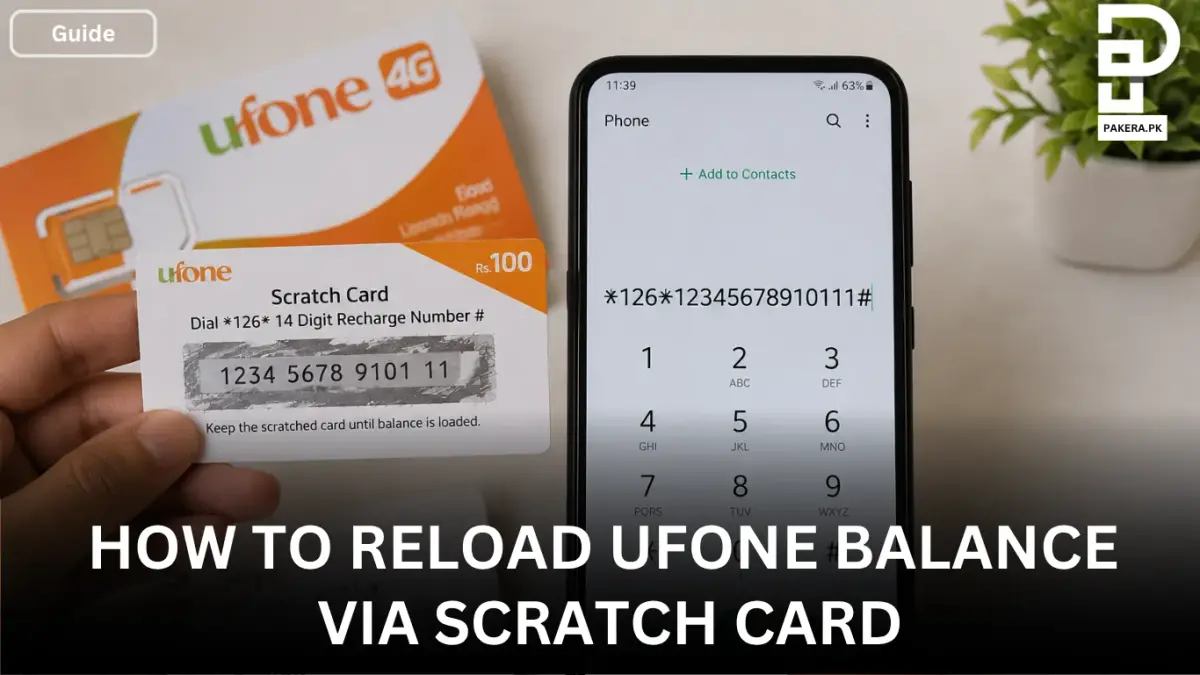
Ufone scratch cards are one of the easiest ways to recharge your mobile balance without using a banking app or online payment method. If you have purchased a Ufone scratch card from a nearby shop, you can quickly load the balance onto your number in just a few seconds.
The process is simple and only requires the 14-digit number hidden under the scratch-off panel. Once entered correctly, the balance is added to your account and can be used for calls, SMS, internet packages, or any other Ufone services.
Step-by-Step Method to Reload a Ufone Scratch Card
After purchasing a Ufone scratch card from the market, scratch the silver panel carefully to reveal the 14-digit recharge number. Once you have the code, follow these steps:
- Open your phone’s dial pad.
- Dial 126.
- Enter the 14-digit number from the scratch card after the code.
- Add # at the end of the number.
- Press the call or send button.
The complete format should look like this:
*126*12345678910111#
After sending the code, you will receive a confirmation message from Ufone showing that the balance has been successfully loaded into your account.
Things to Check Before Reloading
Before entering the recharge code, make sure that:
- The 14-digit number is clearly visible after scratching the card.
- You enter the code without spaces.
- The * and # symbols are included correctly.
- The recharge card has not already been used.
Even a small typing mistake can cause the recharge request to fail, so it is a good idea to double-check the code before pressing the call button.
What Happens After the Balance Is Loaded?
Once the recharge is successful, the amount will be added to your Ufone account balance. You can then use the balance to:
- Make calls
- Send SMS messages
- Subscribe to Ufone packages
- Use mobile internet services
A confirmation SMS is usually sent immediately after the recharge is completed.
Common Issues When Reloading a Ufone Scratch Card
Sometimes users may face problems while recharging their balance. The most common reasons include:
Invalid Recharge Code
This usually happens when one or more digits are entered incorrectly. Recheck the 14-digit number and try again.
Scratch Number Is Not Visible
If the code is damaged while scratching the card, contact Ufone customer support and keep the physical card with you as proof of purchase.
Recharge Already Used
If the system reports that the card has already been redeemed, verify that the card has not been used previously.
Frequently Asked Questions
What is the Ufone scratch card recharge code?
How many digits are on a Ufone scratch card?
Can I use a scratch card to subscribe to Ufone packages?
What should I do if my scratch card code is not working?
Conclusion
Reloading a Ufone scratch card is a quick and straightforward process. Simply scratch the card, dial **126 followed by the 14-digit recharge number and #**, then press the call button. Within moments, the balance will be added to your account, allowing you to use Ufone services or activate your preferred packages.
About the author

Senior Writer, Public Services and Technology
Shahid joined us in 2024 as an author. He is a senior contributor to Pakistan's leading technology websites. He writes detailed articles, mostly covering his expertise in the latest tech, mobiles, apps, gadgets, and step-by-step guides. His ideology is to help people understand the latest trends and explain complex methods through very easy-to-understand guides.