Before we walk through the process, it’s important to set expectations and clear up myths. You cannot drive on Pakistan’s motorways or enter Islamabad without an M‑Tag, the RFID sticker is mandatory and police now redirect vehicles without one to alternate roads or impose an extra 25 % toll. The tag is not transferable between vehicles and it isn’t a licence plate or ownership document; it simply enables cashless toll payments and automated entry.
There is no fully online alternative for the physical tag: you must visit an authorised booth or centre with your CNIC and vehicle to get the sticker. Don’t believe anyone who claims you can buy an M‑Tag through social media groups; only One Network and National Highway Authority (NHA) centres can issue it.
Also remember that the process and fee have changed: earlier you needed multiple documents and the tag was free, but as of January 2026 the fee is Rs 250 per vehicle and only a CNIC and registration card are required. If you see guides mentioning fees of Rs 200 or older deadlines (like 2022), they’re outdated.
In a Hurry? Check how to apply and get Mtag from anywhere in Pakistan:
- Required documents: Original CNIC of the vehicle owner and the vehicle’s registration card (bring your car as the tag is affixed on the spot). A driving licence and vaccination certificate are no longer required.
- Eligibility: All four‑wheeler vehicles (private cars, vans, commercial vehicles) registered in Pakistan; bikes are not issued M‑Tags. Vehicles with “Applied For” registration are not eligible.
- Key steps: Locate a nearby M‑Tag registration centre; visit the centre with documents; fill out the form; pay Rs 250; receive the sticker; activate your tag.
- Timeframe: 5–15 minutes if documents are complete; deadlines for Islamabad entry have been extended to 15 January 2026.
- Official authority: National Highway Authority (NHA), National Highways and Motorway Police (NHMP) and One Network. Helpline 1313 provides centre locations and support.
- Fee: Rs 250 covers the sticker and system activation; you must maintain balance for toll payments.
Why Trust Pakera.pk?
Pakera.pk is a platform run by Pakistanis who regularly navigate the country’s highways. We base our guides on official notices from the NHMP, NHA and credible news reports, ensuring accuracy and local relevance. Our team researches changes to laws and fees so you don’t rely on outdated rumours.
Jump to Section
- What Is an M‑Tag?
- Eligibility & Documents
- Method 1 – Getting an M‑Tag at a Registration Centre
- Method 2 – Managing Your M‑Tag with the One Network App
- Check Your M‑Tag ID and Balance by SMS
- How to Recharge Your M‑Tag (Offline and Online)
- M‑Tag Costs, Fines and Latest Rules (January 2026)
- Benefits of M‑Tag (Why It Matters)
- FAQs About M‑Tag in Pakistan
- Final Tips
What Is an M‑Tag?
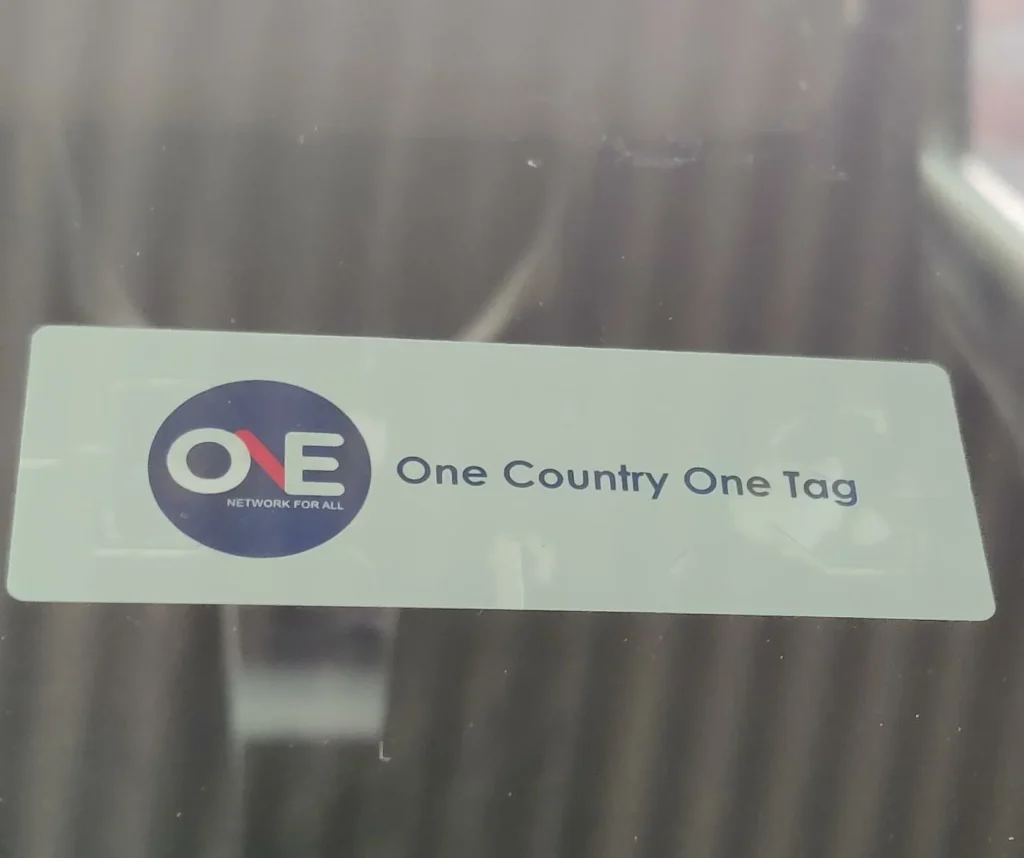
An M‑Tag is a prepaid Radio Frequency Identification (RFID) sticker that sticks to the inside of your vehicle’s windscreen. When you approach a motorway toll booth or a checkpoint, the scanners read your tag, check your balance and deduct the toll automatically. This system replaces the older E‑Tag and eliminates cash handling, reducing queues and emissions.
Each tag is linked to an 8‑digit M-tag ID and your CNIC, so you can manage your account through the One Network app or by SMS. The same technology is being rolled out in Islamabad to automate city entry for security and traffic management.
Biggest Misconceptions – Clarified
“There’s an online option, so I don’t need to visit a centre.” False. You must physically obtain the sticker at an authorised booth or centre; the app only helps manage your account.
“It’s free of charge.” Not anymore. As of January 2026, the sticker and system activation cost Rs 250.
“Any vehicle can get an M‑Tag.” Only registered vehicles can be issued a tag; bikes and vehicles with provisional “Applied For” numbers are not eligible.
“I can use my old E‑Tag.” E‑Tags were discontinued in 2018; you need a new M‑Tag.
“Without a tag you can still travel; you just pay cash.” On motorways the NHMP charges an extra 25 % toll for vehicles without an M‑Tag, and from January 2026 vehicles without M‑Tags cannot enter Islamabad.
Eligibility & Documents
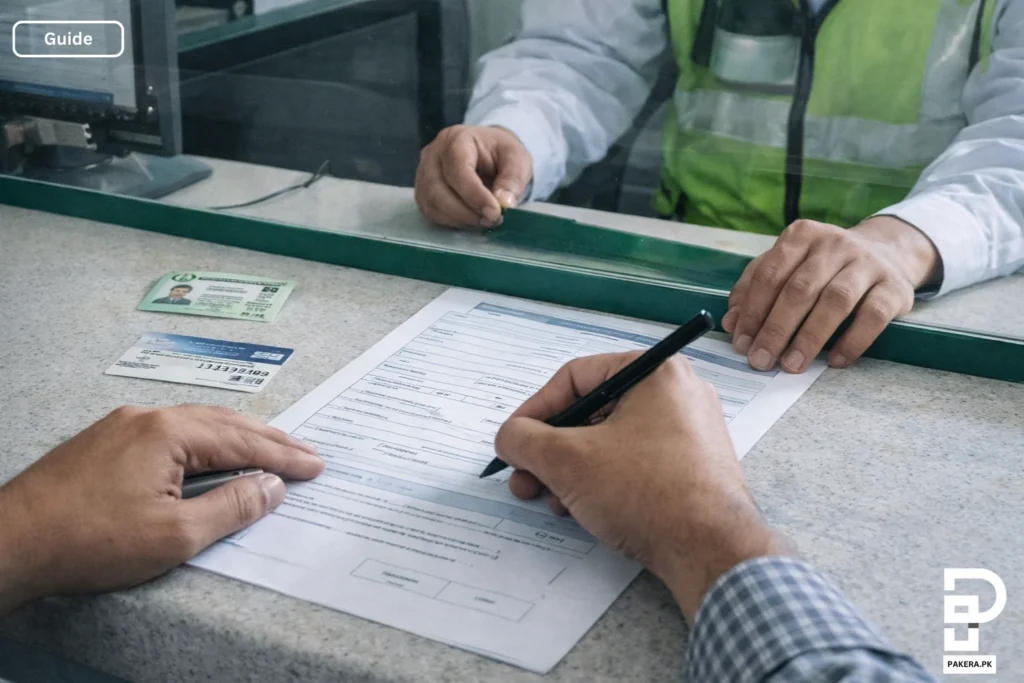
Before applying, ensure you meet the basic requirements.
- Vehicle type: Only four‑wheeler vehicles (cars, vans, SUVs, buses and commercial trucks). Bikes are not issued M‑Tags.
- Ownership: The vehicle must be registered. Vehicles with “Applied For” or temporary registration are not eligible.
- Documents:
- Original CNIC of the vehicle owner; copies are not accepted.
- Vehicle registration card/book. While the NHMP has relaxed the requirement for a driving licence and vaccination certificate, carrying them can avoid delays.
- Fee: Rs 250 (includes registration and activation). Keep additional balance for tolls (you can load any amount above Rs 300).
- Presence of vehicle: The tag is pasted on your windscreen on the spot, so bring the car.
- Contact number: Provide a mobile number for SMS alerts and app registration.
Method 1 – Getting an M‑Tag at a Registration Centre
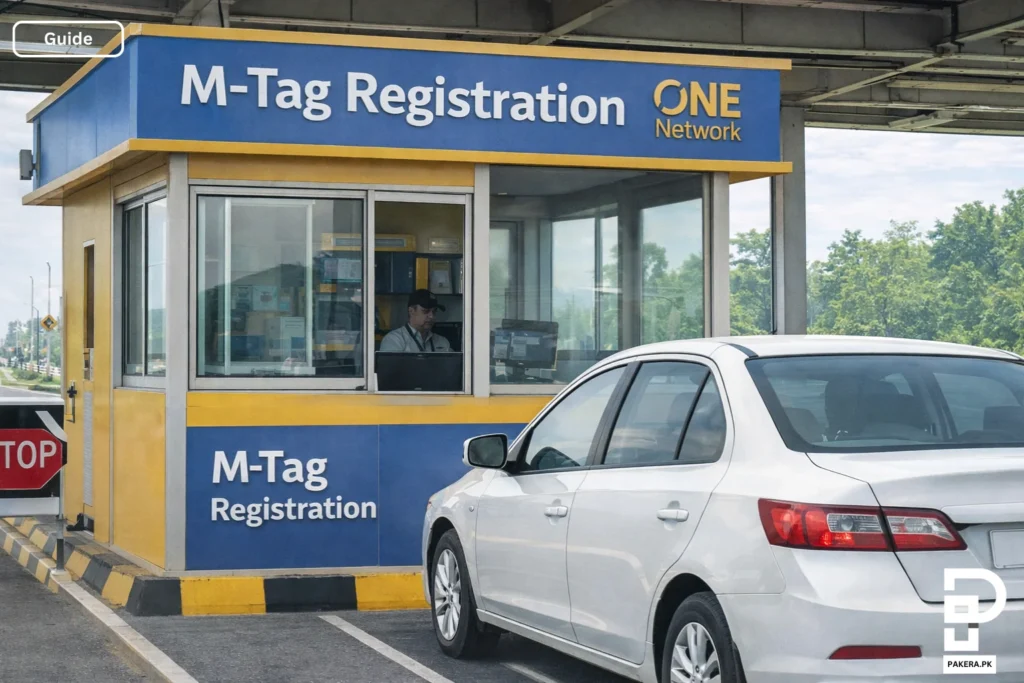
Follow these steps to get your M‑Tag in person. Registration centres are located at motorway toll plazas, service areas and dedicated points in major cities. Islamabad alone has 16 centres, and you can call 1313 to find the nearest one. The process is quick if you arrive prepared.
- Locate a centre: Identify the nearest M‑Tag booth. On the motorways, booths are at entry toll plazas (e.g., Ravi, Babu Sabu, Tarap), and in Islamabad they’re at Shakarparian Parade Ground and other facilitation points. Call 1313 or check the One Network social media pages for up‑to‑date locations.
- Carry your documents: Bring your original CNIC, vehicle registration card and the vehicle itself. Although driving licences are no longer mandatory, carrying them may speed up verification.
- Visit the booth: Drive to the M‑Tag lane or registration booth. A staff member will inspect your documents and ask you to fill out a short form with your name, CNIC, contact number and vehicle details.
- Pay the fee: Hand over the Rs 250 fee to the booth officer. This covers the sticker cost and activation. You can also load additional balance at the booth using cash or a scratch card.
- Receive and affix the sticker: The officer will issue your tag, scan it to link it to your CNIC and paste it to the inside top right corner of your windscreen. Make sure the tag is clear of any tint or sunshade for accurate scanning.
- Confirmation and SMS: Within minutes you’ll receive an SMS from One Network containing your 8‑digit M‑Tag ID and confirmation of activation. Keep this SMS for reference.
- Check your ID: If you don’t receive the message or accidentally delete it, send an SMS: MTAG <space> CNIC to 9909 to retrieve your M‑Tag ID. You can also call the helpline 1313.
Common mistakes to avoid: Arriving without your car, forgetting your CNIC or registration book, standing in a lane other than the M‑Tag lane (which can cause delays), or placing the tag on the wrong side of the windshield. If your vehicle’s windshield is damaged or tinted, fix it first to ensure the scanners can read the tag.
Method 2 – Managing Your M‑Tag with the One Network App

Once you have your physical tag, the M‑Tag One Network app makes it easy to monitor and recharge your account. The app is available on Android and iOS, is rated 4.7 stars on the Play Store, and lets you see your balance, travel history, vehicle details and more. Here’s how to set it up:
- Download the app: Search “M‑Tag One network” on Google Play or the Apple App Store. Install the app from One Network Pvt Ltd, ensuring it’s the official version.
- Sign up: Open the app and select “Sign Up.” Enter your CNIC number and mobile number. You’ll receive a one‑time password (OTP) via SMS. Enter the OTP and set a password.
- Add your vehicle: After logging in, tap “Add Vehicle” and enter your vehicle registration number. The app will fetch your M‑Tag details. If your vehicle doesn’t appear (for example, if it’s registered under a relative), call the helpline 1313 to transfer it to your account.
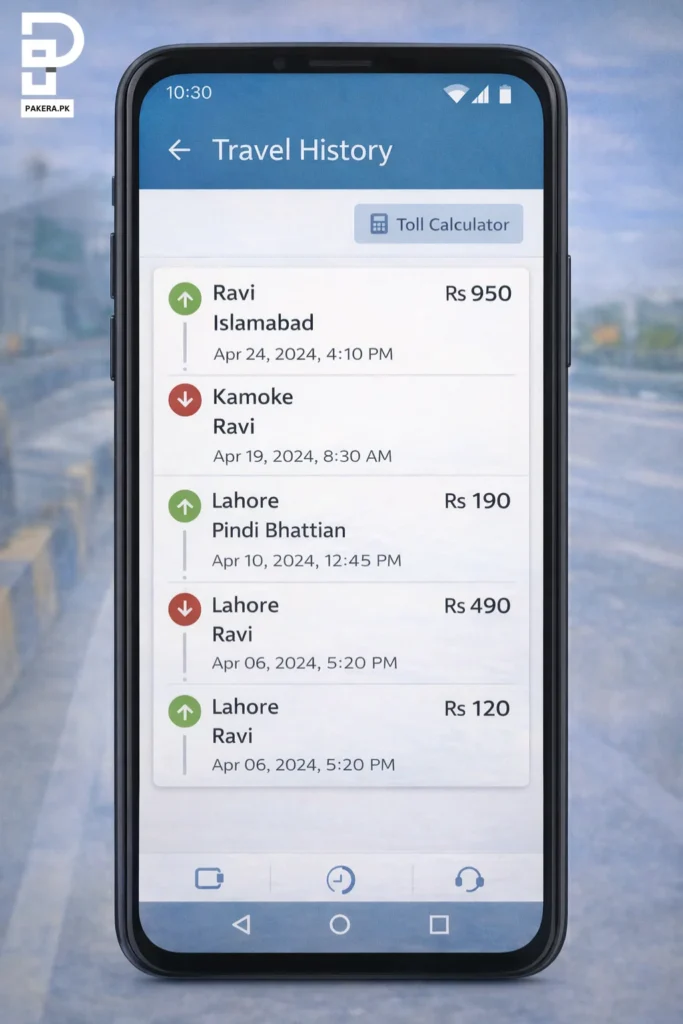
- View your M‑Tag ID and balance: On the dashboard you can see your 8‑digit M‑Tag ID, current balance and recent transactions. The app also displays your travel history, toll deductions and the cost between points.
- Recharge your M‑Tag: Select the “Recharge” option. Choose a payment method such as EasyPaisa, JazzCash, bank card or a scratch card. Enter the amount and follow the prompts to complete the top‑up.
- Enable notifications: Turn on push notifications so you receive alerts for low balance, toll deductions and important announcements (e.g., fog advisories from NHMP).
- Contact support: Within the app you can submit complaints or questions. There is also a dedicated customer service email (connect@onenetwork.pk) and the 1313 helpline.
Check Your M‑Tag ID and Balance by SMS
If you’re not using the app, you can still get updates via SMS. The service works on all networks and charges standard SMS rates.
- Retrieve your M‑Tag ID: Send an SMS with MTAG <space> CNIC to 9909. You will receive a message containing your 8‑digit ID.
- Check your balance: Send Balance <space> M‑Tag ID to 9909. The system will reply with your remaining balance.
- Helpline: For questions or to update vehicle ownership, call 1313 (available 24/7).
How to Recharge Your M‑Tag (Offline and Online)
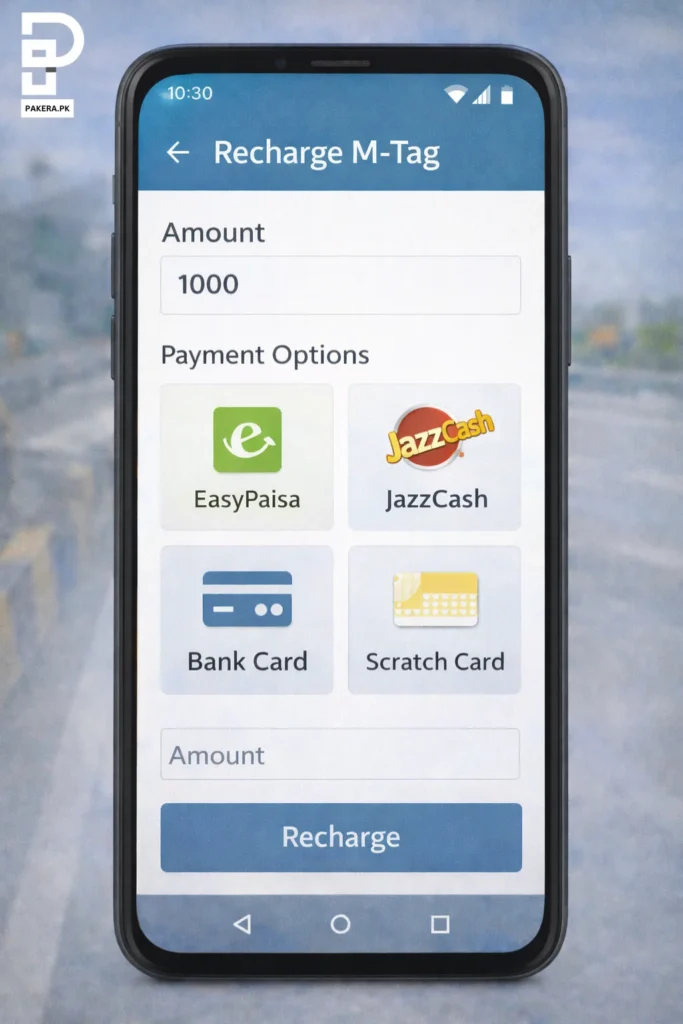
Maintaining sufficient balance prevents gate closures and fines. You can recharge M-tag in several ways:
Offline Methods
- Scratch cards: Buy scratch cards worth Rs 200, Rs 500, Rs 1 000 or more from motorway toll plazas and service areas. Scratch to reveal the code, then call the One Network helpline or use the app to load the value.
- Recharge booths: At motorway customer care centres (e.g., M‑2 Customer Care Centre), hand cash to the attendant and provide your M‑Tag ID to load balance. Keep the receipt.
- Partner retailers: Selected petrol pumps and kiosks along the motorway also accept cash for recharging. Ask for authorised vendors at the registration centre.
Online Methods
- One Network app: As explained above, open the app, select “Recharge” and choose EasyPaisa, JazzCash, U‑Paisa, bank cards or mobile wallets. Enter the amount and confirm.
- Mobile wallets: You can directly transfer funds to your M‑Tag via EasyPaisa or JazzCash by selecting the “One Network” service in their menu and entering your M‑Tag ID.
- Bank transfers (if available): Some banks allow M‑Tag top‑ups through internet banking by adding One Network as a biller. Check your bank’s bill payment options.
Always keep at least Rs 500 in your account before long journeys; tolls vary based on distance and class of vehicle.
M‑Tag Costs, Fines and Latest Rules (January 2026)
The cost and enforcement rules have changed over the years. Here are the current facts:
- Fee: The sticker costs Rs 250 per vehicle. This fee covers the RFID sticker, registration and system activation. Additional balance is required for toll payments.
- Islamabad entry ban: The federal capital has made M‑Tags mandatory for all vehicles entering the city from 1 January 2026. Due to heavy demand, the deadline has been extended to 15 January 2026. Vehicles without a tag will be turned away or penalised at checkpoints.
- Motorway penalty: The National Highways Authority charges 25 % extra toll for vehicles without M‑Tags on motorways.
- Registration centres: Islamabad has 16 facilitation points; other cities have booths at toll plazas and service areas.
- Issuing authority: Only the NHA, NHMP and One Network are authorised to issue tags. Avoid third‑party agents.
- Unregistered vehicles: Vehicles with provisional “Applied For” numbers are not eligible.
- Expiry & replacement: The tag is linked to your vehicle and does not expire, but if your windscreen is replaced or the tag is damaged you need to visit a centre for re‑issuance (fee may apply).
Benefits of M‑Tag (Why It Matters)
Getting an M‑Tag isn’t just about following rules; it offers several advantages:
- Saves time: No more queuing at toll booths. The RFID system deducts tolls automatically, cutting wait times and reducing congestion.
- Cashless convenience: Pay tolls digitally; no need to carry cash or worry about change.
- Lower fuel cost & emissions: Shorter stops mean less idling, reducing fuel consumption and carbon emissions.
- Better security: The tag allows authorities to monitor vehicles, enhancing security and making it harder for stolen vehicles to pass through checkpoints.
- Digital record: The One Network app provides a travel history and expense log, helpful for budgeting and business travel claims.
- Mandatory for Islamabad & discounted tolls: Without the tag you may be denied entry or charged 25 % extra.
- Supports smart‑city initiatives: The system is part of Islamabad’s Capital Smart City project, integrating traffic management and emergency services.
FAQs About M‑Tag in Pakistan
You must visit an authorised M‑Tag registration centre with your original CNIC, vehicle registration card and your vehicle. Fill out the registration form, pay Rs 250 and have the sticker affixed to your windscreen. Online applications are not available; the app only manages existing tags.
No, the physical sticker cannot be obtained online. The M‑Tag One Network app is used to manage your tag, view balance, travel history, top up and get notifications. To register initially you must still visit a centre.
If you’ve misplaced your SMS confirmation, send MTAG <space> CNIC to 9909. You’ll receive your 8‑digit M‑Tag ID. You can also view your ID in the One Network app’s dashboard once you add your vehicle.
Registration booths are available at motorway toll plazas and service areas across Punjab, Khyber Pakhtunkhwa and Sindh. Islamabad has 16 facilitation points. Call 1313 to get the address and operating hours of the centre nearest to Lahore, Karachi, Islamabad, Rawalpindi, Peshawar or other cities.
The dedicated helpline 1313 operates 24/7. You can call for information about registration centres, ownership transfers, balance issues or app problems. You can also email connect@onenetwork.pk.
Bring your original CNIC and vehicle registration card; the vehicle must also be present. A driving licence and vaccination certificate are no longer required but may speed up processing.
As of January 2026, the sticker costs Rs 250, which includes registration and activation. You must keep a balance for toll payments. Previously, the fee was Rs 200; avoid outdated guides that quote the old fee.
The tag uses RFID technology. When you enter a motorway or checkpoint, a scanner reads your tag and checks your linked account balance. At exit, the toll is deducted automatically. If your balance is insufficient, the gate will not open.
You can see your ID in the M‑Tag One Network app after adding your vehicle. Alternatively, send MTAG <space> CNIC to 9909 to receive the ID by SMS.
No. M‑Tags are linked to the vehicle’s registration and cannot be transferred. If you sell your car, remove the tag and ask the new owner to get a new sticker. To update the app so the vehicle appears under your account, call 1313 for a transfer if the car is in a family member’s name.
Visit the nearest registration centre with your vehicle and documents. The staff will issue a replacement sticker (a fee may apply). Do not try to peel and reuse the old tag – it will stop working.
Currently, M‑Tag is mandatory on motorways (M‑2 Lahore–Islamabad, M‑3, M‑4, M‑5 etc.), and vehicles without tags pay 25 % extra tolls. For Islamabad, entry is restricted without M‑Tags from 1 January 2026 (deadline extended to 15 January 2026). Provincial highways and city roads such as Lahore Ring Road do not require M‑Tags yet.
The process usually takes 5 to 15 minutes if you have your documents and vehicle ready. During deadlines or holidays, queues may be longer.
No. Each vehicle must have its own tag. However, you can link multiple vehicles to a single CNIC in the One Network app for ease of management.
Final Tips
Getting an M‑Tag is no longer optional; it’s a requirement for seamless travel on Pakistan’s motorways and entry into Islamabad. Gather your CNIC and vehicle registration card, visit an authorised centre, and have your tag affixed. Then download the M‑Tag One Network app to keep track of your balance and travel history. Keep a minimum balance in your account, especially before long trips or during busy holiday seasons.
If you’re still unsure about any step, Pakera.pk regularly updates guides like this to keep you informed. Call the helpline 1313 for specific questions, and don’t wait until the last minute – long queues are expected as deadlines approach.