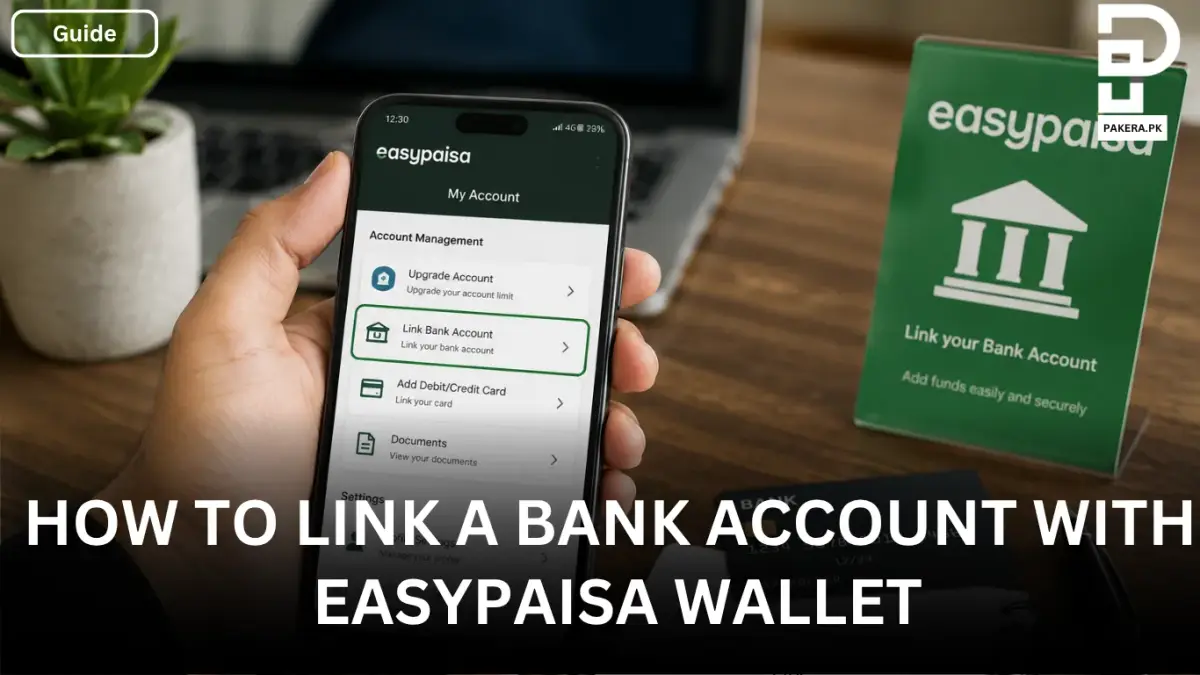
How to Link a Bank Account with Easypaisa Wallet
Link your bank account with Easypaisa using your IBAN and OTP. Follow these simple steps to add funds securely. Get started today.
Linking your bank account with an Easypaisa wallet makes it much easier to add money whenever you need it. Instead of transferring funds through multiple steps, you can pull money directly from your linked bank account into your Easypaisa wallet in a secure and convenient way.
The linking process only takes a few minutes. All you need is your bank account's IBAN and access to the mobile number registered with your bank for OTP verification. Once the account is linked successfully, you can transfer funds to your Easypaisa wallet whenever required.
How to Link a Bank Account with Easypaisa Wallet
To link your bank account, open the Easypaisa app and log in using your 5-digit PIN.
From the home screen, tap My Account in the bottom-right corner. Under the Account Management section, select Link Bank Account.
Next, enter your IBAN (International Bank Account Number). You can find your IBAN in your bank's mobile app, internet banking portal, or on your bank account statement.
After entering the required details, Easypaisa will send a One-Time Password (OTP) to the mobile number registered with your bank. Enter the OTP to verify and authorize the linking request.
Once the verification is complete, your bank account will be successfully linked to your Easypaisa wallet.
Where Can You Find Your IBAN?
If you don't know your IBAN, you can usually find it in one of the following places:
- Your bank's mobile banking app.
- Your internet banking account.
- Your bank account statement.
- By contacting your bank's customer support.
Make sure you enter the IBAN correctly, as an incorrect number may prevent your account from being linked.
What Happens After Linking Your Bank Account?
After your bank account is linked, you can pull funds directly from your bank account into your Easypaisa wallet whenever needed. This provides a quick and secure way to add money without manually transferring funds every time.
The linked account remains available for future transactions, making wallet top-ups more convenient.
Frequently Asked Questions
Can I link my bank account to Easypaisa?
What information is required to link a bank account?
Where do I find the Link Bank Account option in Easypaisa?
Is linking a bank account with Easypaisa secure?
Conclusion
Linking a bank account with your Easypaisa wallet is a simple process that makes adding funds much more convenient. By entering your IBAN and completing the OTP verification, you can securely connect your bank account and pull funds directly into your Easypaisa wallet whenever you need them.
About the author

Public Services and Education Journalist
Fajr Riaz is a journalist and content writer at Pakistan Era, based in Lahore. She covers the questions people meet in everyday life in Pakistan: how a public service works, what a change in the rules means, and where to find a reliable answer.