Redeem a PlayStation or Xbox Gift Card in Pakistan: Match the Region First
Redeem a PlayStation or Xbox gift card in Pakistan: the region must match your account, PS5 steps for the 12-digit code, Xbox error XBOS3004 and safe buying.
A PlayStation or Xbox gift card only works if its region matches your account. On PS5, redeem it in PlayStation Store with the triangle button, then (More) > Redeem Code, and enter the 12-digit code. On Xbox, go to xbox.com/redeem. A UAE account needs a UAE card, and a US account needs a US dollar card.
Gift cards are how most players in Pakistan pay for games, because Sony and Microsoft have no Pakistan store. Demand jumps around a big launch like GTA 6, and so do wrong-region cards and reused codes. A code that fails cannot simply be moved to another account, so check before you pay.
Match the card's region to your account before you buy
Sony says a voucher code must be for the same region as your account, and physical cards carry a printed flag for the country. Microsoft says a card bought in one currency cannot be added to an account that uses another. Check your account's region first, then buy.
Most Pakistani PlayStation players use a UAE account, and many Xbox players use a US one. The PlayStation account options from Pakistan and Xbox Game Pass in Pakistan explain why. To see your PlayStation region, sign in to Account Management and look at the account country. On Xbox, the currency of your Microsoft account balance tells you which cards it takes.
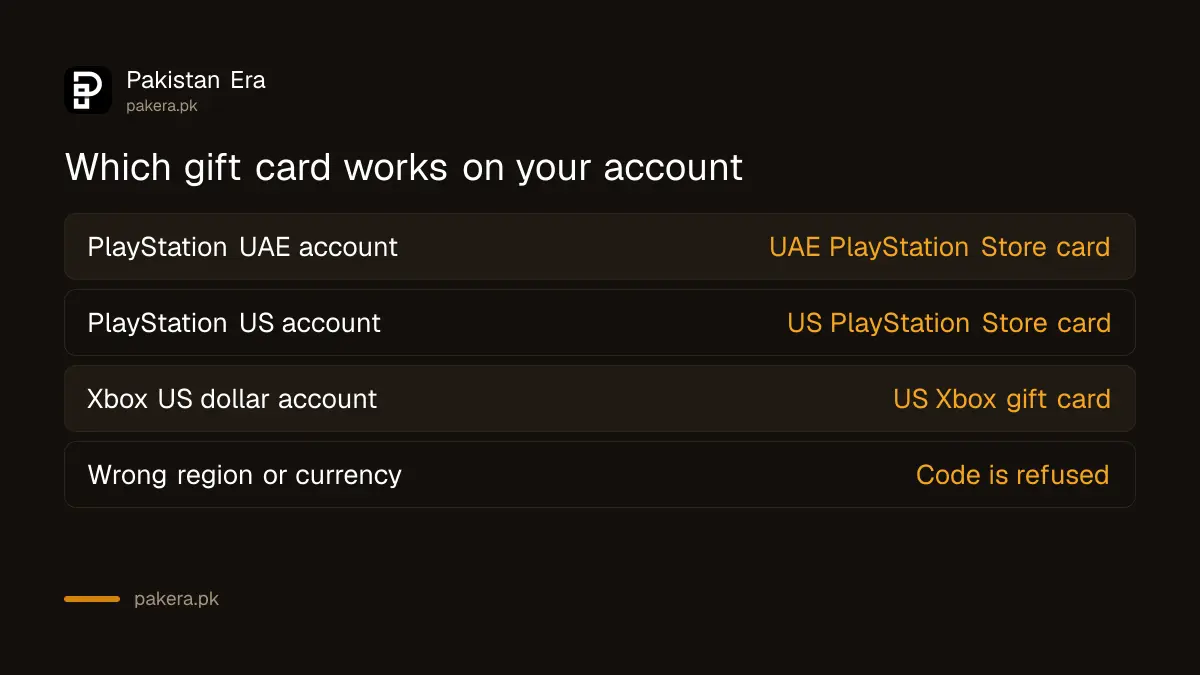
| Your account | Card you need | Card that fails |
|---|---|---|
| PlayStation UAE | UAE PlayStation Store card | US, UK, Saudi or India card |
| PlayStation US | US PlayStation Store card | UAE or any other region |
| Xbox, US dollar account | US Xbox gift card | Canadian dollar or other currency |
Redeem a PlayStation gift card on PS5, phone or browser
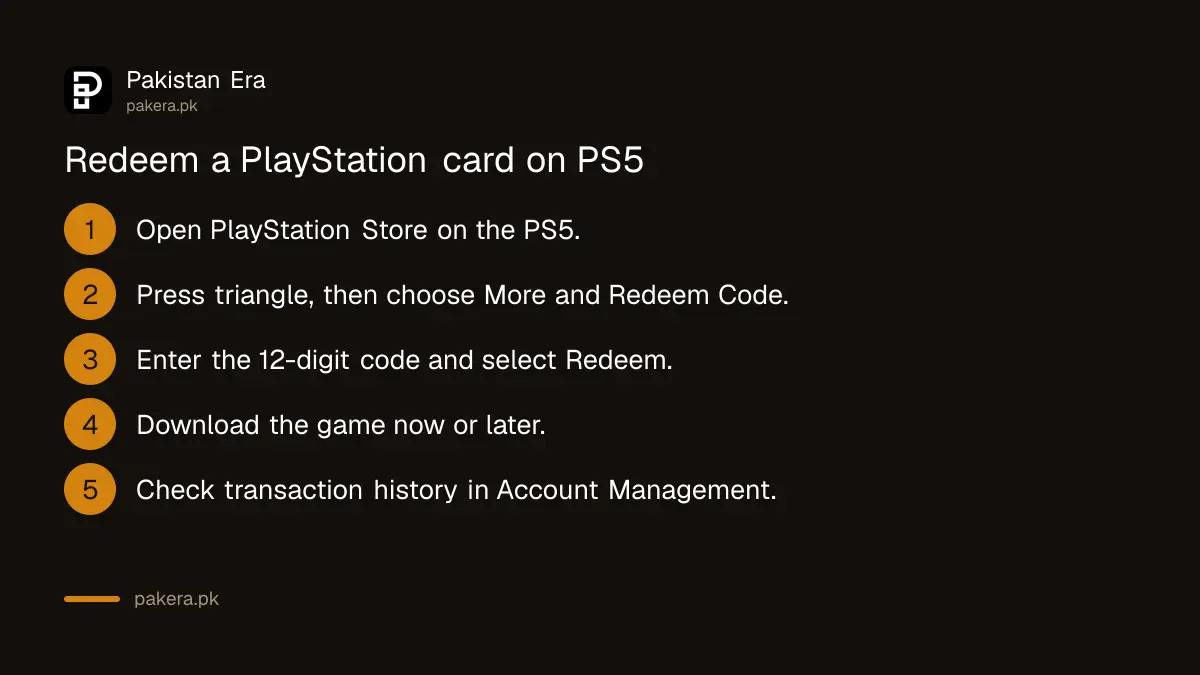
PlayStation Store codes have 12 digits. Enter them on the PS5, in the PlayStation App or on the PlayStation Store website. Sony says the credit or content is applied to your account as soon as the code is accepted.
- On PS5, open PlayStation Store and press the triangle button.
- Select (More) > Redeem Code.
- Type the 12-digit code carefully and select Redeem.
- If it is a game, select Download, or download it later.
- Check the credit or item in your transaction history in Account Management.
In a browser, open PlayStation Store, select your profile at the top and choose Redeem Code. In the PlayStation App, tap the PS Store icon, then the menu icon, then Redeem Code. You can also redeem at checkout: choose Redeem Codes and Gift Cards from the payment method menu.
A 10-digit code is a discount code, not a gift card. Sony says discount codes cannot be used on pre-orders, subscriptions or with another discount code.
Redeem an Xbox gift card and fix a region error
On Xbox, sign in to the right Microsoft account and enter the code at xbox.com/redeem. If it says the code does not match your location, check the console's location setting first. If the card is for the wrong currency, only the seller can help.
Error XBOS3004 reads "This code doesn't match your location". Microsoft explains that the gift card's currency does not match the currency of your Microsoft account. Its own example: a card in Canadian dollars cannot go on a US account. Microsoft's two fixes are to return or exchange the card, or to correct the console's location.
To check the location, press the Xbox button and go to Profile & system > Settings > System > Language & location, then pick the country under Location. You may need to restart the console. Microsoft says that if you already bought a card that does not match your account's region, you should contact the retailer.
For other failures, Microsoft lists these checks: look at the Xbox status page, make sure the code was not already redeemed, and ask the seller about an inactive code.
Codes cannot be moved, and refunds are rare
Sony says a code can be used once, and funds or content cannot be moved between accounts. Its terms say wallet funds are not refundable, except where the law requires. So a code redeemed on the wrong account, or bought for the wrong region, is usually money lost.
Three Sony rules catch people:
- One use only. A code a seller has already used, or sent to two buyers, will not work for you.
- Right account. If you share a console, check whose profile is signed in before you type the code.
- Child accounts. Wallet top-up codes must be redeemed on the family manager's account, who can then set a monthly spending limit for the child.
If a redeemed item does not appear, Sony suggests restarting the console, signing out and back in, and checking that you are on the account that redeemed it.
How to buy a gift card safely in Pakistan
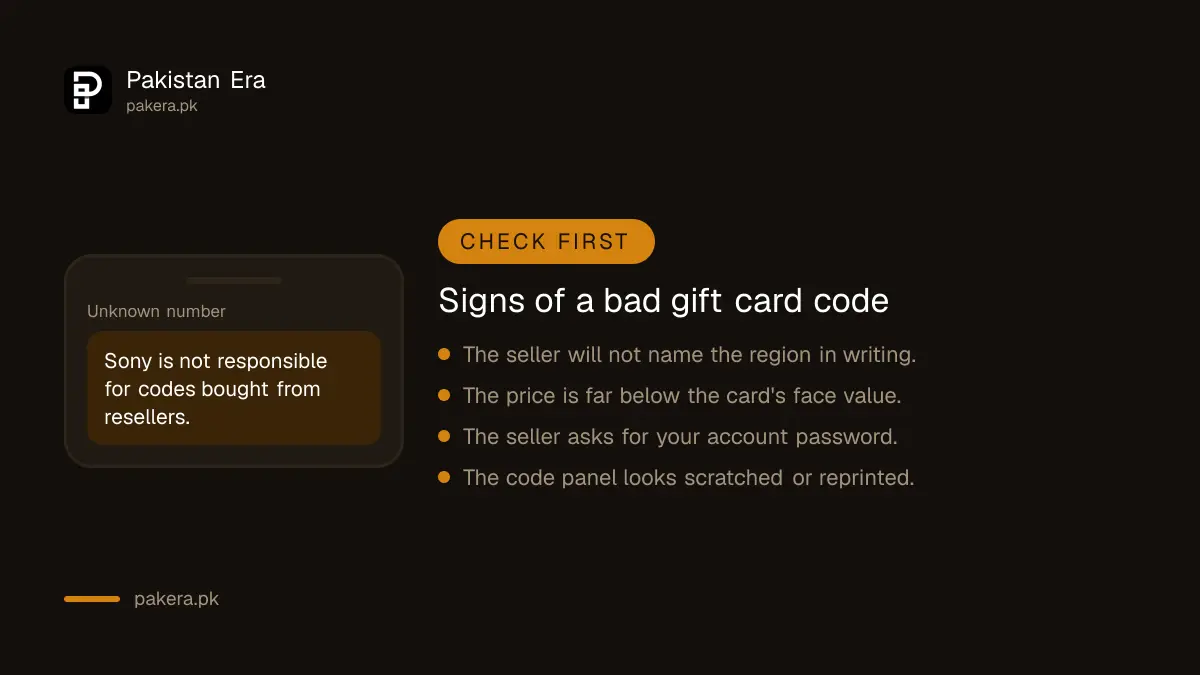
Sony's terms say it is not responsible for problems with codes bought from resellers. So in Pakistan the risk sits with you, not with Sony or Microsoft. Pay only for a code you can redeem at once, and keep the seller's receipt and chat.
- Ask the seller to name the region and currency in writing before you pay.
- For a physical card, look for the printed country flag and an unscratched code panel.
- Redeem the code the moment you receive it, and report a failure straight away.
- Never give a seller your account email and password to "add credit for you". That is how accounts get stolen.
- Treat a price far below the card's face value as a warning sign, not a bargain.
If you are buying credit for GTA 6, the full route, including card payments, is in how to buy GTA 6 in Pakistan. A debit card can be cheaper than gift cards once you compare the foreign transaction fees your bank charges.
Common questions
Can I use a US PSN card on a UAE PlayStation account?
No. Sony says the voucher code must be for the same region as your account. A UAE account needs a UAE PlayStation Store card.
How many digits is a PlayStation gift card code?
PlayStation Store voucher codes have 12 digits. A 10-digit code is a discount code, which works differently and cannot be used on pre-orders.
What does Xbox error XBOS3004 mean?
The card's currency does not match your Microsoft account. For example, a Canadian dollar card cannot be added to a US account. Return or exchange the card, or fix the console location if it is wrong.
Can I move PSN wallet money to another account?
No. Sony says funds and content cannot be transferred between accounts, so redeem the code on the right account.
Who refunds a gift card code that does not work?
The seller. Sony says it is not responsible for codes from resellers, and Microsoft tells you to contact the retailer about a wrong-region or inactive code.
How we verified this
What we checked and where we read it.
We checked these official pages on 18 November 2026: Sony's how to redeem a PlayStation Store voucher code, and Microsoft's Xbox support pages my digital code or gift card doesn't work and error XBOS3004. Both Xbox pages carried a notice asking anyone who pre-ordered a game to check their billing details before launch. The reseller, single-use and wallet refund rules are from Sony's PlayStation Network terms of service. The region pairs in the first table follow Sony's same-region rule and Microsoft's currency rule.
About the author

Tax, Bills and Technology Writer
Ali Akhtar is a young and curious voice here at Pakistan Era. He is currently pursuing his A-Levels and has a growing interest in Pakistan’s changing industrial landscape and educational trends. Ali likes to write in a way that helps him explain and explore the world around him. His writing reflects the perspective of the new generation navigating the evolving trends of Pakistan where technology, youth innovation, and shifting opportunities are reshaping the country’s future.