How to Transfer Money from UPaisa Without the App
Send money from UPaisa without installing the app, using *786# or a UPaisa agent. The steps, and what each route needs from you.
Introduction
There are times when internet service is unavailable, your smartphone is not working properly, or you simply do not have access to the UPaisa app. In such situations, you can still send money from your UPaisa account using alternative methods.
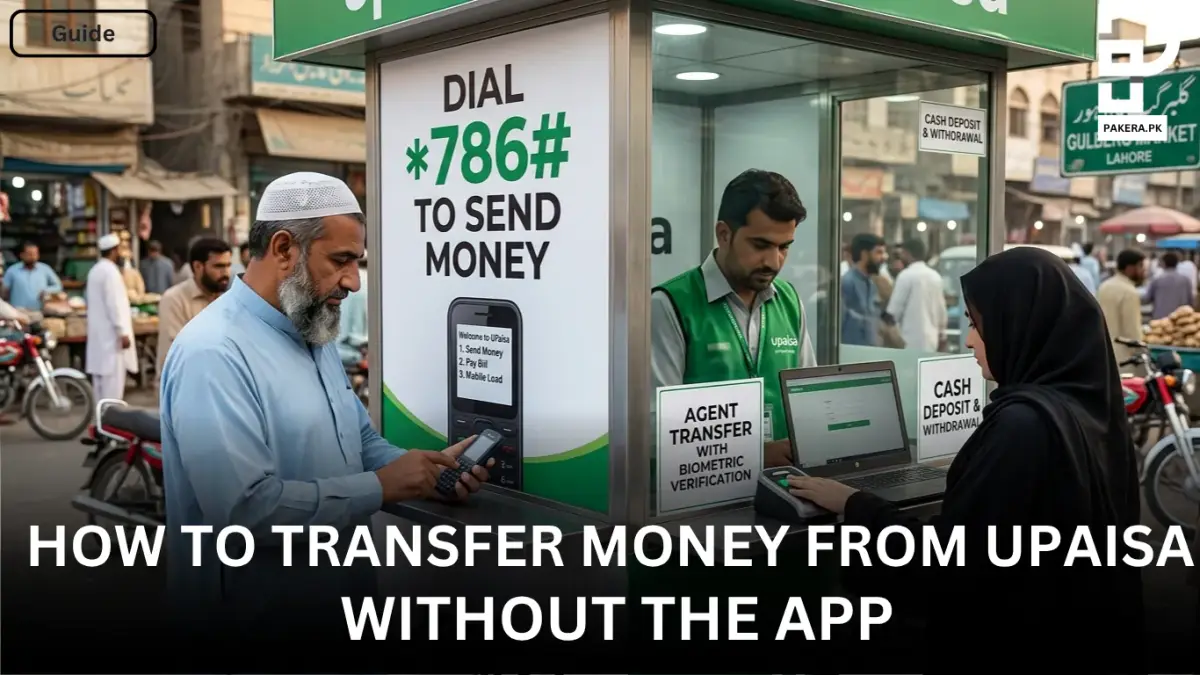
UPaisa provides a convenient USSD service that allows users to transfer money directly from their mobile phones without requiring an internet connection. You can also visit a UPaisa agent and complete a money transfer through biometric verification. Here’s how both methods work.
Transfer Money from UPaisa Without Using the App
If you do not have access to the UPaisa app, the easiest way to send money is through the USSD menu available on your mobile phone.
First, dial *786# from your phone's dialer. Once the USSD menu opens, select the “Send Money” option to begin the transaction process.
After selecting Send Money, choose where you want to send the money. UPaisa provides multiple transfer options, including:
- To Mobile Account
- To Bank Account
- To CNIC
- RAAST
Once you select the desired destination, enter the required details such as the receiver’s mobile number, bank account number, or CNIC number, along with the amount you want to transfer.
Finally, review the information and enter your 4-digit MPIN to confirm the transaction. After successful verification, the money will be transferred to the selected recipient.
Step-by-Step Process
- Dial *786# from your mobile phone.
- Access the UPaisa USSD menu.
- Select “Send Money”.
- Choose the transfer destination:
- Mobile Account
- Bank Account
- CNIC
- RAAST
- Enter the recipient's details and transfer amount.
- Enter your 4-digit MPIN.
- Confirm the transaction.
Sending Money Through a UPaisa Agent
Another convenient option is to use a UPaisa agent. If you are unable to access your account through your phone or prefer in-person assistance, visit any UPaisa agent across Pakistan.
The agent will help you initiate the transaction, and the transfer can be completed through biometric verification. This method is especially useful for users who do not have internet access or are not comfortable using mobile-based services.
When Should You Use UPaisa Without the App?
Using UPaisa without the app can be helpful in several situations. For example, if your internet connection is unavailable, your smartphone battery is low, or you are using a basic mobile phone, the USSD service allows you to continue making transactions without interruption.
Similarly, the UPaisa agent network provides a reliable backup option when mobile-based services are not accessible.
Frequently Asked Questions
Can I transfer money from UPaisa without internet?
What is the USSD code for UPaisa money transfer?
Can I send money from UPaisa to a bank account without the app?
Can I send money from UPaisa to a CNIC without the app?
Is there any alternative to the UPaisa app for money transfers?
Conclusion
Even without the UPaisa app, sending money remains simple and convenient. By dialing *786# and using the USSD menu, you can transfer funds to mobile accounts, bank accounts, CNICs, or through RAAST without needing an internet connection. If mobile access is not available, a nearby UPaisa agent can also help you complete the transaction through biometric verification. These options ensure that you can continue sending money whenever you need it, regardless of internet availability.
About the author

Public Services and Education Journalist
Fajr Riaz is a journalist and content writer at Pakistan Era, based in Lahore. She covers the questions people meet in everyday life in Pakistan: how a public service works, what a change in the rules means, and where to find a reliable answer.