How to Activate International Roaming on Jazz, Ufone and Zong in Pakistan
Activate international roaming on Jazz, Ufone or Zong in Pakistan: codes, prepaid and postpaid rules, deposits and helplines, all before you fly. Check first.
To activate international roaming in Pakistan, do it before you leave. On Jazz, dial *ROAM# or *7626#. Ufone prepaid SIMs already have roaming on. Zong switched roaming on by default for subscribers, and you can check the status by dialling 310. Postpaid lines need a credit limit or deposit.
Update, 11 October 2026: PTA rules cover package expiry notices, usage alerts and roaming limits.
The common mistake is to wait until you land. Zong warns that its helplines 310 and 311 do not work while you roam. If roaming is off when you arrive, you may have no way to fix it from the same SIM.
We read the roaming pages and FAQs of Jazz, Ufone and Zong on 8 October 2026. Below is what each one says, with the numbers they publish. We did not cover Telenor here, because we did not review its roaming page.
Jazz roaming activates with a short code, free on prepaid
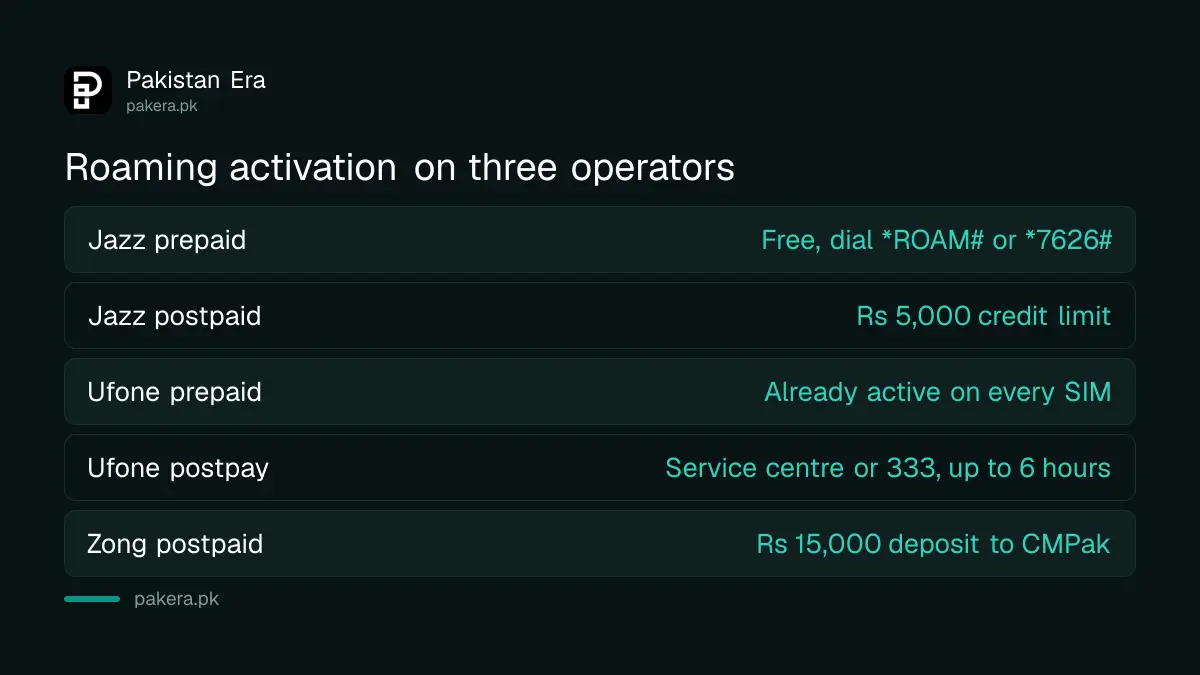
Prepaid Jazz customers can activate roaming for free by dialling *ROAM# or *7626#. You can also use the SIMOSA app or send "Hi" on WhatsApp to 0300 3008000. Postpaid individuals need a Rs 5,000 credit limit.
Jazz tells you to activate roaming before leaving Pakistan. Its bundle pages repeat that roaming must already be active before you buy a data bundle.
For postpaid, Jazz lists three routes. Visit a Jazz business centre, call 777, or email customercare@jazz.com.pk. Corporate customers need a Rs 10,000 credit limit and go through their Jazz business consultant.
Ufone prepaid is pre-activated, postpay needs a visit or a call
Ufone's FAQ says all prepaid SIMs already have international roaming activated. Postpay customers visit a customer service centre or franchise, or call 333. Ufone says postpay activation takes up to 6 hours.
Ufone's helpline from abroad is +92-51-111-333-100, and its roaming FAQ also gives customercare@ufone.com. Prepaid users check balance abroad with *124#. Vouchers load with *123*card number#.
Ufone also sells postpay data buckets through *506#, including UAE and Saudi buckets starting at Rs 999. Its Hajj roaming bucket is listed at Rs 4,600.
Zong roaming is on by default, and its pages disagree on the date
Zong's FAQ says every Zong subscriber has had international roaming enabled by default from 1 December 2025. Its roaming page says newly activated prepaid SIMs get it from 1 January 2026. Dial 310 before you travel to check your own status.
We cannot tell which date is right, so we trust the check. If 310 says roaming is off, go to a Zong service centre or franchise. Postpaid users must pay a Rs 15,000 deposit to CMPak.
Zong's roaming hotline is +92-311-111-4747, and the email is IR@zong.com.pk. In an emergency abroad, call 0092-51-111-222-111 from any other number.
| Operator | Prepaid | Postpaid | Check or help |
|---|---|---|---|
| Jazz | Free, *ROAM# or *7626# | Rs 5,000 credit limit | 03002000100, customercare@jazz.com.pk |
| Ufone | Already active | Service centre or 333, up to 6 hours | +92-51-111-333-100 |
| Zong | On by default, check with 310 | Rs 15,000 deposit | +92-311-111-4747 |
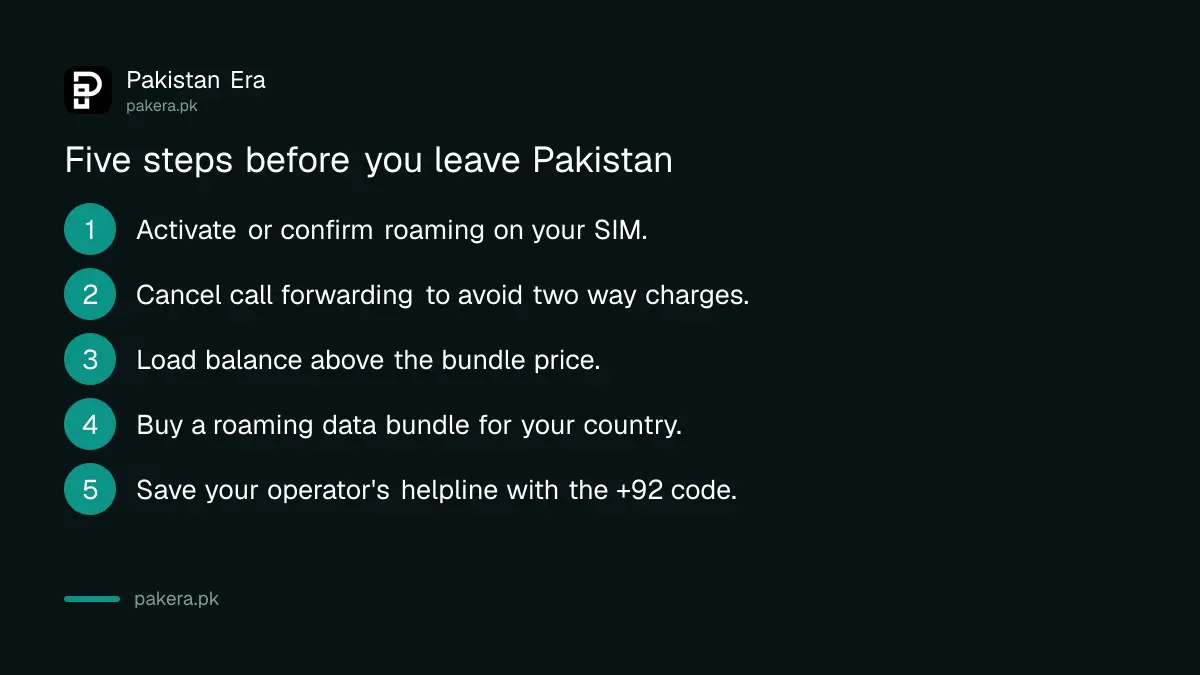
Follow these steps before you leave Pakistan
The steps are the same for every operator. Do them a day or two before your flight so there is time to fix a problem.
- Activate or confirm roaming with the code or call for your operator.
- Cancel call forwarding. Jazz warns that forwarded calls and voicemail are charged both ways on roaming.
- Load balance. Jazz bundles need a balance higher than the bundle price.
- Buy a roaming data bundle for your country, or note the per-MB rate.
- Save your operator's helpline in the phone with the +92 code.
On the plane, use airplane mode. Jazz says bundles do not work in flight, and in-flight roaming is expensive. Our Jazz UAE roaming bundle page has more on the UAE.
Know the rates before you land
Jazz's tariff page lists data at USD 0.2 per MB in the UAE, Saudi Arabia, the UK and the USA, among many others. Zong lists prepaid data at Rs 20 per MB plus tax in Saudi Arabia, China and Ukraine. Zong adds that its rates are set in dollars and can vary by 5 to 10 per cent.
At those rates a few minutes of video can cost thousands of rupees. That is why every operator pushes bundles. Zong adds that you must dial every number with the country code while roaming, even numbers in Pakistan, as +92 followed by the number without the first zero.
If your phone is not PTA registered, read our note on using a non-PTA phone on roaming. And if roaming fails abroad, the fixes are in our guide on roaming problems with a Pakistani SIM.
Common questions
Can I activate roaming after I leave Pakistan?
Possibly through the app or WhatsApp, but operators say to do it before you go. Zong's 310 and 311 lines do not work abroad.
Is roaming activation free?
Jazz prepaid activation is free. Postpaid needs a Jazz credit limit of Rs 5,000, or a Rs 15,000 deposit at Zong.
Do I need a special SIM for roaming?
No. Ufone's FAQ says you do not need a special number. Roaming works on your normal SIM once it is active.
How do I check if roaming is active on Zong?
Dial 310 on your Zong number before you travel. The page says it shows the roaming status.
Do I need a bundle to use data?
Not strictly, but the per-MB rate is high. Jazz notes that once a bundle is used up, data stops until you buy another or switch on the base rate with *7626#.
Will my family reach me on my Pakistani number?
Yes. Ufone says callers dial your usual number. Zong adds that incoming SMS on roaming is free.
How we verified this
What we checked, where we read it, and what we could not confirm.
Last checked 8 October 2026. We read the Jazz prepaid and postpaid roaming pages, roaming tips, tariff and the Saudi, UAE and World bundle pages, Ufone's international roaming pages, FAQ and postpay data roaming page, and Zong's international roaming page and FAQ. Zong's own pages give two different start dates for default roaming, which we flag above. Tariffs are in dollars and rupees as each operator lists them and can change without notice. We did not review Telenor's roaming page for this guide.
About the author

Technology Journalist & Multimedia Producer
Ahmad Ali is a technology journalist and multimedia producer at Pakistan Era, joining the team in October 2026. He covers consumer technology and digital life for Pakistani readers, combining research with hands-on product testing.