Apply for Net Metering Online in Pakistan: PITC Portal Form by Consumer in 9 Steps, 5 kW Minimum Load
Apply for net metering online in Pakistan on PITC's net billing portal: enter your reference number, verify the installer and upload the forms. 5 kW minimum.
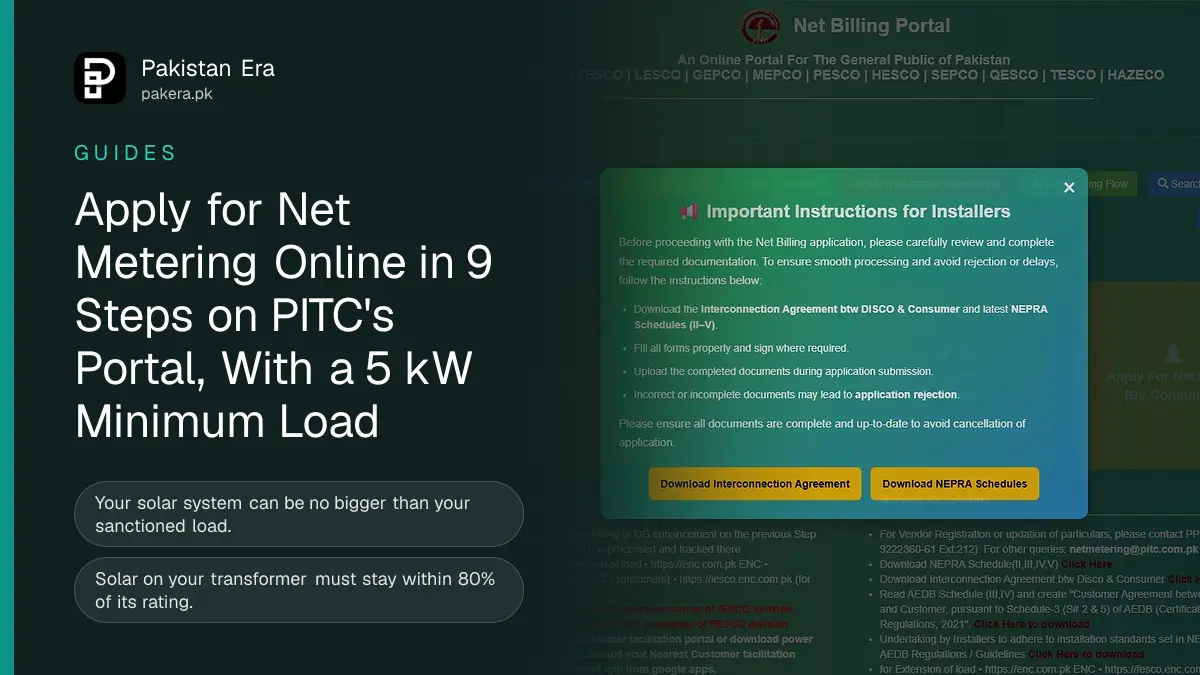
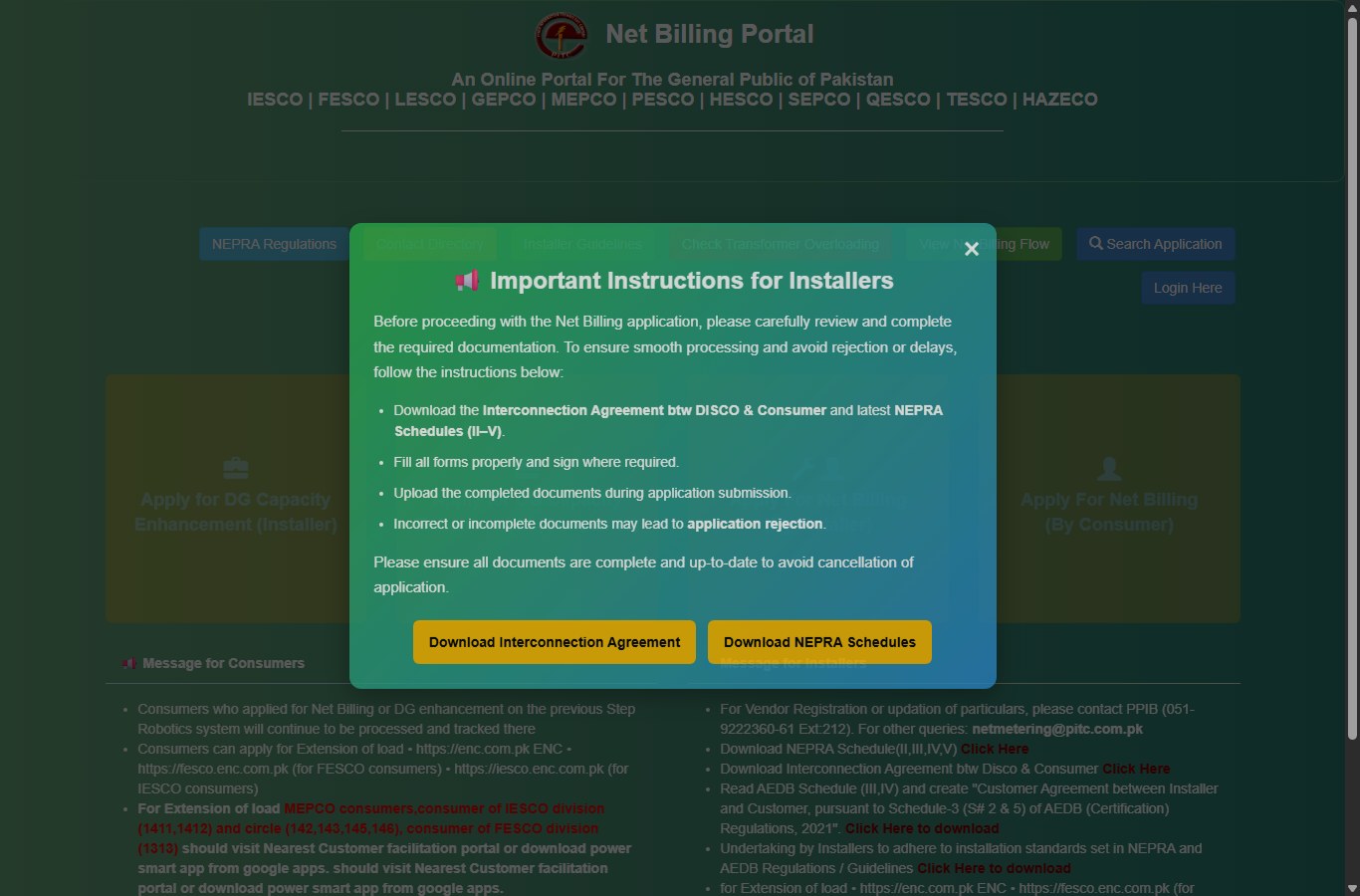
To apply for net metering online in Pakistan, open PITC's net billing portal at nmp.pitc.com.pk, click "Apply For Net Billing (By Consumer)", enter your 14 digit reference number or 10 digit consumer ID, and check eligibility. You need a sanctioned load of at least 5 kW, a solar system no bigger than that load, and your installer's portal password to verify the installer. The form works for LESCO, GEPCO, FESCO, IESCO, MEPCO, PESCO, HAZECO, SEPCO, HESCO, QESCO and TESCO.
Net metering in 2026 is really net billing. Under the NEPRA (Prosumer) Regulations, 2026, the units you export are bought at the national average energy purchase price. The application route, though, is the same portal for every government-owned DISCO. K-Electric customers in Karachi use K-Electric's own system instead.
Check these 4 conditions before you open the form
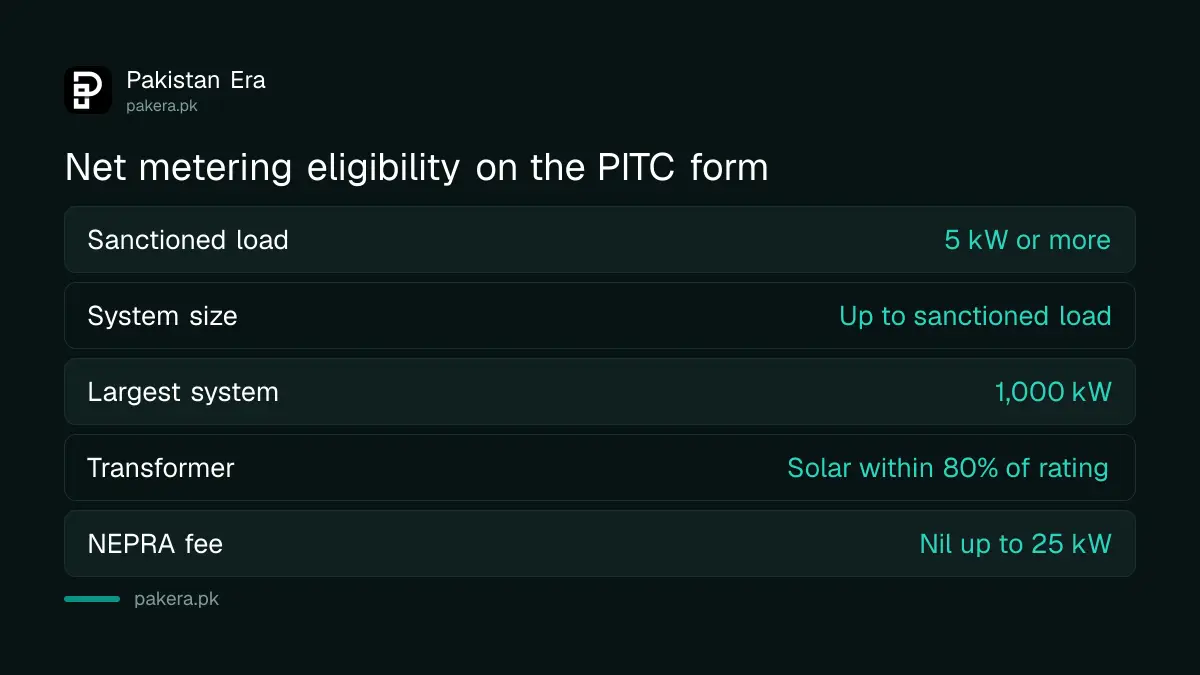
The form checks your connection as soon as you enter the reference number. It stops you if your sanctioned load is under 5 kW, if your solar system is bigger than that load, or if solar on your transformer would pass 80% of its rating. Fix those first.
| Condition | What the portal wants | If you fail it |
|---|---|---|
| Sanctioned load | 5 kW or more | Apply for a change of load first |
| System size | No more than the sanctioned load, and no more than 1,000 kW | Raise the load, or fit a smaller system |
| Transformer | Total solar on it within 80% of its rating, with yours added | The DISCO cannot accept the application |
| Tariff and phase | A 3 phase tariff on the net billing list, such as A-1b(03)T domestic | Change of tariff or phase through ENC |
Changes of load go through the ENC portal at enc.com.pk, with separate ENC sites for FESCO and IESCO. MEPCO customers, IESCO divisions 1411 and 1412 and circles 142, 143, 145 and 146, and FESCO division 1313 use the Power Smart app or a customer facilitation centre instead. The deposit side of a load change is set out in how to extend your electricity load.
How to fill in the net billing form by consumer, step by step
The form is long but most of it fills itself once the reference number is found. You type your personal details, the installer details, your system size and the NEPRA fee details where they apply. Nothing can be changed after you press submit.
- Open nmp.pitc.com.pk and click Apply For Net Billing (By Consumer).
- Pick the case: Convert to Net Meter (existing connection), Connection Applied in ENC (a new connection still in process), or New Net Meter Connection.
- Enter the 14 digit reference number from your bill, or the 10 digit consumer ID, choose your DISCO, and click Check Eligibility for net metering.
- If you changed your load or tariff, enter the tracking ID from ENC or eOps and click Check in ENC.
- Enter the installer's company name and contact number. The installer types its portal password and you click Verify Installer.
- Choose the connection voltage, 415 V or 11 kV, and type your name, father's or husband's name and address in English.
- Enter the DG installed capacity in kW. DG means distributed generation, your solar system. Click Proceed.
- Fill in the NEPRA licence fee details if your system is above 25 kW, then the feeder, tariff, CNIC, email, two mobile numbers and two witnesses' CNICs.
- Add the inverter details, upload the documents as JPG, JPEG or PDF, tick the certificate box, type the captcha and submit.
The documents to upload with your application
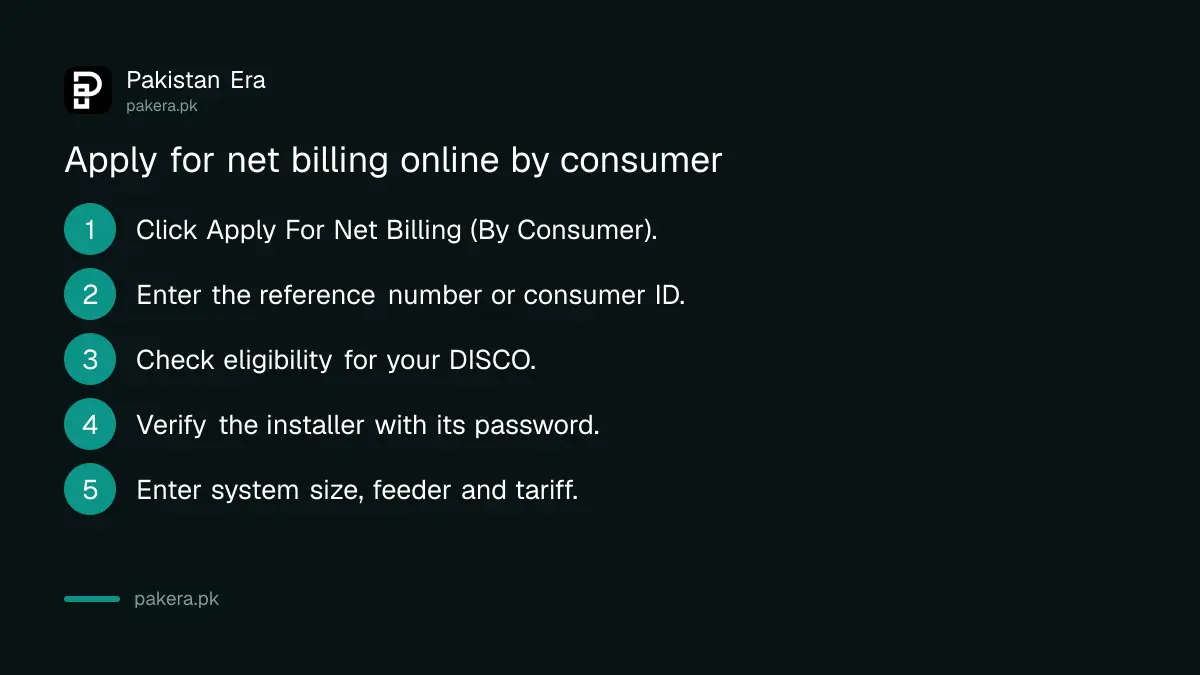
The portal lists the papers in its message for installers. You need NEPRA Schedules II to V, the Schedule I interconnection agreement with your DISCO, a customer agreement with your installer under the AEDB rules, and the installer's undertaking on installation standards.
- NEPRA Schedules II, III, IV and V: the application form, and the papers for NEPRA's concurrence where your system needs it. One Word file on the portal holds all four.
- Schedule I: the interconnection agreement between you and the DISCO.
- Customer agreement: between you and the installer, under Schedule 3 (serials 2 and 5) of the AEDB (Certification) Regulations, 2021.
- Installer undertaking and inspection certificate: signed by an engineer of a certified company.
- Your own papers: CNIC copy and a recent bill. The name on the bill must match the applicant, so change the name on your electricity bill first if it is in a previous owner's name.
The portal's warning box says incorrect or incomplete documents may lead to rejection. Use the 2026 forms from the portal itself, not old 2015 sets still found on some DISCO websites.
Consumer route or installer route: which one to use
Either works. If you apply yourself, the installer still has to verify the file and add the technical data. If the installer applies for you through "Apply For Net Billing (By Installer)", the application goes straight to your DISCO's field office with no extra validation step.
| By consumer | By installer | |
|---|---|---|
| Who types the form | You | The installer |
| Installer step | Installer validates, adds inverter and PV data, uploads documents | None, sent to the field office |
| Best when | You want control of your own details | The installer is handling everything |
| Tracking | Tracking ID, CNIC or reference number | Same |
One quirk: an application submitted without transformer information does not appear on the installer's screen until the DISCO adds that information. If your installer says it cannot see your file, that is usually the reason. Once submitted, follow the file with a net metering application status check.
Deadlines after you apply, and where to complain
The 2026 regulations give the DISCO a deadline at each stage: acknowledgement within 5 working days, review within 15, agreement within 7, estimate within 7, and installation within 15 working days of payment. If those pass, complain to the DISCO in writing, then to NEPRA.
The full timetable and the 25 kW fee rule are in the net metering rules for 2026. Keep the date of every message you get from the portal or the SDO office, because a NEPRA complaint rests on those dates.
Common questions
Can I apply for net metering online myself?
Yes. Use "Apply For Net Billing (By Consumer)" on nmp.pitc.com.pk. Your installer still verifies the application with its portal password.
What is the minimum load for net metering?
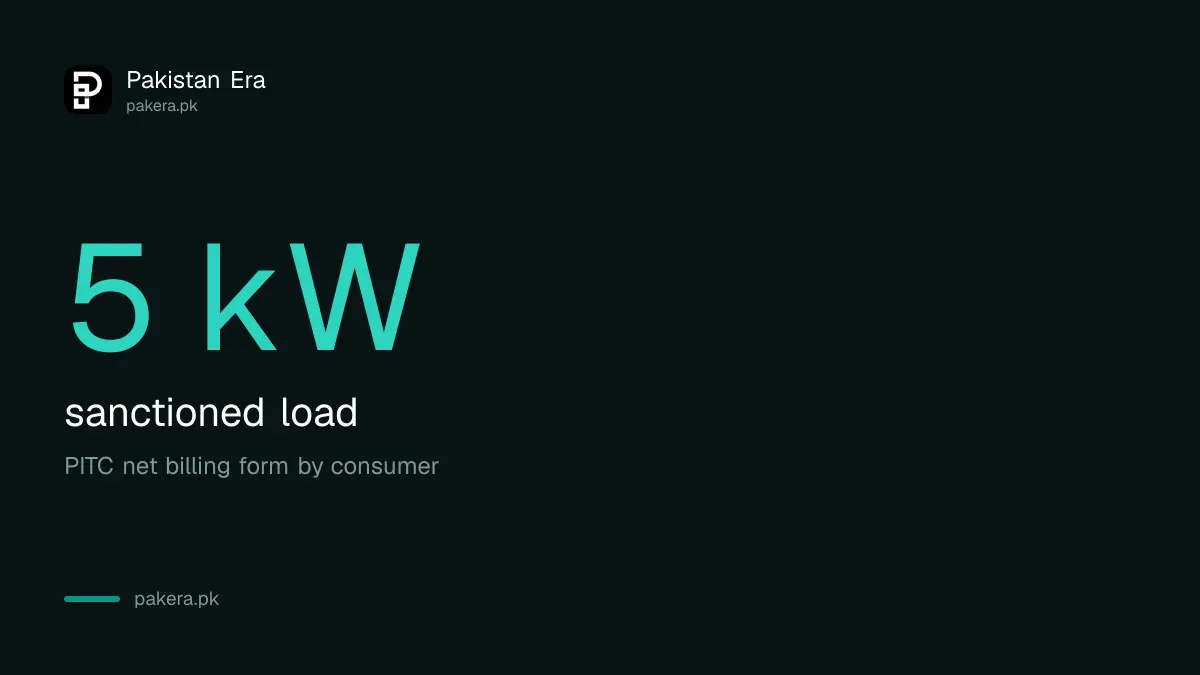
The portal form needs a sanctioned load of 5 kW or more. A smaller connection needs a change of load through ENC first.
How big can my solar system be?
No bigger than your sanctioned load, up to 1,000 kW, and only while total solar on your transformer stays within 80% of its rating.
Do I pay a NEPRA fee?
Not at 25 kW or below. Above 25 kW the fee is Rs 1,000 per kW, once, and the form asks for the deposit slip details.
I applied on the old Step Robotics system. Do I apply again?
No. The portal says those applications continue to be processed and tracked on the previous system.
Can I edit my application after submitting?
No. The form warns that no information can be changed once you press submit, so check every field first.
How we verified this
What we checked and where we read it.
Checked on 15 November 2026 on PITC's Net Billing Portal: the home page messages for consumers and installers, the "Net Billing Form (Online) By Consumer", the installer guidelines PDF and the document downloads (NEPRA Schedules II to V, Schedule I interconnection agreement, AEDB Schedules 3 and 4, AEDB inspection certificate). Deadlines and the 25 kW fee rule come from the NEPRA (Prosumer) Regulations, 2026 and S.R.O. 709(I)/2026 and S.R.O. 1330(I)/2026 on nepra.org.pk. One error message inside the form still mentions "1.5 times" the sanctioned load, while the form's own instruction line and the 2026 regulations say no more than the sanctioned load.
About the author

Tax, Bills and Technology Writer
Ali Akhtar is a young and curious voice here at Pakistan Era. He is currently pursuing his A-Levels and has a growing interest in Pakistan’s changing industrial landscape and educational trends. Ali likes to write in a way that helps him explain and explore the world around him. His writing reflects the perspective of the new generation navigating the evolving trends of Pakistan where technology, youth innovation, and shifting opportunities are reshaping the country’s future.