Canada Visa Status Check From Pakistan: IRCC Account, Application Status Tracker and the Numbers You Need
Canada visa status check from Pakistan: which IRCC account to sign in to, how to set up the Application Status Tracker with your UCI, and why AOR comes first.
Short answer: to check a Canada visa status from Pakistan, sign in to the account you applied with. If you signed in with a GCKey username or a bank Sign-In Partner, that is the IRCC secure account; click "Check status and messages". If you signed in with an email address, you used the IRCC portal or its new version. For a more detailed timeline, create a separate Application Status Tracker account with your UCI and application number. The tracker works only after you receive your acknowledgement of receipt (AOR).
Pakistani applicants often look for a single "Canada visa check by passport number" page. There is no such public page. Immigration, Refugees and Citizenship Canada (IRCC) shows status only inside a signed-in account, and which account you use depends on how you applied. We went through IRCC's "How to check your application status" tool on canada.ca on 6 November 2026 and set out every route below.
If someone offers to check your Canada visa status by passport number on WhatsApp, do not send them your login details. Only IRCC's own accounts show your real status.
Check your Canada visa status in the account you applied with
Visitor visas, study permits and work permits submitted online all show their status in the account used to apply. IRCC runs three sign-in systems, and many applicants forget which one they used.
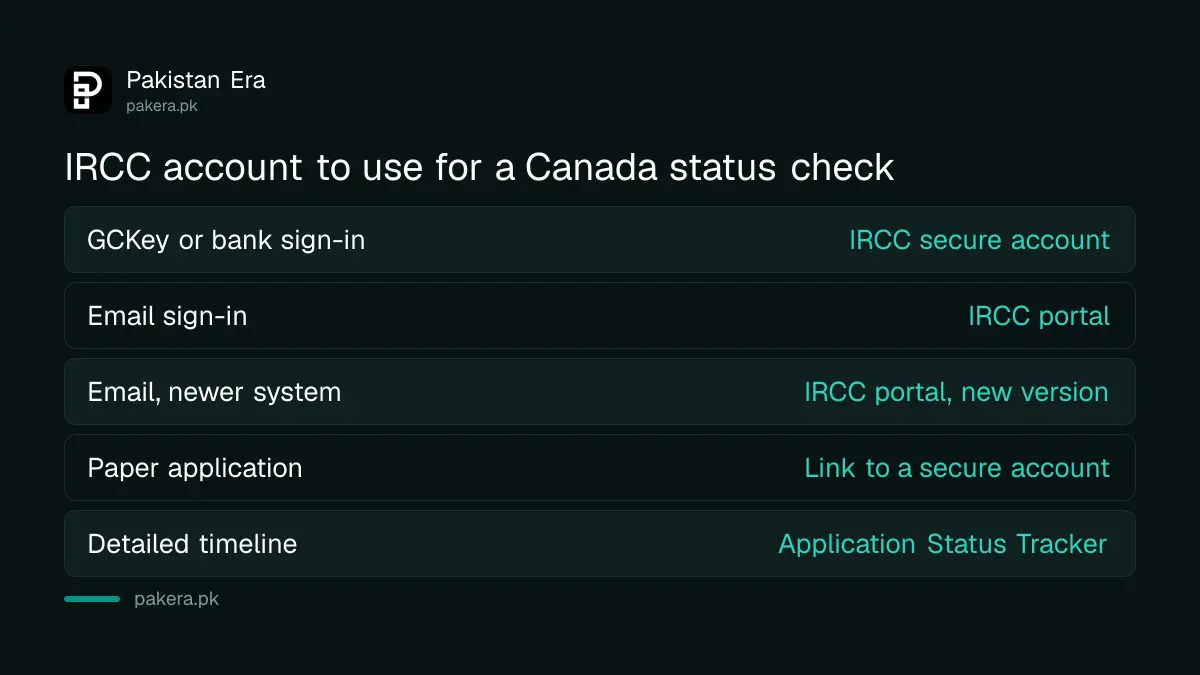
| How you signed in when applying | Account to check | Where the status shows |
|---|---|---|
| GCKey username and password, or a bank Sign-In Partner | IRCC secure account | "Check status and messages" under submitted applications |
| Email address | IRCC portal | Your application list in the portal |
| Email address, newer system | IRCC portal, new version | Your application list in the portal |
| Paper application | Link it to an IRCC secure account | Messages in the linked account |
IRCC's advice is direct: if you are still not sure which account you used, try signing in to each one, or search your email for messages from IRCC.
The Application Status Tracker gives a timeline of events
The Application Status Tracker is a separate IRCC tool. IRCC says it can show "a timeline of events in your application that may include more details than what's shown in your main account". IRCC relaunched the tracker and says it is still being improved.
The tracker supports these applications:
- visitor visa (temporary resident visa),
- study permit,
- work permit,
- Express Entry, including the Canadian Experience Class, the Provincial Nominee Program, the Federal Skilled Worker Program and the Federal Skilled Trades Program,
- sponsorship of a spouse, partner or dependent child.
The applicant, a sponsor, a representative or a designated person with written consent can use it. Other application types use the IRCC account or the Client Application Status tool instead.
How to create an Application Status Tracker account
You need a new account for the tracker, even if you already have an IRCC account. Old Client Application Status usernames do not work in it.
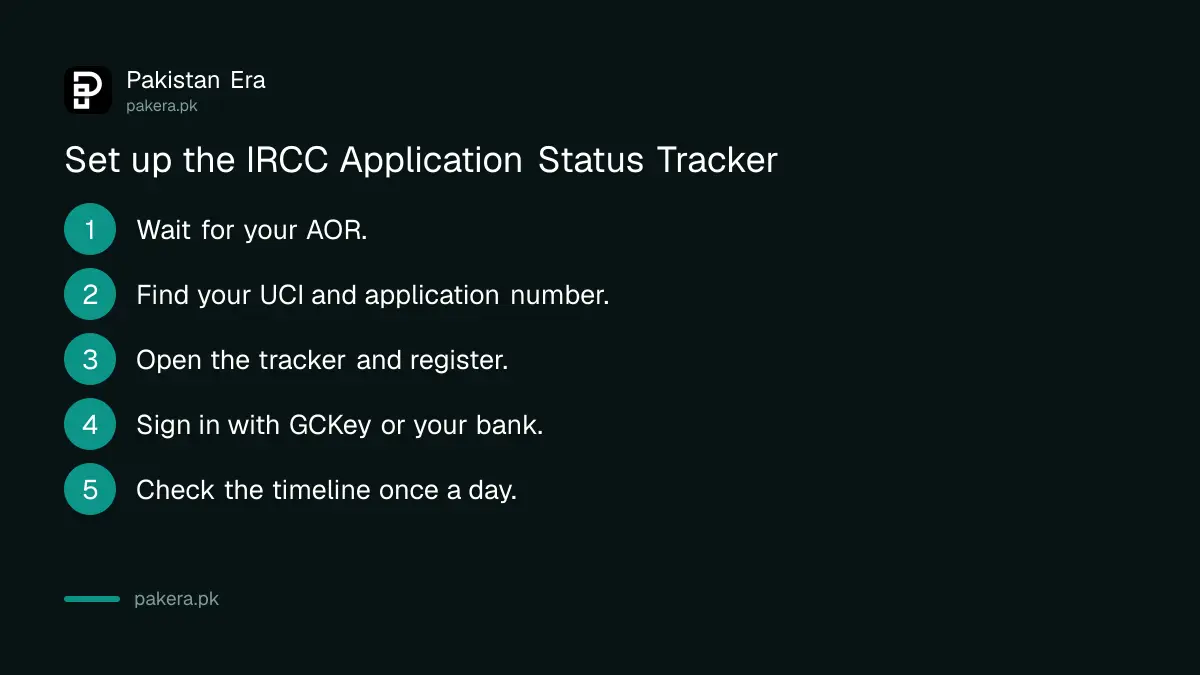
- Wait for your acknowledgement of receipt (AOR) letter or email. The tracker works only after it arrives.
- Find your unique client identifier (UCI) and your application number on IRCC letters or in your account.
- Open the tracker from IRCC's application status page and choose to register.
- Sign in with GCKey or a Sign-In Partner, and enter your UCI, application number, first and last name, date of birth and place of birth.
- Check the timeline, and come back later, because IRCC updates the information daily.
Use Chrome, Safari, Firefox or Microsoft Edge. IRCC says GCKey needs JavaScript and cookies turned on, and warns against using bookmarks inside the tracker. If you see "too many attempts", close the browser tab and try again later.
What you need before you can check a status
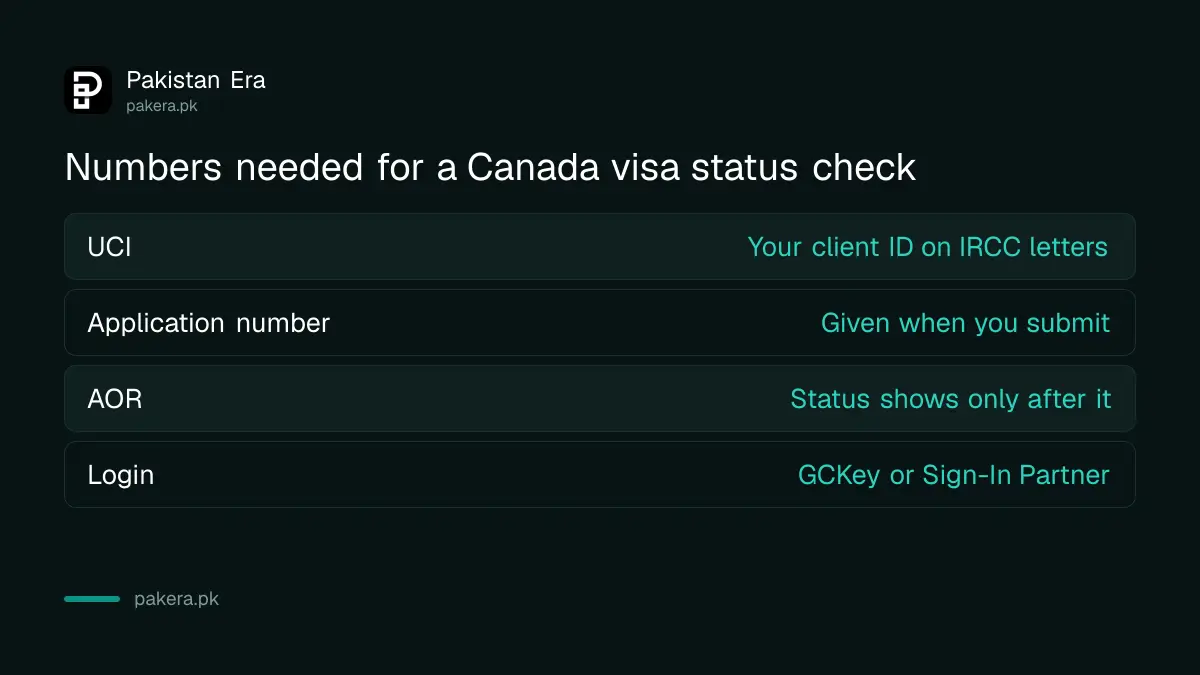
Most failed checks happen because the applicant does not have the right number. Keep these together:
- UCI: your unique client identifier, also called a client ID. Look for it on the letters and emails IRCC has sent you.
- Application number: the number for this specific application, given when you submit.
- AOR: the acknowledgement of receipt letter or email. Status updates show only after this arrives.
- Login details: your GCKey username and password, or the bank you used as a Sign-In Partner.
Before the AOR, IRCC says you may only see the date your application was received, the sponsor's name and your contact information. That is normal and does not mean anything is wrong.
Status checks for spouse sponsorship and permanent residence
For a spouse, partner or child sponsorship, the person being sponsored can use the tracker or a linked IRCC secure account. The sponsor can use the Client Application Status tool, which IRCC updates daily. For Express Entry and provincial nominee cases, sign in to the IRCC secure account, and use the tracker for more detail.
For parents and grandparents cases already in process, the sponsor uses the Client Application Status tool, and the parent can link the application to an IRCC secure account. New sponsorship forms for parents are not being accepted because IRCC has paused that programme.
When a status check is not enough
A status page shows the stage, not the officer's reasoning. If your file seems stuck, compare it with IRCC's current processing time. Our Canada processing time guide lists recent averages for visitors, students and workers.
If you want to see the officer's notes, you can ask for your file through a free request under Canada's privacy law. Our GCMS notes guide shows how. If you applied for a visitor visa and need the basics, see our Canada visitor visa guide.
Common questions
Can I check my Canada visa status by passport number?
No. IRCC does not offer a public check by passport number. You check the status by signing in to your IRCC account or the Application Status Tracker.
Why does the tracker not show my application?
The tracker works only after you receive the acknowledgement of receipt. It also needs your UCI and application number typed exactly as IRCC issued them.
Which applications can I check on the tracker?
Visitor visas, study permits, work permits, Express Entry including provincial nominees, and spouse, partner or child sponsorship.
I forgot my GCKey password. What now?
Use the "Forgot your username" or password recovery option on the GCKey page. If you lost the email you registered with, IRCC says to create a new GCKey and a new tracker account.
How often is the status updated?
IRCC says the tracker and the Client Application Status tool are updated daily. Checking several times a day will not show anything new.
Can my consultant check the status for me?
Yes, a representative with your written consent can use the tracker. Never give your own GCKey password to anyone.
How we verified this
What we checked, where we read it, and what we could not confirm.
Last checked on 6 November 2026. The account types, routes and browser advice are from IRCC's "How to check your application status" tool on canada.ca. The tracker's supported applications, the AOR rule and the sign-in help are from IRCC's Application Status Tracker page. The registration details for sponsored applicants are from the same IRCC status tool. The parents and grandparents pause is from IRCC's sponsorship page, dated 18 August 2026.
About the author

Global Affairs & Political Economy Writer
Muhammad Hatim is a book lover who started writing because he enjoys it. At Pakistan Era he writes about international relations, geopolitics and the global economy, with a particular interest in South Asia and the forces behind current events.