Download Your Instagram Data in Pakistan: Export Photos and Messages in 8 Steps, and the 30 Day Wait
Download your Instagram data in Pakistan from Accounts Center, Export your information. Pick photos or messages. The link takes up to 30 days; download quickly.
To download your Instagram data in Pakistan, go to Settings, Accounts Center, Your information and permissions, Export your information, Create export. Pick your profile, choose Export to device, set the date range, format and media quality, then tap Start export. Instagram says the link can take up to 30 days to arrive by email.
People in Pakistan usually look for this at one of three moments: before deleting an account, after a scare with a hacked account, or when a phone with years of photos is about to be replaced. In each case the export is the only official way to get your posts, stories and messages out in one go.
Two kinds of export: device or another service
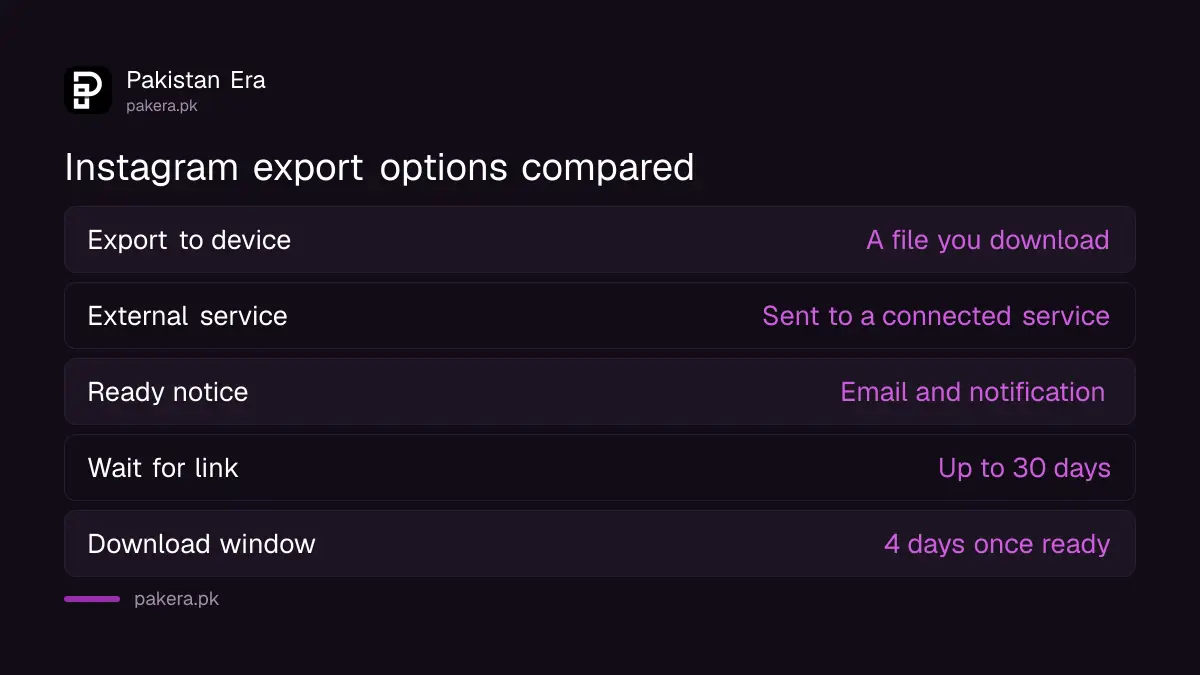
Instagram offers two exports. Export to device makes a file you download to your phone or computer. Export to external service sends your information to another service you connect, and can repeat on a schedule. For a one-time backup, choose device.
| Option | Export to device | Export to external service |
|---|---|---|
| Where it goes | A file you download | A service you connect |
| Choices | Date range, format, email notice, media quality | How often, format, email notice |
| Password | Protected process | You enter your profile password |
| Notice when ready | Email and Instagram notification | |
| Best for | One-time backup before deleting | Regular copies to cloud storage |
Download your Instagram information in 8 steps
These steps follow Instagram's current help page for exporting to a device.
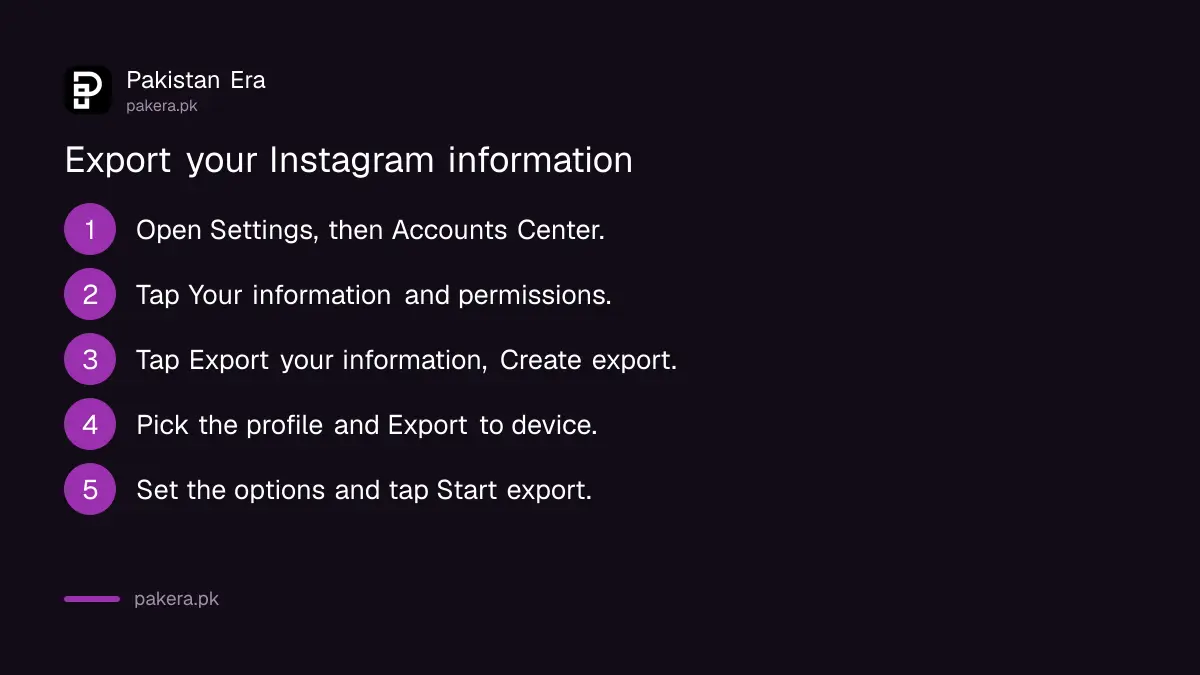
- Tap the menu icon at the bottom right of your profile, then Settings.
- Tap Accounts Center.
- Tap Your information and permissions.
- Tap Export your information, then Create export.
- Select the profile you want to export from, and tap Next.
- Choose Export to device.
- Set the date range, format, email notification and media quality.
- Tap Start export.
Accounts Center is Meta's shared settings area for Instagram and Facebook. If both are linked, it will ask which profile to export. Pick the Instagram one, or you may get your Facebook data instead.
Choose what goes in the file
Instagram's page on downloadable information describes two levels. Available information gives files with the information and activity for the selected account, without data logs. Specific types of information gives the same plus data logs, and lets you pick only some types, such as photos, messages or data logs.
- Want only your photos and videos? Pick specific types and choose photos.
- Want old chats? Pick messages.
- Want everything, including login and activity logs? Pick all, with data logs.
A smaller export arrives faster and is easier to download on mobile data. A full export with high quality video can be very large. Instagram warns you need enough free space on your device, and that high quality media makes files bigger.
How long it takes, and the 4 day download window
Instagram says the email with your export link can take up to 30 days. When it is ready, you get an email and, for device exports, an Instagram notification. The download then sits under Available downloads in the Export your information tool.
Instagram's page gives a 4 day window to download a ready export. The page places that line under the external service section, so treat 4 days as the safe rule for both and download as soon as the notice arrives. You can also delete exports or see past requests in the same place.
We would download on Wi-Fi, not mobile data. A big export can eat a whole monthly data bundle, and a broken download on a weak signal means starting again.
Things to do before you delete your account
If you are exporting because you plan to delete Instagram, finish the export first. Once an account is deleted, there is nothing left to export. Check these before you go ahead.
- Request the export and wait for the email.
- Download it and open the file on your phone or computer to make sure photos and messages are there.
- Keep a copy somewhere other than the phone, such as cloud storage or a USB drive.
- Only then follow our guide to deleting or deactivating Instagram.
Keep your export file safe
An Instagram export holds your private messages, your contacts and your activity. Treat it like a bank statement. Do not upload it to a shared computer at a net cafe, and do not send it to anyone who offers to "recover" or "check" your account.
Instagram describes the export as a password protected process that only you can access. Scammers sometimes send fake "your data is ready" messages to steal logins. Open exports only from Accounts Center inside the app. If someone else has got into your account, secure it first with our guide to Instagram two-factor authentication and backup codes.
Frequently asked questions
How do I download all my Instagram photos at once?
Use Export your information in Accounts Center and choose photos under specific types of information. Instagram sends a link when the file is ready.
How long does an Instagram data download take?
Instagram says the export link can take up to 30 days to arrive by email.
Can I download my Instagram messages?
Yes. Choose messages as a type of information when you create the export.
How long is the download link valid?
Instagram's page gives 4 days to download a ready export from Available downloads. Download it as soon as you are told.
Can I export Instagram data from a computer?
Accounts Center is also on the Instagram website, but the steps we read are for the app. Use the app if the web menus differ.
Will exporting my data delete anything?
No. An export makes a copy. Your account and posts stay as they are.
How we verified this
What we checked and where we read it.
We read Instagram's export help page and its page on what can be downloaded on 12 November 2026.
Last checked on 12 November 2026. Steps, options, the 30 day and 4 day timings and the storage warning are from Instagram's Review and export a copy of your Instagram information and Information available to download pages.
About the author

Technology Journalist & Multimedia Producer
Ahmad Ali is a technology journalist and multimedia producer at Pakistan Era, joining the team in October 2026. He covers consumer technology and digital life for Pakistani readers, combining research with hands-on product testing.