Instagram Two-Factor Authentication in Pakistan: Turn It On With an App, SMS or WhatsApp, and Save Backup Codes
Turn on Instagram two-factor authentication in Pakistan with an authenticator app, SMS or WhatsApp, save your backup codes, and see why SMS alone carries risk.
To turn on Instagram two-factor authentication, open Settings, tap Accounts Center, then Password and security, then Two-factor authentication, pick your account and choose a method: an authentication app, which Instagram recommends, or SMS and WhatsApp codes. Then save your backup codes from Additional methods, because they are the only way in if your phone or SIM is lost.
Two-factor authentication, often shortened to 2FA, means a login needs your password plus a fresh code. A stolen or guessed password is then not enough. It takes about three minutes. We read Instagram's Help Centre pages on 25 October 2026. Meta is moving some users from Accounts Center to "Meta Account settings", so your menu may use that name instead.
Instagram offers three ways to get your login code
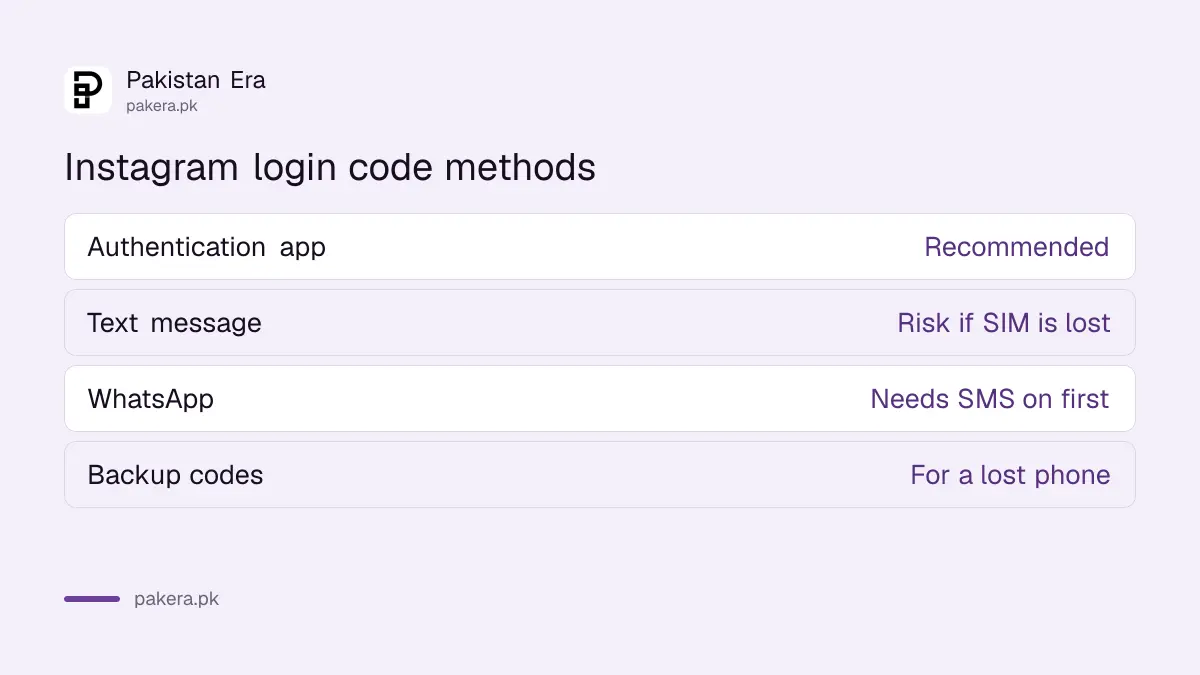
You can get codes from an authentication app such as Google Authenticator or Duo Mobile, by text message, or through WhatsApp. Instagram recommends the app. WhatsApp codes need text message turned on first. You must have at least one method set up.
| Method | How the code arrives | Good for | Weak point |
|---|---|---|---|
| Authentication app | An app on your phone makes a new code every few seconds | Most people, recommended by Instagram | Set up only in the Instagram app for Android or iPhone |
| Text message (SMS) | Sent to your confirmed phone number | Simple phones and quick setup | A lost or swapped SIM gets the code |
| Sent to your WhatsApp | Weak mobile signal areas | Needs SMS turned on first | |
| Backup codes | A list you save in advance | Lost phone or no signal | Useless if you never saved them |
In Pakistan, SMS alone carries a real risk. If your SIM is lost, blocked or swapped by a fraudster, the codes go with it. That is our reason for putting the app first, and it matches Instagram's own recommendation.
Turn on two-factor authentication in five steps
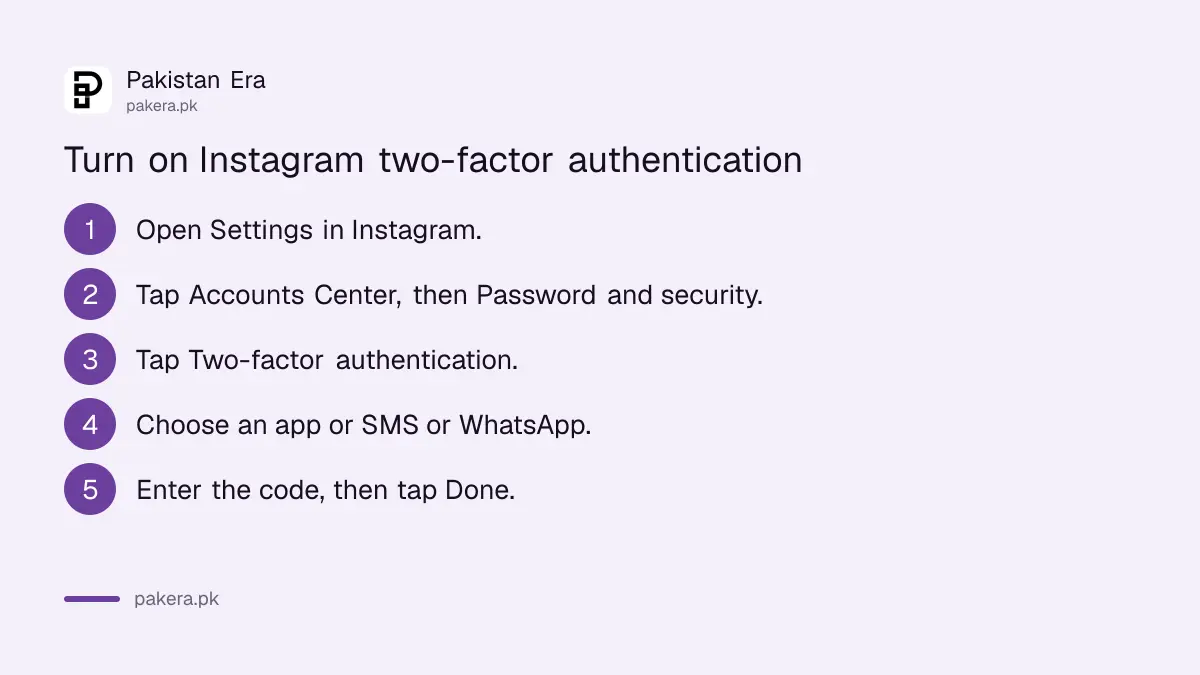
Open Instagram's Settings, go to Accounts Center, then Password and security, then Two-factor authentication. Choose the account, pick a method and follow the prompts. The whole process happens inside the app and ends with a confirmation code you type in once.
- In Instagram, open your profile, tap the menu, and open Settings. Instagram's help page describes this as More, then Settings.
- Tap Accounts Center, then Password and security.
- Tap Two-factor authentication and choose your Instagram account.
- Choose Authentication app, or SMS or WhatsApp, and tap Next.
- Enter the code from the app or the message and tap Next, then Done.
For SMS, Instagram says the account must have a confirmed phone number. If it has none, you enter one during setup and it becomes the confirmed number. Use a SIM registered on your own CNIC, not a relative's, so you can get a duplicate if it is lost.
An authenticator app needs one extra step but works offline
Install Google Authenticator or Duo Mobile first. In Instagram's two-factor settings, choose Authentication app and tap Next. Instagram links to the app, the app shows a confirmation code, and you type that code into Instagram to finish. After that, codes work without signal or SMS.
The offline part matters when you travel or when the network is down in your area. Instagram also says more than one device can receive codes with this method, which helps if you use a tablet as well. The same app can hold your Google and Facebook codes too, and our steps to set up Google Authenticator show how it works for a Google Account.
If you change phones, move the authenticator app to the new phone before you wipe the old one, or save backup codes first. Wiping the only phone that holds your codes is an easy way to lock yourself out. That warning is ours, not Instagram's.
Backup codes are what save you when the phone is gone
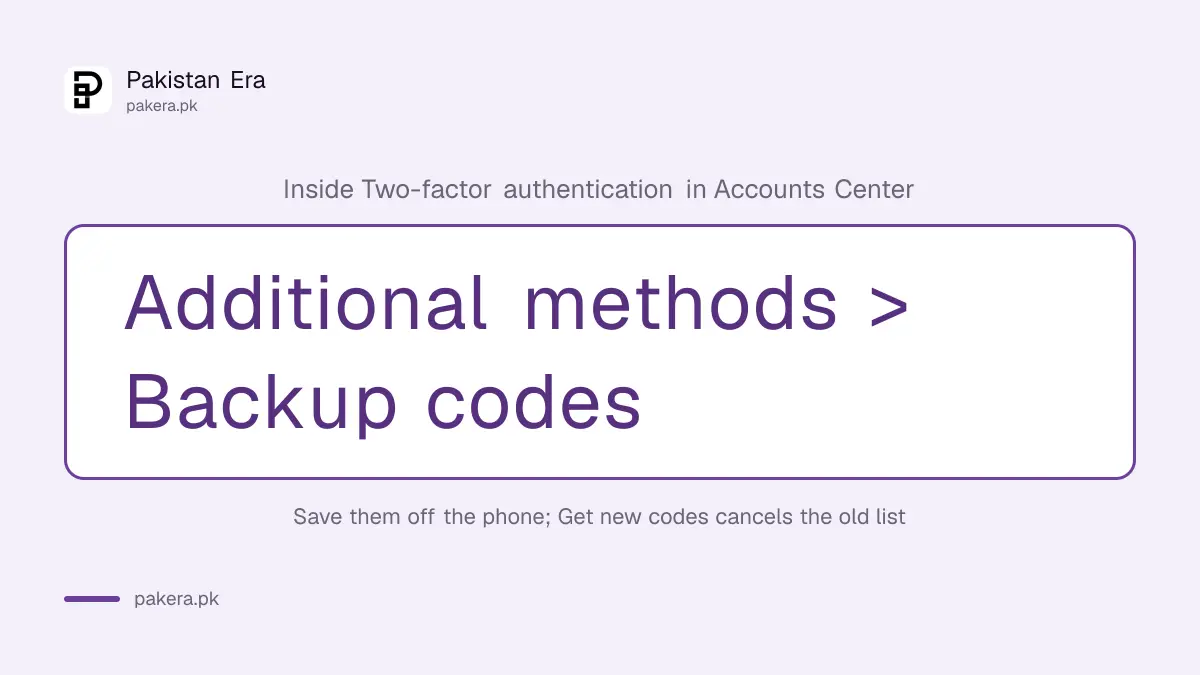
Instagram lets you log in with a backup code when a login code cannot reach you. Get them from Two-factor authentication, then Additional methods, then Backup codes. Save them off the phone. Tapping Get new codes cancels the old list.
- Open Settings, Accounts Center, then Password and security.
- Tap Two-factor authentication and choose the account.
- Tap Additional methods, then Backup codes.
- Copy the codes or take a screenshot, and store them somewhere other than this phone.
- Cross out each code once you use it.
Instagram suggests copying them or taking a screenshot. A screenshot on the same phone does not help when the phone is stolen, so email the codes to yourself or write them on paper kept at home. The same habit for Google is in our steps to save Google backup codes.
Check where you are logged in after turning it on
Two-factor stops new logins, but a session that is already open stays open. In Accounts Center, open Password and security, then Where you're logged in, and log out any device you do not recognise. Then change your password if anything looked wrong.
Accounts Center is shared between Instagram and Facebook, so the same list can show sessions for both. Our steps to check where your Facebook is logged in walk through that screen. If you are already locked out, two-factor will not help. Start with the steps to recover a hacked Instagram account instead.
Never share an Instagram code, whoever asks
A login code is only for you to type into Instagram. Anyone who asks for it in a DM, a comment or a call, including someone claiming to be from Meta or a "verification team", is trying to take your account. No genuine support team needs the code you were sent.
One common version arrives as a DM from a friend's account: "Please send me the code I sent to your number, I need it to get back in." That friend's account is usually already hacked. Call them on a normal call before doing anything. If you lose money or face blackmail after a takeover, complain to the National Cyber Crime Investigation Agency (NCCIA) on 1799.
Common questions
Where is two-factor authentication on Instagram?
Settings, then Accounts Center, then Password and security, then Two-factor authentication. Some accounts show Meta Account settings instead of Accounts Center.
Which Instagram two-factor method is best?
Instagram recommends an authentication app. It works without signal and is not affected if your SIM is lost or swapped.
Can I get Instagram codes on WhatsApp?
Yes. Instagram offers SMS or WhatsApp, but you must turn on text message codes first.
How do I log in if I lost my phone?
Use one of your saved backup codes. If you never saved any, use Instagram's account recovery steps.
Does getting new backup codes cancel the old ones?
Yes. Instagram says tapping Get new codes cancels your current list.
Do I have to pay for Instagram two-factor authentication?
No. Instagram does not charge for it, and an authentication app is free to install.
How we verified this
What we checked, where we read it, and what we could not confirm.
We read Instagram's Help Centre pages on two-factor authentication, the authentication app, text message codes and login and backup codes on 25 October 2026. The "Where you're logged in" path comes from Facebook's help page that we read on 13 October 2026. Instagram's pages do not say how many backup codes you get, and we did not set this up on a live account, so menu names on your phone may differ.
About the author

Technology Journalist & Multimedia Producer
Ahmad Ali is a technology journalist and multimedia producer at Pakistan Era, joining the team in October 2026. He covers consumer technology and digital life for Pakistani readers, combining research with hands-on product testing.