Add Booking, Menu, Order and Social Links to Google Business Profile in Pakistan, Free
Add booking, menu, food order and social links to your Google Business Profile in Pakistan: up to 10 links per type, one per social platform, and how to remove.
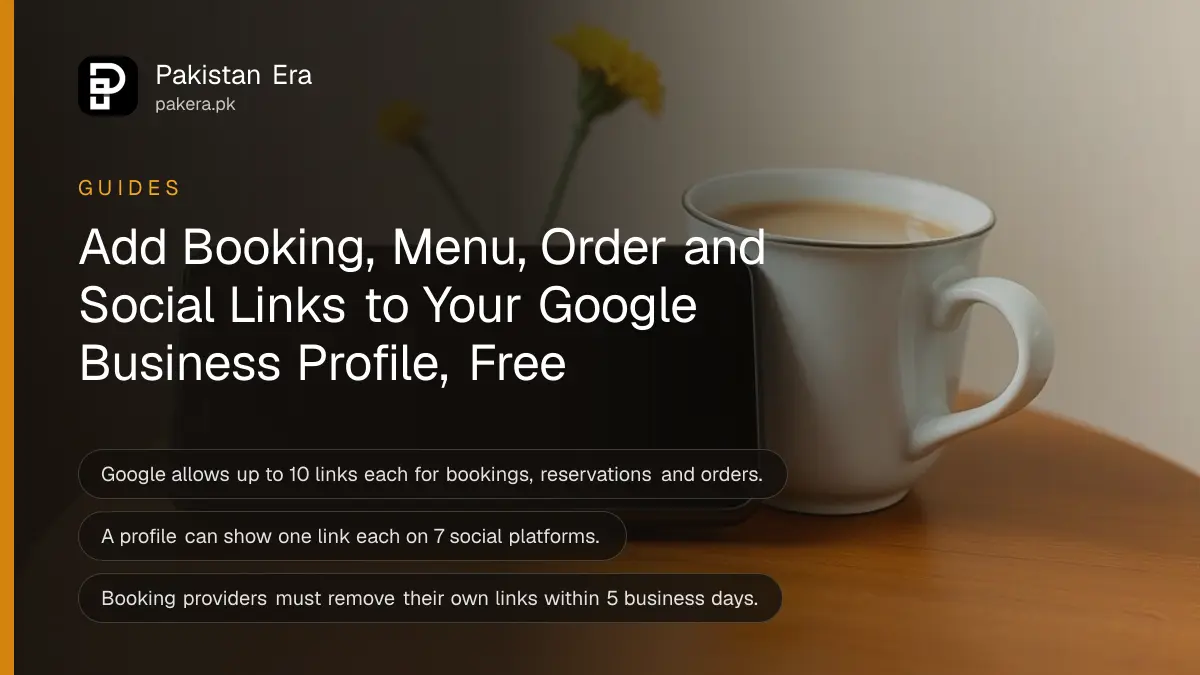
To add a booking, menu or order link to your Google Business Profile in Pakistan, open your profile, select Booking, Food ordering or Pickup and delivery (on Maps: Edit profile, then the link type), select Add link, paste your URL and Save. Social links go under Edit profile, then Contact, then Social profiles. All of it is free.
Links turn a Maps listing into a shop window that takes orders. A salon can send people straight to its appointment form, a restaurant to its menu or order page, and any business to its Facebook, Instagram or TikTok page. The steps below cover every link type Google allows and the limits on each.
Which links Google lets you add
Google allows one menu or services link, up to 10 links each for appointments, reservations, food orders and shopping orders, and one link per social platform on 7 platforms. Each link type has its own place in the profile editor.
| Link type | How many | Where to add it |
|---|---|---|
| Menu or list of services | 1 | Edit profile, in the menu or services link field |
| Book an appointment | Up to 10 | Booking |
| Make a reservation | Up to 10 | Booking |
| Place a food order | Up to 10 | Food ordering, or Pickup and delivery |
| Place a shopping order | Up to 10 | Pickup and delivery |
| Social media profile | 1 per platform | Edit profile, Contact, Social profiles |
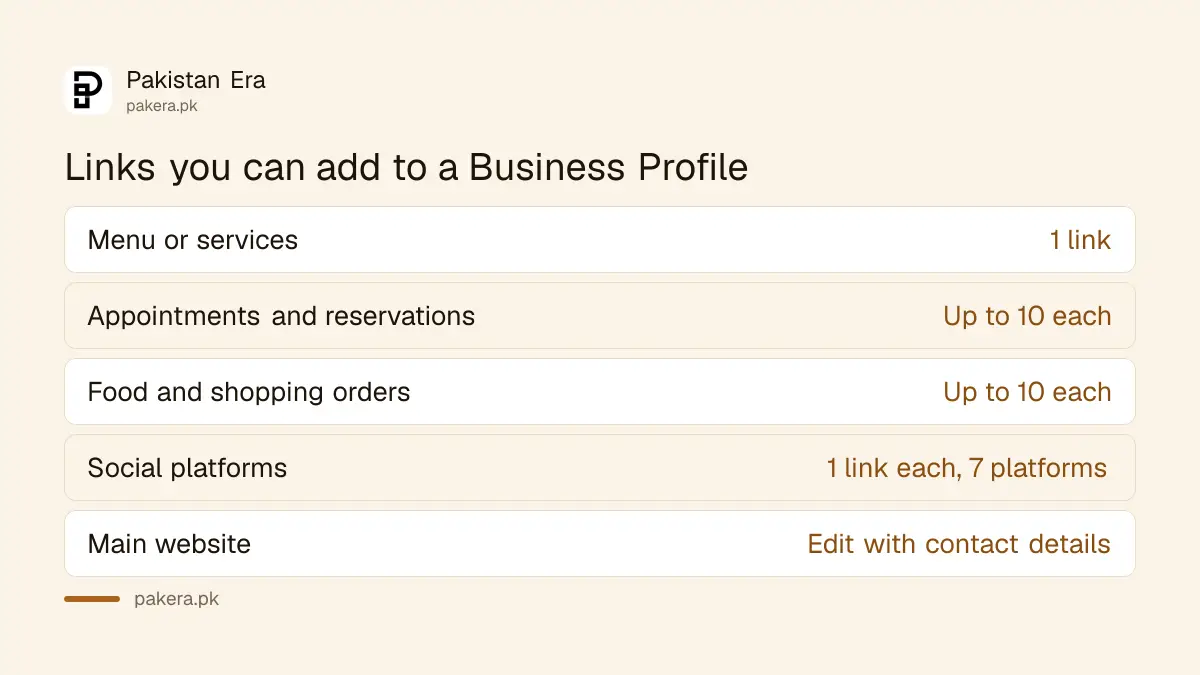
Your main website link is separate. You change it with the rest of your contact details, the same way you edit your profile's name, address and phone.
Add a booking, food order or shopping link
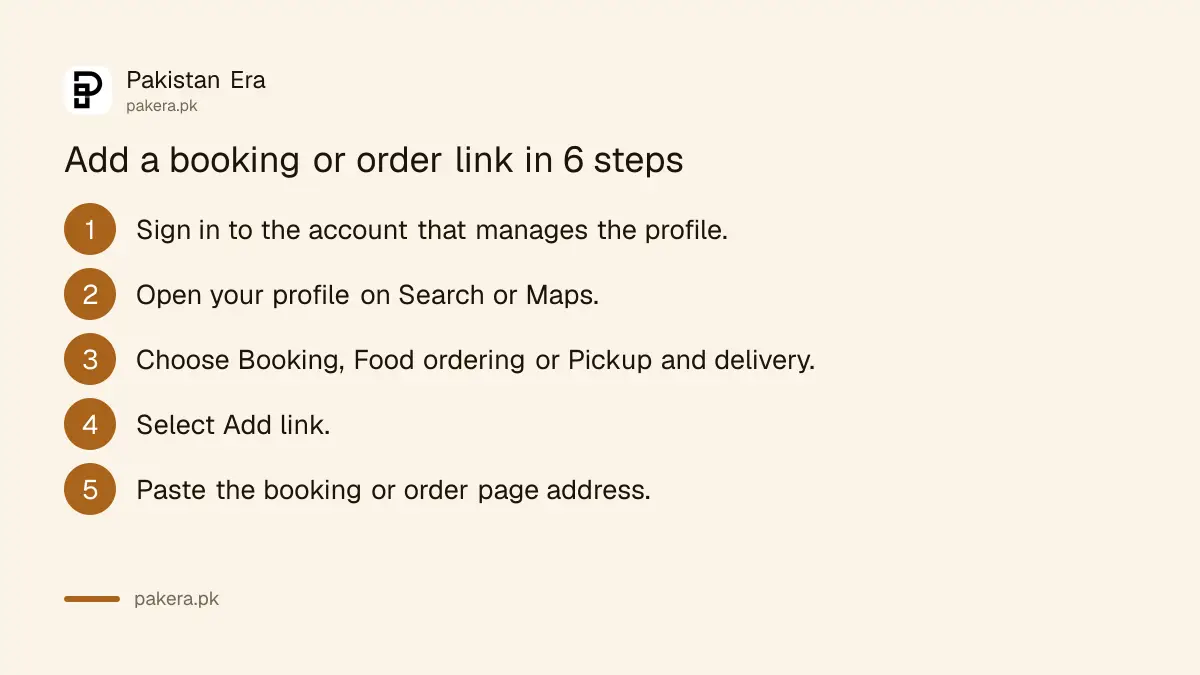
Booking and order links are added from the profile itself. On Google Search you pick the link type straight away. In the Google Maps app you open Edit profile first. Then you paste the link and save. It takes about 2 minutes.
- Sign in to the Google account that manages your Business Profile.
- Open your profile. On Google Search, search your business name. In Maps, open your profile and select Edit profile.
- Select the link type: Booking, Food ordering or Pickup and delivery.
- Select Add link, or Add another link if one is already there.
- Paste the full web address of your booking or order page.
- Select Save.
Use a page that opens the form or menu directly, not your home page. A customer who taps Book and lands on a home page usually gives up. If most of your orders come in on chat instead, set up the free WhatsApp Business app with a catalogue and put that number on your profile.
Set a preferred link when you have more than one
If you add several links of one type, you can choose which one shows first. Open the link type, select Set preferred link, pick the link and Save. Google then shows it at the top, marked "Business preferred".
- Open your profile and select the link type, such as Food ordering.
- Select Set preferred link.
- Choose the link you want first, then select Save.
This matters for a restaurant on two or three delivery apps. Make your own order page the preferred link if you pay less commission on it.
Remove or hide a link added by someone else
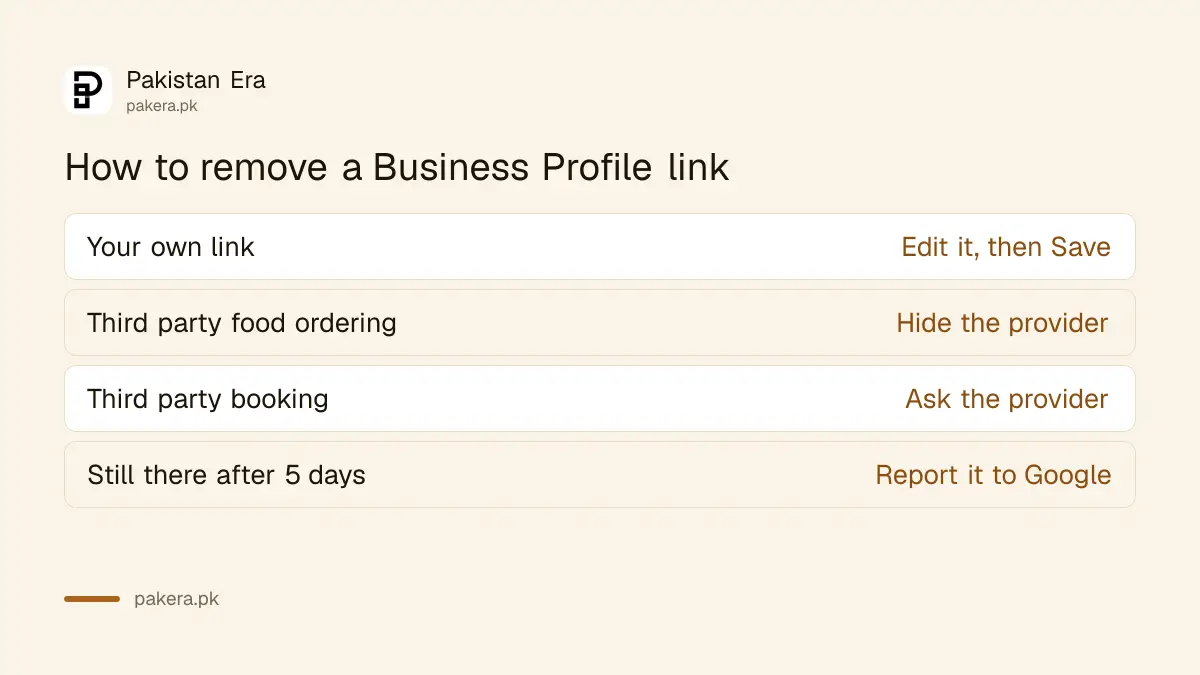
Booking and delivery companies can add their own links to your profile. You can hide a third party food ordering provider yourself. A third party booking or reservation link must be removed by that provider, which has 5 business days to act.
| Link | How to remove it |
|---|---|
| Your own link | Edit it where you added it, then Save |
| Third party food ordering | Food ordering, select the provider, Show provider to customers, turn off pickup or delivery, Save, Confirm |
| Third party booking or reservation | Contact the provider through its opt out link, support form or account portal |
| Provider link still showing after 5 business days | Report a third party violation to Google |
Add Facebook, Instagram and other social links
Google lets a profile show one link each for Facebook, Instagram, LinkedIn, Pinterest, TikTok, X and YouTube. Add them under Edit profile, then Contact, then Social profiles. The option is open only in some regions, so it may not appear on every profile.
- Open your Business Profile and select Edit profile, then Contact.
- Next to Social profiles, select Edit.
- Pick the platform from the Social profile menu.
- Paste the link in Web address. Select Add social profile for the next one.
- Select Save.
Each link must follow the platform's normal format. Facebook, Instagram, Pinterest and TikTok links are the site address plus your username. LinkedIn takes a /company/ or /in/ page. YouTube takes a /channel/, /user/ or /@ address.
- Link not saving: check that it is not broken, a duplicate, or for a platform Google does not support.
- A link you did not add: Google may add social links by itself. Replace it with the right one, or ask Google to remove it.
- No Social profiles option: the feature is not open for your region yet. Put your social pages on your website instead.
Google gives no click counts for social links. To see what the rest of the profile brings in, use your Business Profile performance report. If you lose access to the Facebook Page you link, you can get back admin access to a Facebook Page.
Check that your links work for customers
After saving, open your profile on a phone while signed out, or in a private browser window, and tap every link. Each should open the right page fast, with no login wall. Fix any link that opens a home page, an error or the wrong branch.
- Test on mobile data, not only office Wi-Fi.
- Make sure the booking form shows your real timings.
- Keep one menu link and update the page behind it when prices change.
- Share your profile with customers too, using a Google review link and QR code at the counter.
Common questions
Does adding links to Google Business Profile cost money?
No. Every link type is free on a verified Business Profile.
How many booking links can I add?
Up to 10 links each for appointments, reservations, food orders and shopping orders. The menu or services link is limited to 1.
Can I add my Instagram page to Google Maps?
Yes, where Google offers social links. Go to Edit profile, Contact, Social profiles, and add one Instagram link.
Why can't I find the Social profiles option?
Google offers social links only in select regions. If the option is missing, it is not open for your profile yet.
How do I remove a delivery app link from my profile?
Open Food ordering, select the provider, use Show provider to customers to turn off pickup or delivery, then Save and Confirm.
Can I add these links in bulk for many branches?
Local business links cannot be added through the Business Profile API or a spreadsheet upload. Social links can be updated across profiles through the API.
How we verified this
What we checked and where we read it.
We checked two Google Business Profile Help pages on 14 November 2026. Manage local business links gave the link types and limits, the Search and Maps steps, the preferred link setting, the third party removal routes and the 5 business day opt out rule. Manage social media links gave the 7 platforms, the one link per platform limit, the Contact steps, the link formats and the regional limit. Google's pages do not list which regions have social links.
About the author
Founder and Editor
Umer Kureshi founded Pakistan Era in July 2024 and runs it as administrator, SEO lead and writer, overseeing website operations, search growth, content strategy and coverage of technology and current affairs.