How to Set Up the Free WhatsApp Business App in Pakistan
Set up the free WhatsApp Business app in Pakistan: profile, catalog, quick replies, away message and labels, plus the opt-in rules and the paid Platform.
To set up the free WhatsApp Business app in Pakistan, install it, register your shop's own mobile number, fill in the business profile, then add a catalog, quick replies, a greeting, an away message and labels. You only message people who gave you their number and agreed to hear from you.
A customer in Lahore sends "price?" under a photo at 11 pm. Your personal WhatsApp buries it between family photos and a cousin's wedding group. The WhatsApp Business app is the free fix for that, and it takes about an hour to set up properly.
On 7 October 2026 we read WhatsApp's own Business Messaging Policy and its Business app and Business Platform product pages. We could not open WhatsApp's help-centre articles for individual features in our check, so the menu names below are the ones the app has used, and your phone's screen is the final word.
The Business app is free and the Platform is a different product
WhatsApp Business has two products. The Business app is a free app you install on a phone. The WhatsApp Business Platform is an API for larger companies, built into their own software and priced by message.
WhatsApp's own pages describe the app for owners who talk to customers one by one, and the Platform for "enterprise-level" use such as order alerts and automated flows. A tailor, a cosmetics seller or a tutor in Pakistan almost always wants the app.
| Question | WhatsApp Business app | WhatsApp Business Platform |
|---|---|---|
| Who it suits | Small shops and one person businesses | Larger firms with developers or a software partner |
| How you use it | Install it on a phone | Connect it to your own software through the API |
| Cost | Free to install | Messages are priced under WhatsApp's pricing policy |
| Starting a chat | Only with people who agreed to hear from you | Only with an approved message template |
| Replying | Any time | Free text only inside a 24 hour window after the customer writes |
Do not pay anyone who says they must "activate" the free app for you. If you later outgrow it, the Platform is where bulk tools live, with rules attached. Those rules are covered further down.
Register a number that belongs to the business
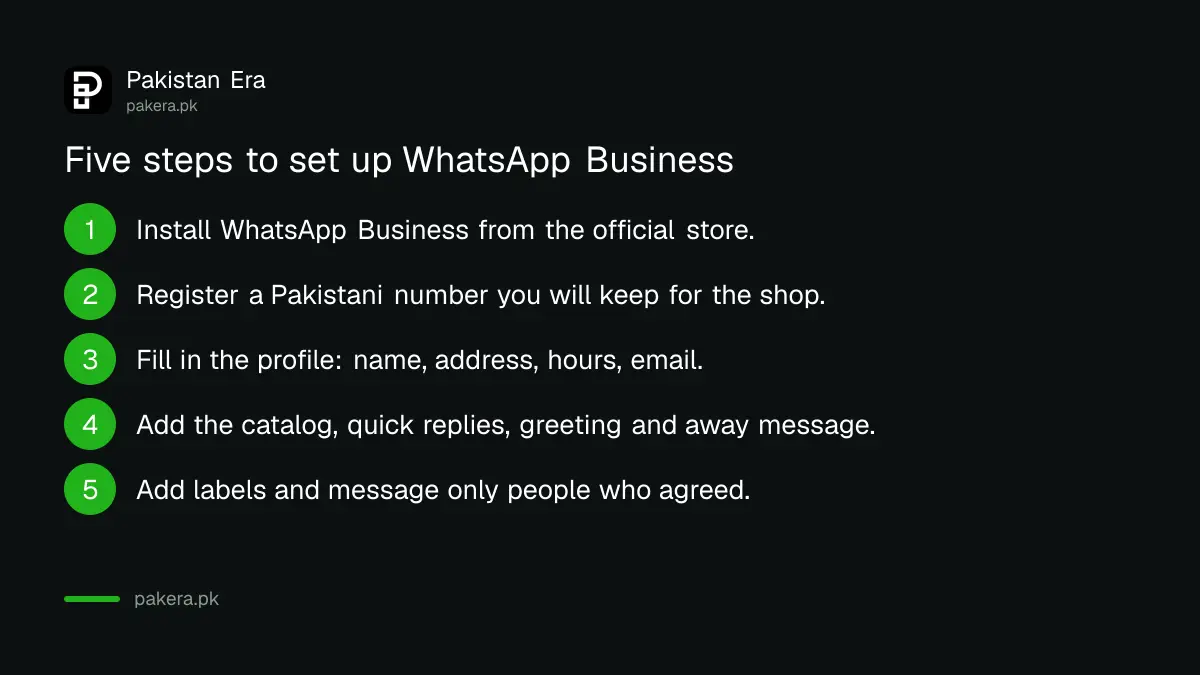
Install WhatsApp Business from your phone's official store and register a Pakistani mobile number you can receive an SMS or call on. Use a number you will keep, because customers save it and your catalog link is tied to it.
A number is tied to one WhatsApp account at a time. If the number is already on your personal WhatsApp, you will have to choose between moving it or using a second SIM for the business. A second SIM is the cleaner choice, since personal chats then stay personal.
- Install WhatsApp Business from the official store, not from a link sent in a chat.
- Enter the Pakistani number with +92 and confirm the code sent to it.
- Allow backup and restore if you are moving an old chat history.
- Choose a business name that matches your shop sign and your Google listing.
Never install modified copies such as GB WhatsApp. They can lead to the review and ban problems explained in what to do when WhatsApp puts an account under review.
Fill in the business profile before you share your number
The profile is what a stranger sees first. Add your business name, a short description, category, address, opening days, email and website. WhatsApp's policy requires a profile with contact details, and says to keep them accurate and current.
Be exact with the address and hours. If you already have a map listing, copy the same details from your free Google Business Profile, so a customer sees the same shop name and hours everywhere.
The policy also bans pretending to be another business. Do not use a famous brand's name or logo unless you are that brand or an authorised seller.
Catalog, quick replies, greeting, away message and labels
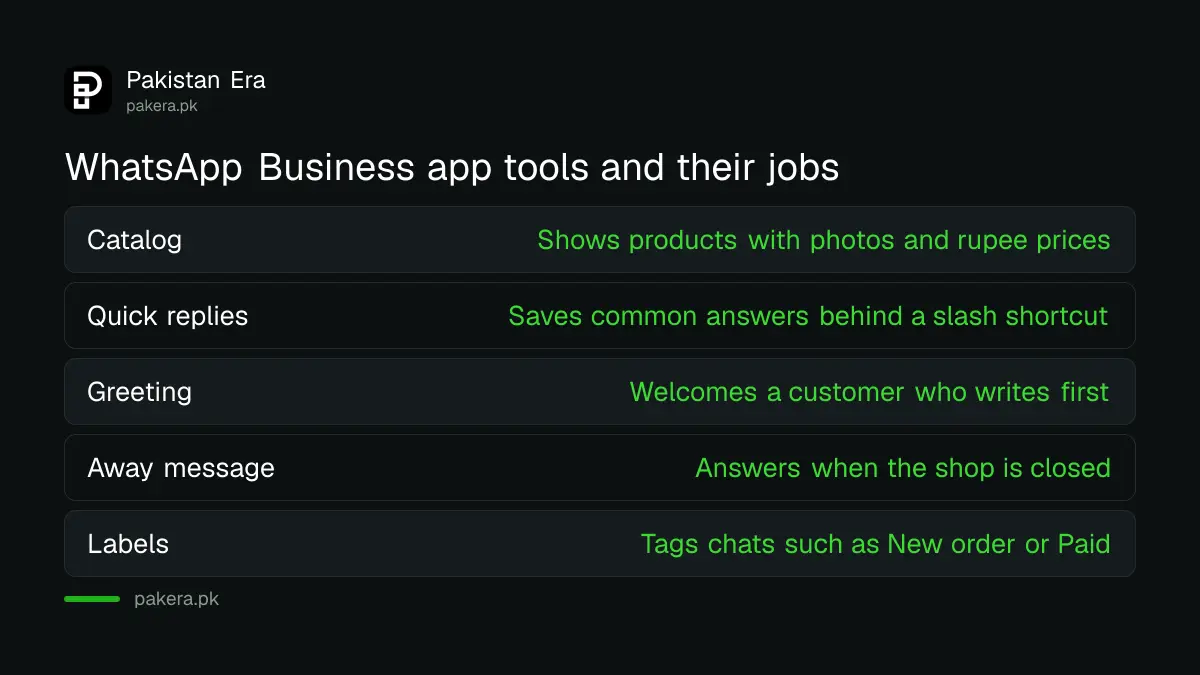
These five tools sit under the app's business tools menu. The catalog shows what you sell, quick replies save typing, the greeting and away message answer for you, and labels sort your chats. All are free in the app.
Catalog
Add each product with a clear photo, name, price in rupees and a short description. Keep prices current, since an old price in a catalog causes arguments at delivery. You can share the catalog or one item as a link inside a chat.
WhatsApp's policy says catalogs must follow the Meta Commerce Policy and the law. Listing a banned product can get you barred from some or all WhatsApp business tools.
Quick replies
Save answers you type ten times a day, such as delivery charges, shop address and payment details. You attach a short shortcut starting with a slash, for example /address, and the full message appears when you type it. Never save a customer's private details as a quick reply.
Greeting and away message
A greeting goes out when a new customer writes first. An away message goes out when you are closed. Say your working hours and when you will answer. Do not promise things you cannot do, such as "reply within 1 minute".
Labels and business hours
Labels are coloured tags such as New order, Paid, Delivered and Complaint. Set your business hours in the profile so the away message matches them.
Message only people who agreed to hear from you
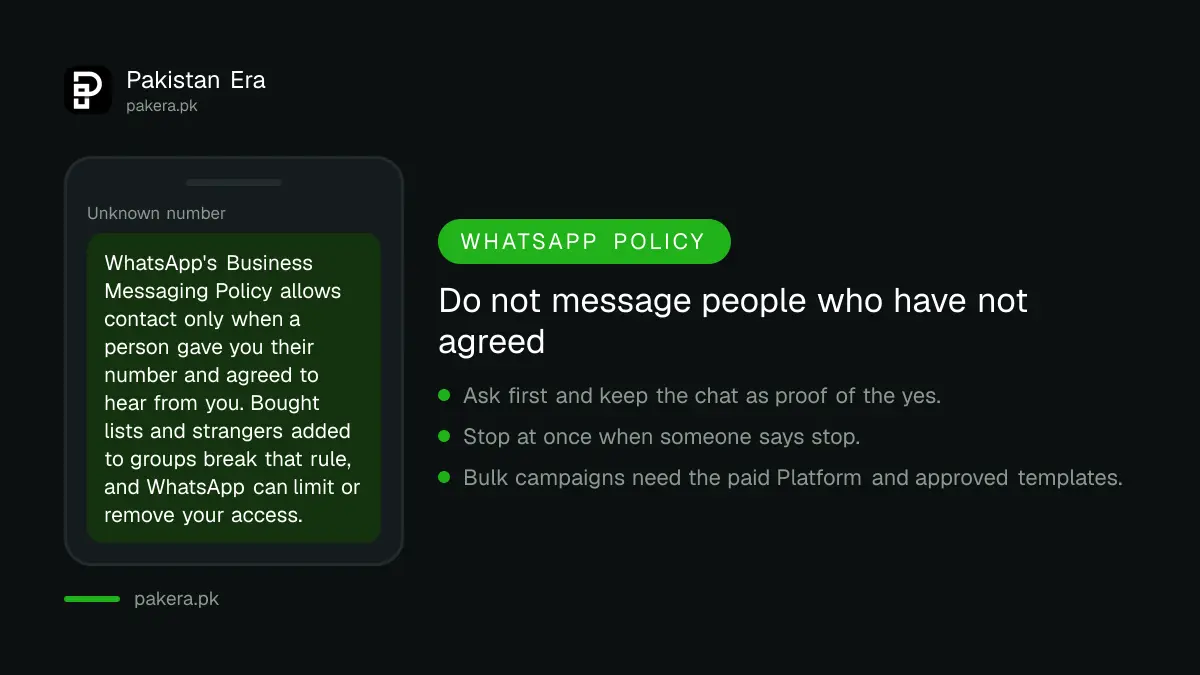
WhatsApp's Business Messaging Policy says you may contact people only if they gave you their number and also agreed to receive messages from you. Respect any request to stop, on or off WhatsApp. Do not "confuse, deceive, defraud, mislead, spam, or surprise people".
That rules out buying a list of numbers and sending an offer to all of them. It also rules out adding strangers to a group to sell to them. Either can get your number restricted.
- Ask first, for example with a line at checkout: "May we send you order updates on WhatsApp?"
- Keep proof of the yes, such as the chat where the customer agreed.
- Stop at once when someone says stop, and remove them from your lists.
- Do not use extra tools that send messages in bulk from the free app.
The policy also bars the Business app from messaging about regulated verticals, a list that includes some categories of restricted goods and services. Read that section of the policy before you sell anything regulated, such as medicines, tobacco or gambling. WhatsApp can limit or remove access to accounts that break the policy, and the steps in what to do if WhatsApp Business is blocked apply only after the fact.
Marketing messages need the Platform and its templates
If you want to start conversations with many customers, the Business app is the wrong tool. On the Platform, WhatsApp says you may start a chat only with an approved message template, and outside the 24 hour window after a customer writes you may send only approved templates.
Templates can be reviewed, paused or rejected at any time, and messages are priced under WhatsApp's pricing policy. We did not find a fixed price that applies to Pakistan, so we give no figure here. Check the pricing page of the Platform before you commit.
For most Pakistani small sellers the sensible order is simple. Use the app, build a list of customers who agreed, and move to the Platform only when the volume forces it. A phone, a catalog and good habits are enough for the first few hundred orders.
A web page is the next step after chats. Starting an online store in Pakistan explains Daraz and your own website, and WhatsApp can sit beside either as the support line.
Common questions
Is the WhatsApp Business app free in Pakistan?
Yes. WhatsApp's product page presents the Business app as the tool for small businesses, and installing it carries no fee. The paid product is the separate Business Platform.
Can I use WhatsApp and WhatsApp Business on one phone?
Yes, with two different numbers. You cannot use the same number on both apps at once, so a second SIM keeps personal chats separate.
Can I send a message to all my customers at once?
Only to people who gave you their number and agreed to hear from you. Even then, WhatsApp's policy bans spam. Large campaigns belong on the Platform with approved templates.
What is the difference between the app and the Platform?
The app is free and phone based, for one to one chats. The Platform is an API, priced per message, with templates and a 24 hour reply window.
Can WhatsApp block my business number?
Yes. WhatsApp says it may limit or remove access if you break its policies, and it uses automated checks and human review to find violations.
Do I need a registered company to use it?
We found no such requirement in WhatsApp's own policy for the app. Selling regulated goods is different, and tax or licence rules under Pakistani law still apply to your trade.
How we verified this
What we checked, where we read it, and what we could not confirm.
Last checked 7 October 2026 against WhatsApp's Business Messaging Policy, the WhatsApp Business app page and the WhatsApp Business Platform page. We could not open WhatsApp's help-centre articles on individual features, so confirm menu names and any limits on item counts inside your own app.
About the author

Founder and Editor
Umer Kureshi founded Pakistan Era in July 2024 and runs it as administrator, SEO lead and writer, overseeing website operations, search growth, content strategy and coverage of technology and current affairs.