How to Put Your Shop on Google Maps in Pakistan, Free
Add your shop, clinic or service to Google Maps in Pakistan with a free Google Business Profile: create it, verify it by video or phone, and avoid paid scams.
You can put your shop, clinic or small business on Google Maps in Pakistan for free. Go to business.google.com/add, enter your business name, category, address and phone number, then verify by video, phone, text, email or postcard. Google says it charges nothing for any of this.
A customer standing in Saddar or Liberty Market types "pharmacy near me" and taps the first pin they see. If your shop has no pin, you are not in that choice. A Google Business Profile, the free listing that shows your shop on Maps and in Search, is how you get the pin.
We read Google's own Business Profile help pages on 6 October 2026. Every rule below comes from those pages.
Google Business Profile is free for any eligible business
Creating a Google Business Profile costs nothing. Google's help page says you can add or claim your business "at no charge". You need a Google account, a real address or service area, and a phone you can answer. Verification then takes longer.
Your business qualifies if customers can visit it, or if you travel to them. Google refuses online-only stores and virtual offices, meaning an address you rent but do not work from.
| Business type | Eligible? | How to list it |
|---|---|---|
| Shop, clinic, salon, restaurant | Yes | Storefront, show your address |
| Electrician, tutor, AC repair who visits homes | Yes | Service area, hide your home address |
| Shop that also delivers | Yes | Address plus a service area |
| Online-only seller with no customer contact | No | Not eligible for a profile |
| Rented virtual office you do not work from | No | Not eligible for a profile |
How to create your profile, step by step
Open business.google.com/add on your phone or computer, sign in, and follow five screens. If your shop already appears on Maps because a customer added it, search for it on Google Maps and tap "Claim this business" instead of making a second one.
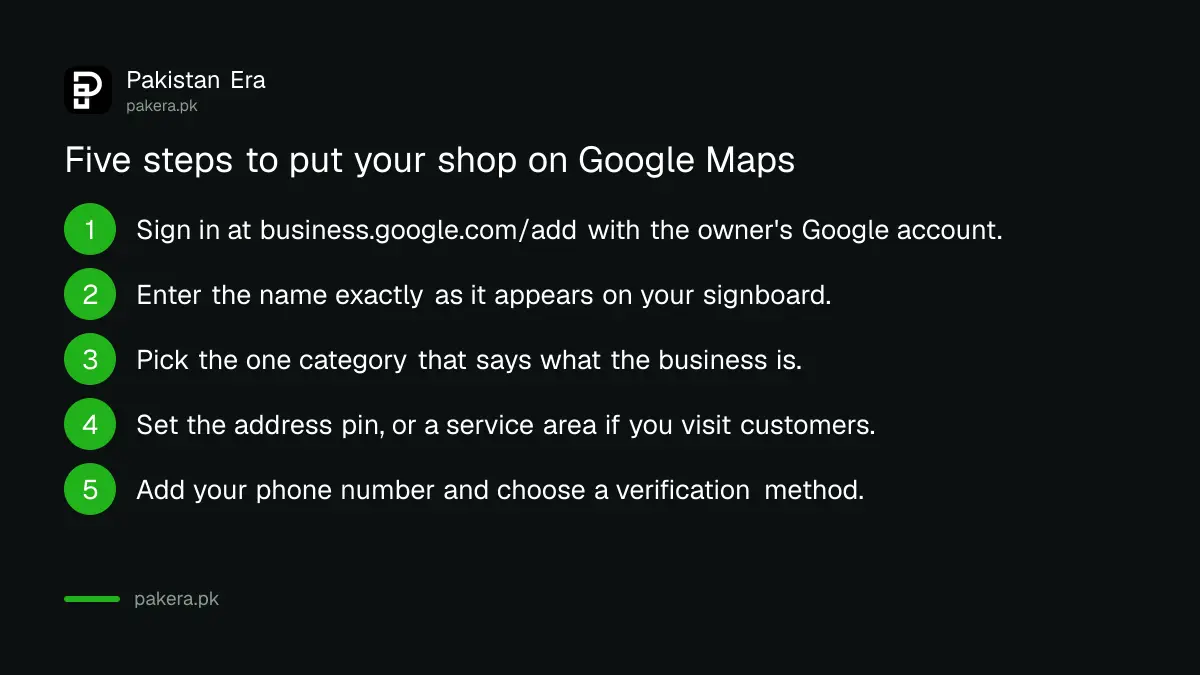
- Sign in with a Google account you control. Use the owner's account, not a staff member's or an agent's.
- Type your business name exactly as it is written on your signboard. Do not add words like "best" or "cheap", and do not add your phone number or city to the name.
- Pick a primary category that finishes the sentence "This business is a...". A dental clinic is a "Dentist", not "Teeth whitening".
- Enter your address and drop the pin on the right building. If you work from home and visit customers, choose a service area and hide the address.
- Add your phone number and website if you have one, then choose a verification option.
If you have lost the password to that account, getting back into a Gmail account comes first.
Google offers five ways to verify a business
Google lists five verification methods: phone or text, email, live video call, postcard by mail, and a recorded video. You only see the methods Google offers for your listing. After you finish, Google says its review takes up to 5 business days.
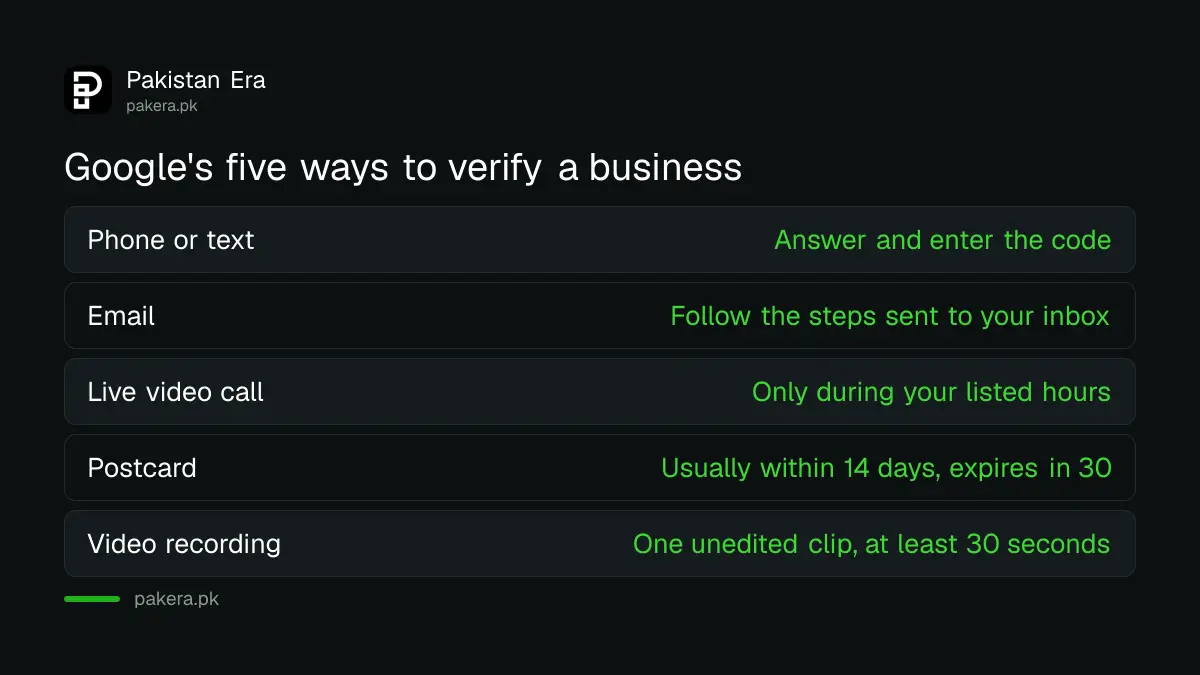
| Method | What you do | Watch out for |
|---|---|---|
| Phone or text | Answer the call or SMS and enter the code | A phone menu system (IVR) cannot receive it |
| Follow the steps sent to the listed address | You need access to that inbox | |
| Live video call | Show a Google staff member your shop live | Only within your listed business hours |
| Postcard | Enter the code printed on the card | Most arrive within 14 days, codes expire after 30 |
| Video recording | Record and upload one clip from your phone | At least 30 seconds, no cuts or edits |
Google recommends the recorded video when your business is eligible for it. The clip must be one continuous take, shot and uploaded from the phone through your profile. Show three things: where you are, that the business exists, and that you run it.
- Location: the street, a building number or neighbouring shops, so Google can match the pin on Maps.
- The business: your signboard with the name painted or fixed on a wall, window or board. The name must match your profile.
- Management: something only staff can do, such as opening the cash drawer, the store room or the kitchen.
Service businesses with no shop show their tools, workspace or an invoice in the business name instead. Waiting for a postcard? Do not edit your details until it arrives.
Categories, hours and photos decide who finds you
After verification, fill in hours, extra categories, photos and a short description. Google tells owners to choose the fewest categories that describe the core business. Accurate hours stop customers arriving at a closed shutter, which also stops angry reviews.
Use special hours for Eid and other holidays rather than changing your normal hours. Upload real photos: the front of the shop as a customer sees it from the road, the inside, and your main products.
Keep the signboard name and the profile name the same. Google's rules say businesses that show an address should have permanent signage with the business name at that address. Some owners register first with a trade licence from the local council, which helps later if Google asks for proof.
Buying reviews breaks Google's rules and can cost you the profile
Google's Maps content policy bans reviews that are paid for, directly or in kind. You cannot offer discounts or free items for reviews, ask only happy customers, or push customers to review while still in the shop. Fake engagement is removed.
That covers the packages sold on WhatsApp promising "50 five-star reviews". Google also bans fake bad reviews on a competitor's listing.
What is allowed is simple. Ask every customer, not only the satisfied ones, to share an honest experience, with no reward attached. A small card with your profile's review link at the counter does this. Reply politely to every review, including the bad ones, because the next customer reads the reply too.
Common rejections and how to fix them
Most problems come from a mismatch: a name with extra keywords, a pin on the wrong building, a missing signboard, or a home address shown publicly. Fix the mismatch first. If Google suspends the profile, appeal once through its appeals tool with documents.
- Video rejected: record again in one take, from the street to the counter.
- Name flagged: remove taglines, city names and phone numbers from the business name.
- Profile suspended: use Google's appeals tool. Google lists business registration documents, licences, tax certificates and utility bills as supporting evidence. The name and address on them must match the profile.
- Duplicate listing: do not make a new profile while an appeal is under review. Google says not to.
Tax certificates are on that evidence list. A sole trader can register as a sole proprietor with FBR and keep that certificate ready for an appeal.
Nobody can sell you Google verification
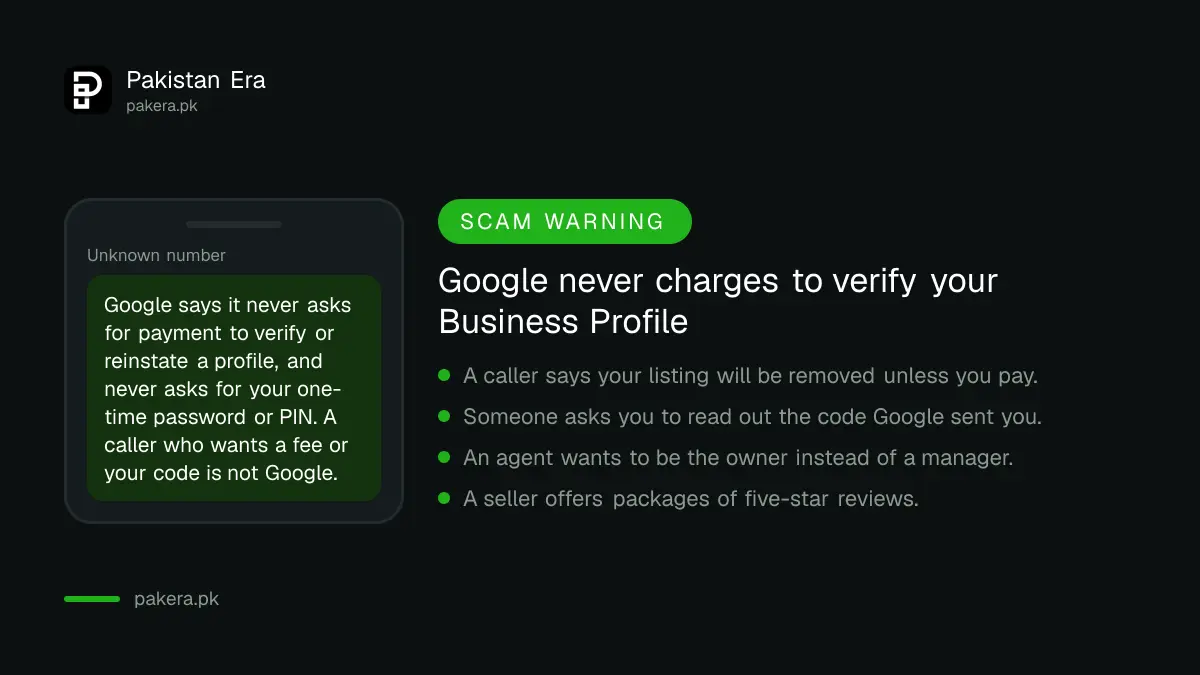
Google says it never charges to verify or reinstate a Business Profile and never asks for your one-time password or PIN. Any caller claiming to be "Google support" who wants a fee or your code is not Google.
An agency can still help with photos or replies. Keep yourself as owner, add helpers as managers only, and remove former staff when they leave.
Once the profile is live, a simple website gives Google and AI assistants more to read about you. A .pk domain from PKNIC is a cheap start, and Google AI Overviews and chat assistants draw on the same profile and site.
Common questions
How much does a Google Business Profile cost in Pakistan?
Nothing. Google says you can add or claim a business at no charge, and it never charges to verify or reinstate one.
How long does Google Business Profile verification take?
Google says reviews take up to 5 business days after you finish a method. A postcard usually arrives within 14 days.
Can I list a business I run from home?
Yes, if you visit customers. Set it up as a service area business and hide your home address.
Can I list an online store with no shop?
No. Google requires a place customers can visit or in-person service at the customer's location.
Is it allowed to give a discount for a Google review?
No. Google's policy bans any incentive, including discounts or free goods, in exchange for a review.
How we verified this
What we checked, where we read it, and what we could not confirm.
Last checked 6 October 2026, against Google's own Business Profile help pages: add or claim your Business Profile, verify your business on Google, the video recording verification page, the guidelines for representing your business, the suspension and reinstatement page, the Maps user contributed content policy on fake engagement, and the page on protecting your Business Profile. The methods shown on your own screen are the ones that apply to you.
About the author

Founder and Editor
Umer Kureshi founded Pakistan Era in July 2024 and runs it as administrator, SEO lead and writer, overseeing website operations, search growth, content strategy and coverage of technology and current affairs.