Create a Google Business Profile Post in Pakistan: Update, Offer or Event in 6 Steps, Free
Create a free Google Business Profile post in Pakistan: Update, Offer or Event, schedule or repeat it weekly, and fix Pending or Not approved posts in 6 steps.
To post on your Google Business Profile in Pakistan, open your profile, select Posts, then Add post, and pick Update, Offer or Event. Add a photo, your text and a button, then select Post. It is free. The post shows on Google Search and Maps once it is live, under the Updates or Overview tab on phones and in the "From the owner" section on a computer.
A post is the one place on your profile where a shop can talk about this week: a winter sale, new stock, a cooking class on Saturday. The steps below cover all three post types, scheduling, the 6 month rule and the reasons Google holds a post back.
Three types of Google Business Profile post
Google offers three post types. An Update is a short news item with a photo and a button. An Offer is a deal with dates and an automatic View Offer button. An Event has a title, start and end dates, and times.
| Post type | Must have | Can add | Good for |
|---|---|---|---|
| Update | Description | Photo, video, one action button with a link | New stock, new timings, a new service |
| Offer | Title, start and end dates, times | Description, photo, video, coupon code, link, terms and conditions | Discounts, sale weeks, free delivery |
| Event | Title, start and end dates, times | Description, photo, video, action button | Workshops, open days, launches |
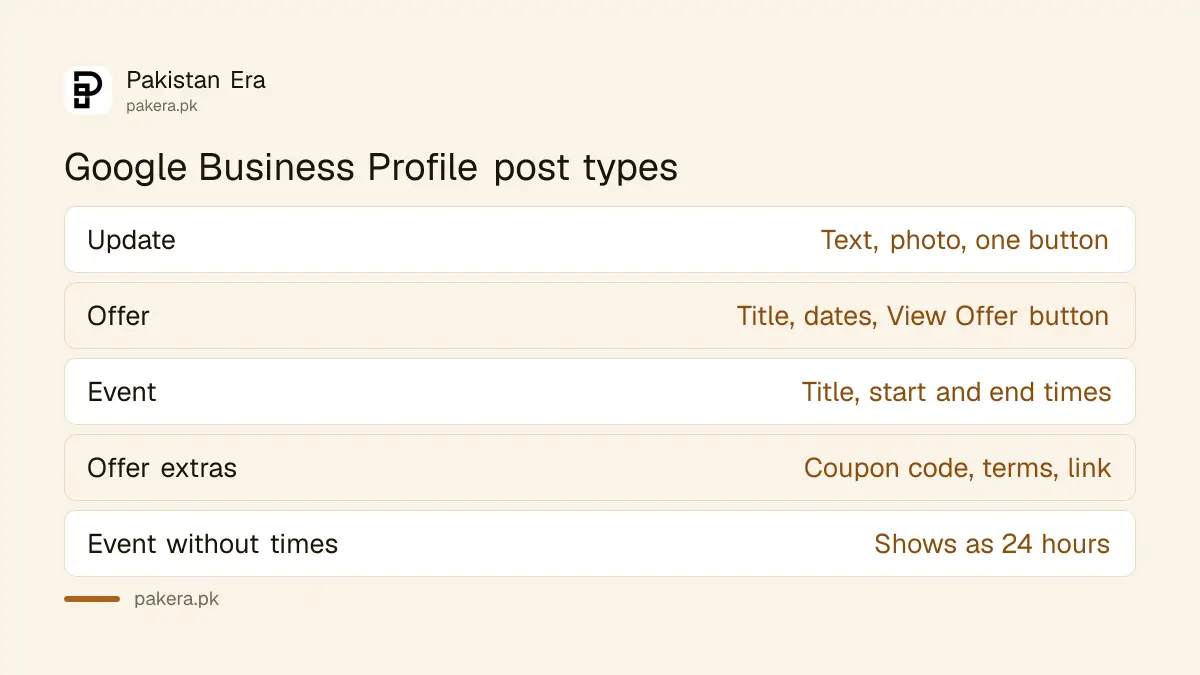
An Offer gets its View Offer button by itself, so you do not pick one. If you skip the times on an Event, Google shows it as lasting 24 hours on each event date.
How to create a post, step by step
You post from the profile itself, on Google Search or in the Google Maps app, while signed in to the Google account that owns or manages the profile. The whole job takes about 5 minutes once your photo is ready.
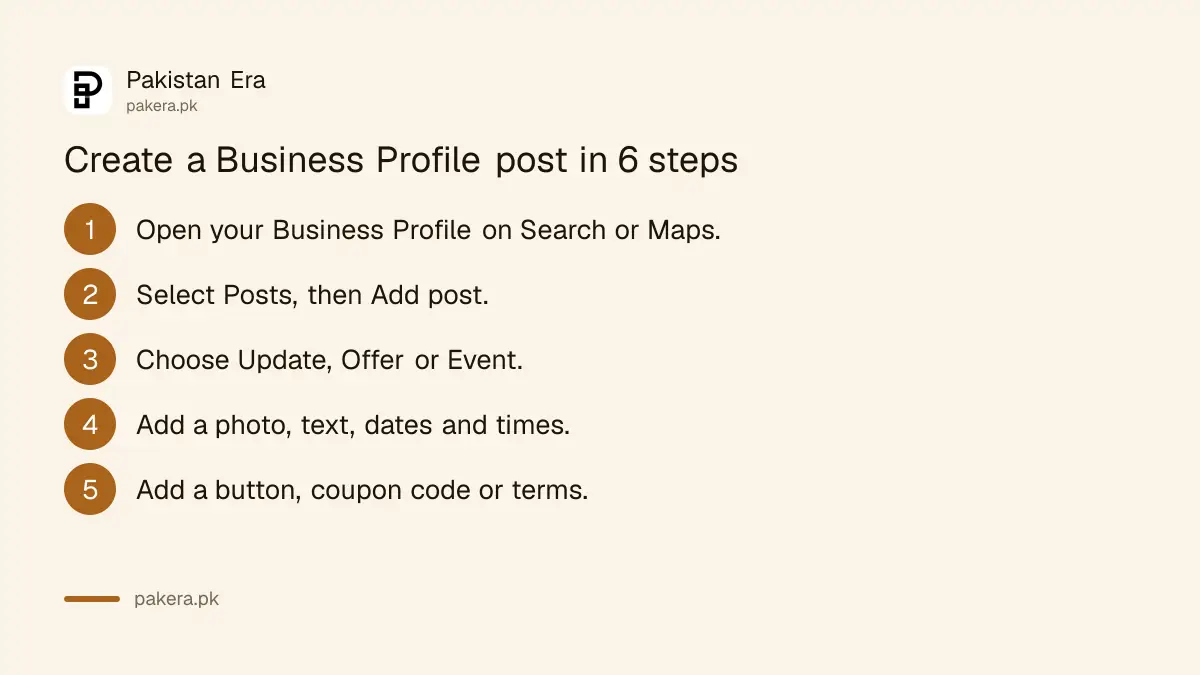
- Search your business name on Google, or open Google Maps, and open your Business Profile.
- Select Posts, then Add post.
- Choose Update, Offer or Event.
- Add a photo or video, then write the description. For an Offer or Event, add the title, dates and times.
- Add a button if you want one, such as a link to your order page. For an Offer, add a coupon code or terms if you have them.
- Select Post. If you manage more than one profile, Google asks where to share it. Select Skip to post to this profile only.
Use a clear photo of your own shop or product. The photo follows the same Business Profile photo and video size rules as the rest of the profile.
Schedule a post or repeat it every week
You can set a post to go live later, or to repeat. Turn on Schedule this post before you select Post, then pick a date and time. The Repeats menu lets you repeat it weekly, monthly or on a custom pattern.
This helps a shop that runs the same deal on the same day. A restaurant with a Friday family deal, for example, can write the post once and set it to repeat weekly. A pharmacy can schedule a reminder before a public holiday closure.
Scheduling suits Google posts only. For Facebook and Instagram, Meta has its own free tool, and you can schedule Facebook and Instagram posts in Meta Business Suite the same afternoon.
What to write in an Offer post
An Offer works best when the title states the deal and the dates match the real sale. Prices and discounts are allowed in posts. Google restricts them in your business name and description, not in a post.
- Title: the deal in a few words, for example "20% off winter jackets".
- Dates and times: the real start and end. Shoppers who come after the end date should not find an expired deal.
- Coupon code: only if your till or website accepts it.
- Terms: one or two lines, such as "In store only" or "While stock lasts".
- Link: your own product or order page.
Keep prices out of the business name and description fields, where Google bans prices and promotions and can suspend a profile for them.
Live, Pending or Not approved: what each status means
Every post shows a status. Live means the public can see it on Search and Maps. Pending means it is still processing or your profile is not verified. Not approved means it broke a content rule, shown by a question mark.
| Status | What it means | What to do |
|---|---|---|
| Live | Public on Search and Maps | Nothing |
| Pending | Uploading, processing, or the profile is not verified | Wait, or finish verification first |
| Not approved | Broke a posts content rule | Tap the question mark, fix the post, post again |
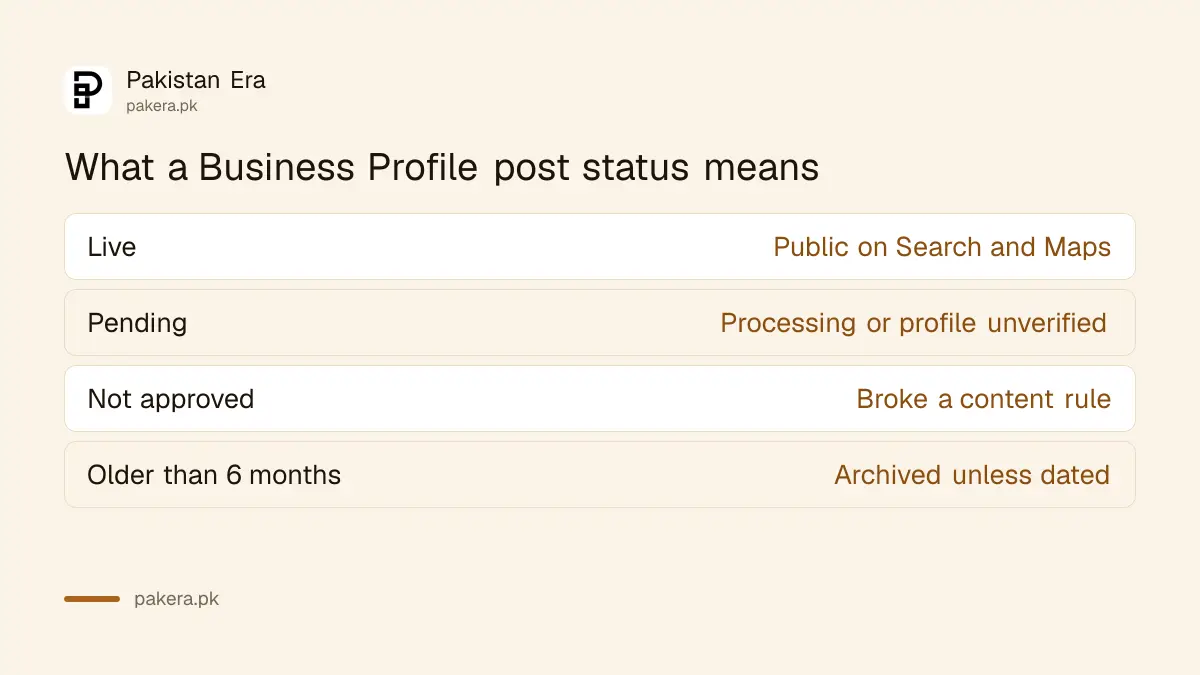
A post stuck on Pending for days usually means the profile still needs verifying. You can verify a Google Business Profile by video or phone and post again once it clears.
Why Google rejects a post
Google rejects posts with a phone number it cannot link to your business, spelling errors or distracting content, offensive or sexual material, untrusted links, and posts selling regulated products such as alcohol, tobacco or gambling. Repeating the same post many times is also not allowed.
- Phone numbers: use only your business number, the one on the profile.
- Links: link only to your own website or order page, not to unrelated sites.
- Off-topic text: no political or social commentary. Write about your business at this location.
- Regulated products: you may post about your service, but not promote the products themselves.
- Repeats: do not post the same text again and again. Use the Repeats setting for a regular deal instead.
Edit, delete and the 6 month archive rule
To change or remove a post, select Posts, tap the three dot More icon on the post, then Edit or Delete. Google archives posts older than 6 months unless you set a date range, so an old Update drops away by itself.
Offers and Events carry their own dates, which keeps them tidy. For an Update about something that lasts, such as new opening hours, edit the main profile instead. You can change your hours, phone and address there, and that information does not expire.
Featured posts, the larger posts that appear on mobile, are limited for now to English-language, single-location food and drink businesses in the US, UK, Canada, Australia and New Zealand. A Pakistani shop's posts appear in the normal Updates section.
Common questions
Do Google Business Profile posts cost money?
No. Posting is free for any verified Business Profile. You do not need Google Ads.
Can I post in Urdu?
Yes, you can write in Urdu or English. Only featured posts carry an English limit, and Google does not offer those in Pakistan yet.
How long does a post stay up?
Google archives posts older than 6 months unless you set a date range. Offers and Events follow the dates you set.
Why is my post showing Pending?
It may still be uploading or processing, or your profile is not verified yet. Finish verification and the post can go live.
Can I add a WhatsApp number to a post?
Only a number Google can link to your business. Put your WhatsApp number on the profile itself, and keep the post text free of numbers that are not on the profile.
Do posts bring more calls?
Google does not promise that. Your Business Profile performance page shows calls, website clicks and searches, so compare the weeks you post with the weeks you do not.
How we verified this
What we checked and where we read it.
We checked Google's Business Profile Help page "Create and manage posts on your Business Profile" (support.google.com/business/answer/7342169) on 14 November 2026 for the post types, required fields, scheduling and Repeats options, the three statuses, the rejection reasons, the 6 month archive rule and the featured posts limit. The rules on phone numbers, links and repeated content come from Google's Maps user contributed content policy, read the same day. The help page does not set a character limit or photo size for posts; those follow the general profile photo rules. Official page: Create and manage posts on your Business Profile.
About the author

Founder and Editor
Umer Kureshi founded Pakistan Era in July 2024 and runs it as administrator, SEO lead and writer, overseeing website operations, search growth, content strategy and coverage of technology and current affairs.