How to Recover a Hacked Instagram Account in Pakistan
Instagram hacked? Use instagram.com/hacked, undo an email change from Instagram's security email, prove it is you with a video selfie, then report to NCCIA.
If your Instagram account is hacked, open instagram.com/hacked in a phone or computer browser and follow the steps. If the hacker changed your email, tap "secure my account" in the email Instagram sent to your old address. If your account has photos of you, a video selfie can prove it is yours.
Update, 11 October 2026: Before a hack, make your Instagram account private and restrict someone.
Most Instagram accounts are lost to a phishing link, a message from a hacked friend, or a password reused from another site. Meta says new account hacks on Facebook and Instagram fell by more than 30 per cent worldwide over the past year. That still leaves a lot of people locked out. We read Instagram's own Help Center on 28 September 2026 for every step below.
| Your situation | What to do first |
|---|---|
| You can still log in | Change password, turn on two-factor authentication |
| Email changed, you got Instagram's email | Tap "secure my account" in that email |
| Password changed, email still yours | Request a login link from the login screen |
| Email and phone both changed | instagram.com/hacked, then identity check |
| Money lost or blackmail | Report to NCCIA as a cybercrime |
Start at instagram.com/hacked
Instagram's official recovery page is instagram.com/hacked. It works in a phone or computer browser, so you do not need the app. Open it and follow the steps for what happened to your account. Instagram says some steps may not appear for every account, so try them all.
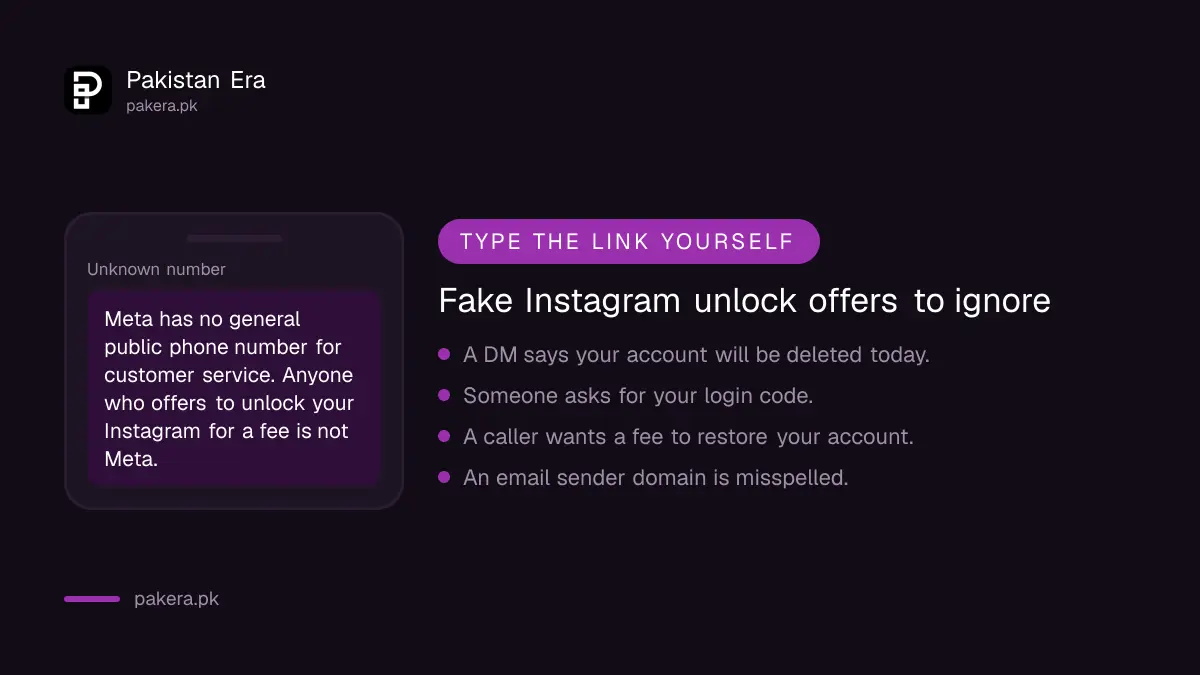
Type the address yourself. Do not tap a link from a DM or an email that promises to "unlock" your account, because that is exactly how many accounts get stolen in the first place.
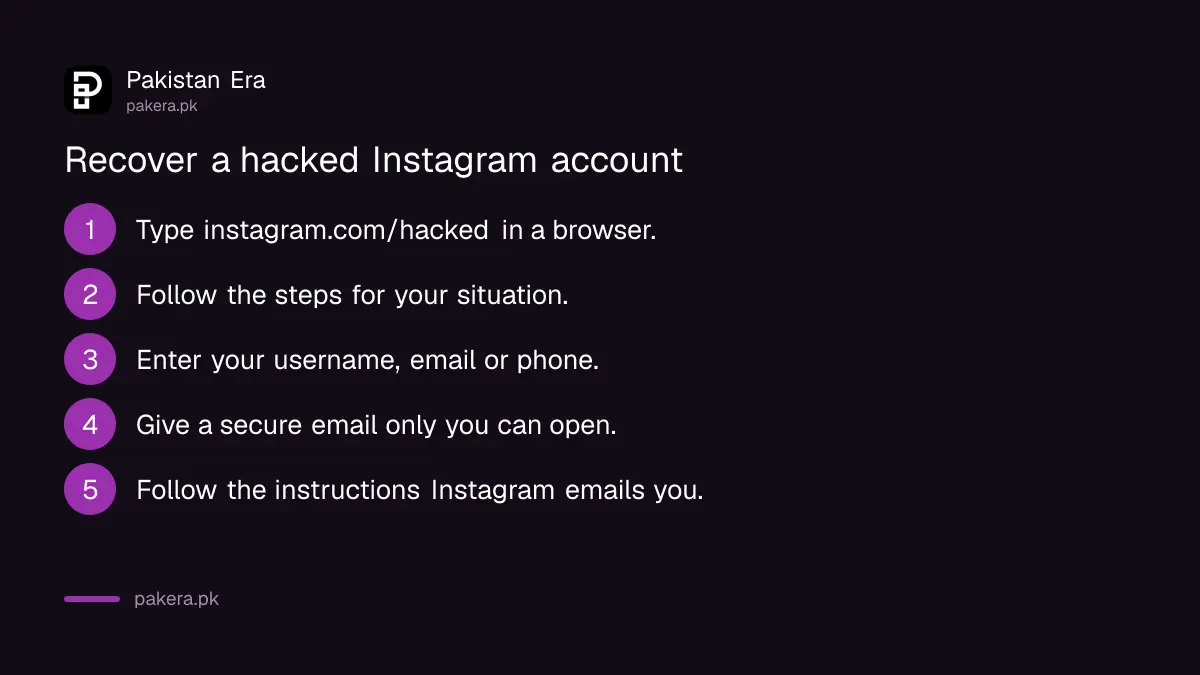
- Open a browser and type instagram.com/hacked.
- Follow the on-screen instructions for your situation.
- Enter your username, email or phone number if asked.
- Give a secure email address that only you can open.
- Follow the instructions Instagram sends to that email.
Undo an email change from Instagram's security email
When someone changes the email on your account, Instagram emails your old address from security@mail.instagram.com. Open that message and tap "secure my account". That can reverse the change. It is the fastest fix, so check your old inbox and spam folder first.
Check the sender carefully. Meta says its real emails come only from domains such as instagram.com, facebookmail.com, meta.com and metamail.com, or their subdomains. A misspelled domain is a fake. Meta also says it never asks for your password in an email.
If the hacker also changed your password and you cannot switch the email back, go to the next step and ask for a login link.
Request a login link if your email or phone still works
If you still control the email or phone number on the account, ask Instagram for a login link. On the login screen tap "Forgot password?", enter your username, email or number, and tap "Send login link". Then open the link from your email or SMS.
- On the Instagram login screen, tap Forgot password?
- Enter your username, email address or phone number.
- Tap Send login link.
- Complete the captcha to show you are a real person.
- Open the link in your email or text message and set a new password.
Enter a Pakistani number with the country code, +92. If your SIM was lost or blocked, get it back first, because the SMS link and many two-factor codes go to that number. The steps are in getting a blocked SIM reopened in Pakistan.
Prove it is you when the email and phone were changed
If the hacker changed both your email and phone, use instagram.com/hacked and request support from a mobile device. Instagram then asks you to verify your identity. For accounts with photos of you, that means a short video selfie. For other accounts, it asks for sign-up details.
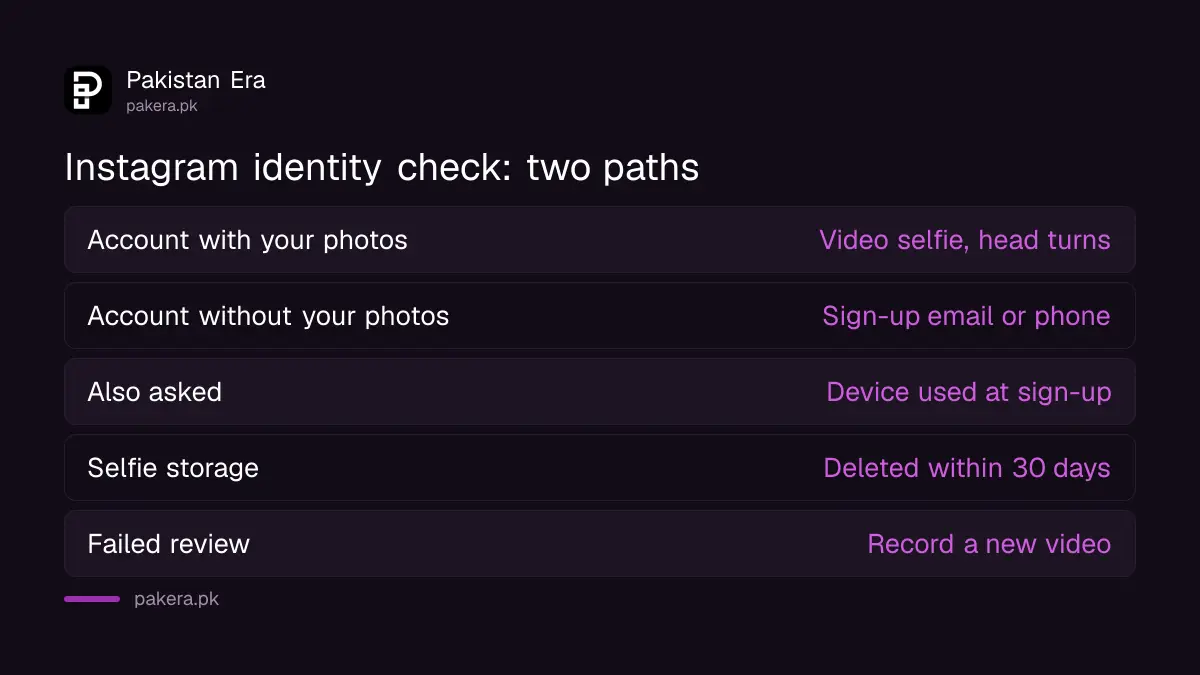
There are two paths, and which one you get depends on your account.
- Account with photos of you: you record a video selfie, turning your head in different directions. Instagram says the video is never shown on Instagram and is deleted within 30 days.
- Account without photos of you: Meta's support team emails you. It asks for the email or phone number you signed up with, and the type of device you used then, such as an iPhone, Android phone or iPad.
Instagram says you cannot use the account while it reviews your video. If you pass, a password reset link comes to the secure email you gave. If you fail, you can record a new video and ask for another review. And if you refuse the selfie, Instagram says you may not be able to get back in.
Think back before you answer the sign-up questions. The first phone you used Instagram on, and the first email address, are details only the real owner usually remembers. A hacker who took the account last week will not know them.
Secure Instagram once you are back in
Once you are back in, change your password, turn on two-factor authentication, and check that the email and phone on the account are yours. Then remove any linked accounts you do not recognise in Accounts Center, and cut off third-party apps you did not approve.
- Change your password to one you use nowhere else.
- Go to Settings, then Accounts Center, then Password and security, then Two-factor authentication.
- Choose an authentication app, text message, or WhatsApp codes.
- Save your backup codes somewhere safe and offline.
- Check your email and phone in settings, and remove unknown linked accounts and apps.
Instagram recommends an authentication app, such as Google Authenticator or Duo Mobile. It can only be turned on from the Instagram app for Android or iPhone. WhatsApp codes need the text message method switched on first. We would pick the app, because SMS codes depend on your SIM staying in your hands.
Do not tap "Trust this device" on a shared or public phone. If your Facebook account is linked to Instagram in Accounts Center, secure that too, using the steps to recover a hacked Facebook account in Pakistan.
Report the hack in Pakistan and avoid recovery scams
Meta has no general public phone number for customer service, so a caller or DM offering to restore your Instagram for a fee is not Meta. If money was taken, or someone is blackmailing you with your photos or chats, report it to NCCIA.
The National Cyber Crime Investigation Agency, NCCIA, handles cybercrime in Pakistan. Its helpline is reported as 1799 and its complaint portal as complaint.nccia.gov.pk. We say reported because both nccia.gov.pk and the complaint portal showed us a bot check on 28 September 2026. The filing steps are in how to report a cybercrime in Pakistan.
Save screenshots of the hacker's messages, the Instagram security emails and any payment IDs before you file. A hacker can message your followers as you, asking for money or pushing offers like those among the scams going round in Pakistan. Post a warning from another account or tell close friends by phone.
Inside Instagram, the Meta AI support assistant can guide you through securing a compromised account. You find it in the Help Center under "Ask a question".
Common questions
What is the official link for a hacked Instagram account?
It is instagram.com/hacked. Open it in a phone or computer browser and follow the steps.
Can I recover Instagram if the hacker changed my email and phone?
Often, yes. Use instagram.com/hacked, give a new secure email, and complete the identity check or video selfie.
What happens to my Instagram video selfie?
Instagram says it is never shown on Instagram and is deleted within 30 days.
Does Instagram have a phone helpline in Pakistan?
No. Meta says it has no general public phone number for customer service, so treat callers offering recovery as scammers.
Which two-factor method should I use on Instagram?
An authentication app. Instagram recommends it, and it does not depend on your SIM.
How we verified this
What we checked, where we read it, and what we could not confirm.
Last checked on 28 September 2026. The recovery link, the security email, the login link, the identity check and the video selfie rules are from Instagram's Help Center article "How to fix and secure hacked Instagram profiles" and its video selfie article. The two-factor methods are from Instagram's two-factor authentication article. The email domains and the lack of a phone helpline are from Facebook Help Center articles that cover all Meta apps. The fall in hacks is from Meta's newsroom post "Making it Easier to Access Account Support on Facebook and Instagram". NCCIA's 1799 helpline and complaint portal are reported only, because both sites showed a bot check to us on that date. We did not hack or recover a test account.
About the author

Public Services and Education Journalist
Fajr Riaz is a journalist and content writer at Pakistan Era, based in Lahore. She covers the questions people meet in everyday life in Pakistan: how a public service works, what a change in the rules means, and where to find a reliable answer.