How to Delete or Deactivate Your Instagram Account in Pakistan
Delete or deactivate your Instagram account in Pakistan through Accounts Center. Export your photos first, know the 30-day undo window and the once-a-week rule.
To delete Instagram for good, go to Settings, then Accounts Center (now being renamed Meta Account), then Personal details, Account ownership and control, and Deactivation or deletion. Pick Delete account. You get about 30 days to change your mind by logging back in. To take a break instead, pick Deactivate.
People in Pakistan quit Instagram for plenty of reasons: exam season, a stalker, a breakup, a business page that no longer runs, or plain screen fatigue. The trouble is that the delete button keeps moving. Instagram now sends everyone through Accounts Center, which Meta is renaming Meta Account, so older instructions no longer match the app.
We read Instagram's own Help Center articles on 10 October 2026. Here is which option to pick, the exact path, and what happens to your photos.
Deactivate hides your profile, delete removes it after 30 days
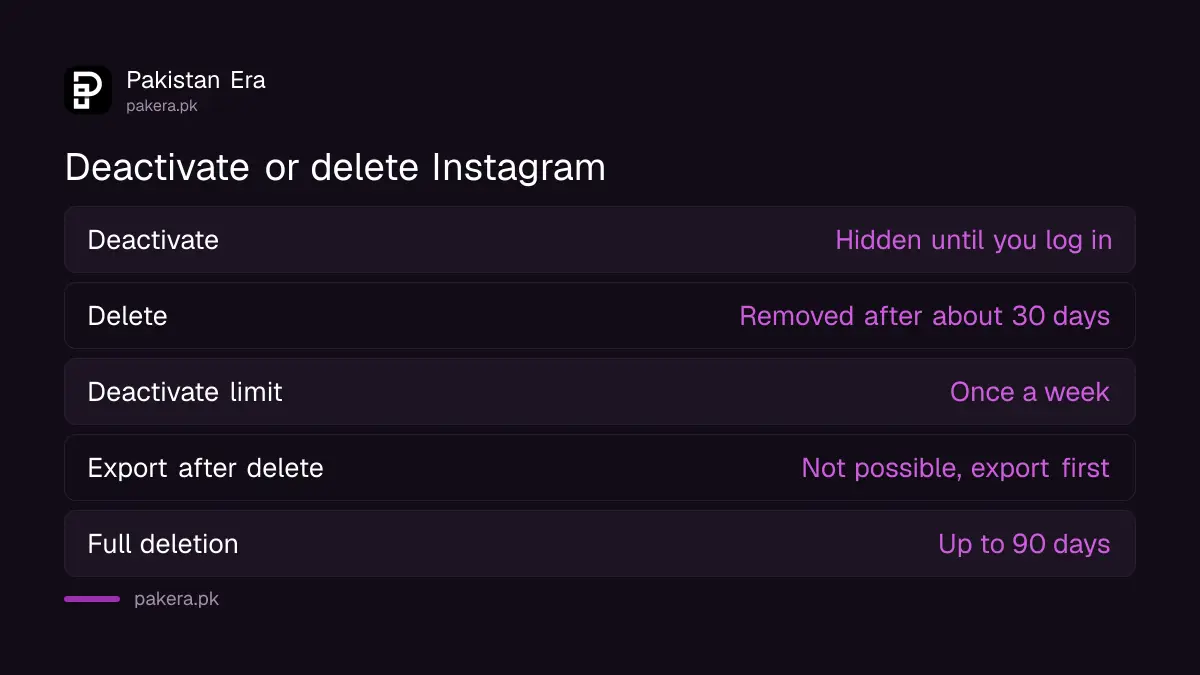
Deactivating hides your photos, comments and likes until you log back in, and you can do it only once a week. Deleting permanently removes your profile, photos, videos, comments, likes and followers. Instagram gives a window, usually 30 days, to cancel by logging in again.
| Point | Deactivate | Delete |
|---|---|---|
| Your photos and posts | Hidden | Removed for good |
| Come back | Log in again any time | Log in within about 30 days to cancel |
| How often | Once a week | Once |
| Export your data afterwards | Yes, after you reactivate | No, export first |
| Same username later | Kept | Only if nobody has taken it |
Our advice: if there is any chance you will want the account back, deactivate. Deletion is final, and a good username in Pakistan gets picked up quickly once it is free.
Download your photos and messages before you delete
Once the account is deleted, Instagram's Export your information tool is gone too. So save a copy first. Go to Settings, Meta Account, Your information and permissions, Export your information, then Create export, and choose Export to device.
- Open Instagram and tap your profile, then the menu, then Settings.
- Tap Accounts Center or Meta Account, then Your information and permissions.
- Tap Export your information, then Create export.
- Pick the profile, tap Next and choose Export to device.
- Choose what to include, the date range, format and media quality, then tap Start export.
High-quality video makes the file large. If your phone is nearly full, choose lower media quality or only the types of information you care about, such as photos and messages. Instagram sends a notice to the email you pick when the file is ready.
Delete your Instagram account, step by step
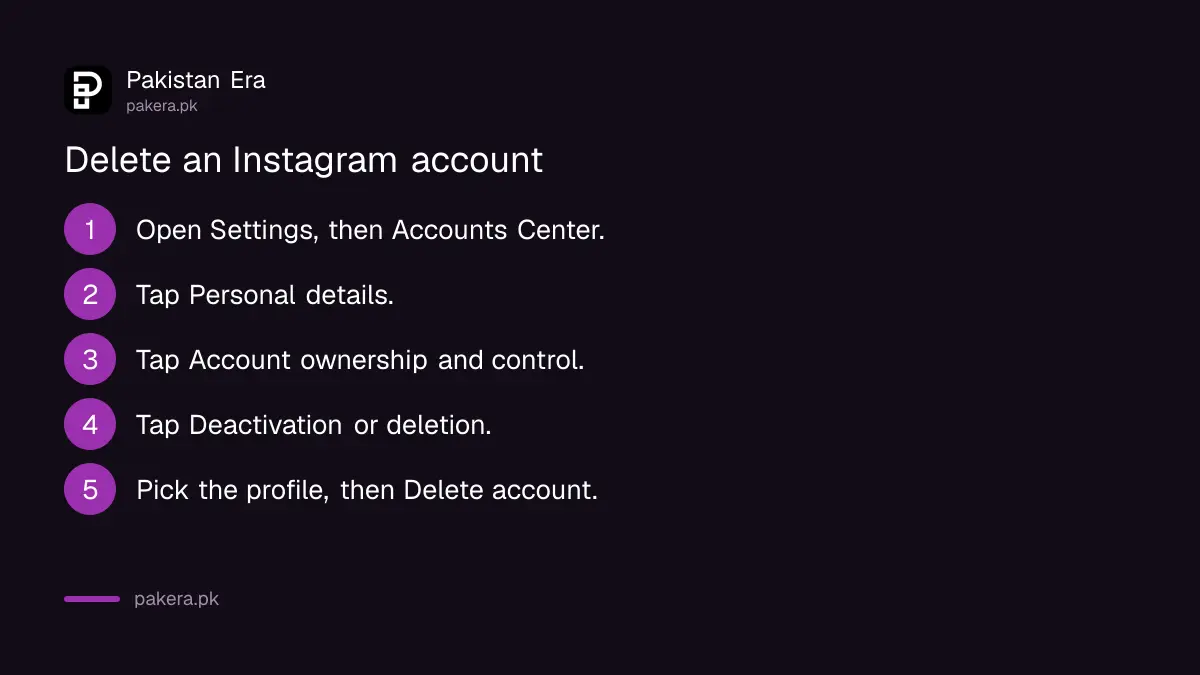
You must be logged in to delete, because Instagram will not delete an account for anyone else. Open Accounts Center, go to Personal details, then Account ownership and control, then Deactivation or deletion. Choose the profile, select Delete account, tap Continue and follow the prompts to confirm.
Instagram's Help Center shows two layouts, depending on what you see at the bottom of Accounts Center.
If you see Accounts at the bottom:
- Open Settings and tap Accounts Center.
- Tap Personal details under Account settings.
- Tap Account ownership and control.
- Tap Deactivation or deletion.
- Choose the profile you want to delete.
- Select Delete account, tap Continue and follow the prompts.
If you see Manage accounts at the bottom, tap Profiles and personal details, then Manage next to the account, then Deactivation or deletion, and Delete account.
Forgotten your password? Reset it first through the login screen. If someone else has taken over the account, the route is different, and recovering a hacked Instagram account comes before any deletion.
What happens after you press delete
For about 30 days, your profile is hidden and you can cancel by logging in. After that, the profile and its data are permanently deleted. Instagram says the full process can take up to 90 days, and backup copies may stay longer for legal or safety reasons.
Instagram's Help Center adds a note that the number of days you can cancel a deletion varies by region. So do not count on exactly 30 days. If you change your mind, log in as soon as you can.
One more point matters here:
- Deletion applies only to the profile you choose, so deleting Instagram does not delete your Facebook account, even if both sit in the same Accounts Center. That needs its own steps, set out in deleting a Facebook account in Pakistan.
If Instagram removed your account for breaking its rules, you may not be able to reuse the same username. That is a different problem from voluntary deletion, and the steps for appealing a disabled Instagram account apply there.
Deactivate for a break during exams or a hard week
Deactivation is the softer option and it is free. Go to Accounts Center, then Personal details, Account ownership and control, Deactivation or deletion, and pick Deactivate account. Log back in whenever you are ready, and everything returns.
- Log in to Instagram in the app, on a computer or in a mobile browser.
- Open Settings, then Accounts Center.
- Tap Personal details, then Account ownership and control.
- Tap Deactivation or deletion and pick the profile.
- Choose Deactivate account, tap Continue and confirm.
Remember the once-a-week rule. If you deactivate on Monday and log back in on Tuesday, you cannot deactivate again until the next Monday.
Common questions
How long does Instagram take to delete my account?
Your profile is hidden at once. After about 30 days it is permanently deleted, and Instagram says the full process can take up to 90 days.
Can I get my Instagram account back after deleting it?
Yes, within the cancellation window, usually 30 days. Log in with your username and password to cancel the deletion. After that, it cannot be restored.
Can Instagram delete my account if I forgot my password?
No. Instagram says it cannot delete an account for you for security reasons. Reset your password first, then request deletion.
Does deleting Instagram delete my Facebook too?
No. Each account is deleted separately in Accounts Center, even when they are linked.
Can I use the same username after deleting?
Yes, if nobody else has taken it by then. If Instagram removed the account for breaking its rules, you may not be able to reuse it.
How we verified this
What we checked, where we read it, and what we could not confirm.
We last checked these Instagram Help Center articles on help.instagram.com on 10 October 2026:
- "How to permanently delete Instagram accounts", for both Accounts Center layouts, the 30-day window, regional variation, the 90-day process and the rule that Instagram cannot delete an account for you.
- "Temporarily deactivate your Instagram profile", for what is hidden and the once-a-week limit.
- "Access and review your information on Instagram", for the Export your information steps.
Meta is renaming Accounts Center to Meta Account gradually. If your app shows Meta Account, the same options sit under it.
About the author

Technology Journalist & Multimedia Producer
Ahmad Ali is a technology journalist and multimedia producer at Pakistan Era, joining the team in October 2026. He covers consumer technology and digital life for Pakistani readers, combining research with hands-on product testing.