Unsend a Message on Messenger in Pakistan: Delete for Everyone on Phone and Computer
Unsend on Messenger in Pakistan: press and hold the message, tap Delete, pick Delete for everyone. Phone and computer steps, plus what unsending cannot undo.

To unsend a message on Messenger, press and hold it, tap Delete, then choose Delete for everyone. On a computer, hover over the message, click the three dots, click Delete and pick Delete for everyone. The old Unsend button has a new name: Meta now calls "Unsend for everyone" Delete for everyone, and "Unsend for you" Delete for you.
Delete for everyone works only on messages you sent. It removes the message for every person in the chat. But it cannot pull back a message someone has already read, so act fast and read the limits below.
How to delete a Messenger message for everyone on your phone
On Android and iPhone, open the chat, press and hold your message, tap Delete, and choose Delete for everyone. The message disappears for all people in that chat. If you choose Delete for you, only your own screen loses it.
- Open Messenger and go to the chat.
- Press and hold the message you sent.
- Tap Delete.
- Choose Delete for everyone.
- Confirm if Messenger asks.

Sent a photo or voice note by mistake? The same steps work for photos, videos and voice messages. Press and hold the item, not the chat.
How to unsend on a computer
On messenger.com or inside Facebook on a laptop, open the chat, hover over the message, click the three dot menu, click Delete and choose Delete for everyone. On Facebook, open Messenger from the icon at the top right first.
- Open messenger.com, or click the Messenger icon at the top right of facebook.com.
- Open the conversation.
- Hover over your message and click the three dots.
- Click Delete.
- Choose Delete for everyone and confirm.
Older Facebook layouts still show the words Unsend and Remove. If you see "Unsend for everyone", it does the same thing as Delete for everyone.
Delete for you and Delete for everyone are not the same
Delete for you hides the message only on your own screen, and everyone else still sees it. Delete for everyone removes it for all people in the chat. A message you received can only be deleted for you, never for the sender.
| Option | Who stops seeing it | Works on |
|---|---|---|
| Delete for everyone | Everyone in the chat | Messages you sent |
| Delete for you | Only you | Messages you sent or received |
| Delete chat | Only you, the whole chat and its media | Any conversation in your Chats |
| Archive chat | Hidden from your list, not deleted | Any conversation |
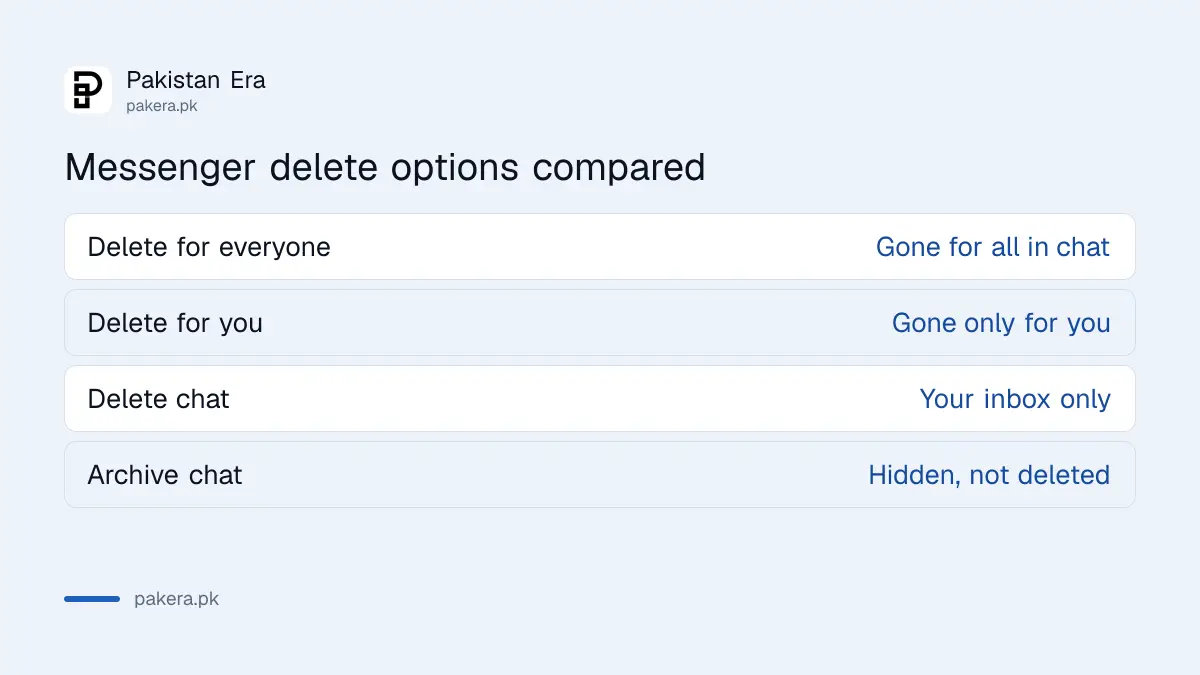
Deleting a whole chat is often misunderstood. Press and hold the chat in your list, tap Delete and confirm. That removes the chat and its media from your inbox only. The other person keeps their copy of every message.
Deleting is permanent on your side. If you only want a chat out of sight, archive it instead. You can bring an archived chat back later. A deleted one is gone from your phone for good.
What unsending cannot do
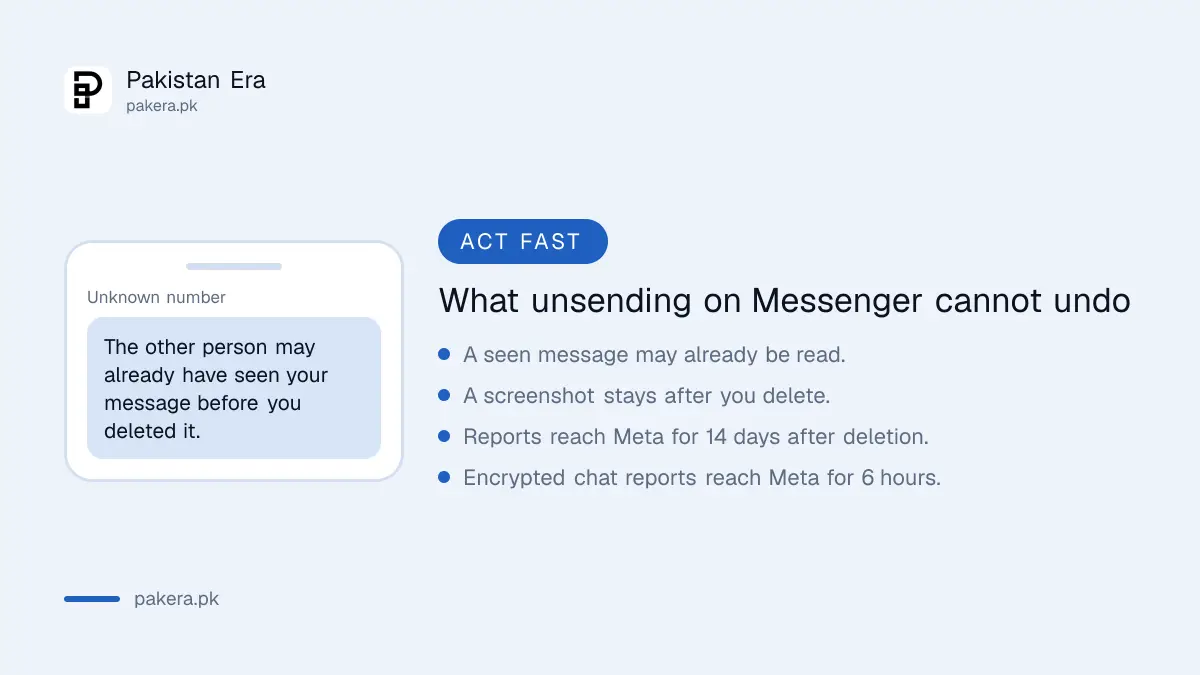
Delete for everyone cannot undo a message that was already seen. The other person may have read it, taken a screenshot or forwarded it. They can also still report the conversation, and a report reaches Meta for a set time after deletion.
- It was already read. If the message showed as seen, assume the person read it.
- Reports still work. Meta says a deleted message can be reviewed if it is reported within 14 days of deletion, or within 6 hours in an end-to-end encrypted chat.
- Data downloads show a gap. If someone downloads their Facebook data with chat history, they can see that a message was deleted, but not what it said.
- Forwarded posts stay. Deleting a forwarded post in a chat removes only that copy. The original post is not touched.
So unsend is for a typo, a wrong chat or a wrong photo. It is not a way to take back a threat or abuse. In Pakistan, harassment by message can be reported to the cybercrime authority, and a deleted message does not erase a screenshot.
Sent the message to the wrong chat in a group
In a group chat, Delete for everyone removes your message for every member at once. Do it as soon as you notice. Then send a short note such as "wrong group, please ignore" so nobody asks about the gap.
Sharing private details by mistake is common with family groups and office groups. If you sent a CNIC photo, a bank screenshot or an OTP, delete it for everyone and then treat the detail as exposed. Change the password or PIN it reveals. Never share one-time codes in any chat. The same rules on WhatsApp work differently, with a time limit, as set out in WhatsApp delete for everyone and edit limits.
If you think someone else is sending messages from your account, deleting them is not enough. Check where your account is logged in and remove unknown devices, using Facebook's Where you're logged in list, and change your password. If you are already locked out, follow recovering a hacked Facebook account.
Common questions about unsending on Messenger
Where did the Unsend option go on Messenger?
It was renamed. Unsend for everyone is now Delete for everyone, and Unsend for you is now Delete for you. Press and hold the message, then tap Delete to find both.
Can I delete a message I received for the sender too?
No. For a message you received, Messenger offers only Delete for you. The sender and others in the chat still see it.
Does the other person know I deleted a message?
They may have seen it before you deleted it. If they download their Facebook data with chat history, it shows that a message was deleted, but not what it said.
Can I get back a message I deleted on Messenger?
No. Meta says deleted messages and photos are removed permanently from your view. Archive a chat instead if you may want it later.
Does deleting a chat delete it for the other person?
No. Deleting a whole chat removes it and its media only from your inbox. The other person keeps their copy.
How we verified this
What we checked and where we read it.
Last checked 15 November 2026. Steps, the rename from Unsend to Delete, and the 14 day and 6 hour report windows come from the Messenger Help Center article Delete messages or chats on Messenger, read in its Android and computer versions. The older Facebook wording (Unsend, Remove for you) comes from Remove a message you've sent on Facebook, which still uses the old labels.
About the author

Technology Journalist & Multimedia Producer
Ahmad Ali is a technology journalist and multimedia producer at Pakistan Era, joining the team in October 2026. He covers consumer technology and digital life for Pakistani readers, combining research with hands-on product testing.