How to Set Up Google Analytics 4 for Your Business Website in Pakistan
Set up free Google Analytics 4 for your shop website in Pakistan: create the property, add the Google tag, check Realtime and read the five reports that matter.
Google Analytics 4 is free. You make an account, add one small piece of code to your website, and wait up to 30 minutes. After that you can see how many people visit your shop's site, where they come from and which pages they read.
Most small shops in Pakistan run on gut feeling. "Business is slow this month" is a feeling, not a number. A free Google Analytics 4 property for your website, often shortened to GA4, turns it into a number you can check on your phone.
We read Google's own Analytics Help pages for every step below, current as of 7 October 2026. This is the setup for a small business website, not an online-store tracking course.
Create a free Google Analytics 4 property in five steps
You need a Google account and a website address. Google's setup page lists the steps: open analytics.google.com, make an account, make a property, add a web data stream, then add the tag to your site. It costs nothing.
- Go to analytics.google.com and sign in with the Google account your business owns. Do not use a staff member's personal account.
- Click Start Measuring, then give the account a name, such as your shop name.
- Create a property. Set the reporting time zone and the currency. Google says the time zone decides which day a visit is counted on.
- Choose your industry and business size, then pick how you will use Analytics, for example "Generate more leads".
- Add a Web data stream. Type your website address and a stream name, and leave enhanced measurement switched on, as Google recommends.
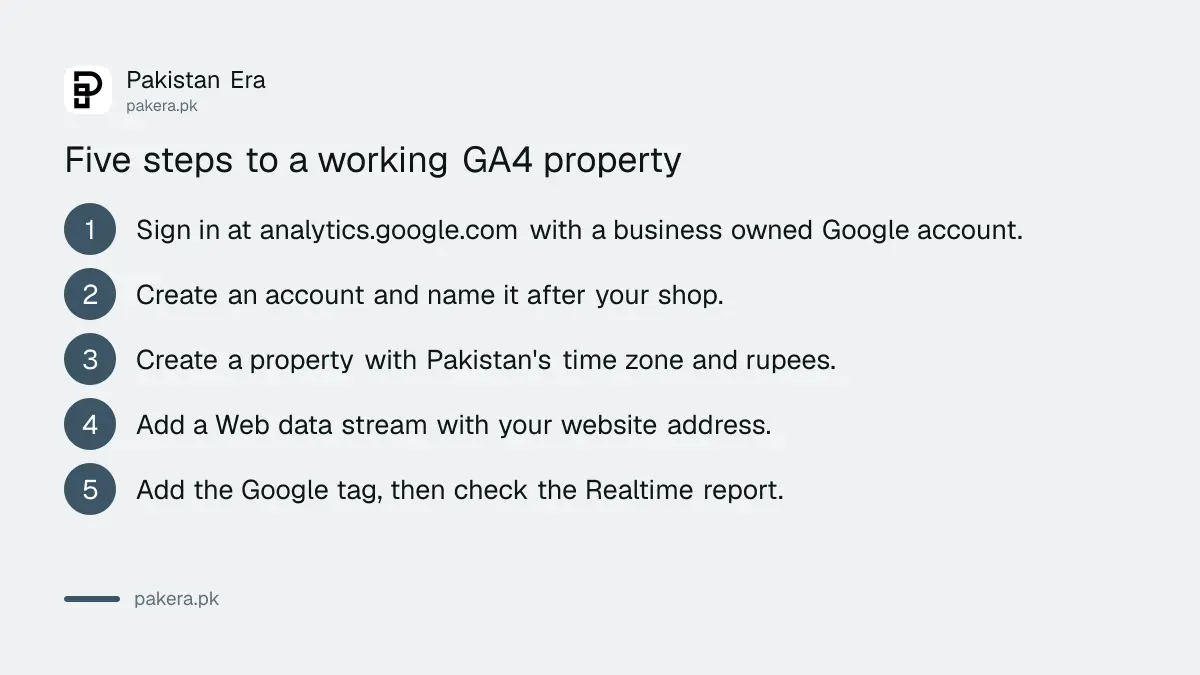
Pick Pakistan's time zone and Pakistani rupees for the currency. If you set the wrong zone, Google warns that changing it later can leave a flat spot or a spike in your data. Get it right the first time.
Add the Google tag to your website
Your website needs the Google tag, a short piece of JavaScript with an ID that starts with G-. Many website builders have a box for that ID. If yours does not, you paste the tag into the site's custom HTML area.
Find the ID under Admin, Data streams, then your stream. Google calls it the Measurement ID. Then take the route that matches how your site was built.
| How your site is built | What to do |
|---|---|
| Wix, Shopify, Squarespace, GoDaddy, Blogger, Google Sites | Paste only the G- ID into the Google Analytics field in the builder's settings |
| WordPress | Use the Site Kit or MonsterInsights plugin, both listed in Google's setup page |
| A builder with no ID field | Copy the whole tag from View tag instructions, then Install manually, and paste it into custom HTML |
| Hand coded site | Ask your developer to paste the tag straight after the opening head tag on every page |
If a freelancer built your site, send them the G- ID and ask for the tag to be placed on every page. It is a five minute job. If they quote you a fee for it, compare it with what building a website in Pakistan costs before you agree.
Check that data is arriving
Open your own website on your phone. Then open the Realtime report in Analytics. If you see one active user in the last 30 minutes, the tag works. Google says collection can take up to 30 minutes to begin.
Realtime shows who is on your site right now, which pages they view and where they came from. Google says it is useful for checking the effect of a post or promotion straight after you share it. Do not stare at it all day. It is a test tool, not a business report.
If nothing shows after an hour, the usual cause is a wrong ID, or a tag pasted on only one page. Check the ID against the Data streams page letter by letter.
Five reports a shopkeeper actually needs
You do not need dozens of reports. Five answer the questions a shop owner asks: how many visitors, where they come from, which pages they read, what device they use, and whether anyone calls or messages you.
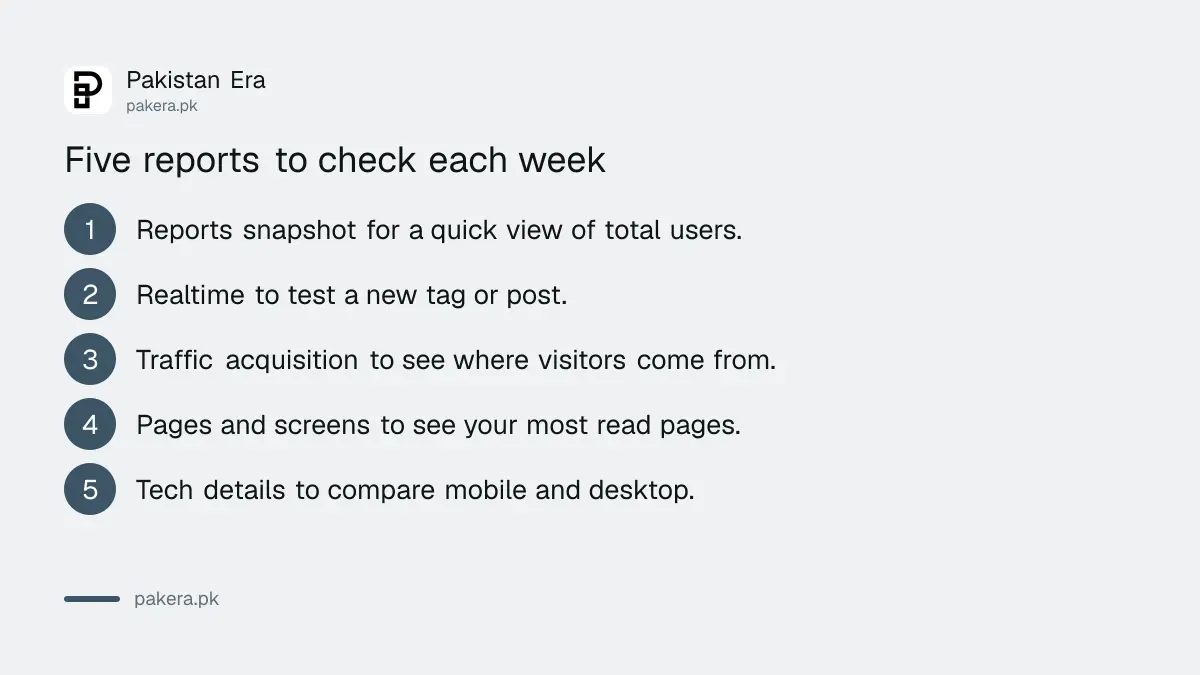
Find them under Reports in the left menu. Google changes menu names now and then, so look for the closest name if one has moved.
- Reports snapshot: total users and a quick summary. Open it first each week.
- Realtime: only to test a new tag or a fresh post.
- Traffic acquisition: shows whether visitors came from Google search, social media, direct typing or another site.
- Pages and screens: shows which pages are read most. Your price list or contact page often wins.
- Tech details: shows mobile against desktop. Many small shop visitors use a phone, so a slow mobile page can cost you customers.
For clicks on your phone number or WhatsApp link, ask your developer to set up an event. Enhanced measurement already records outbound link clicks, scrolls and site searches, according to Google's list of enhanced events, but it does not record every phone tap by default. To see which Google searches bring people to you, you also need Search Console set up for your website. Analytics and Search Console answer different questions.
Consent, privacy and data retention basics
Analytics collects data about visitors, so tell them. Add a short privacy page that says you use Google Analytics. Never send names, phone numbers or CNIC numbers into Analytics. Set the data retention period in Admin.
Google's data retention page lets you choose how long user level and event level data is kept before automatic deletion. The shorter options include 2 months and 14 months. A small shop that only wants monthly trends can pick the shorter option.
If you sell to customers in the European Union or the United Kingdom, consent rules there may apply to your site. We did not review any law for this article, and a Pakistani business that sells abroad should take advice. For a local shop with local customers, the sensible minimum is honesty: a plain privacy page and no personal details in your data.
What to ignore for now
Skip custom dashboards, audiences, attribution models and BigQuery. Skip the daily bounce chart. A shop with 50 visitors a week cannot learn anything from a percentage on 10 people.
Check three numbers once a week: users, top pages and top traffic sources. Write them in a notebook. After three months you will see a pattern, which is more than most shop owners have.
If you are still deciding between selling through your own site and a marketplace, look at how to start an online store in Pakistan first. Analytics only helps once you have visitors.
Common questions
Is Google Analytics 4 really free?
Yes. Google's setup page describes connecting a website to Google Analytics free of charge. Paid Analytics 360 exists for very large companies, and a small shop does not need it.
Do I need a developer to install it?
Not on most builders. Wix, Shopify, Squarespace and GoDaddy have a field for the G- ID. WordPress sites can use a plugin. Only a hand coded site usually needs a developer.
How long before I see data?
Google says data collection may take up to 30 minutes to begin. Check the Realtime report to confirm the tag is working.
Can I use Analytics without a website?
No. Analytics measures visits to a website or app. A shop that only sells on Facebook or Instagram should use those platforms' own insight tools instead.
Which Google account should own it?
One your business controls, not a freelancer's personal account. Add the freelancer as a user instead, so you keep your data if the working relationship ends.
How we verified this
What we checked, where we read it, and what we could not confirm.
Last checked 7 October 2026. We opened Google's Analytics Help pages on setting up Analytics for a website, how Google Analytics works, the Realtime report, the reports overview, enhanced measurement events and data retention. We did not log in to a live Analytics account for this article, so button names may differ slightly on your screen. Report names and menu positions can change. Nothing here is legal advice.
About the author

Founder and Editor
Umer Kureshi founded Pakistan Era in July 2024 and runs it as administrator, SEO lead and writer, overseeing website operations, search growth, content strategy and coverage of technology and current affairs.