How to Verify Your Website in Google Search Console in Pakistan: DNS TXT Record or HTML Tag
Verify your Pakistani website in Google Search Console with a DNS TXT record or an HTML tag. Steps for .pk and .com domains, the five common errors, and fixes.
To verify your website in Google Search Console, add it as a property, pick a verification method, and click Verify. For a Domain property, the only method is a DNS TXT record at your domain provider, which can take up to two or three days to work. For a URL-prefix property, an HTML tag in your homepage's head is usually quickest. Never delete the record or tag afterwards, or you lose access.
Most Pakistani small business sites are built by a developer, a cousin or an agency, and the owner never gets Search Console access. Then the site drops in Google and nobody can see why. We read Google's Search Console help page on verifying site ownership on 20 October 2026. This is the plain version, with the errors people hit most.
A Domain property needs DNS, a URL-prefix property has more options
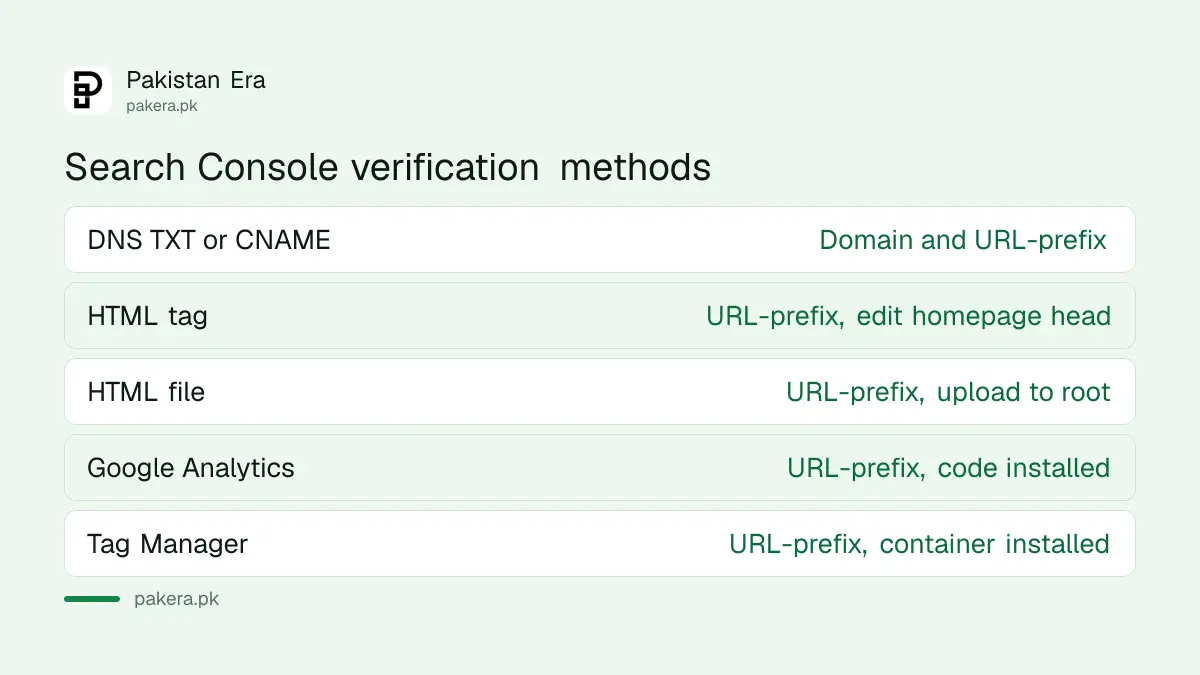
Search Console has two property types. A Domain property, such as example.pk, covers http, https and every subdomain, but can only be verified through your domain provider's DNS. A URL-prefix property, such as https://www.example.pk, accepts an HTML file, HTML tag, Google Analytics or Tag Manager.
Google says Domain properties are useful because they include data for all versions of your site. If you can log in to your domain's DNS settings, choose Domain. If you cannot, because a developer controls the domain, a URL-prefix property with an HTML tag gets you in today.
| Method | Works for | What you need | Google's note |
|---|---|---|---|
| DNS record (TXT or CNAME) | Domain and URL-prefix | Login to your domain provider | Only way to verify a Domain property |
| HTML tag | URL-prefix only | Edit the homepage head | Relatively simple |
| HTML file upload | URL-prefix only | Upload a file to the site root | Relatively simple |
| Google Analytics | URL-prefix | Existing tracking code you can access | Simple if already installed |
| Google Tag Manager | URL-prefix | Existing container you can access | Simple if already installed |
How to verify a Domain property with a DNS TXT record
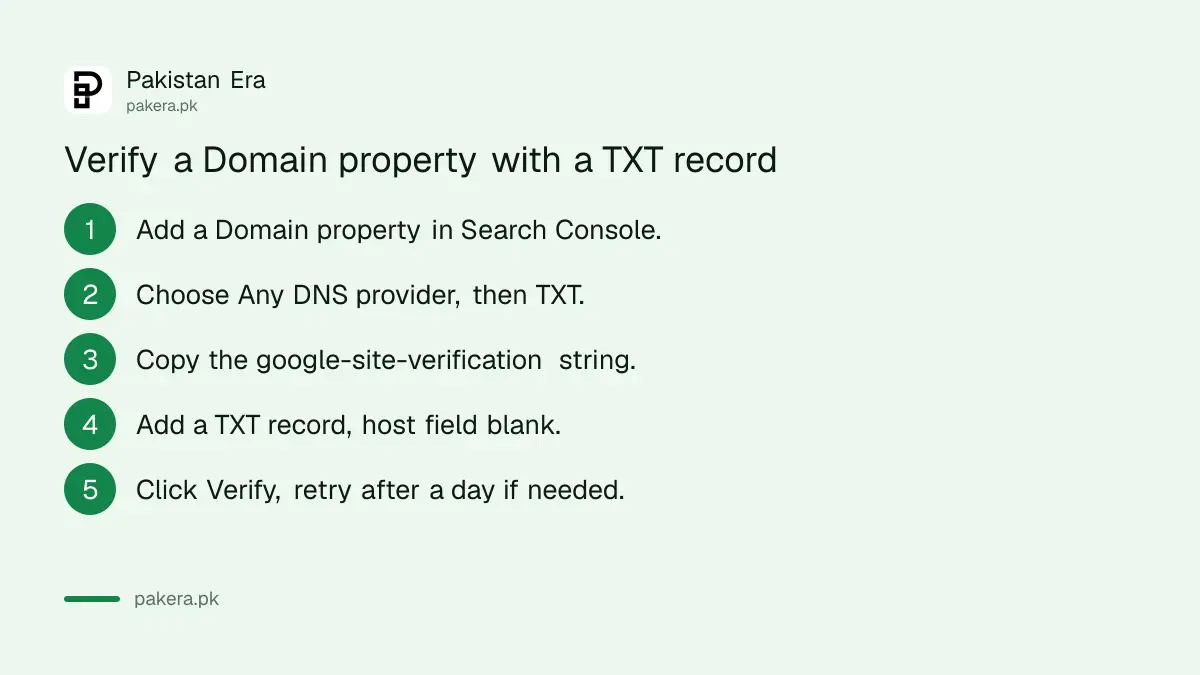
Add a Domain property, choose the TXT record type, copy the string Search Console gives you, and add it as a TXT record at your domain provider with the name or host field left blank. Then click Verify. Google says a manually added record can take two or three days to be served.
- Open Search Console's ownership page and click Add property.
- Choose Domain and type your domain without https or slashes, for example example.pk.
- If your provider appears in the list, choose it and click Start verification, then log in when asked.
- If not, choose Any DNS provider and select TXT as the record type.
- Copy the record. It starts with google-site-verification=.
- Log in to your domain provider or hosting panel and add a new TXT record. Leave the name or host field blank and paste the string as the value.
- Save, go back to Search Console and click Verify.
- If it fails, wait a day or two and click Verify again.
In Pakistan, the place to add the record is whoever runs your domain's DNS. That may be your hosting company's cPanel, a service such as Cloudflare, or the registrar itself. If you are not sure, Google suggests looking up your DNS provider first. Google's Admin Toolbox dig tool shows which TXT records your domain is actually serving, which tells you whether the record is live yet.
How to verify with an HTML tag or file
For a URL-prefix property, copy the meta tag Search Console gives you into the head section of your public homepage, save, check it shows in the page source, and click Verify. The file method works the same way, with a file uploaded to your site's root folder.
The tag looks like this: a meta tag with name="google-site-verification" and a long content value. Google says it must sit inside the head, not the body, and within the first 2 MB of the page. The homepage must open without a login.
For the file method, the file must be reachable at the exact address Search Console shows, such as example.pk/google1234.html. Search Console does not follow redirects to another domain. Open it in an incognito window to make sure no login is needed.
On WordPress, Wix or Shopify, look in the platform's own settings first. Google names Site Kit as the only WordPress plugin it officially sponsors, and tells you to research any other plugin before installing it.
Errors you will see, and what they mean
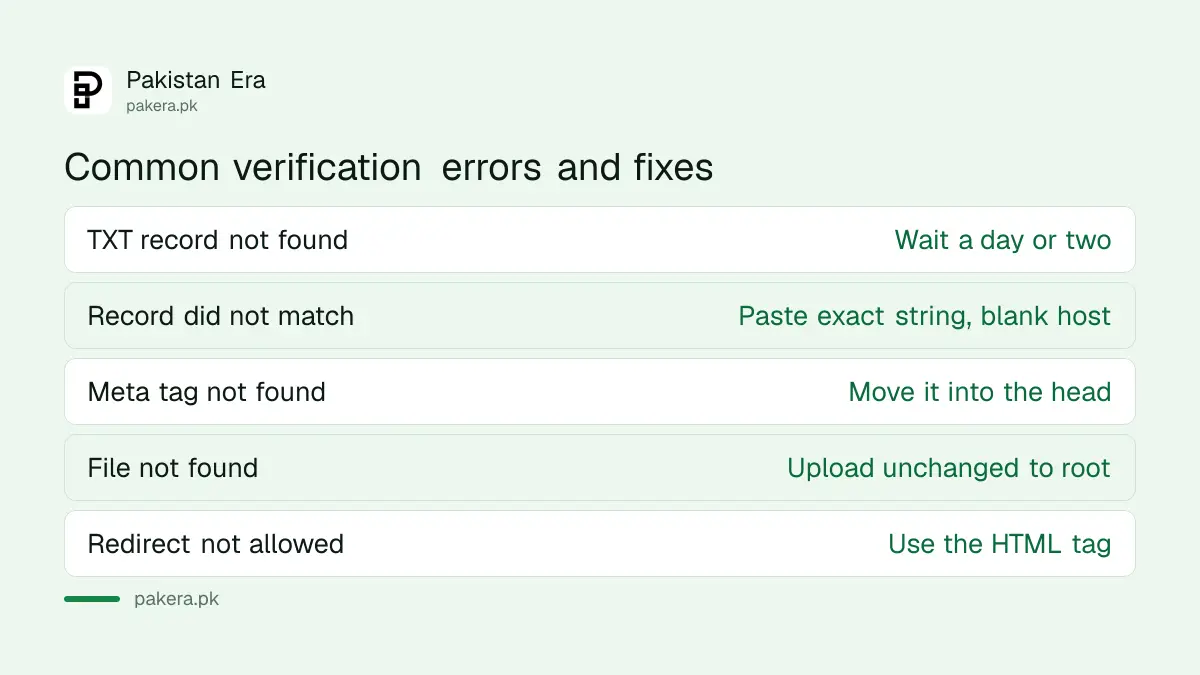
The commonest DNS error is "verification DNS TXT record was not found", which usually means the record has not spread yet: wait a day or two. "Record did not match" means you typed it wrong or filled the host field. For tags, the usual fault is a tag outside the head.
| Error | Likely cause | Fix Google gives |
|---|---|---|
| TXT record not found | Record not served yet | Wait a day or two, try again |
| Record did not match | Wrong value or host field filled | Leave name blank, paste exact string |
| Meta tag not found | Tag in body, or on the wrong page | Put it in the homepage head |
| Verification file not found | Wrong folder or renamed file | Upload unchanged to the root |
| File redirects to a disallowed location | Redirect to another domain | Use the HTML tag instead |
If a developer is unwilling to share DNS access, ask them to add you as an owner from their own verified account instead. The differences between owner, full and restricted users are in adding a user in Search Console.
Keep the record, and what to do after verifying
Search Console checks your token from time to time. If the TXT record, tag or file is removed, you get a warning, then lose access after a grace period. Data starts building from the day the property is added, and takes a few days to appear.
Leave a note for whoever edits your site so a theme change does not wipe the tag. Google suggests adding a second method as a backup. Then do the first two jobs every new site needs: submit your sitemap and check nothing is blocking Google with robots.txt or noindex.
If you are taking over a site from an old agency, verify yourself first, then remove their token to remove their owner access. Google says removing a previous owner's tag or record unverifies them.
Common questions
Which Search Console verification method is easiest?
If you can edit your homepage, the HTML tag is usually quickest. If you control your domain, the DNS TXT record gives the most complete Domain property.
How long does DNS verification take?
Google says a manually added record can take up to two or three days to be served. Often it works sooner.
Can I verify a .pk domain?
Yes. Any domain whose DNS you can edit can be verified with a TXT record. Add it wherever your domain's DNS is managed.
Can I delete the TXT record after verifying?
No. Google says to keep it, or you lose verification after a grace period.
Do I need to verify again for the www version?
Not with a Domain property, which covers all subdomains and both http and https. A verified parent also auto-verifies child properties using the same method.
How do I verify a Google Sites website?
Google's page gives two routes for Google Sites: automatic verification with the same account, or the Google Analytics code for new sites without a custom domain. Try the first; if it fails, use the second.
How we verified this
What we checked, where we read it, and what we could not confirm.
Last checked 20 October 2026. We read Google's Search Console help page "Verify your site ownership", including the HTML file, HTML tag, domain name provider, Google Sites and Blogger sections and the troubleshooting lists, and Google Sites' custom domain help page, on 20 October 2026. We did not verify a test domain. Google's page describes Google Sites verification in two ways that do not fully match, and we report both.
About the author

Founder and Editor
Umer Kureshi founded Pakistan Era in July 2024 and runs it as administrator, SEO lead and writer, overseeing website operations, search growth, content strategy and coverage of technology and current affairs.