Check Whether robots.txt or noindex Is Blocking Your Pakistani Website in Google
robots.txt does not remove a page from Google and noindex fails when robots.txt blocks it. Check both in five steps with Search Console URL Inspection today.
Short answer: robots.txt and noindex do different jobs. A robots.txt rule stops Google from crawling a page, but the address can still show in search. A noindex tag stops indexing, but only if Google can open the page to read it. Block a page with robots.txt and the noindex tag on it will never be seen.
Picture a clinic owner in Karachi who hides an old price page with a Disallow line in robots.txt. Months later, the page is still in Google, with no description under it. The owner assumed the line removed it. It did not.
We read Google's pages on robots.txt and on blocking indexing on 12 October 2026. This guide follows what those pages say, and we quote only what we read there.
robots.txt controls crawling, not indexing
A robots.txt file tells crawlers which URLs they may visit on your site. Google's own page says it is mainly for managing crawler traffic. It also says plainly that you should not use it as a way to hide a page from Google.
Google adds that a page disallowed in robots.txt can still be indexed if other sites link to it. In that case the address may appear in results without a snippet, because Google was not allowed to read the page.
So the file is the right tool for keeping a crawler away from a heavy folder, such as internal search results. It is the wrong tool for removing a page from Google.
Update, 31 October 2026: Google has backed a shared robots.txt rule for AI training, so you can now block AI training with GPTBot, Google-Extended and ClaudeBot lines without touching Googlebot.
noindex is the tool for keeping a page out of search
To keep a page out of Google, Google says to block indexing with noindex or to password protect the page. You can add noindex as a meta tag in the page head or as an X-Robots-Tag response header.
| Goal | Right tool | Wrong tool |
|---|---|---|
| Keep a page out of Google results | noindex tag or header, or a password | A Disallow line in robots.txt |
| Stop crawlers wasting visits on a folder | robots.txt Disallow | noindex on every page |
| Make private files truly private | Password protection | robots.txt |
| Remove a page for good | Delete it or protect it | Hiding it with robots.txt |
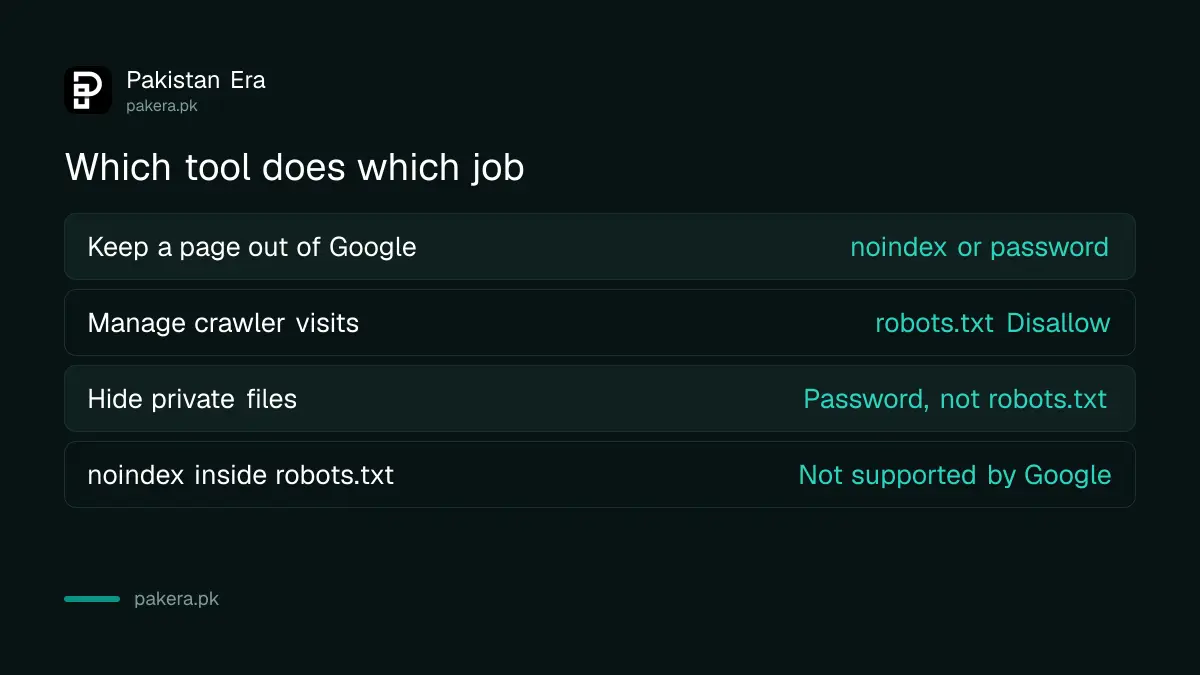
The two tags look like this. The meta version is <meta name="robots" content="noindex">. The header version is X-Robots-Tag: noindex. Google also says that putting a noindex rule inside robots.txt itself is not supported.
Blocking a page in robots.txt hides its noindex tag
For noindex to work, Google says the page must not be blocked by robots.txt and must be otherwise reachable. If the file blocks the page, the crawler never sees the noindex line, and the page can stay in the index.
This is the mistake that catches site owners most often. They add noindex, then also add a Disallow line "to be safe". The second step cancels the first.
The fix is simple. Remove the Disallow line for that address, leave the noindex tag on the page, and let Google crawl it once more.
How to check a page in five steps
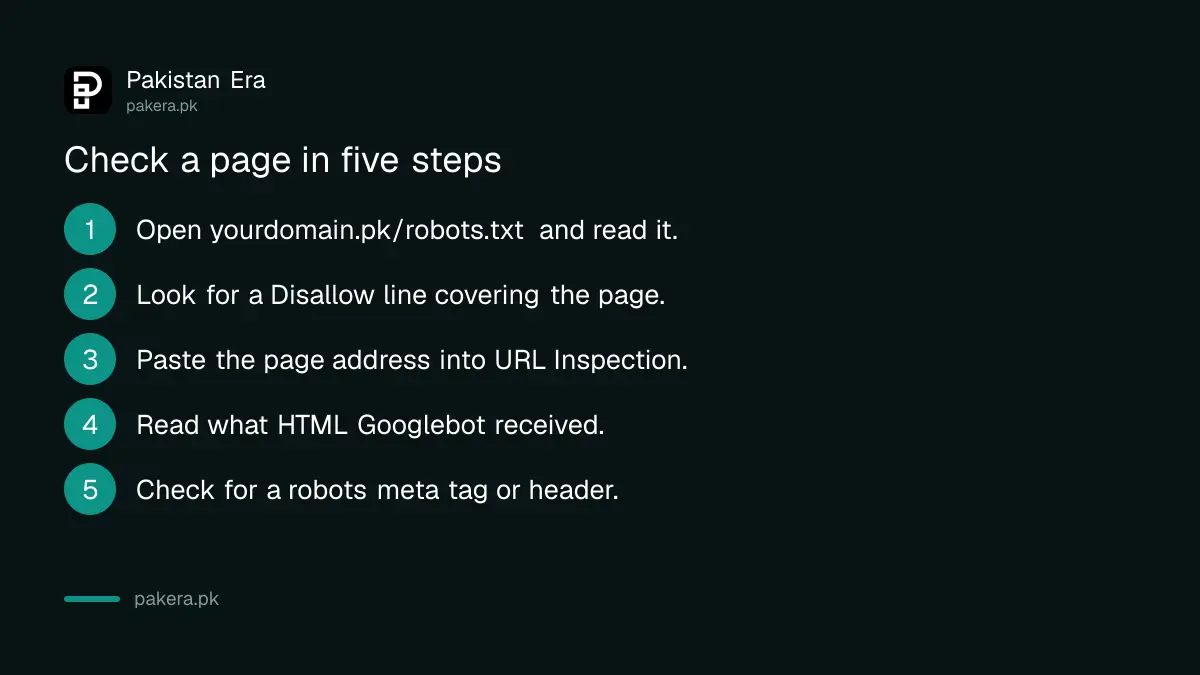
Open the page in Search Console's URL Inspection tool, look at what Googlebot received, and compare it with your robots.txt file. Google recommends this tool to see the HTML that Googlebot got while crawling the page.
- Open yourdomain.pk/robots.txt in a browser and read every Disallow line.
- Look for a line that covers the page address, or a folder that contains it.
- In Search Console, paste the page address into URL Inspection.
- Read whether Google could crawl it and what HTML it received.
- Check the page source for a robots meta tag and ask your developer about any X-Robots-Tag header.
If the page you want gone is blocked, fix the file first. If the page you want in search carries noindex by mistake, remove the tag, then request a recrawl. Our steps for pages not indexed in Search Console cover the wider checklist.
Keep blocked and noindex pages out of the file you give Google, too. Our guide to submitting a sitemap in Search Console shows what belongs in it.
How long a removal takes
Google says a page can take months to be revisited, depending on how important the page is on the internet. For a faster result, ask for a recrawl through URL Inspection. Do not expect an instant change.
If the page holds private data, do not wait. Take it offline or put it behind a password now. Once someone else has its address, a search result is only one of the ways it can spread.
Remember that a manual penalty is a different problem. If Google has sent you a notice, follow our steps to fix a manual action and request review instead.
Common questions
Does robots.txt remove a page from Google?
No. Google says robots.txt is not a way to keep a page out of search. A blocked page can still be indexed if other sites link to it.
What is the right way to keep a page out of Google?
Use a noindex meta tag or an X-Robots-Tag header, or password protect the page. Google recommends these over robots.txt for this job.
Why is my noindex page still showing in Google?
Two common causes. Either robots.txt blocks the page, so Google never reads the tag, or Google has not revisited it yet. Revisits can take months, so request a recrawl.
Can I put noindex inside my robots.txt file?
No. Google's page says specifying the noindex rule in robots.txt is not supported. Put it on the page or in its response header.
Should I block my whole website in robots.txt while it is being built?
A password on the staging site is safer. A robots.txt block is easy to forget, and a leftover Disallow rule on a live site can stop Google from reading your pages.
How do I see what Google saw on my page?
Use the URL Inspection tool in Search Console. Google says it shows the HTML Googlebot received while crawling the page.
How we verified this
What we checked, where we read it, and what we could not confirm.
We read Google's introduction to robots.txt and its page on blocking search indexing with noindex on 12 October 2026. We did not change any live robots.txt file for this article. Google can update these pages, so recheck before you edit a production site.
About the author

Founder and Editor
Umer Kureshi founded Pakistan Era in July 2024 and runs it as administrator, SEO lead and writer, overseeing website operations, search growth, content strategy and coverage of technology and current affairs.