Fix a Google Manual Action on Your Pakistani Website and Request Review
Check Search Console for a Google manual action, fix every affected page and file a reconsideration request. Types, fixes and review times for Pakistani sites.
To check for a Google manual action, open Search Console, go to Security and Manual Actions, then Manual actions. A green tick means you have none. If one is listed, fix every affected page, then click Request Review and explain what you changed. Google says most reviews take several days or weeks.
Update, 11 October 2026: Check also whether your site breaks Google site reputation policy.
A manual action is a penalty set by a human reviewer at Google, not by an algorithm. Google's own help page says that when a site has one, some or all of it will not be shown in Google search results. The September 2026 spam update finished rolling out on 8 October 2026, and many Pakistani bloggers and shop owners are checking their traffic this week. A manual action is the first thing to rule out.
We read Google's Manual actions report help page and its spam policies on 10 October 2026. The steps below follow those pages.
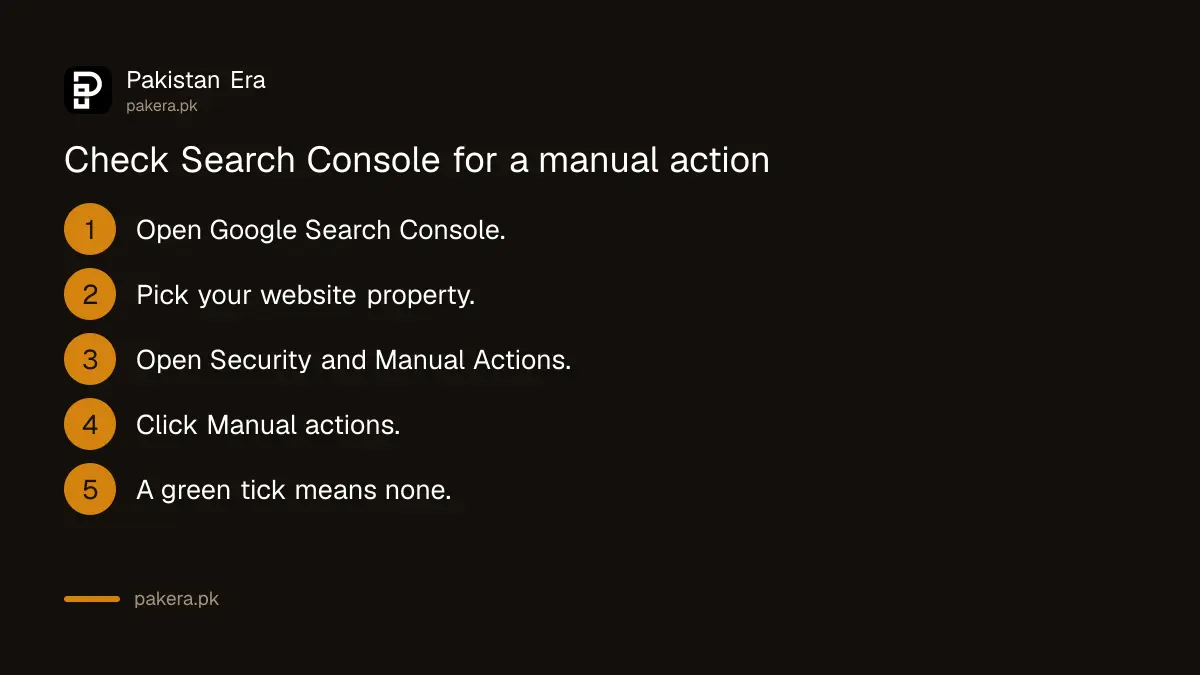
Check the Manual actions report in Search Console
The Manual actions report shows a count of actions at the top. With none, you see a green check mark. Google also sends a message to your Search Console inbox and email when it applies one. You need a verified Search Console property for your site to see it.
Open the report, then expand each action. Google lists the type of problem, a short description and a pattern of affected pages. A pattern like example.com/blog/* means some or all pages in that folder. "Affects all pages" means the whole site.
Do not confuse this with an algorithm drop. A spam update or core update can lower rankings with no message at all. If your report shows a green tick, your drop came from somewhere else, and the checks in our September 2026 spam update site check are the better starting point.
The most common manual actions and what each one means
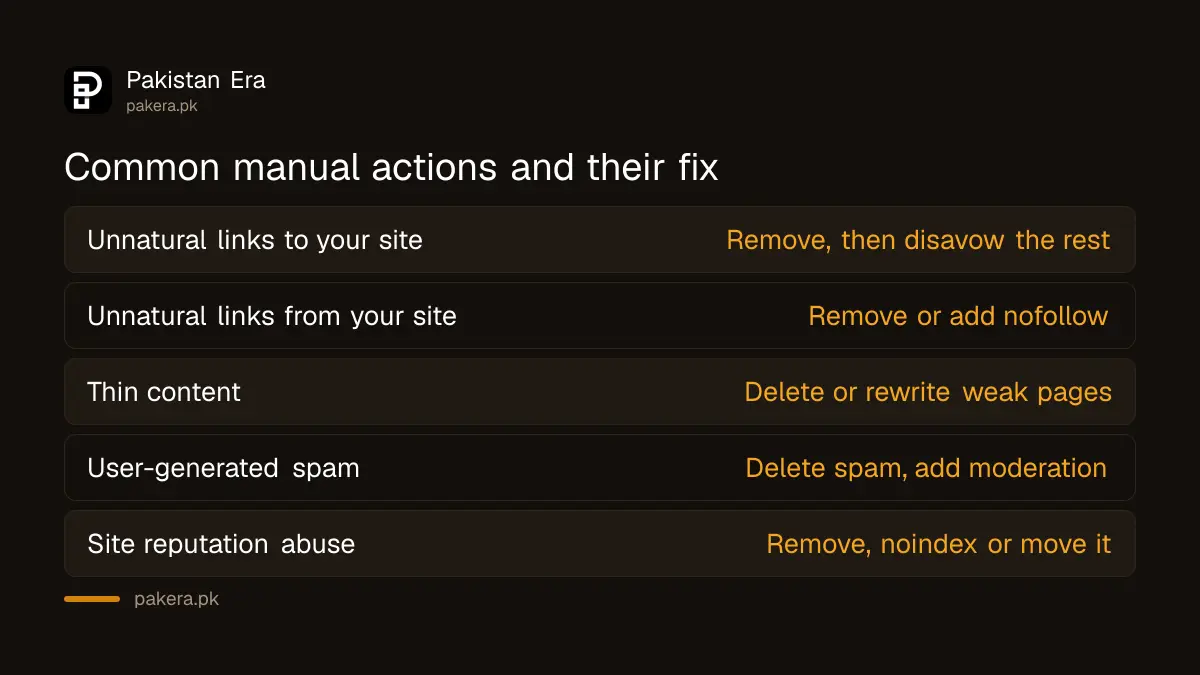
Google lists more than a dozen manual action types. For Pakistani sites, four come up often: unnatural links, thin content, user-generated spam and site reputation abuse. Each has its own fix, so read the exact type name before you change anything.
| Manual action type | What Google found | Main fix |
|---|---|---|
| Unnatural links to your site | Bought or exchanged backlinks | Remove links, then disavow what you cannot remove |
| Unnatural links from your site | Paid or swapped links you publish | Remove them or add rel="nofollow" |
| Thin content with little or no added value | Scraped posts, thin affiliate pages, doorways | Remove or rewrite into useful pages |
| User-generated spam | Spam comments, forum posts, fake profiles | Delete spam and add moderation |
| Site reputation abuse | Third-party pages riding your site's name | Remove, noindex or move that content |
| Structured data issue | Markup that does not match the page | Fix or remove the markup |
Selling guest posts with followed links is a common way Pakistani blogs earn money. It is also exactly what the "unnatural links from your site" action targets. If you sell sponsored posts, the links in them should carry rel="sponsored" or rel="nofollow".
Fix every affected page before you ask for review
Google says fixing only some pages will not earn a partial return to search. Fix the problem on all affected pages, and fix every action if you have more than one. Then make sure Google can reach those pages without a login, paywall, robots.txt block or noindex tag.
For a link action, start in Search Console's Links report. Export your external links, sort by the sites that link most, and look hardest at links made in the last few months. Ask site owners to remove bad links. Only then use the Disavow links tool for the ones you could not get removed.
Google is blunt here. Its help page says blindly disavowing all backlinks without trying to remove them is not a good-faith effort and may lead to rejection. So keep a simple sheet: the linking site, the date you emailed, and the reply.
For thin content, the question is whether a page gives readers something they cannot get elsewhere. Pages rewritten by an AI tool from other sites usually fail that test, which is why Google's rules on AI-generated content matter here too. Delete or merge weak pages rather than padding them.
How to file a reconsideration request that works
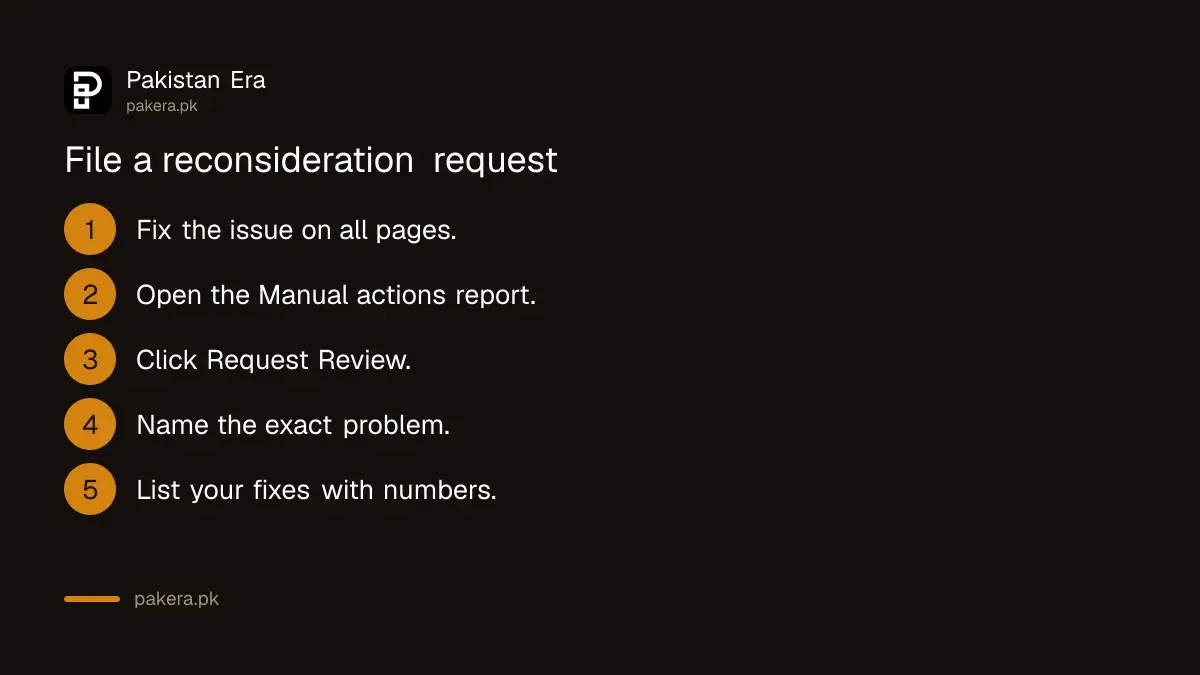
Once every issue is fixed, click Request Review in the Manual actions report. Google says a good request does three things: it explains the exact quality issue, describes the steps you took to fix it, and documents the result. Write plainly and give evidence.
- Open Search Console and choose the affected property.
- Go to Security and Manual Actions, then Manual actions.
- Expand the action and confirm every listed issue is fixed.
- Click Request Review.
- Name the problem, list what you removed or changed, and give numbers.
- Attach a shared link to your link removal or cleanup log if you have one.
- Submit once, then wait for Google's email.
A good request might say: "We sold 140 guest posts with followed links between 2024 and 2026. We removed 118 of those links, set rel="sponsored" on 22 we must keep, and stopped selling followed links. Our log is attached." That beats three paragraphs of apology.
If you bought the site from someone else, say so. Google's page says to tell it in the request that you recently acquired the site and that it no longer breaks the policies.
How long a reconsideration review takes
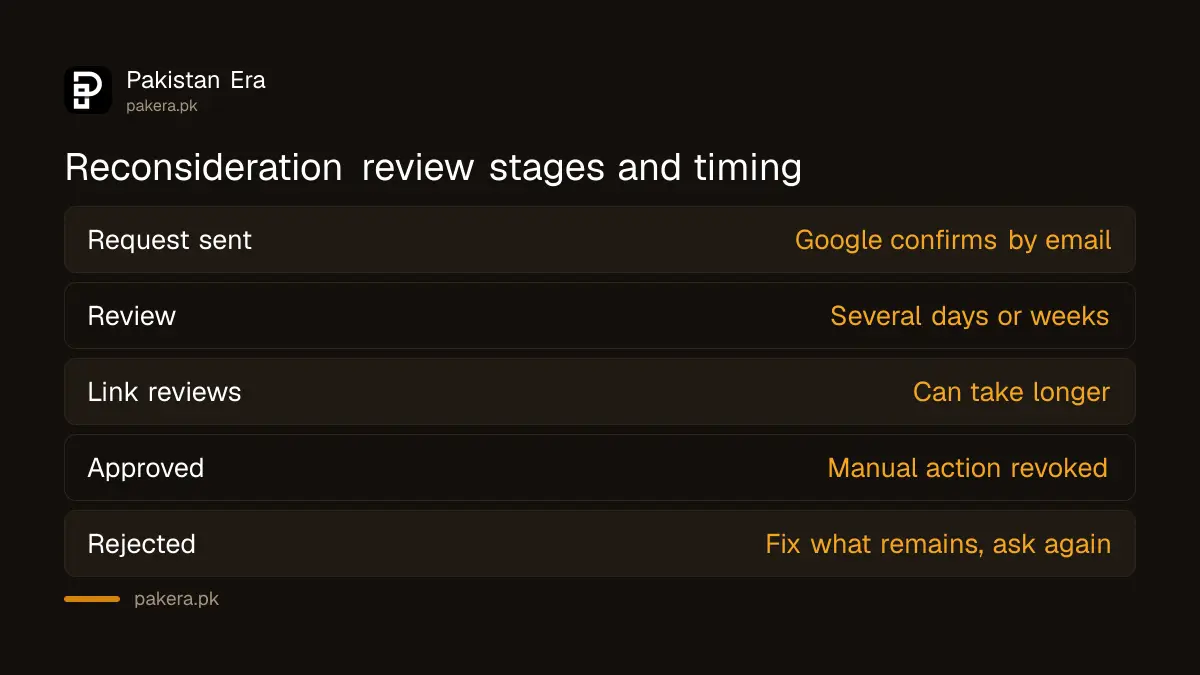
Google says most reconsideration reviews take several days or weeks, and link reviews can take longer. You get an email when the request arrives and another when the review is done. Do not send a second request before the first gets a decision.
| Stage | What happens |
|---|---|
| You click Request Review | Google sends a confirmation that the review is in progress |
| Review, days to weeks | A Google reviewer checks the fixes |
| Approved | Google revokes the manual action |
| Rejected | Fix what remains, then request again |
Approval removes the penalty, but it does not promise your old rankings. Links that were bought were helping you before, and Google ignores them now. Expect traffic to settle somewhere new.
A hacked site is a different problem. Malware or phishing pages show up in the Security issues report, not Manual actions, and Google may show a warning to visitors. Clean the hack first, then request a review in that report.
Common questions
Does a manual action remove my whole site from Google?
Not always. Google lists which pages are affected. Some actions hit one folder, and some say "Affects all pages", which means the whole site.
Is there a fee to request a review?
No. Search Console and the reconsideration request are free. Be wary of anyone in Pakistan charging to "remove a Google penalty" with a guarantee.
Can I request review more than once?
Yes, but only after a decision on the previous request. Google asks you not to resubmit while a review is still in progress.
Did the September 2026 spam update give my site a manual action?
No. Spam updates are automated and do not appear in the Manual actions report. A manual action is set by a person and always shows there.
Should I disavow all my backlinks to be safe?
No. Google says disavowing all backlinks without trying to remove bad ones can lead to rejection, and you should not disavow natural links.
How we verified this
What we checked, where we read it, and what we could not confirm.
We last checked this on 10 October 2026. We read Google's Manual actions report help page, Google's spam policies for Google web search and the Google Search Status Dashboard entry for the September 2026 spam update. If you want to learn the basics of Search Console from Google itself, its free SEO playlists start from zero.
About the author

Founder and Editor
Umer Kureshi founded Pakistan Era in July 2024 and runs it as administrator, SEO lead and writer, overseeing website operations, search growth, content strategy and coverage of technology and current affairs.