Fix Pages Not Indexed in Google Search Console: Steps for Pakistani Websites
Find why Google has not indexed your page in Search Console, fix noindex, robots.txt, 5xx and soft 404 errors, then validate. Steps for Pakistani site owners.
Open Search Console, go to Indexing, then Pages, and read the list under "Why pages aren't indexed". Fix the reason shown, such as a noindex tag, a robots.txt block or a server error, then click Validate fix. Google says validation usually takes up to about two weeks.
Update, 11 October 2026: Another report is Google chose different canonical.
Many Pakistani bloggers and small shops publish a page, wait a week, and still cannot find it on Google. The Page indexing report in Search Console tells you why, in Google's own words. Some reasons are real errors. Others, like duplicate pages, are Google working as intended.
We read Google's Page indexing report help page and its page on asking Google to recrawl URLs on 10 October 2026. The fixes below follow those pages. The September 2026 spam update finished on 8 October, so this is a good week to check that your important pages are in the index at all.
Find the reason in the Page indexing report
The Page indexing report splits your known URLs into Indexed and Not indexed. Below the chart, "Why pages aren't indexed" lists each reason with a count. Click a reason to see up to 1,000 example URLs. Start with the reason that holds your most important pages.
Use the sitemap filter at the top. "All submitted pages" shows only URLs in your sitemap, which are the pages you told Google you care about. Problems there matter more than problems on tag pages or old URLs you never meant to rank.
Google is clear that 100% coverage is not the goal. Only the canonical version of each page should be indexed, meaning the main copy when several URLs show the same content. Duplicates being left out is usually a good sign.
Errors you must fix and reasons you can leave alone
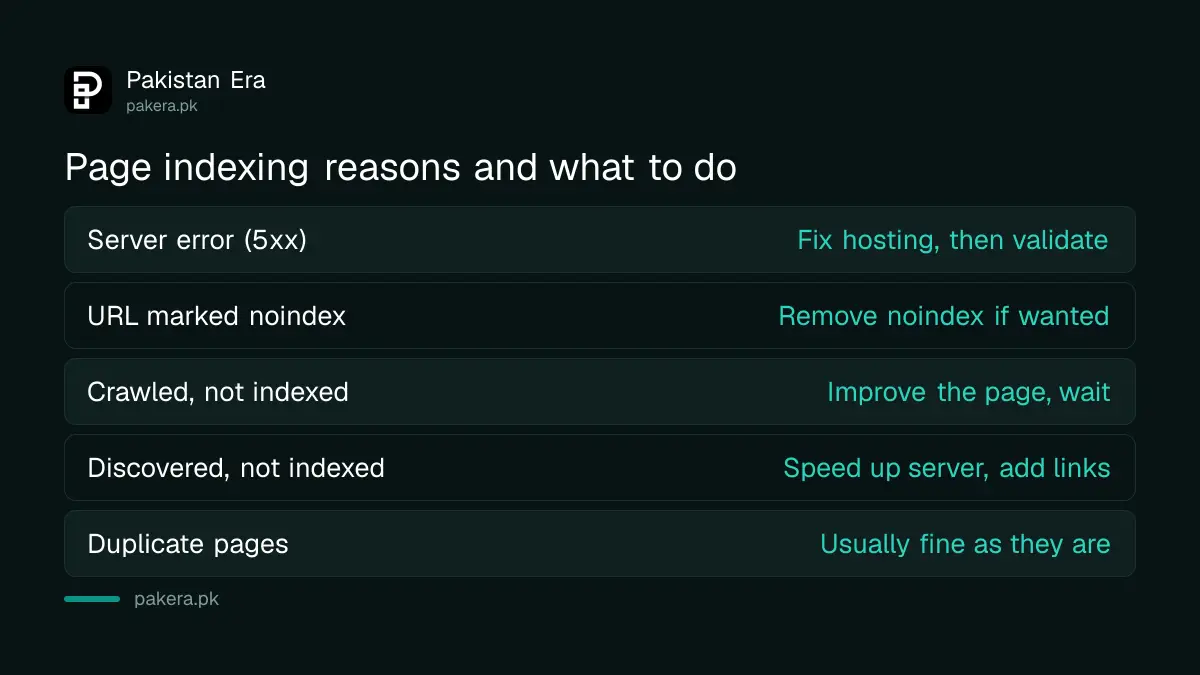
Server errors, wrong noindex tags, robots.txt blocks and redirect errors stop pages you want from being indexed. Duplicates with a proper canonical, page redirects and real 404s for deleted pages are normal. Sort your list into these two groups first.
| Reason in the report | What it means | Action |
|---|---|---|
| Server error (5xx) | Your server failed when Google asked | Fix hosting, then validate |
| URL marked 'noindex' | The page tells Google not to index it | Remove noindex if you want it indexed |
| URL blocked by robots.txt | Your robots.txt stops crawling | Remove the rule if the page should rank |
| Redirect error | Loop, long chain or bad URL in a redirect | Point straight to the final URL |
| Soft 404 | Looks like "not found" but returns 200 | Return a real 404, or add real content |
| Crawled, currently not indexed | Google read it but chose not to index it yet | Improve the page, do not resubmit |
| Discovered, currently not indexed | Google found it but delayed the crawl | Check server speed and internal links |
| Duplicate without user-selected canonical | Google picked another URL as the main one | Usually fine, or set a canonical tag |
Shared hosting is a common cause of server errors in Pakistan. A cheap plan that slows down at busy hours can return 5xx errors to Googlebot. If server errors keep coming back, the fix is your host, not your content.
Crawled, currently not indexed is a quality signal
Google's help page says these pages were crawled but not indexed, may or may not be indexed later, and there is no need to resubmit them. Requesting indexing again will not change Google's view. Making the page more useful is the real fix.
Look at what the page adds. A short post that repeats what ten other sites already say gives Google little reason to index it. The same goes for pages spun from other sites with an AI tool, which runs into Google's rules on AI-generated content.
Practical fixes that tend to help: merge thin posts on the same topic into one strong page, add facts you checked yourself, and link to the page from your best-performing posts. Then leave it. Google says crawling can take a few days to a few weeks.
Discovered, currently not indexed is different. Google found the URL but delayed the crawl because it expected to overload your site, so the last crawl date is empty. Faster hosting and fewer junk URLs, such as endless filter or tag pages, help here.
Validate the fix and request indexing
After fixing a reason, open it in the report and click Validate fix. Google then rechecks the affected URLs. Do not click it again until validation passes or fails. For one important page, use URL Inspection and Request Indexing instead.
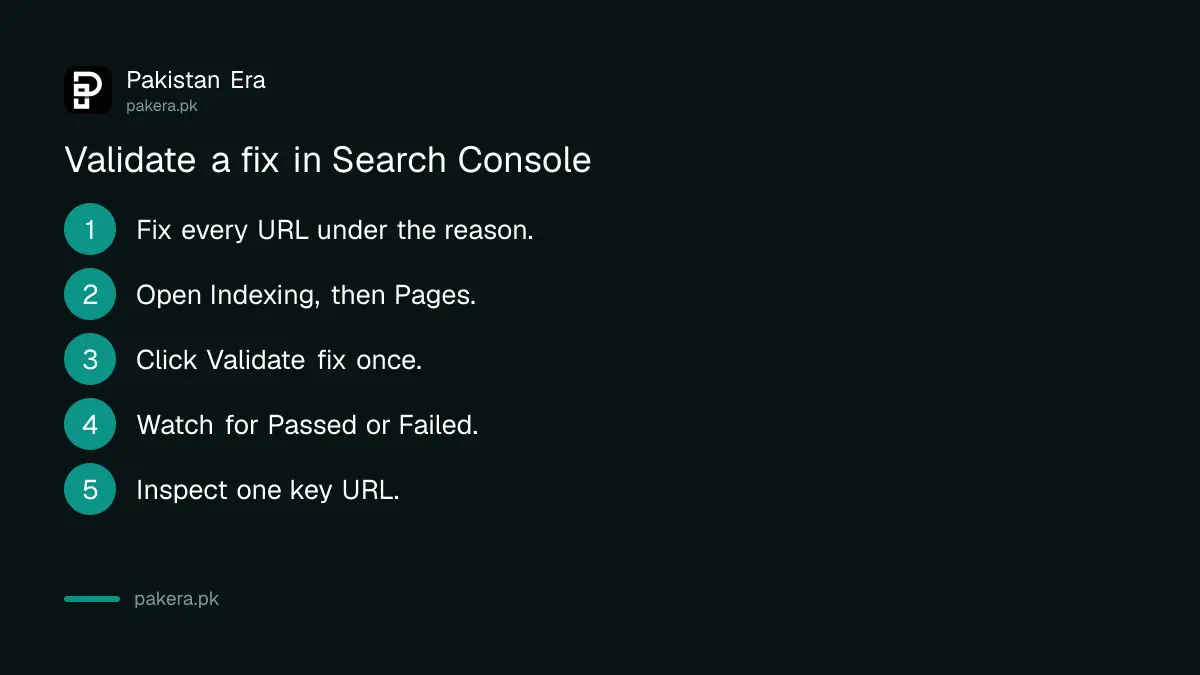
- Fix the problem on every URL listed under that reason.
- Open Indexing, then Pages, and click the reason.
- Click Validate fix once.
- Watch the status: Started, then Passed or Failed.
- For a single key page, paste its URL in the URL Inspection bar.
- Click Test live URL, then Request Indexing if the test is clean.
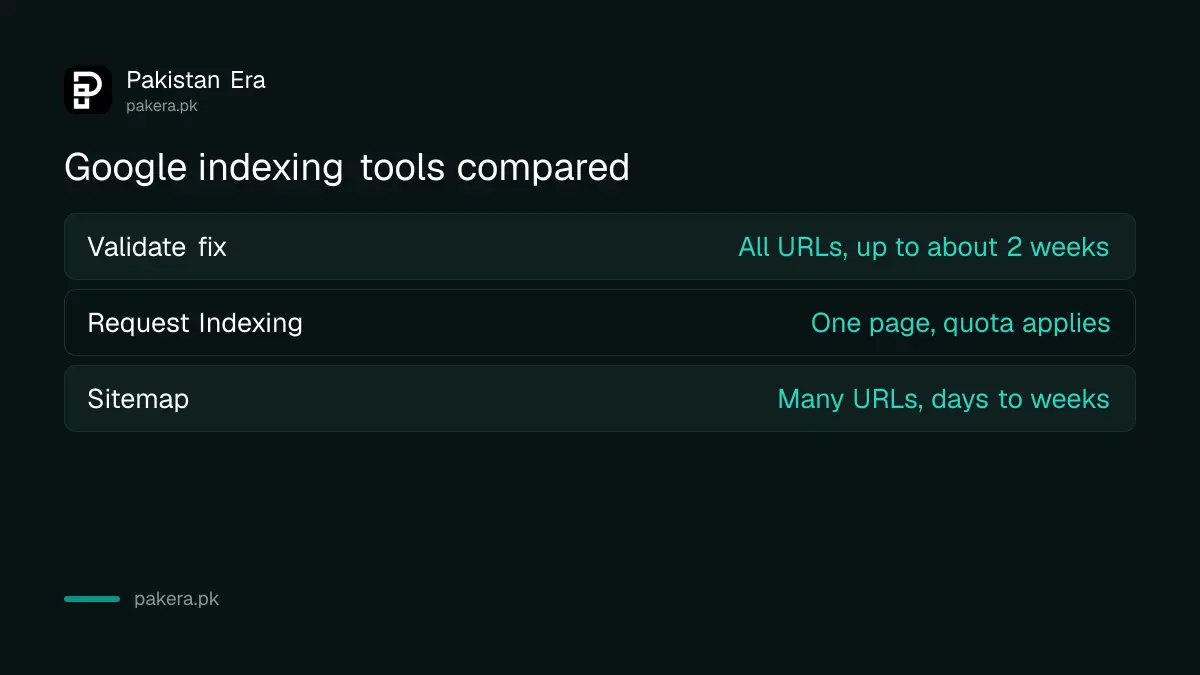
Google says there is a quota on individual URL submissions, and asking for the same URL many times will not get it crawled faster. For many URLs at once, submit a sitemap in the Sitemaps report instead. Only owners and full users of the property can request indexing.
| Tool | Use it for | Google's timing note |
|---|---|---|
| Validate fix | All URLs under one reason | Usually up to about two weeks |
| URL Inspection, Request Indexing | One new or changed page | Quota applies, do not repeat |
| Sitemap | Many URLs, a new site or a site move | Crawling takes days to weeks |
When the page is indexed but still gets no traffic
Indexed does not mean ranking. If URL Inspection says "URL is on Google" and the page still gets no clicks, the problem is relevance or competition, not indexing. The Performance report shows which queries the page appears for and at what position.
After a spam update, also rule out spam policy issues. Our September 2026 spam update site check walks through what to look at. If your pages show up in AI answers, Search Console now reports that too, and the AI Overviews and AI Mode report shows whether Google cites you there.
Common questions
How long does Google take to index a new page?
Google says a new page can take a few days to be indexed, and crawling can take a few days to a few weeks. Requesting indexing can shorten the wait for one page.
Should I keep clicking Request Indexing?
No. Google says there is a quota, and requesting the same URL many times does not get it crawled faster.
Why does Search Console say "Duplicate without user-selected canonical"?
Google thinks the page copies another URL and chose that other URL to show. It is not an error. Add a canonical tag only if Google picked the wrong main page.
Does every page on my site need to be indexed?
No. Google says you should not expect all URLs to be indexed, only the canonical version of each important page.
How long does Validate fix take?
Google says validation usually takes up to about two weeks and can take longer. You get a notification when it passes or fails.
How we verified this
What we checked, where we read it, and what we could not confirm.
We last checked this on 10 October 2026. We read Google's Page indexing report help page and its help page on asking Google to recrawl your URLs, plus the Google Search Status Dashboard entry showing the September 2026 spam update completed on 8 October 2026. Report labels can change, so match the wording in your own Search Console.
About the author

Founder and Editor
Umer Kureshi founded Pakistan Era in July 2024 and runs it as administrator, SEO lead and writer, overseeing website operations, search growth, content strategy and coverage of technology and current affairs.