Check if Google's AI Overviews Cite Your Pakistani Website in Search Console
Search Console's generative AI report shows how often your site appears in AI Overviews and AI Mode. How Pakistani site owners open it and read it correctly.
Google Search Console now has a Generative AI performance report for every website, rolled out worldwide on 31 August 2026. It shows how often your pages appeared in AI Overviews and AI Mode, by page, country, device and date. Open Search Console, go to Performance, and choose the generative AI report. If it is missing, your site has not had enough AI impressions yet.
Pakistani site owners keep asking the same question: is Google's AI answer stealing my traffic, or quoting me? Until this year there was no clean way to tell. AI Overviews and AI Mode impressions sat mixed inside the normal Search performance report.
Google first announced the separate report on 3 June 2026 for a small group of sites. Its help page now says that as of 31 August 2026 the report is live for all websites worldwide. We read Google's announcement and the help pages for both the Search and Discover versions on 9 October 2026.
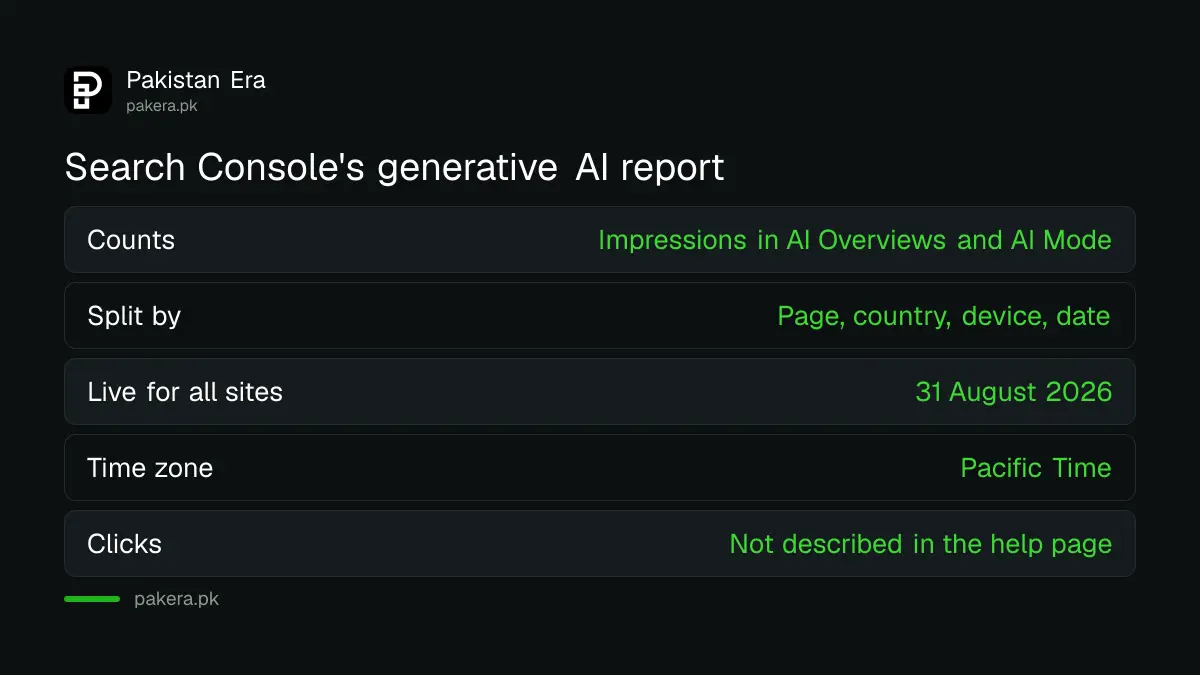
The report counts your appearances in AI Overviews and AI Mode
The generative AI performance report counts impressions, meaning how many times a link to your site was shown to a user inside an AI Overview or AI Mode answer. Google says it expects to add more AI features to the list over time.
That is the main thing to understand. The help page describes impressions, pages, countries, devices and dates. It does not describe clicks. So the report tells you where Google's AI cites you, not how many readers it sends.
| What you can see | What it tells you |
|---|---|
| Impressions over time | Whether AI answers cite you more or less each week |
| Pages | Which URLs Google's AI links to, grouped by canonical URL |
| Countries | Where those searches came from, so Pakistan versus abroad |
| Devices | Mobile, desktop or tablet |
| Search type filter | Text searches, or multimodal searches from Google Lens and Circle to Search |
For a Pakistani site the country split is useful. Many local publishers get a share of traffic from the Gulf, the UK and North America. You can now see whether AI answers abroad are citing you more than AI answers at home.
How to open the generative AI report in Search Console
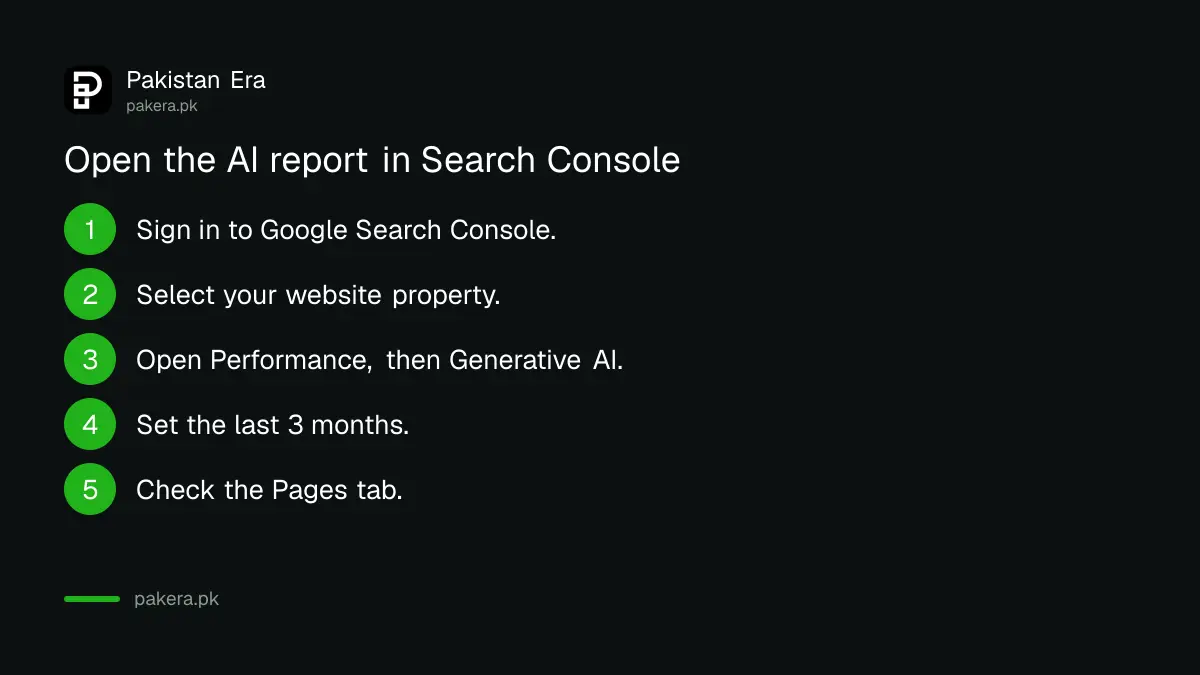
Sign in to Search Console, pick your property, open Performance, and select the generative AI report for Search. Google's help page also links straight to it. Then choose a date range and a dimension tab such as Pages or Countries.
- Sign in to Google Search Console with the account that owns your site.
- Select your website property from the list.
- Open Performance and choose the Generative AI report for Search results.
- Set the date range. Start with the last 3 months so you see a trend.
- Click the Pages tab to see which URLs appear in AI answers.
- Click Countries and find Pakistan to see your home market alone.
- Use the export button to download the chart and table for your records.
If you have never set up a property, do that first. The steps to set up Google Analytics 4 for a business website pair well with Search Console, because Analytics shows what visitors did after they arrived.
No report usually means too few AI impressions
Google says a missing generative AI report usually means your site has not received enough impressions in AI features. It is not an error you can fix in settings. Small or new sites may wait a while before the report appears.
This is common for small Pakistani business sites. A shop page with 50 visits a month will rarely show up in AI Overviews at all. That is not a penalty. It simply means the report has too little data to show.
The Discover version has one more reason. Google says not every property has access to the Discover generative AI report yet, as it rolls out over time.
Read the numbers carefully before you act
The chart counts impressions by property, so two of your links in one AI answer count as one. The table counts by page when you choose Pages, so totals can differ. Dates are in Pacific Time, and the newest data can be preliminary for a few hours.
Pacific Time matters more than it sounds. Pakistan is 12 hours ahead during US summer time and 13 hours ahead in winter. A spike you see on "Tuesday" may be a Wednesday morning in Lahore.
Three more limits from Google's help page are worth knowing:
- The usual 1,000 row limit of the Performance report applies here too.
- Values shown as "~" or "-" become zeros when you export the data.
- Data is grouped by canonical URL, so duplicate pages fold into one.
Our view: compare the AI report with your normal Performance report for the same pages. If AI impressions rise while clicks on those pages fall, the AI answer may be satisfying the query without a visit. That is a content question, not a technical one.
What to do with the report on a Pakistani site
Use the Pages tab to find which of your pages Google's AI already cites, then make those pages clearer and more current. Pages that answer a local question with a fee, a date or a step list are the ones most worth keeping fresh.
Google says in its AI features documentation that there are no additional requirements or special optimisations needed to appear in AI Overviews or AI Mode. The practical steps for Pakistani businesses in AI search come down to helpful, reliable content for people. Its rules on AI-written content also apply, so mass-produced pages are a risk rather than a shortcut.
Watch the report after a Google update too. The September 2026 spam update finished on 8 October, and a drop in AI impressions in the same weeks is worth comparing with your normal traffic.
If many of your users search with their camera, the multimodal filter adds Google Lens and Circle to Search. The same filter appears in the main report, and Lens and Circle to Search traffic in Search Console works the same way here.
Common questions
Does Search Console show clicks from AI Overviews?
Google's help page for the generative AI report describes impressions, not clicks. Clicks from AI features stay inside the normal Performance report, mixed with other web results.
When did the generative AI report become available to all sites?
Google's help page says it was rolled out to all websites worldwide as of 31 August 2026, after a first release to some sites on 3 June 2026.
Why can't I see the generative AI report?
Google says this usually happens when your site has not had enough impressions in AI features. Keep publishing useful pages and check again later.
Does the report include AI Mode?
Yes. Google lists AI Overviews and AI Mode as the two features included in the Search version of the report.
Is there a generative AI report for Google Discover?
Yes, a separate one. It shows impressions in AI features in Discover, but Google says not every property has access yet.
How we verified this
What we checked, where we read it, and what we could not confirm.
Last checked on 9 October 2026, Pakistan time. We read Google's generative AI performance report help page, the Discover version and the Search Central announcement of 3 June 2026. Menu names follow Google's help pages. We did not open a Search Console account for this page, so we cannot show screenshots, and the opinion on comparing impressions with clicks is the author's.
About the author

Founder and Editor
Umer Kureshi founded Pakistan Era in July 2024 and runs it as administrator, SEO lead and writer, overseeing website operations, search growth, content strategy and coverage of technology and current affairs.