How to Hide Your Number on a Call in Pakistan: #31# and Private Number Settings
Hide your number on a call in Pakistan: dial #31# before the number, or turn off Show My Caller ID on iPhone or Android. Works if your network allows it.
To hide your number on one call, dial #31# before the number, for example #31#03001234567, and press call. To hide it on every call, turn off Show My Caller ID: on iPhone in Settings, Apps, Phone; on Android in the Phone app's settings under Supplementary services or More settings. Whether the number stays hidden depends on your network allowing it on your line, on Jazz, Zong, Ufone or Telenor.
The person you call sees "Private number", "No caller ID" or "Unknown". Test it once by calling a family member before you rely on it. If they still see your number, your network shows caller ID on your line, and the helpline is the place to ask.
| What you want | How to do it |
|---|---|
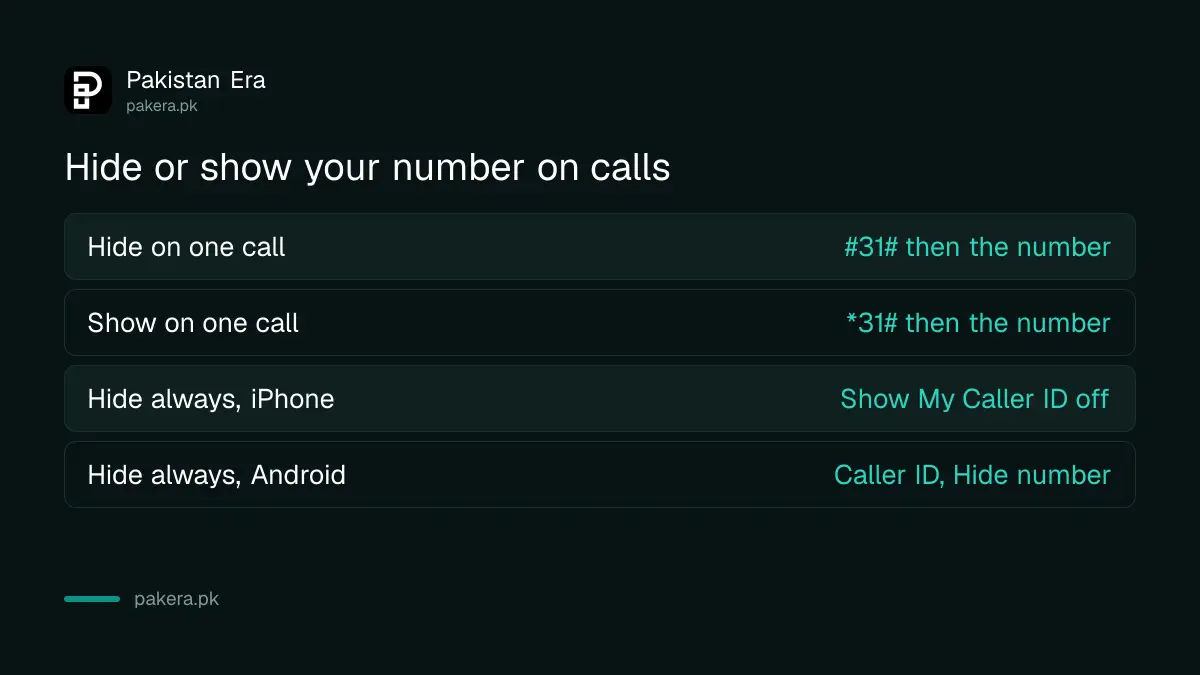
| Hide your number on one call | Dial #31# then the number |
| Show your number on one call while hiding is on | Dial *31# then the number |
| Hide on every call, iPhone | Settings, Apps, Phone, Show My Caller ID off |
| Hide on every call, Android | Phone app, Settings, Supplementary services, Show my caller ID, Hide number |
| Hide your name on caller name services | Jazz: send U to 7773; Zong: dial *254*3# |
Hide your number on one call with #31#
The #31# prefix is the standard GSM code for hiding caller ID on a single call. Type #31#, then the full number, and press call. Your number is hidden for that call only, and the next call shows it again as normal.
- Open the phone dialler.
- Type #31#.
- Type the number straight after it, with no space: #31#03001234567.
- On a dual SIM phone, choose the SIM.
- Press call. The other phone should show a private or unknown number.
The reverse code is *31# before a number, which shows your number on one call when you have turned hiding on for all calls. Both are defined in the 3GPP standard for GSM phones, so they are the same on every Pakistani network and every handset.
You can save a contact with #31# in front of the number if you always want to call that person privately. It works for normal calls only, not WhatsApp calls, which always show your WhatsApp number.
Hide your number on every call on iPhone
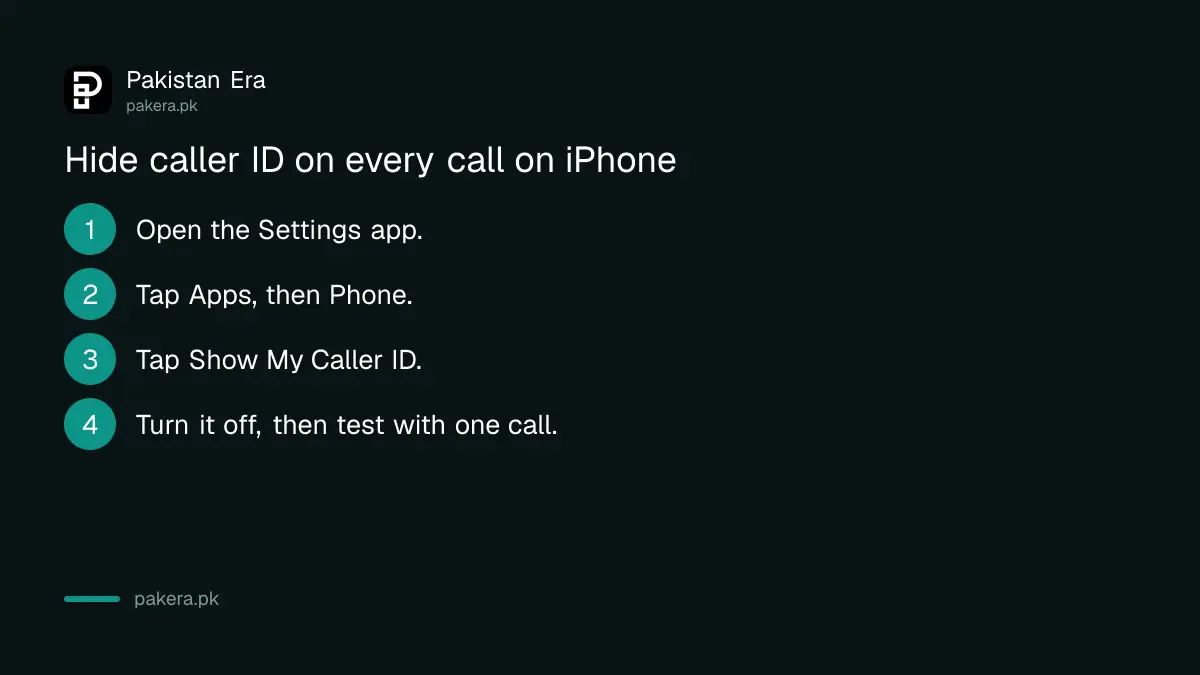
On iPhone, open Settings, tap Apps, tap Phone, tap Show My Caller ID and turn it off. Apple says the person you call then will not see your number. If the switch is dimmed or missing, Apple says to contact your network provider.
- Open the Settings app.
- Tap Apps, then Phone.
- Tap Show My Caller ID and turn it off.
A dimmed switch means your network decides caller ID for your line. In that case #31# may also not hide your number. Call 111 on Jazz prepaid, 310 on Zong, 333 on Ufone or 345 on Telenor and ask whether your line allows hiding caller ID.
Hide your number on every call on Android
On most Android phones the setting sits in the Phone app: open it, tap the three dots, then Settings, and look under Supplementary services, More settings or Calling accounts for Show my caller ID or Caller ID. Choose Hide number, and pick the SIM first if you have two.
- Samsung: Phone app, three dots, Settings, Supplementary services, Show my caller ID, Hide number.
- Xiaomi, Infinix, Tecno, Vivo, Oppo: Phone app settings, then Calling accounts or Advanced settings, choose the SIM, then Caller ID.
- Options you may see: Network default, Hide number and Show number. Network default leaves it to the operator.
If the phone shows an error when you save the setting, or the other person still sees your number, the network has not accepted the request. Use #31# on single calls instead, or ask your helpline.
Your name and your number are hidden in different places
Hiding caller ID hides your number. Your name can still show if the other person has saved you as a contact, or if they use a caller name service. Jazz and Zong caller name services each have their own hide command: send U to 7773 on Jazz, or dial *254*3# on Zong.
| What the other person can see | Hidden by #31#? | How to hide it |
|---|---|---|
| Your phone number | Yes, if the network allows | #31# or Show My Caller ID off |
| Your name from their contacts | Yes, with the number | Hidden when the number is hidden |
| Your name on Jazz Caller Name | Only when the number is hidden | Send U to 7773 |
| Your name on Zong Caller Name | Only when the number is hidden | Dial *254*3# |
| Your WhatsApp number | No | Cannot be hidden on WhatsApp calls |
More on those services, and their daily charges, is in the Jazz and Zong caller name service.
What hiding your number does not do
A private number hides you only from the person you call. Your network still records every call against your SIM and CNIC. Many people do not answer private numbers, and some phones send them straight to silence, so hiding caller ID can make it harder to reach people.
- Calls are still traceable. Every SIM is registered on a CNIC with biometric verification, and operators keep call records.
- Some phones silence unknown callers. On iPhone, silencing unknown callers can send private calls to voicemail without ringing.
- Harassing calls are an offence. Hiding your number gives no protection from a complaint. Victims of such calls can complain to the operator and PTA.
If someone is calling you from a private number again and again, note the dates and times, then complain to your operator. If it continues, complain to PTA on 0800-55055, as set out in complaining to PTA.
Common questions
What is the code to hide my number on Jazz, Zong, Ufone or Telenor?
Dial #31# before the number for one call, such as #31#03001234567. It is the standard GSM code, so it is the same on every network, if your line allows hidden caller ID.
Why can people still see my number after #31#?
Your network shows caller ID on your line, so the request was not accepted. Ask your helpline whether hiding caller ID is allowed on your SIM.
Why is Show My Caller ID greyed out on my iPhone?
Apple says a dimmed or missing switch means you need to contact your network provider. The network controls the setting for your line.
Can I hide my number on WhatsApp calls?
No. WhatsApp calls always show your WhatsApp number or profile. #31# works only for normal phone calls.
Is calling from a private number legal in Pakistan?
Hiding caller ID is a normal phone feature. Using it to harass or threaten someone is not, and the call is still linked to your SIM and CNIC.
How do I show my number again?
Turn Show My Caller ID back on, or set Caller ID to Show number or Network default. For one call while hiding is on, dial *31# before the number.
How we verified this
What we checked and where we read it.
We checked the single call codes (#31# to hide caller ID, *31# to show it) in the 3GPP standard TS 22.030 on the ETSI publication of 3GPP TS 22.030 on 24 November 2026. The iPhone steps and the dimmed switch advice are from Apple's caller ID support article (published 2 February 2026), read the same day. The Jazz and Zong caller name hide commands are from each operator's service page as recorded in the linked guide. Android menu names differ by brand and software version.
Free on WhatsApp
Get last dates and rule changes on WhatsApp
We post new last dates, fee changes and fixes for common problems, a few short posts a day.
Follow Pakera on WhatsAppOther followers cannot see your number.
Pakera Solves It
Which online process wasted your time this week?
A portal that will not load, a form nobody explains, a complaint that went nowhere. Tell us. Every week we pick one, solve it step by step and publish the answer.
About the author

Technology Journalist & Multimedia Producer
Ahmad Ali is a technology journalist and multimedia producer at Pakistan Era, joining the team in October 2026. He covers consumer technology and digital life for Pakistani readers, combining research with hands-on product testing.