Cannot Make or Receive Calls on Jazz, Zong, Ufone or Telenor? How to Fix It
Cannot make or receive calls in Pakistan? Check balance, call barring and Fixed Dialing Numbers, the default SIM, ##002# forwarding, and blocked SIM causes.
Cannot make calls on Jazz, Zong, Ufone or Telenor? Check four things in order: your balance or call bundle, the SIM chosen for calls on a dual SIM phone, call barring or Fixed Dialing Numbers in the phone settings, and whether the SIM itself has been suspended. If calls are not coming in, cancel call forwarding with ##002#, turn off Do Not Disturb and check your block lists.
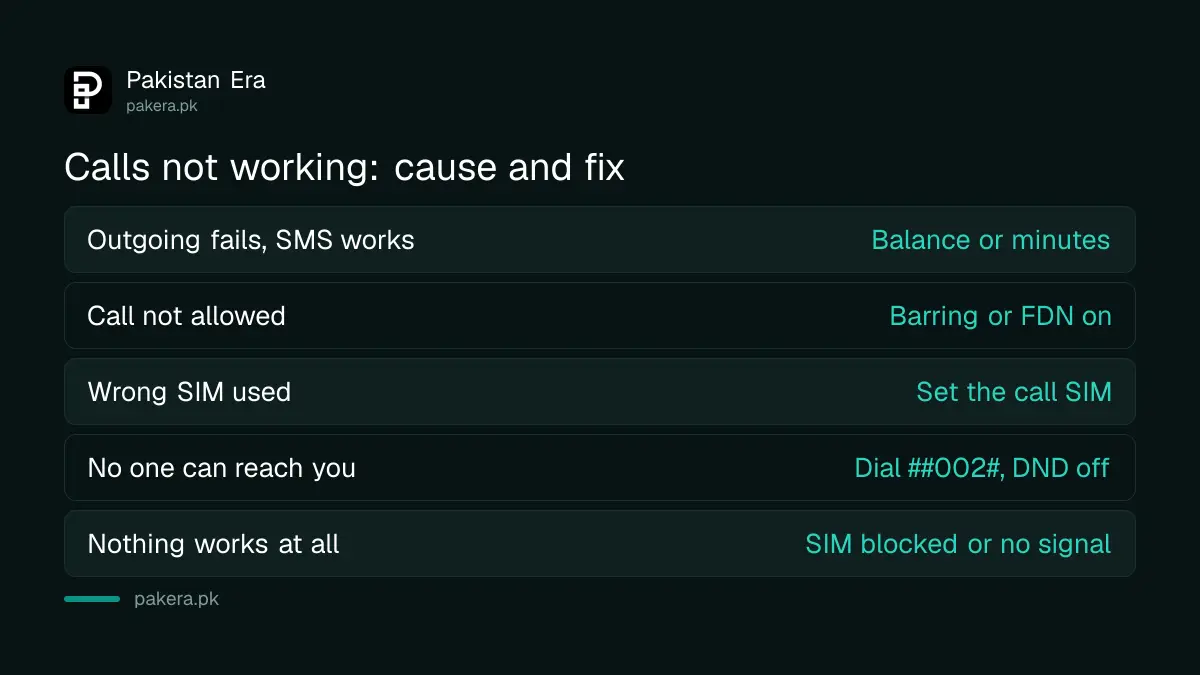
When calls fail but SMS and data work, the problem is usually balance or a call setting. When nothing works, not even SMS, the SIM has lost service or been blocked, and the fix is at a franchise with your CNIC.
| What happens | Likely cause | Fix |
|---|---|---|
| Outgoing calls fail, SMS works | No balance or minutes | Check balance, recharge or use a zero balance option |
| "Call not allowed" or "call barred" | Call barring or Fixed Dialing Numbers | Turn them off in Phone settings |
| Calls go from the wrong SIM | Default SIM for calls | Set "Ask every time" or the right SIM |
| No one can reach you | Call forwarding, Do Not Disturb, blocks | Dial ##002#, turn off DND |
| No calls, SMS or data at all | No signal, or SIM blocked | Test the SIM, visit a franchise |
Check your balance and minutes first
Outgoing calls stop when your balance and call minutes run out, while SMS bundles and data can keep working. Check your balance with *222# on Zong, *124# on Ufone, *444# on Telenor or the SIMOSA app on Jazz, and recharge or buy a call bundle.
If you need to call someone now with no balance, every network has a route. Ufone's Collect Call lets the other person pay, and Zong's Yaari Call and Jazz's options work the same way. The codes are in calling with zero balance on Jazz and Zong and Ufone Collect Call on 902.
Also check whether your minutes are only for the same network. A call to another network then comes from your balance. If your balance is near zero, that call fails even though the minutes show as left.
Turn off call barring and Fixed Dialing Numbers
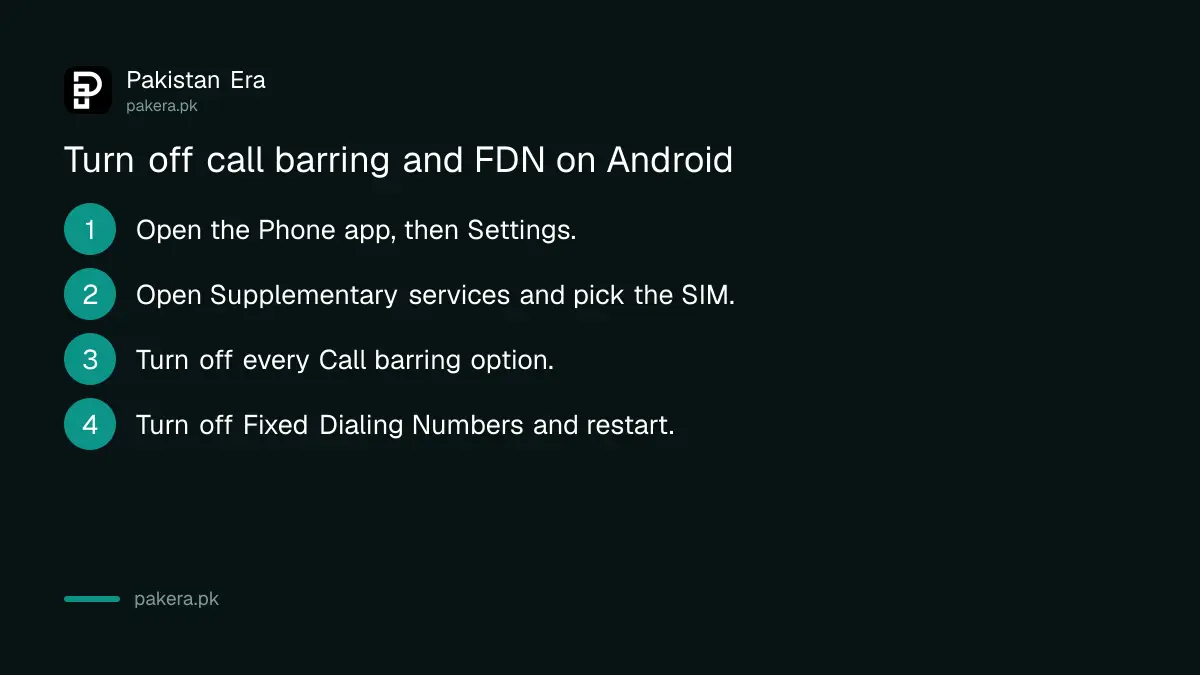
If the phone says "call not allowed", "call barred" or "FDN only", a phone setting is blocking outgoing calls. Open the Phone app settings and turn off Call barring and Fixed Dialing Numbers (FDN). These are often switched on by accident or by a previous owner.
- Open the Phone app, tap the three dots, then Settings.
- Look for Supplementary services, More settings or Calling accounts, and choose your SIM.
- Open Call barring and turn off every option, such as all outgoing or international calls.
- Open Fixed Dialing Numbers and turn FDN off. It asks for the SIM's PIN2.
- Restart the phone and try a call.
Call barring is a network service with standard codes: 33 bars all outgoing calls, 331 bars outgoing international calls and 35 bars incoming calls. It is removed with #330* followed by your barring password and #. If you never set a password or forgot it, ask your helpline to remove barring from your line.
Fix calls going from the wrong SIM
On a dual SIM phone, calls go through the SIM set as default for calls. If that SIM has no balance or no signal, calls fail even though the other SIM works. Set calls to "Ask every time", or choose the SIM with balance as the call SIM.
- Android: Settings, SIM manager or SIM cards, Calls, then pick a SIM or "Ask every time".
- iPhone: Settings, Mobile Service, Default Voice Line.
- Check both SIMs are on. A SIM can be switched off in the SIM settings.
Also check airplane mode is off and the network name shows at the top of the screen. If the phone shows "Emergency calls only", it has no service from your network at that spot.
When people cannot call you
If others hear "switched off" or "not reachable" while your phone is on, or their calls go to another number, check call forwarding, Do Not Disturb and blocking. Dial ##002# to cancel all forwarding, then turn off Do Not Disturb and look at your block lists.
- Call forwarding: ##002# cancels all forwarding. Scammers sometimes set it to take over WhatsApp, as set out in checking and cancelling call forwarding.
- Do Not Disturb or Focus: calls ring silently or go to missed calls. Turn it off in quick settings.
- Block lists: the caller may be in your phone's blocked numbers or in a paid service like Ufone UBlock on *420#.
- Incoming barring: if barring of incoming calls is on, turn it off under Call barring.
- Silence unknown callers: on iPhone this sends unsaved numbers to voicemail. Save numbers you need.
When the SIM itself is blocked or suspended
If calls, SMS and data all fail, and the same SIM fails in another phone, the SIM has lost service. Common reasons are expired CNIC verification, no use for 180 days, a non-filer block from FBR, or a fraud report. The fix depends on the reason, and most need a franchise visit.
| Reason | What to do |
|---|---|
| CNIC expired or biometric check failed | Visit a franchise with your valid original CNIC for a thumb scan |
| Not used for 180 days | Reactivate before the number is given away |
| FBR non-filer block | File your tax return to restore service |
| Old 3G SIM where 3G is off | Replace it with a 4G SIM at a franchise |
Each case has its own steps: a SIM blocked for biometric verification, a SIM suspended after 180 days and a non-filer SIM block. If none applies, call your helpline from another phone: Jazz 0300-3008000 on WhatsApp, Zong 051-111-222-111, or Ufone 051-111-333-100. If the operator does not fix it, complain to PTA on 0800-55055.
Common questions
Why can I receive calls but not make them?
Most often there is no balance or minutes left. Otherwise call barring or Fixed Dialing Numbers is on, or the wrong SIM is set for calls. Check those three in that order.
Why does my phone say "call not allowed"?
That message usually comes from Fixed Dialing Numbers or call barring. Turn both off in the Phone app's settings, under Supplementary services or More settings.
Why do people hear my number is switched off when it is on?
The phone may have no signal at that moment, or call forwarding to an off number is set. Dial ##002#, then check signal near a window.
Can I make calls with zero balance?
Yes, with each network's collect call or call request service, where the other person pays. Emergency numbers such as 15 and 1122 also work without balance.
What is the call barring password?
It is a short code that protects your call barring settings. If you never set one, your helpline can remove barring from your line.
My SIM works in another phone but not in mine. What now?
The phone is the problem. Check that it is not set to a network mode the SIM cannot use, reset network settings, and check the phone's PTA status if it is imported.
How we verified this
What we checked and where we read it.
We checked the call barring service codes (33, 331, 35, 330) and the star and hash procedures in the 3GPP standard TS 22.030 on the ETSI publication of 3GPP TS 22.030 on 24 November 2026. Ufone's UBlock is from Ufone's UBlock page and Ufone's 051-111-333-100 line from Ufone's FAQs, both read the same day. The balance codes, zero balance services, helplines and SIM block rules are from each operator's and PTA's own pages as recorded in the linked guides. Menu names on Android differ by brand.
About the author

Technology Journalist & Multimedia Producer
Ahmad Ali is a technology journalist and multimedia producer at Pakistan Era, joining the team in October 2026. He covers consumer technology and digital life for Pakistani readers, combining research with hands-on product testing.