How to Reload Zong Balance With a Scratch Card
Load a Zong scratch card by dialling *101*PIN# and pressing call. Cards come in Rs 100, 300, 500 and 1,000. Check the new balance on *222#.
To load a Zong scratch card, scratch the silver strip, then dial *101*PIN# and press call, putting the card's number in place of PIN. Zong's payment page gives this code and lists cards of Rs 100, Rs 300, Rs 500 and Rs 1,000. Check the new balance on *222#. Zong deducts tax on every recharge, so the balance added is less than the card's face value.
We read Zong's payment methods page, its terms, its FAQ and its Yaari Load page on 22 September 2026. Some websites give the code as "101 then 14 digits then #", with no star at the start. Zong's page gives *101*PIN#, and it does not state how many digits the PIN has.
The code and the card values
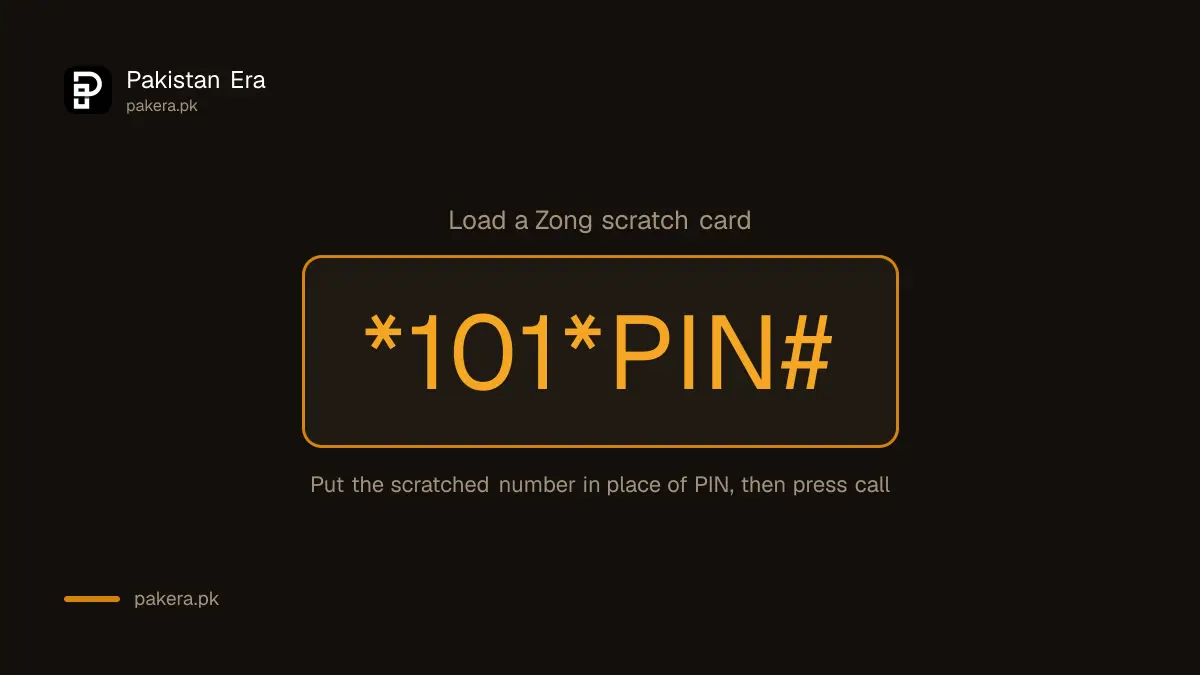
Zong's payment methods page says: "Zong scratch cards are available in the denominations of Rs. 100, Rs. 300, Rs. 500 and Rs. 1000 respectively. To load the card dial 101 or enter *101*PIN# and press SEND."
Each card value also sets how long the balance lasts. Zong's site shows this table on every page:
| Scratch card | Balance validity, as Zong lists it |
|---|---|
| Rs 100 | 60 days |
| Rs 300 | 90 days |
| Rs 500 | 180 days |
| Rs 1,000 | 365 days |
This is changing. PTA has ordered every mobile network to keep prepaid balance valid for at least 180 days from 1 October 2026, and to bring back expired balance on your next recharge while the SIM is active. Until Zong updates its table, treat the 60 and 90 day rows as the position before 1 October.
How to load the card, step by step
- Scratch gently. Use a coin edge, not a key. Stop as soon as the digits show, so you do not scratch them off.
- Open the dialler with the Zong SIM you want to recharge. On a two SIM phone, pick the Zong SIM for the call.
- Type *101*, then the full number from the card, then #. For example: *101*1234567890123#. This is only an example, not a real PIN.
- Press call. A message on screen, and usually an SMS, confirms the recharge.
- Keep the card until you have checked the balance.
Zong's page also says you can "dial 101". That points to a phone menu that asks for the PIN, useful if the code is long and you keep mistyping it.
If you have the My Zong App, Zong says voucher cards of all values can be loaded through the app too.
How to check the recharge worked
- Dial *222#. Zong's payment page lists it, with the 310 helpline, as the prepaid balance check.
- Compare with your balance before. The rise will be less than the card value because of tax.
- Look at the expiry date if one is shown.
Why the balance is lower than the card. Zong deducts advance income tax on every recharge. Zong's pages do not agree on the rate. Its FAQ says 15 per cent, while its advance loan page says 12.5 per cent. Zong's Chinese language help page gives the example of Rs 100 recharged becoming Rs 88.89 of balance, which works out to 12.5 per cent. So expect about Rs 87 to Rs 89 of balance from a Rs 100 card.
When the card does not load
- "Invalid PIN". Check each digit. The number 0 and letter O, and 1 and 7, are easy to mix up on a scratched card.
- "PIN already used". Someone may have loaded it before you. Take the card back to the shop at once and keep the receipt if you have one.
- Digits scratched away. Do not guess. Call 310 and give the serial number printed on the card. Zong's contact page says a call connected to an officer costs Rs 2 plus tax.
- No reply at all. Check you have signal and that you typed the star at the start. Try the 101 menu instead.
- Several wrong tries. Stop and call 310 rather than trying again and again.
Other ways to recharge Zong
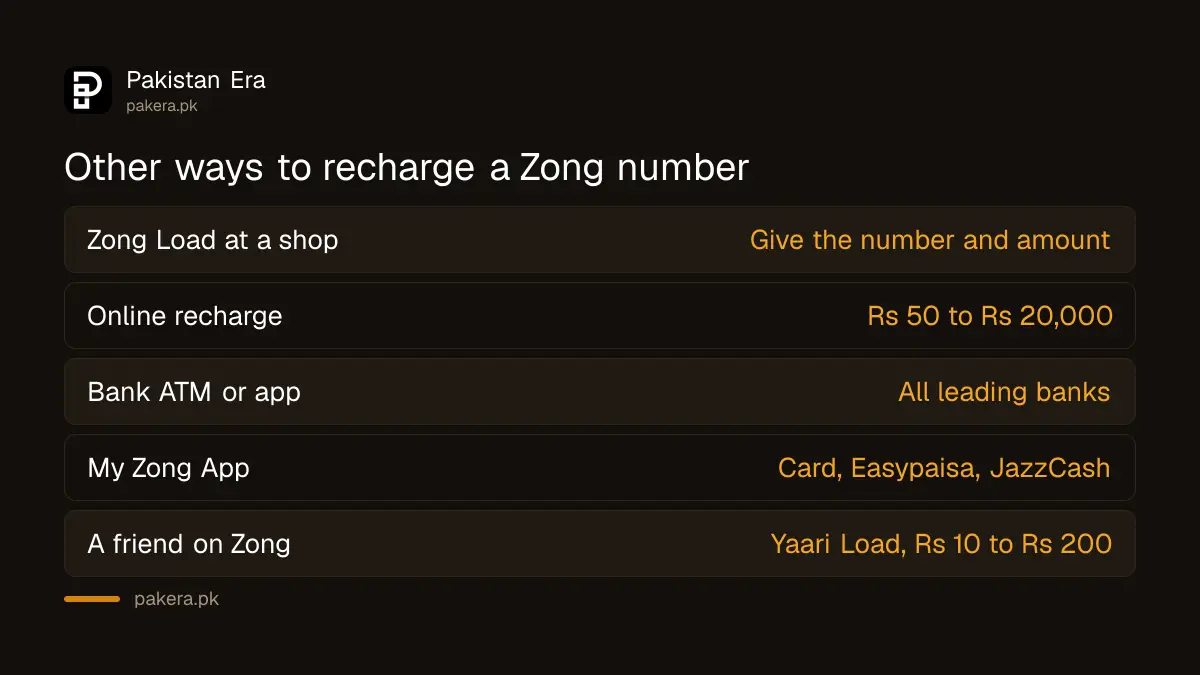
Zong's payment page lists these for prepaid customers:
- Zong Load at a shop. Give the number and amount to a Zong Load retailer.
- Online recharge. Zong's online recharge site accepts Rs 50 to Rs 20,000 per transaction, by debit or credit card.
- Bank ATM and online banking. Zong says all leading banks offer Zong recharge.
- My Zong App. Recharge by card, Easypaisa, JazzCash or Zong's Z Wallet.
- A friend's balance. Zong's Yaari Load service lets another Zong prepaid user share Zong balance with you, Rs 10 to Rs 200 at a time. Balance from a scratch card can be shared, Zong says.
If you have no balance and no card, Zong's advance loan gives a small amount with a fee.
Keep your card PIN private
A scratched PIN is cash. Anyone who reads it can load it to their own number. Never read the PIN to a caller who says they are from Zong and need it "to fix your recharge". Zong's own staff do not need your unused PIN. Scratch the card only when you are ready to load it, and tear it up after the balance shows. After recharging, turn on balance save so your new balance is not eaten by internet use without a bundle.
Common questions
What is the Zong scratch card code?
*101*PIN#, then press call. Zong's payment methods page listed it on 22 September 2026.
What values do Zong scratch cards come in?
Rs 100, Rs 300, Rs 500 and Rs 1,000, according to Zong.
How do I check my Zong balance after recharge?
Dial *222# to check your Zong balance.
Why did I get less balance than the card value?
Zong deducts advance income tax on every recharge. Its pages give the rate as 12.5 or 15 per cent.
How long does Zong scratch card balance last?
Zong's table gives 60 days for Rs 100, 90 for Rs 300, 180 for Rs 500 and 365 for Rs 1,000. PTA's order sets a 180 day minimum from 1 October 2026.
Can I load a Zong card on someone else's phone?
The code loads the SIM you dial from. To recharge another number, use Zong Load, online recharge or the app instead.
How we verified this
What we checked, where we read it, and what we could not confirm.
Last checked 22 September 2026. The *101*PIN# code, the "dial 101" route, the four card values, *222# and the other payment methods are from zong.com.pk/postpaid/payment-methods-postpaid. The validity table is shown on every zong.com.pk page, read that day. The tax rates are from zong.com.pk/faqs (15 per cent) and zong.com.pk/vas/zong-advance-loan (12.5 per cent), and the Rs 100 to Rs 88.89 example from zong.com.pk/about-zong/customer-self-care-chinese. The online limit is from onlinerecharge.zong.com.pk. The app features are from zong.com.pk/my-zong-app, and shareable balance from zong.com.pk/vas/yaari-load. The 310 charge is from zong.com.pk/contact-us. The 180 day minimum is from PTA's press release of 27 August 2026. We did not load a card ourselves.
About the author

Tax, Bills and Technology Writer
Ali Akhtar is a young and curious voice here at Pakistan Era. He is currently pursuing his A-Levels and has a growing interest in Pakistan’s changing industrial landscape and educational trends. Ali likes to write in a way that helps him explain and explore the world around him. His writing reflects the perspective of the new generation navigating the evolving trends of Pakistan where technology, youth innovation, and shifting opportunities are reshaping the country’s future.