How to Subscribe to a Zong Monthly Internet Package
Zong monthly bundles from Rs 380 to Rs 2,700, each with its own dial code, read on Zong pages. How to subscribe and avoid Rs 4 per MB charges.
To get a Zong monthly internet package, dial the code for the bundle you want, or dial *6464# for Zong's menu, or buy it in the My Zong App. Zong's cheapest monthly data bundle on its internet page is Monthly Social Mini at Rs 380 for 6GB, on *3997#. The monthly bundles we read do not renew by themselves. Check your MBs afterwards on *102#, which Zong says costs 10 paisa plus tax.
We read Zong's bundle pages on 22 September 2026. Prices below are the "consumer price" Zong shows on each page. Zong changes offers often, so check the price on the menu screen before you press confirm.
Zong monthly bundles and their codes
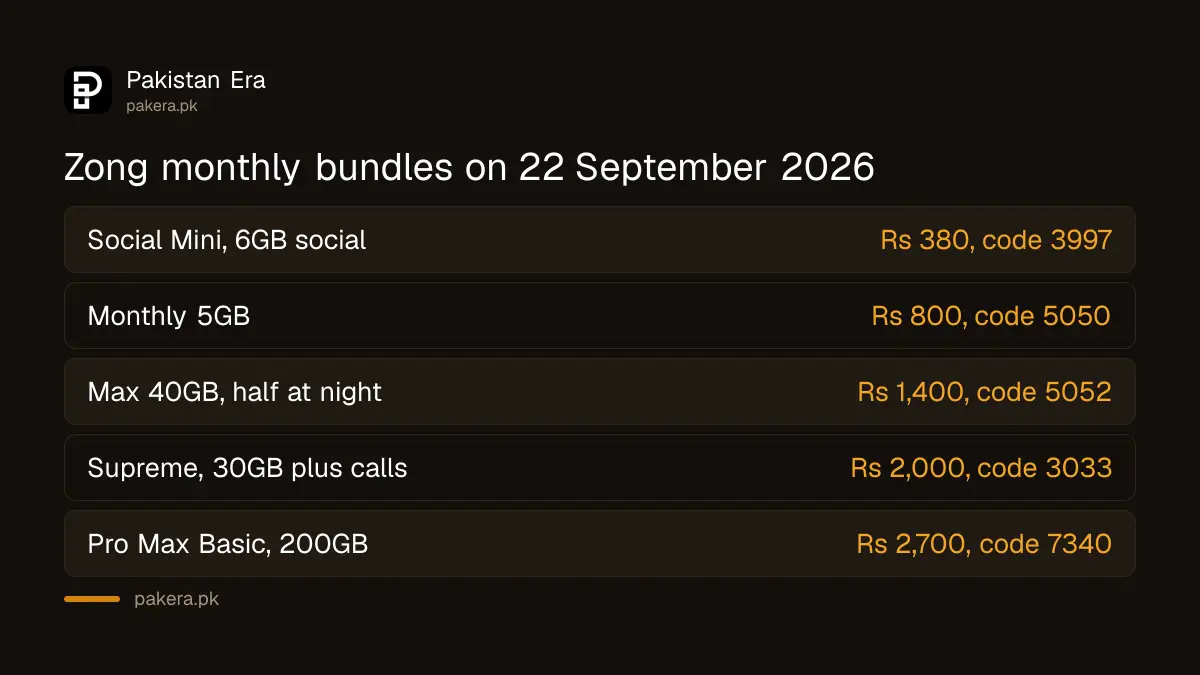
These are the monthly prepaid bundles whose pages were live on zong.com.pk on 22 September 2026. Every one shows a 30 day validity.
| Bundle | Price | What you get | Dial |
|---|---|---|---|
| Monthly Social Mini | Rs 380 | 6GB for Facebook and WhatsApp | *3997# |
| Monthly WhatsApp Plus | Rs 400 | 7GB WhatsApp and IMO, 50 other network minutes, 200 Zong minutes | *4000# |
| Monthly 5GB | Rs 800 | 5GB internet | *5050# |
| Monthly 20GB | Rs 1,200 | 20GB, of which 10GB only from 1 AM to 9 AM | *5051# |
| Monthly Max 40GB | Rs 1,400 | 40GB, of which 20GB only from 1 AM to 9 AM | *5052# |
| Monthly Super Card | Rs 1,700 | 10GB, 300 other network minutes, Zong minutes and SMS under a 5,000 fair use limit | *5501# |
| Monthly Supreme | Rs 2,000 | 30GB, 5,000 Zong minutes, 600 other network minutes, 5,000 SMS | *3033# |
| Monthly Pro | Rs 2,300 | 50GB, 10,000 Zong minutes, 600 other network minutes, 10,000 SMS | *7088# |
| Monthly Digital Max Basic | Rs 2,600 | 100GB, 10,000 Zong minutes, 1,000 other network minutes, 10,000 SMS | *7339# |
| Monthly Pro Max Basic | Rs 2,700 | 200GB, 20,000 Zong minutes, 2,000 other network minutes, 20,000 SMS | *7340# |
One thing to know first. Zong's main Internet Bundles page listed only Monthly Social Mini under "Monthly" on the same day, while the other bundle pages were still online. A bundle page being online does not prove the bundle is still on sale in your area. The menu on *6464# and the My Zong App show what you can actually buy today.
Watch the night data. On the 20GB and 40GB bundles, half the data works only from 1 AM to 9 AM. If you use the internet mostly in the evening, the real daytime allowance is 10GB or 20GB.
How to subscribe by dial code
- Check your balance covers the full price. The bundle will not start on part payment.
- Dial the bundle's own code from the table, or dial *6464# and choose from the menu.
- Read the price and validity on the screen before you confirm.
- Confirm. Zong sends an SMS when the bundle is active.
Most bundle pages also list an SMS route. For Monthly Supreme, for example, Zong says to send sub msup to 6464, and unsub msup to 6464 to stop it. Each bundle has its own word, shown on its page.
If you bought a new Zong SIM, dial *9330# first. Zong's New SIM New Discounts page lists cheaper prices for new SIMs, such as Monthly Supreme Plus at Rs 1,000 instead of Rs 1,600.
How to subscribe in the My Zong App
The My Zong App lets you buy any Zong bundle, see the terms first, and track usage live. Zong also says the app has "Make Your Own Bundle" options and weekly flash sales.
- Install My Zong from the Play Store or App Store and log in with your Zong number.
- Open the bundles section and choose the monthly tab.
- Tap the bundle, read the terms and tap subscribe.
- Check the dashboard shows the new data.
Zong says first time app users get a free 6GB offer, given as 200MB a day. That is a sign up bonus, not a monthly bundle.
How to check the bundle is active
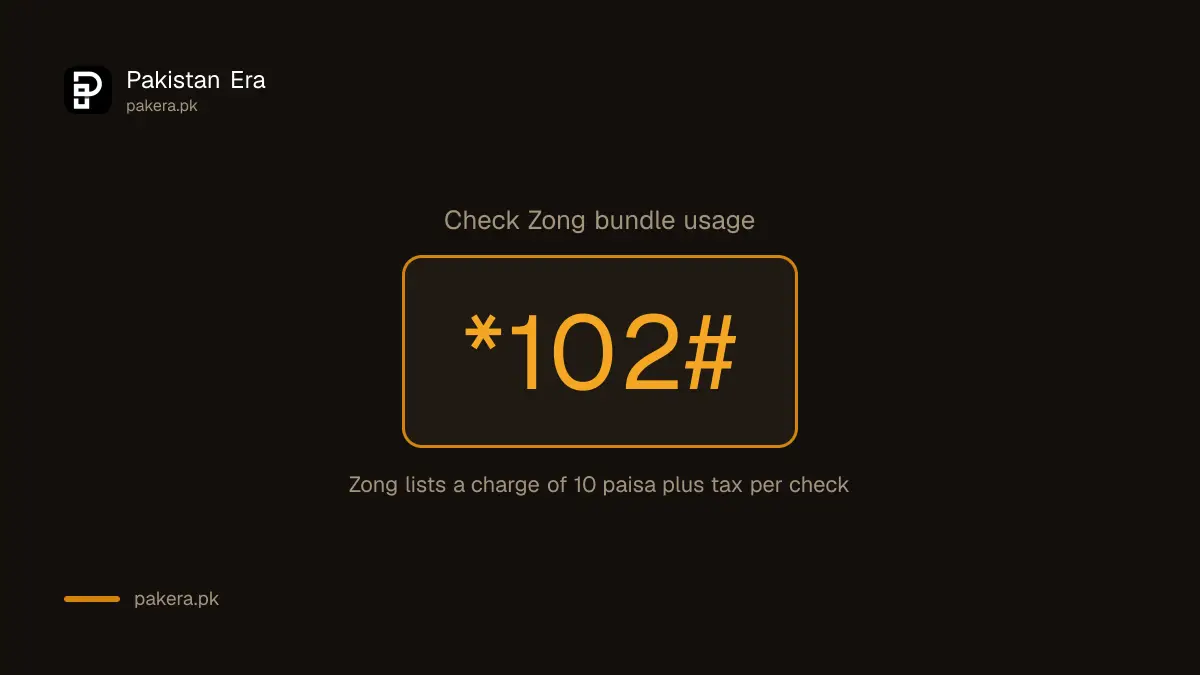
Dial *102#. Zong's pages say this shows your bundle usage and costs 10 paisa plus tax per check. The My Zong App shows the same thing without that charge. Zong also sends SMS alerts when you have used 20, 50 and 80 per cent, and again near 90 to 95 per cent. There are other ways to check your remaining Zong MBs, minutes and SMS too, including on a Zong internet device.
What happens when the data runs out
This is where balance disappears. Zong's FAQ sets out three rates:
- With no bundle, the default rate is Rs 4 plus tax per MB.
- After your bundle's data is used up, but before its 30 days end, Zong charges Rs 1 per MB until the validity ends.
- After the validity ends, you go back to Rs 4 plus tax per MB.
At Rs 4 a MB, one 100MB video can cost Rs 400 of balance. To stop this, turn on Zong's balance save service. PTA lists the Zong code as *4004#. Bundle resources also end at 23:59 on the last day of validity, so use them before then.
When the subscription fails
- "Insufficient balance". Recharge first. Zong adds tax on every recharge, so a Rs 400 load gives you less than Rs 400 of usable balance.
- "Offer not available". The bundle may be closed or regional. Use *6464# or the app to see what is on sale for your number.
- You have a device or internet SIM. Several bundle pages say MBB and internet SIM users cannot subscribe to them.
- You are on postpaid. Several pages say postpaid users cannot subscribe.
Stop a bundle you did not ask for
PTA has warned on Zong's own Public Awareness page that no value added service can be started without your consent, by OTP or by dialling a code. If a bundle or service appears that you did not start, call 310 and ask for a complaint number. You can also unsubscribe the Zong package yourself. If Zong does not fix it, complain to PTA.
Common questions
What is the code for Zong monthly packages?
Each bundle has its own code, listed in the table. *6464# opens Zong's bundle menu, according to several Zong bundle pages.
Does a Zong monthly package renew automatically?
The bundle pages we read, including Monthly 5GB, Social Mini, Pro and Pro Max Basic, say no.
What is the cheapest Zong monthly internet bundle?
On 22 September 2026 it was Monthly Social Mini at Rs 380 for 6GB of Facebook and WhatsApp data.
How do I check my Zong MBs?
Dial *102#, which Zong says costs 10 paisa plus tax, or open the My Zong App.
Can I buy a Zong bundle online?
Yes. Each bundle page on zong.com.pk has a "Subscribe Now" box for your mobile number, and the My Zong App sells every bundle.
Why did Zong take money after my data finished?
Data used after a bundle ends is charged per MB. Zong lists Rs 1 per MB until the bundle's validity ends and Rs 4 plus tax per MB after that.
How we verified this
What we checked, where we read it, and what we could not confirm.
Last checked 22 September 2026. Bundle names, prices, resources, codes, SMS keywords and the "no auto renewal" answers are from each bundle's page on zong.com.pk, including /internet/monthly-social-mini, /internet/monthly-whatsapp-plus, /internet/monthly-5gb, /internet/monthly-20gb, /internet/monthly-max-40gb, /prepaid/monthly-super-card, /prepaid/monthly-supreme, /prepaid/monthly-pro, /prepaid/monthly-digital-max-basic and /prepaid/monthly-pro-max-basic. The monthly list on zong.com.pk/onlineshop/internet, the *9330# new SIM prices on /new-sim-new-discounts, the app features on /my-zong-app, and the *102# charge, usage alerts, per MB rates and 23:59 expiry on /faqs are from those pages. The balance save code *4004# is from PTA's advisory of 19 March 2026, as recorded in our balance save guide. The PTA consent warning is on zong.com.pk/vas/public-awareness. We did not subscribe to any bundle ourselves.
About the author

Public Services and Education Journalist
Fajr Riaz is a journalist and content writer at Pakistan Era, based in Lahore. She covers the questions people meet in everyday life in Pakistan: how a public service works, what a change in the rules means, and where to find a reliable answer.