How to Check Remaining Zong MBs, Minutes and SMS
Dial *102# to check remaining Zong MBs, minutes and SMS, which Zong says costs 10 paisa plus tax. Also the app and the Zong device method.
Dial *102# to see your remaining Zong MBs, minutes and SMS. Zong's own pages list this code and say each check costs 10 paisa plus tax. The My Zong App shows the same details, plus your balance and seven days of usage history. For a Zong internet device, dial *6767# from the Zong number linked to it and choose "Usage of MBB #".
We read Zong's FAQ, bundle pages, app page and device help pages on 22 September 2026. Some websites give the code as *102*1#. That code is not on any Zong page we read. Zong lists *102#.
Every way to check what is left
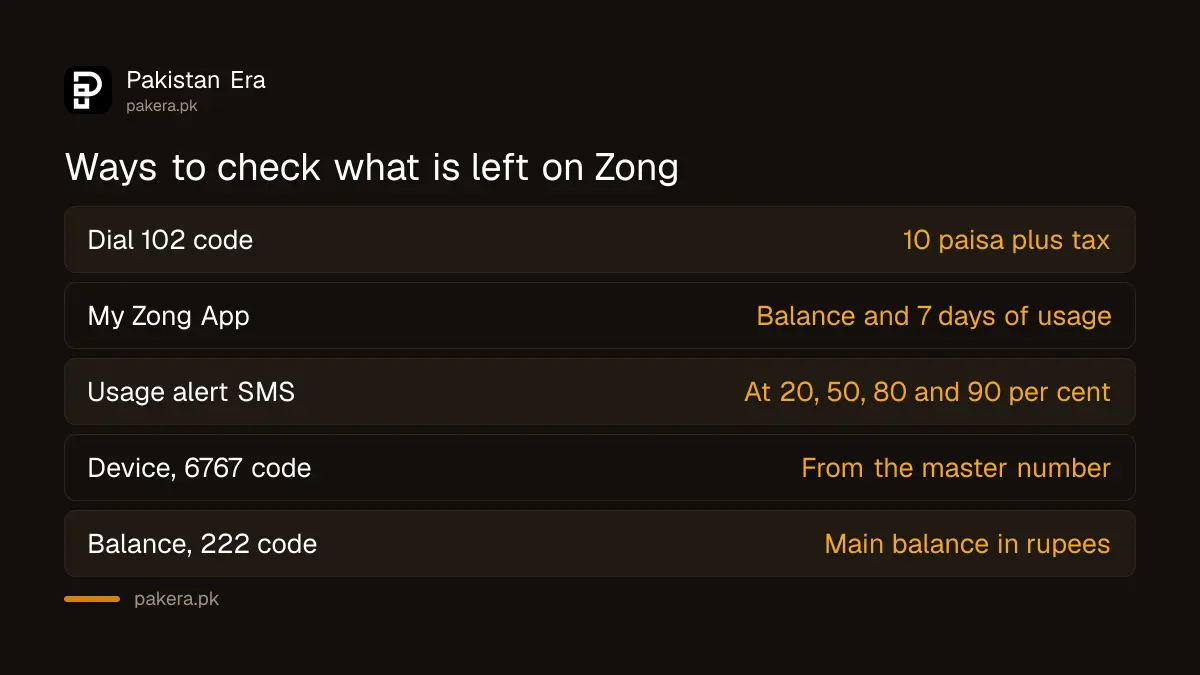
| Method | What it shows | Cost, as Zong lists it |
|---|---|---|
| Dial *102# | Bundle MBs, minutes and SMS left | 10 paisa plus tax per check |
| My Zong App | Balance, free resources, 7 days of usage | No charge listed |
| Usage alert SMS | Sent at 20, 50, 80 and 90 to 95 per cent used | Automatic |
| *6767# from the master number | Usage on a Zong internet device | No charge listed |
| *222# | Main balance in rupees | No charge listed |
How to check by dial code
- Open your phone's dialler with the Zong SIM inside.
- Dial *102# and press call.
- Read the reply on screen. If a menu appears, pick the option for the resource you want.
- Note the expiry date shown for the bundle.
The code needs signal but no internet. It works on a basic phone too.
Zong's Chinese language help page on zong.com.pk describes the same code as "dial *102# then reply 4". That suggests the reply is a menu on some numbers. If you see a menu, choose the usage option rather than a new bundle.
How to check in the My Zong App
Zong says the app shows real time balance and usage for calls, data and SMS, and your remaining free resources "on a single click". It also keeps a short history.
- Install My Zong from the Play Store or App Store.
- Log in with your Zong number and the code Zong sends you.
- The home screen shows your remaining data, minutes and SMS.
- Open usage history to see calls, SMS, internet, bundles, services and recharges for the last seven days.
You can link up to five Zong numbers in one app account, according to Zong. That is useful if you manage a parent's or child's number. Zong says only the default app user can see the full usage details.
Checking a Zong internet device
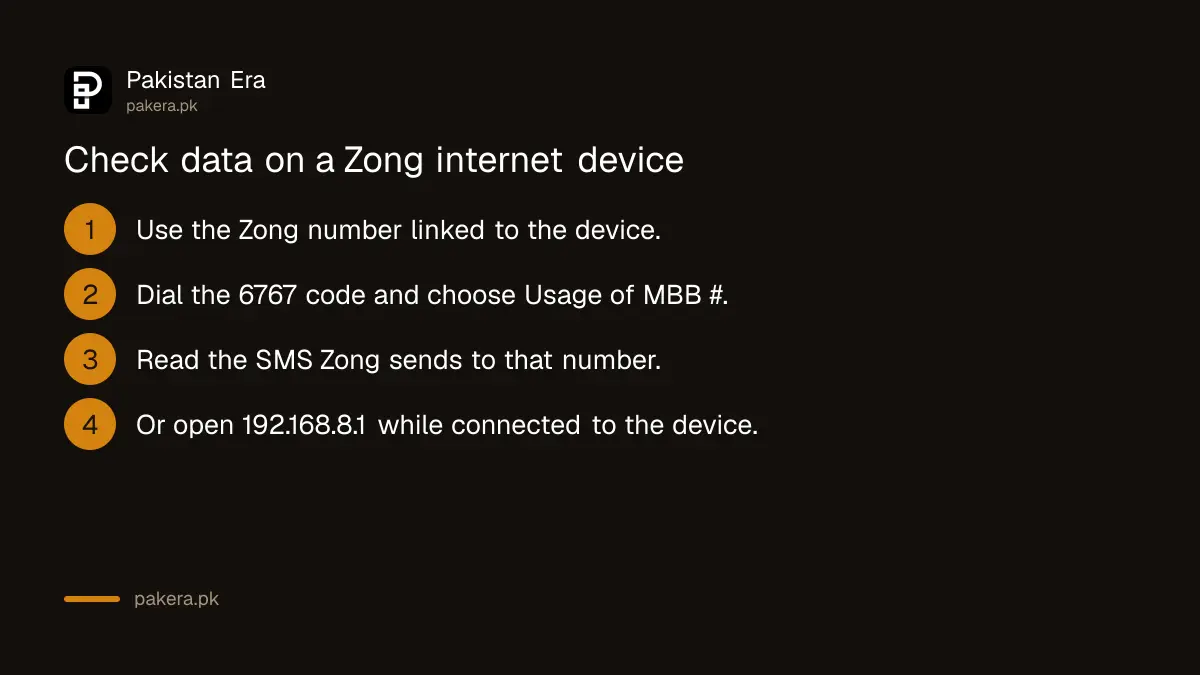
A Zong wingle or home internet device has its own number, called the MBB number. Zong's device help page gives three ways to check its data:
- From your master number. This is the Zong phone number linked to the device. Dial *6767#, choose "Usage of MBB #", and Zong sends the details by SMS to the master number.
- From the device's web page. Connect to the device, open a browser and go to 192.168.8.1. Zong says the portal page usually opens by itself.
- From the device SIM. Zong's MBB page lists *102# for internet resources, as for a phone SIM.
What the numbers mean
Read the expiry date as carefully as the MBs. Zong says bundle resources expire at 23:59 on the last day of validity. Anything left then is gone. It does not carry forward.
If you have two bundles at once, the reply may list them separately. Social bundles, such as WhatsApp only data, can only be used on those apps. Night data, which some Zong monthly bundles include, works only in the hours stated, such as 1 AM to 9 AM.
Zong's free offers, such as the new SIM offer, do not give free data from 7 PM to 11:59 PM. Zong says data used in those hours is charged at Rs 1 plus tax per MB. If your MBs look untouched but your balance fell in the evening, this may be why.
When your data is finished
Zong charges for internet used after a bundle ends. Its FAQ lists Rs 1 per MB until the bundle's validity ends, then Rs 4 plus tax per MB with no bundle at all. This is the most common reason balance drops without warning.
- Turn on balance save. PTA lists Zong's code as *4004#.
- Buy a new bundle, such as one of the Zong monthly internet packages.
- If a service you never asked for is taking money, unsubscribe the Zong package.
When the check does not work
- "Connection problem or invalid MMI code". Check the signal, restart the phone and dial again. Make sure the Zong SIM is the one selected for calls on a two SIM phone.
- No reply at all. Your balance may be too low for the 10 paisa charge. Use the app on WiFi instead.
- The app will not log in. The login code comes by SMS, so the Zong SIM must have signal.
- The figures look wrong. Send "help" to 310, which Zong says is free, or call 310. Ask for a complaint number if you think you were charged wrongly. If Zong does not fix it, complain to PTA.
Never share the app's login code with anyone who calls you. Anyone with it can use your Zong account, including buying bundles and sending balance.
Common questions
What is the code to check Zong remaining MBs?
*102#. Zong's FAQ and bundle pages list it and say it costs 10 paisa plus tax per check.
How do I check Zong remaining minutes and SMS?
The same *102# code shows the minutes and SMS left in your bundle. The My Zong App shows them too.
Is there a free way to check Zong data?
The My Zong App shows your free resources, and Zong lists no charge for it. Zong's usage alert SMS also arrive automatically.
How do I check my Zong balance in rupees?
Zong's payment methods page lists *222# to check your Zong prepaid balance.
How do I check data on a Zong device?
Dial *6767# from the linked master number and choose "Usage of MBB #", or open 192.168.8.1 while connected to the device.
Why do my MBs finish so fast?
Apps update in the background, and video uses the most. Check which apps use mobile data in your phone's settings, and turn off auto play in video apps.
How we verified this
What we checked, where we read it, and what we could not confirm.
Last checked 22 September 2026. *102# and its 10 paisa plus tax charge, the usage alert levels, the per MB rates and the 23:59 expiry are from zong.com.pk/faqs and Zong's bundle pages such as /internet/monthly-20gb. The "reply 4" menu note is from Zong's Chinese self-care page at zong.com.pk/about-zong/customer-self-care-chinese. The app features are from zong.com.pk/my-zong-app. The device methods, *6767#, 192.168.8.1 and *102# on MBB are from zong.com.pk/devices/mbb-faqs. The 7 PM to 11:59 PM rule is from zong.com.pk/exclusion-of-busy-hour. *222# is from zong.com.pk/postpaid/payment-methods-postpaid. The free "help" SMS to 310 is from zong.com.pk/contact-us. *4004# is PTA's code, from its advisory of 19 March 2026. We could not dial any code ourselves, so we describe what Zong publishes rather than a reply we saw.
About the author

Senior Writer, Public Services and Technology
Shahid joined us in 2024 as an author. He is a senior contributor to Pakistan's leading technology websites. He writes detailed articles, mostly covering his expertise in the latest tech, mobiles, apps, gadgets, and step-by-step guides. His ideology is to help people understand the latest trends and explain complex methods through very easy-to-understand guides.