How to Set Up Instagram Teen Accounts and Parental Supervision in Pakistan
Learn what Instagram Teen Accounts switch on by default, how a parent links through Family Center, how to set time limits and how to report a harmful account.
Instagram puts teens aged 13 to 17 into Teen Accounts with stricter default settings. A parent can link to the teen through Meta's Family Center by sending an invitation, and supervision starts only after the teen accepts. Parents can then see time spent and contacts, and set limits, but not read messages.
If your child has an Instagram account, the first question is not whether to ban it. It is which settings are already on, and which ones you can add. This guide uses Meta's own help pages.
Understand what Teen Accounts do by default
Teen Accounts are accounts for teens aged 13 to 17 that start with protective settings. Meta says accounts are private for teens under 18, only people the teen follows or is connected to can message them, and content is filtered along 13+ ratings.
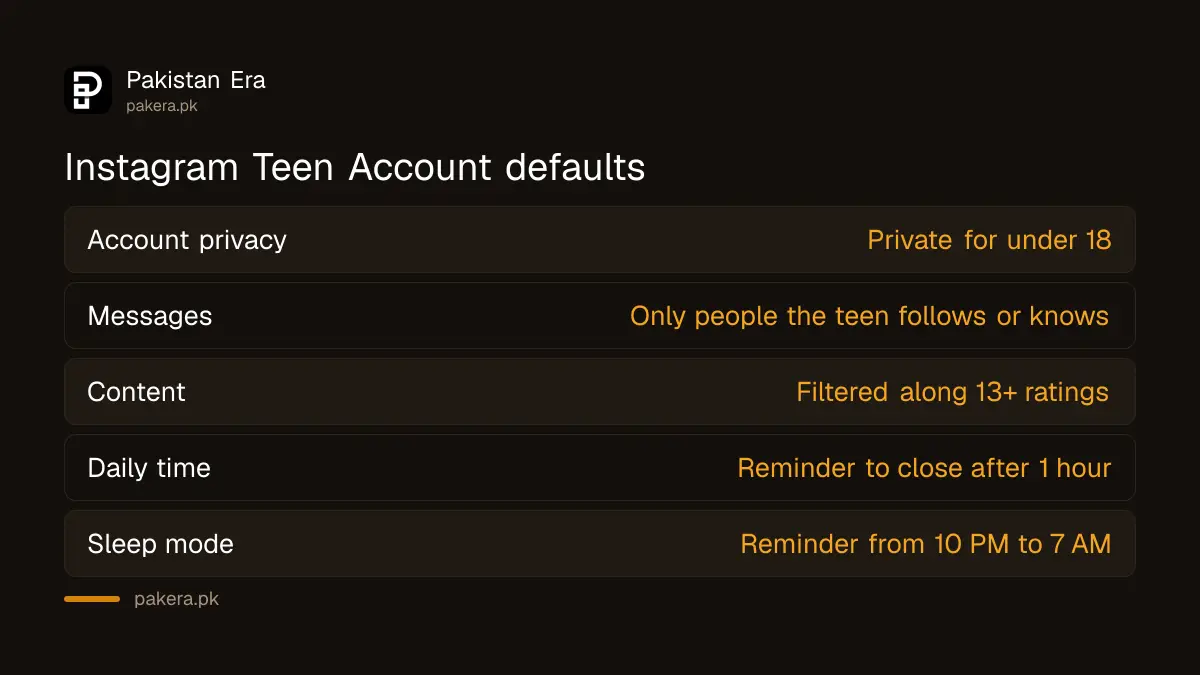
Meta also says teens under 16 need a parent's permission to make some of these settings less strict, including making the account public. Sleep mode, which silences notifications at night, is part of the default set. Instagram reminds teens to close the app after one hour in a day.
| Setting | Default for a Teen Account |
|---|---|
| Account privacy | Private for under 18, parent permission to change if under 16 |
| Messages | Only people the teen follows or is already connected to |
| Content | Filtered along 13+ content ratings |
| Daily time | Reminder to close Instagram after 1 hour |
| Sleep mode | Reminder to close the app from 10 PM to 7 AM |
Link a parent account to a teen account
Open Family Center from the Instagram app, create an invitation and send it to your teen. They must accept before supervision begins. A teen can also ask a parent to supervise. Meta says a teen can have only one parent or guardian supporting the account.
- Update Instagram on both phones. Meta says supervision needs the latest version.
- Open Family Center from Instagram, or visit Meta's Family Center page.
- Choose Create invite and select your teen's Instagram account.
- Ask your teen to accept the invitation on their phone.
- Open Supervision for Teen Accounts to see the account you supervise.
A parent can support up to five accounts. Meta also says the teen can stop supervision, and the parent is told straight away. That is by design. It only works when the teen agrees, so have the talk first.
Set time limits and sleep mode
In supervision, tap your teen's account, then Time management. You can set a daily limit and choose a reminder or a full block when it ends. You can also set sleep mode hours. A teen who hits the limit can ask you for more time.
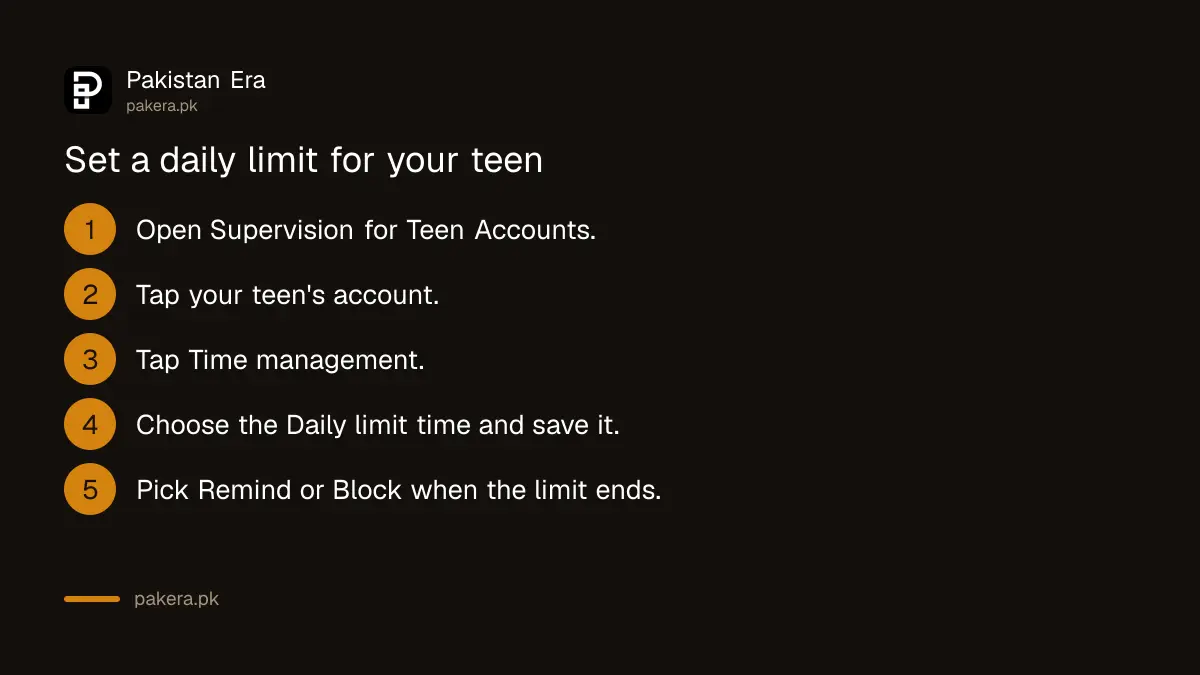
Meta says time limits apply to total time across all devices. Requests for more time expire after midnight in your teen's time zone if you do not answer. Choose Block teen from Instagram if you want a hard stop, or Remind teen to close Instagram if you only want a nudge.
Pick a limit your child can live with. A one-hour cap that causes a daily fight is worse than a two-hour cap that holds.
Know what supervision shows and what it hides
Supervision shows time spent, who your teen follows and who follows them, and who they have chatted with. It does not show message content. Meta says you also get a notice if your teen reports content and chooses to share it with you.
Meta also says parents are alerted if a teen repeatedly searches for terms linked to suicide or self-harm in a short time. It adds that most teens do not. Explore and Reels cannot be fully customised by a parent.
These tools work on Instagram only. Phone-wide limits are a different layer, which you can set up through parental controls on a child's phone.
Report a harmful account on Instagram
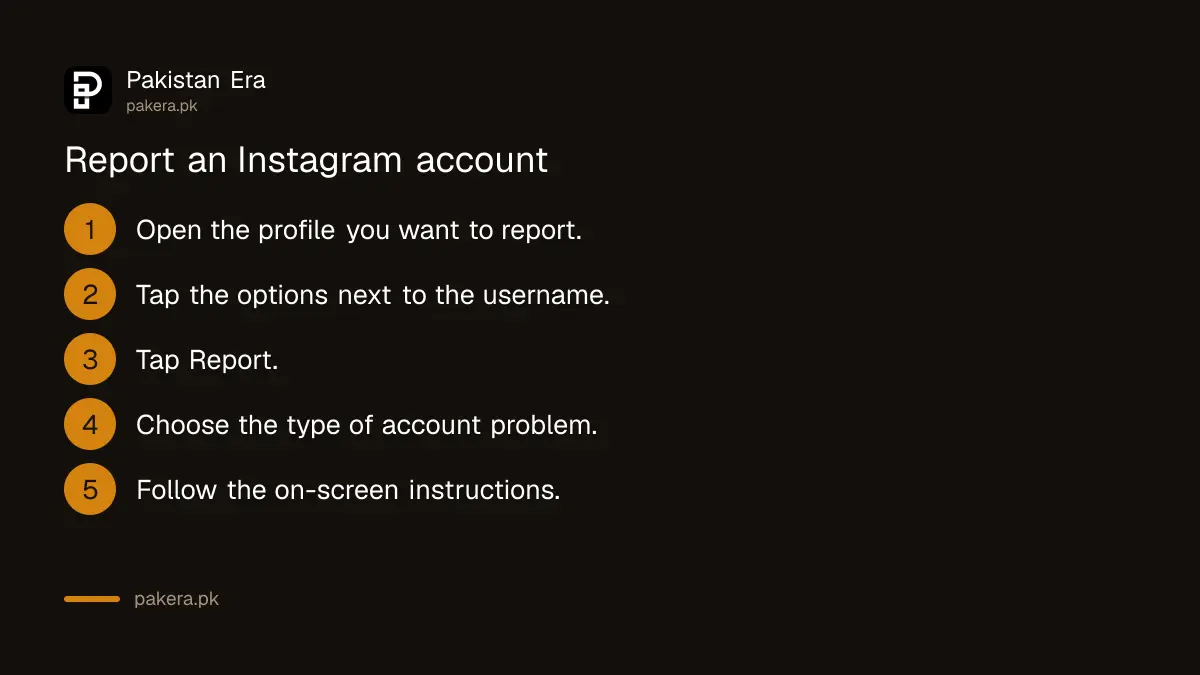
To report an account, open its profile, tap the options next to the username, choose Report and follow the prompts. Instagram says reports are anonymous. You can report a profile for harmful content, for pretending to be someone, or for being a child under 13.
Instagram also has a page for people who do not have an account or cannot see the content. Take screenshots before you report, because the account may disappear. If someone threatens, blackmails or harasses your child, do not stop at an in-app report. Pakistani law gives you another route through reporting a cybercrime to NCCIA.
Common questions about Instagram supervision
What age is a Teen Account for?
Teen Accounts are for teens aged 13 to 17. The app puts them on stricter default settings.
Can I read my teen's Instagram messages?
No. Meta says supervision shows insights such as time spent and contact lists, but not message content.
Can my teen turn supervision off?
Yes. Meta says teens can stop supervision, and the parent is notified immediately.
Can both parents supervise the same teen?
No. Meta says a teen can have only one parent or guardian supporting their account. One parent can support up to five accounts.
What is the default daily limit on Instagram for teens?
Meta says teens are reminded to close Instagram after one hour in a day by default. A parent can change the limit.
How we verified this
What we checked, where we read it, and what we could not confirm.
Last checked 7 October 2026. Details come from Meta's Family Center pages on supervision and Instagram protections, and from the Instagram Help Center pages on supervising a teen's time and on reporting a profile. The Instagram Help Center renders only in a browser, so some wording was read through search extracts, and settings may change as Instagram updates the app. We did not set up supervision on a live account for this article. Read Meta's own pages on supervision tools for Teen Accounts and reporting a post or profile.
About the author

Technology Journalist & Multimedia Producer
Ahmad Ali is a technology journalist and multimedia producer at Pakistan Era, joining the team in October 2026. He covers consumer technology and digital life for Pakistani readers, combining research with hands-on product testing.