How to Set Parental Controls on Your Child's Phone in Pakistan
Set up free Family Link, Screen Time, YouTube Kids and TikTok Family Pairing on your child's phone in Pakistan. Steps, plus where to report abuse content.
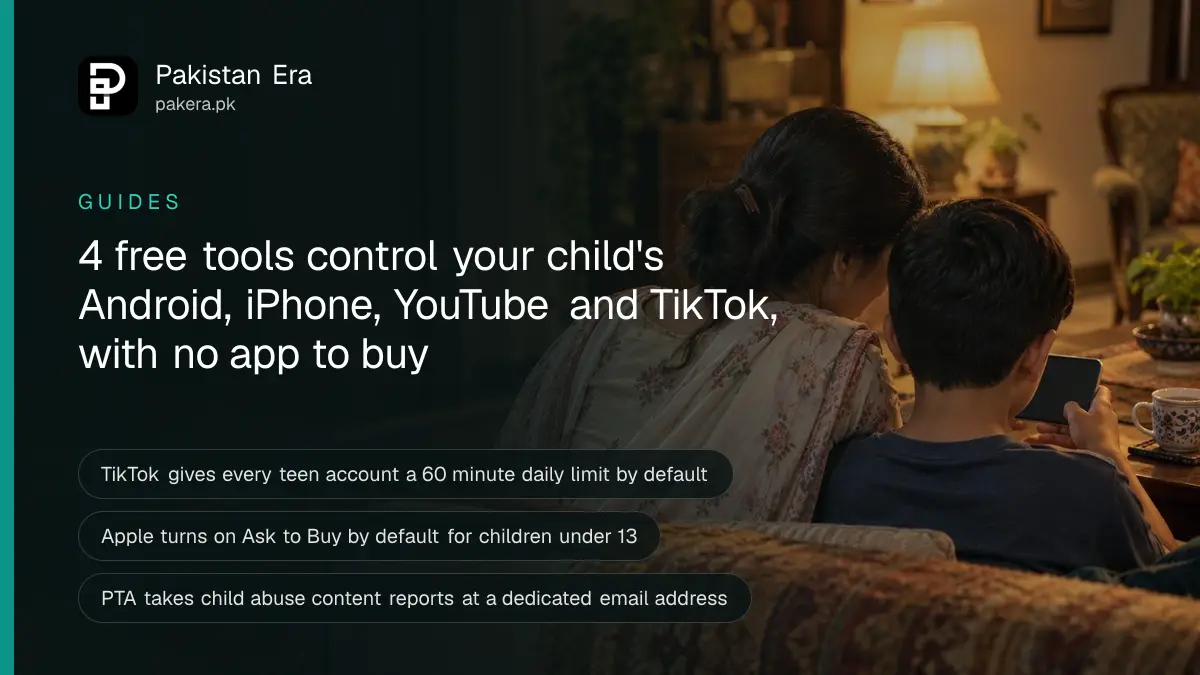
To set parental controls on a child's phone in Pakistan, use the free tools already built in: Google Family Link on Android, Screen Time on iPhone, YouTube Kids or a supervised YouTube account, and Family Pairing on TikTok. None of them costs anything.
Update, 10 October 2026: We wrote a full guide to supervised YouTube accounts for children. See the YouTube guide.
A first phone usually arrives with no rules on it. An older cousin sets up the account in two minutes, and fixing it later is much harder than doing it on day one.
PTA points parents to the same free tools. Its parental control software list names Google Family Link, Apple's parental controls and Microsoft Family Safety as free, and YouTube Kids and TikTok Family Pairing as social media safety tools. We read each company's help pages on 7 October 2026 for the steps below.
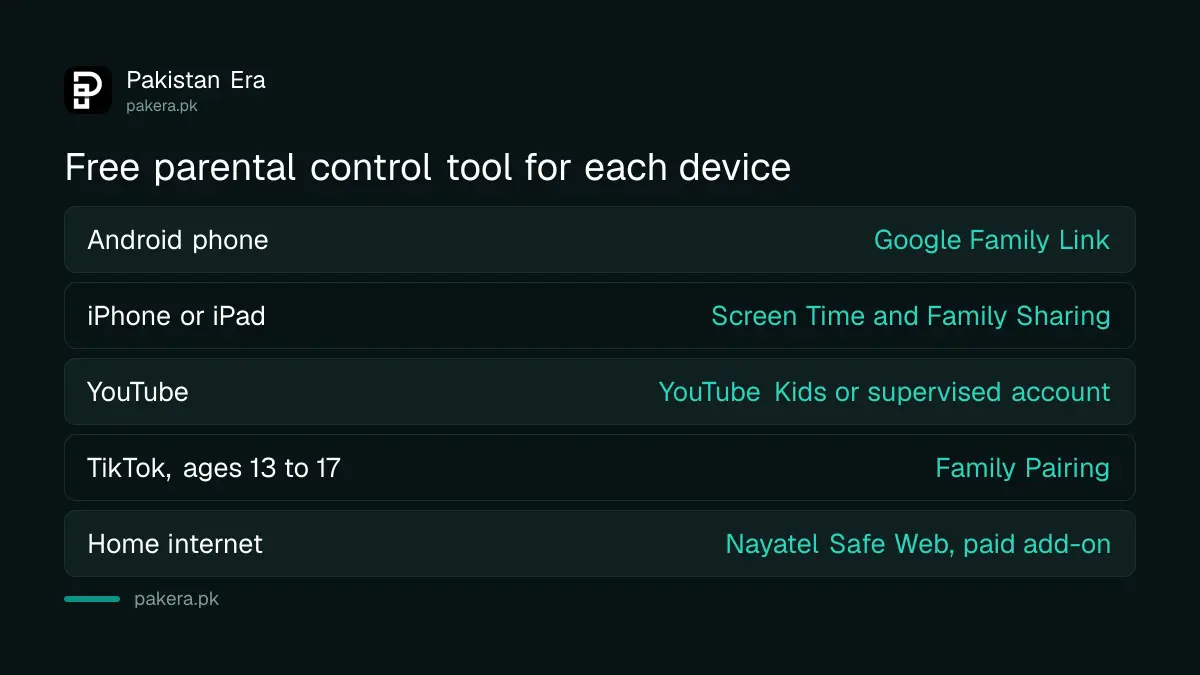
| Device or app | Free tool | Where to start |
|---|---|---|
| Android phone | Google Family Link | Family Link app on the parent's phone |
| iPhone or iPad | Screen Time with Family Sharing | Settings, then Family |
| YouTube | YouTube Kids or a supervised account | YouTube app, Settings, Family Center |
| TikTok, ages 13 to 17 | Family Pairing | Profile, Settings and privacy |
| Windows laptop | Microsoft Family Safety | Listed by PTA as free |
Google Family Link supervises an Android phone for free
Family Link is Google's free app for managing a child's Android phone. A parent can set daily screen time limits, approve or block apps, lock the phone remotely and see its location. The child needs Android 6.0 or newer and their own Google Account.
A child under 13 in Pakistan cannot run their own Google Account. Google's age table does not list Pakistan, so its default minimum of 13 applies. For a younger child, the parent creates the account in Family Link. For a teen with an existing account, the parent adds supervision and the teen has to agree.
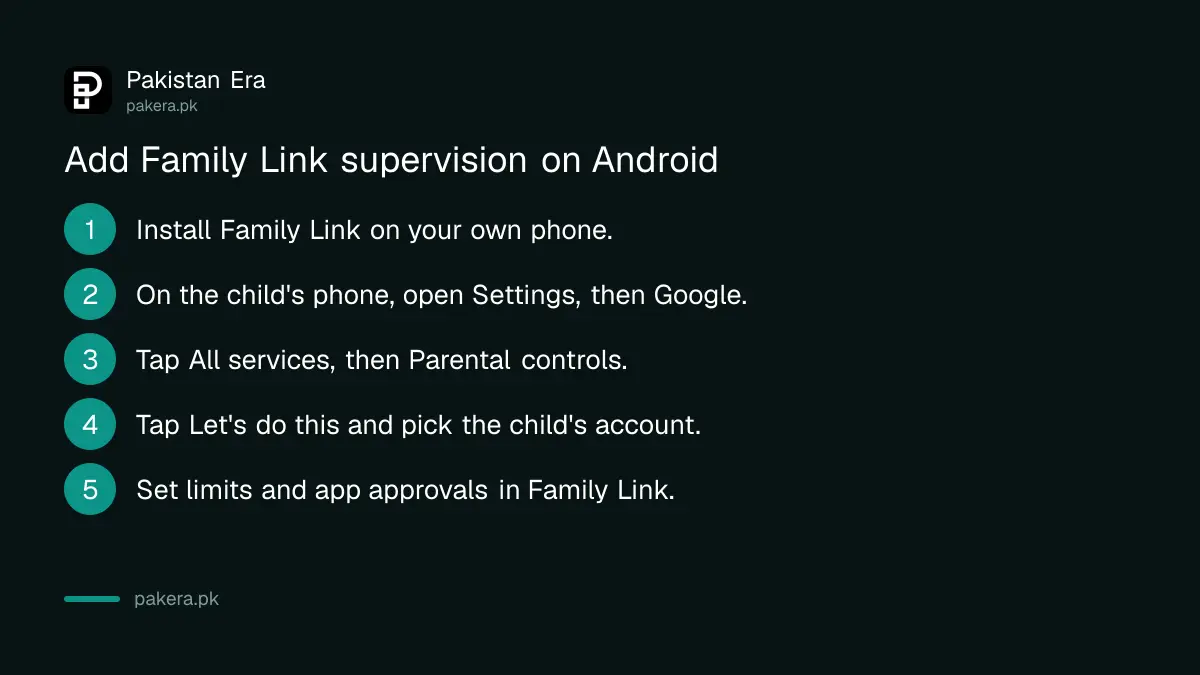
- Install the Family Link app on your own phone.
- On the child's phone, open Settings, then Google, then All services.
- Under Kids and Family, tap Parental controls, then Let's do this.
- Pick the child's account. The child gives consent on their phone.
- Open Family Link on your phone and set limits, app approvals and filters.
You must be 18 or over and live in the same country as the child. A daily limit applies to each device separately, so 2 hours means 2 hours on every phone the child uses. Incognito mode in Chrome is switched off for a supervised child, which closes the easiest way around a website filter.
Screen Time and Family Sharing control a child's iPhone
Family Link cannot supervise an iPhone. On an iPhone, the controls live in Screen Time. The child needs their own Apple Account inside your Family Sharing group, and you manage it from your own iPhone under Settings, Family and the child's name.
- Ask to Buy: Apps and Websites, Restrictions, then Ask to Buy. Apple turns it on by default for children under 13.
- Websites: under Restrictions, tap Filtering and choose Limit Adult Websites, or Approved Websites Only for a young child.
- Contacts: Allowed Contacts, During Screen Time, then Contacts Only. A message from a new number stays hidden until a parent approves it.
- Time: Screen Time Schedule sets school and bedtime hours. Time Allowances sets a daily budget for games and social media.
- Communication Safety: protects a child from photos and videos with detected nudity, gore or violence in Messages and FaceTime.
Apple's page describes the iOS 27 layout, which needs every family device on iOS 27. Older phones keep the previous Screen Time menus, with the same controls under different names. Never let a child share your Apple Account. It puts your card and your photos on their phone.
YouTube Kids works in Pakistan, and older children can use a supervised account
Google's country list for YouTube Kids includes Pakistan. It suits young children. For a child ready for the main YouTube app, a parent can set up a supervised account with a content level matched roughly to age 9, 13 or 16.
The quickest route needs no new Google Account. In the YouTube app on your phone, open Settings, then Family Center, and tap add a kid account. If the child has their own phone, open Family Link, select the child, and go to Controls, then YouTube.
| Setting | Roughly matches | What it adds |
|---|---|---|
| Older kids | Ages 9 and up | Vlogs, tutorials, gaming, music, news |
| Teens | Ages 13 and up | Everything above plus live streams |
| Older teens | Ages 16 and up | Almost all of YouTube except 18+ videos |
TikTok Family Pairing links a parent to a teen account
TikTok is for ages 13 and over, and every teen account already gets a 60 minute daily limit. Family Pairing lets a parent link their own TikTok account and control screen time, search, direct messages and Restricted Mode.
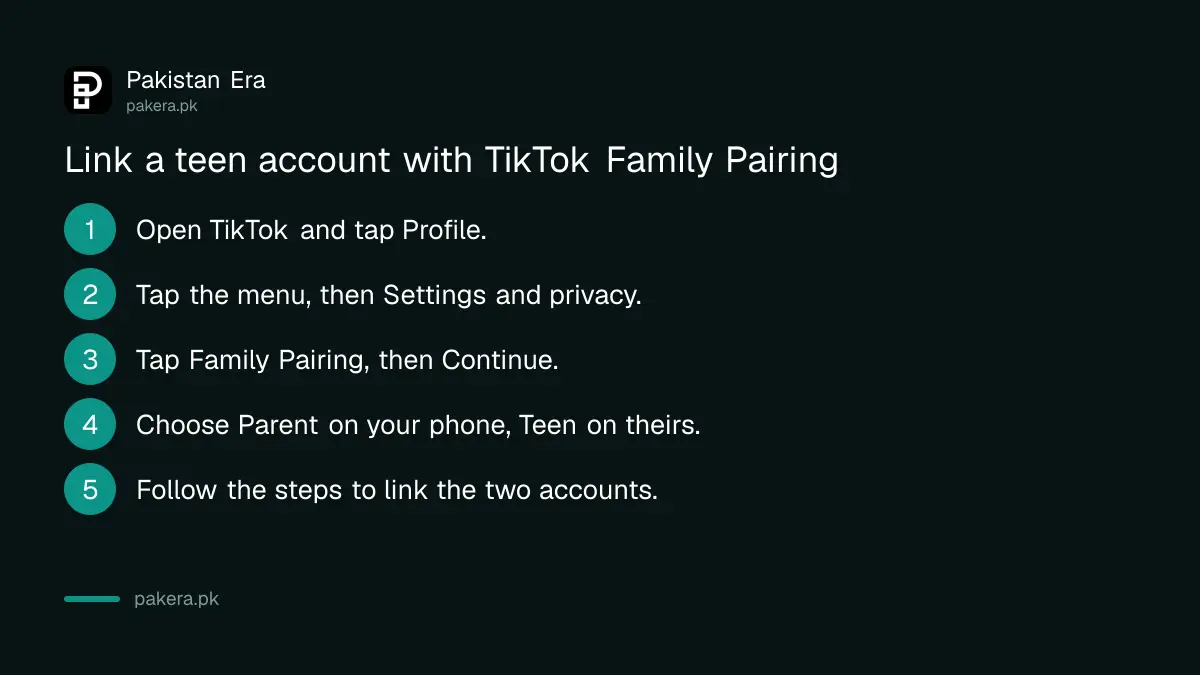
- In the TikTok app, tap Profile.
- Tap the menu button, then Settings and privacy.
- Tap Family Pairing, then Continue.
- Choose Parent on your phone and Teen on theirs.
- Follow the steps to link the two accounts.
A teen can make settings stricter but cannot loosen yours. When time runs out, they need a one-time passcode from you. Accounts under 16 get no direct messages at all. Games need their own settings, and Roblox parental controls work through a separate linked parent account.
Home internet filters in Pakistan are limited to a few providers
We checked the main internet and mobile companies' websites on 7 October 2026. Nayatel sells a home filter called Safe Web. We found no current parental control product on the Jazz, Zong, Ufone or PTCL websites.
Safe Web uses DNS filtering, which blocks harmful websites for every device on your home connection. The product data on Nayatel's page lists it at Rs 99 a month, so confirm the price when you subscribe. PTCL announced a parental controls partnership in September 2019, but we could not find the service on its site today, so ask its helpline, 1218.
Report child abuse content to PTA, NCCIA and the provincial helpline
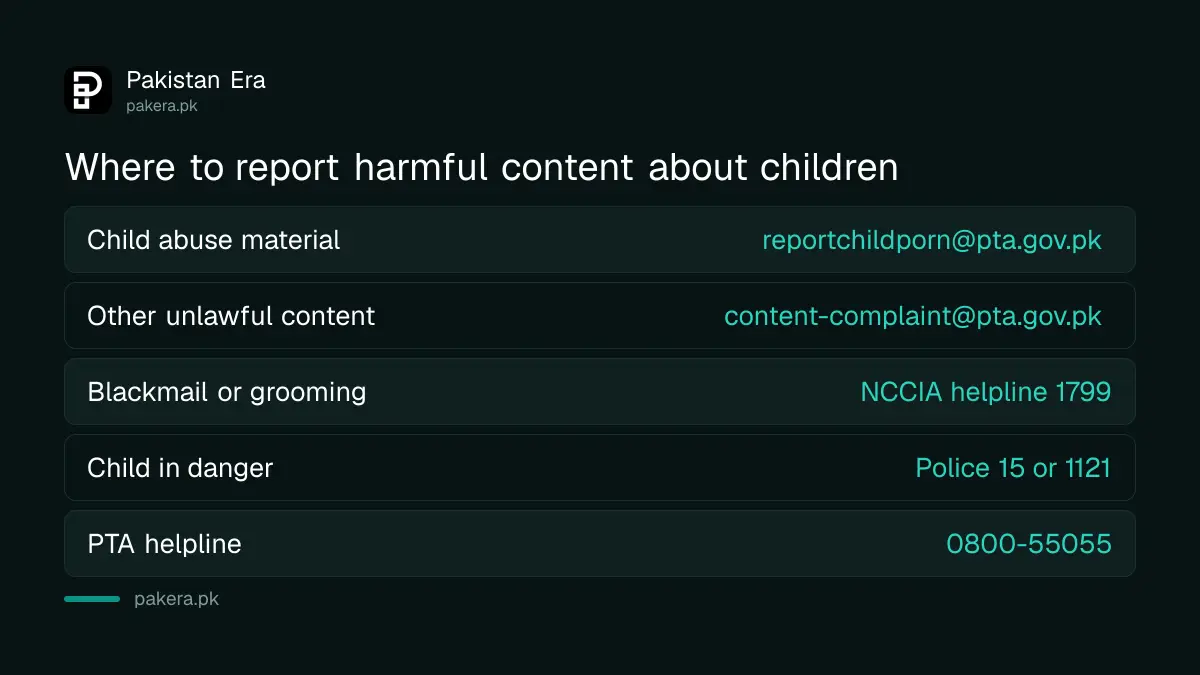
PTA takes reports of child sexual abuse material at reportchildporn@pta.gov.pk. Other unlawful content under section 37 of the Prevention of Electronic Crimes Act goes to content-complaint@pta.gov.pk. Blackmail, grooming or threats against a child are crimes, so report them to NCCIA too.
Do not forward, download or share abuse material, even as evidence. Note the link, account name, date and time instead.
| What happened | Where to report |
|---|---|
| Sexual content involving a child | reportchildporn@pta.gov.pk |
| Hate, violence or other unlawful content | content-complaint@pta.gov.pk |
| Blackmail, grooming or threats | NCCIA, helpline 1799 |
| Child in danger offline | Police 15, Child Protection 1121 |
NCCIA's website blocked our automated check on 7 October 2026, so confirm 1799 when you call, and see how to report a cybercrime to NCCIA with the right evidence. In Punjab you can report child abuse on 1121, and Khyber Pakhtunkhwa runs its own child protection helpline on the same number. Keep the emergency numbers saved on your own phone.
Common questions
Are parental control apps free in Pakistan?
Yes. Google Family Link, Apple Screen Time, YouTube Kids and TikTok Family Pairing are all free, and PTA's own list names them.
At what age can a child have their own Google Account in Pakistan?
At 13. Younger children need an account made by a parent through Family Link.
Can I use Family Link to control my child's iPhone?
No. Use Screen Time and Family Sharing on the child's iPhone instead.
Can my child turn off Family Link on their own?
No. A child under 18 needs a parent's approval to stop supervision, and both of you get a notice.
Does Jazz or Zong offer parental controls on mobile data?
We found none on their websites on 7 October 2026. The controls on the phone itself work on any network.
How we verified this
What we checked, where we read it, and what we could not confirm.
Last checked on 7 October 2026. The free tool list and reporting emails are from PTA's Report Website/URL page and its parental control software list. Android steps are from Google's help on adding Family Link supervision, and iPhone steps from Apple's page on parental controls for a child's iPhone. YouTube and TikTok steps are from their own help centres, and home filter details from Nayatel's Safe Web page and PTCL's 2019 press release. We did not set up these controls on a child's phone ourselves.
About the author

Technology Journalist & Multimedia Producer
Ahmad Ali is a technology journalist and multimedia producer at Pakistan Era, joining the team in October 2026. He covers consumer technology and digital life for Pakistani readers, combining research with hands-on product testing.