Set Up YouTube Kids or a Supervised YouTube Account in Pakistan, Free
YouTube Kids and supervised kid accounts both work in Pakistan for free. See which suits your child's age, how to set one up and the four controls to turn on.
Both YouTube Kids and YouTube's supervised kid accounts work in Pakistan, and both are free. For a child under 9, set up the YouTube Kids app. For a child aged 9 to 12, open YouTube, go to Settings, then Family Center, and tap "Add a kid account". It takes about five minutes.
YouTube is where Pakistani children spend most of their screen time. Kaspersky's 2026 report on children's online habits found YouTube took 29.06% of the time children spent in their top 25 Android apps worldwide, more than WhatsApp and TikTok. Most children here watch on a parent's phone, signed in to the parent's account, with no filter at all.
We checked Google's own country lists on 10 October 2026. Pakistan is listed for the YouTube Kids app and for supervised accounts on regular YouTube. Below is how to pick the right one and set it up.
YouTube Kids and supervised accounts are two different things
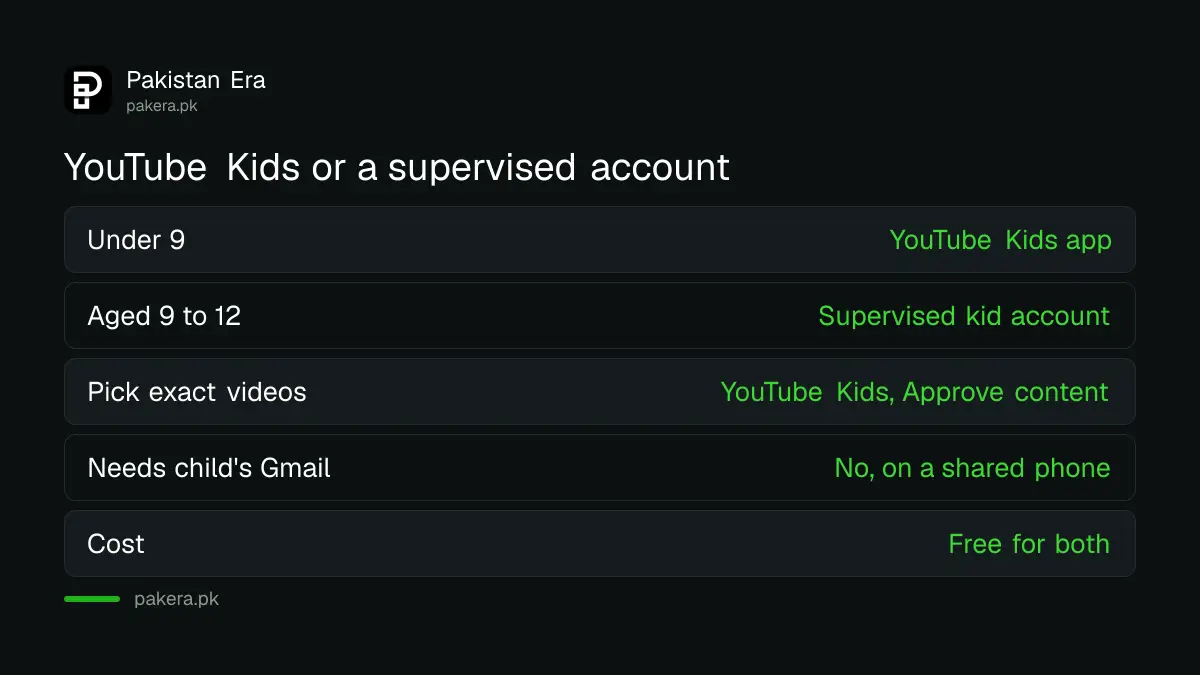
YouTube Kids is a separate app with a small, filtered video library for children up to 12. A supervised kid account is regular YouTube with a content filter, fewer features and child-safe settings. Neither needs a fee, and neither needs a Google account for your child on a shared phone.
The choice depends on age and how much control you want. Here is how Google's own comparison sets them side by side.
| Point | YouTube Kids app | Supervised kid account |
|---|---|---|
| What it is | Separate app, smaller library | Regular YouTube with a filter |
| Age settings | Preschool (4 and under), Younger (5 to 8), Older (9 to 12) | Older kids (9+), Teens (13+), Older teens (16+) |
| Pick exact videos yourself | Yes, "Approve content yourself" | No, but you can block channels |
| Screen time limit | Built-in timer | Through Family Center or Family Link |
| Child's Google account needed | No | No on a shared phone |
| Cost | Free | Free |
Our view: start a child under 9 on YouTube Kids. The library is smaller, and that is the point. Move to a supervised account when your child starts asking for gaming videos, tutorials or music that YouTube Kids does not carry.
Set up a supervised kid account from your own phone
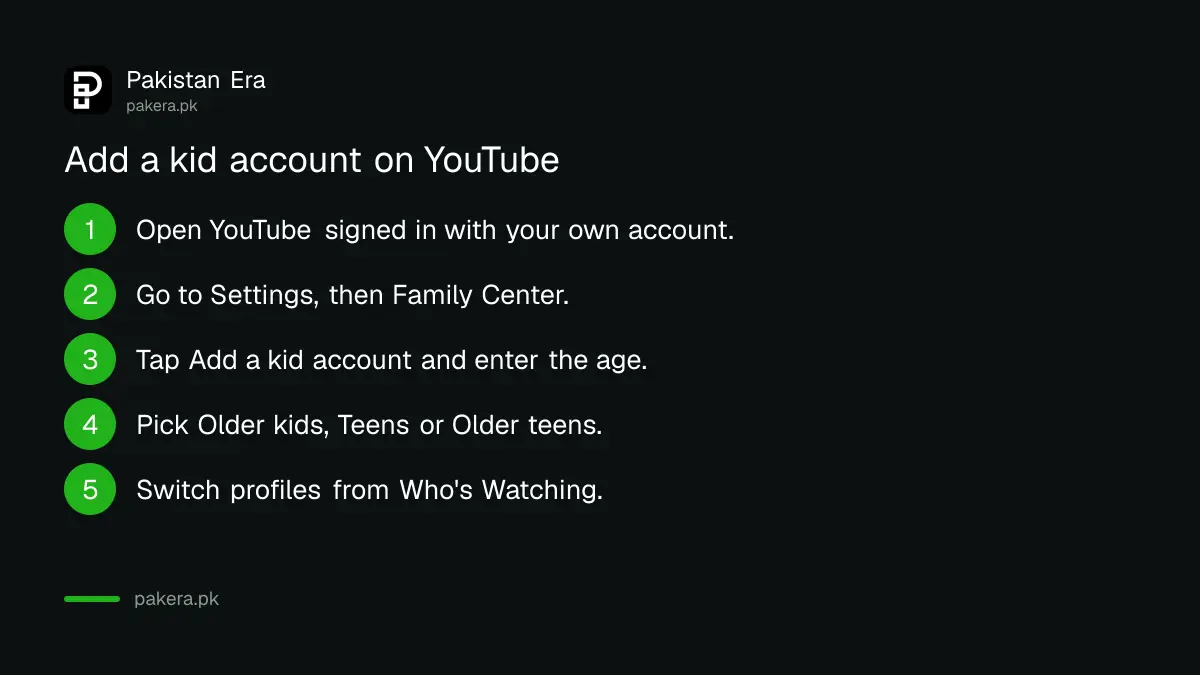
The fastest route is from the YouTube app on the parent's phone. Open Settings, then Family Center, then Add a kid account, and pick a content setting. Your child does not need a Gmail address for this, and you can switch profiles from the Who's Watching screen.
These are the steps on YouTube's own help page:
- Open the YouTube app and make sure you are signed in with your own Google account.
- Tap your profile picture or the You tab, then Settings.
- Tap Family Center.
- Choose "Add a kid account" and enter your child's name and age.
- Pick a content setting: Older kids (9+), Teens (13+) or Older teens (16+).
- Finish the steps. When your child watches, open the Who's Watching page or "Switch account" in the You tab and pick their profile.
One catch. A kid account made on a parent's phone does not get YouTube Music. For that, your child needs their own Google account linked to yours, made through Google Family Link.
If your child has their own phone, you can also set this up at families.youtube.com, signed in as the parent.
Set up the YouTube Kids app for a younger child
Install YouTube Kids from the Play Store or App Store, sign in as the parent, and create a profile for your child. Then choose Preschool, Younger, Older or "Approve content yourself". The app is locked behind a maths question or a passcode you set.
- Install YouTube Kids on the phone or tablet your child uses.
- Sign in with your own Google account when asked.
- Create a profile with your child's name and age.
- Choose a content level. "Approve content yourself" limits your child to videos and channels you pick.
- Set a custom passcode so your child cannot solve the maths question and change settings.
Many families skip step 5. A sharp eight-year-old solves the multiplication problem in seconds.
The controls worth turning on today
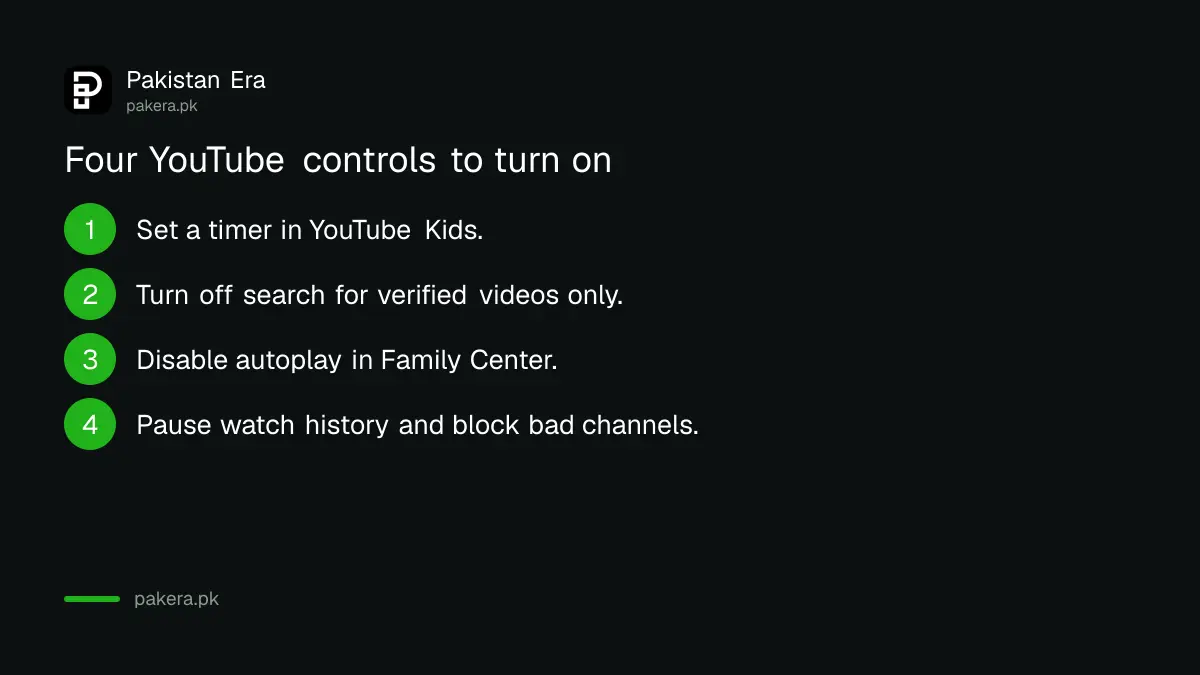
Four settings do most of the work: a screen time limit, turning off search, turning off autoplay and pausing watch history. All are free and sit behind the lock icon in YouTube Kids or under Family Center in regular YouTube.
- Timer. In YouTube Kids, tap the lock, enter your passcode, tap Set Timer and choose a limit. When time is up, the app shows "Time's up!" and locks.
- Turn off search. Your child then sees only videos and channels verified by YouTube Kids. Turning search off also clears their watch and search history.
- Disable autoplay. In Family Center, switch Disable autoplay on. Your child cannot turn it back on.
- Pause watch history. New videos stop shaping recommendations, which slows the rabbit hole effect.
- Block a channel. If one channel keeps showing up and you do not like it, block it from the video's menu.
If the family watches on a smart TV, turn on the 4-digit parent code in the TV app's Settings. With it on, nobody can watch signed out or open an adult's account without the code. That closes the most common gap in Pakistani homes, where the TV stays signed in to a parent's account.
For a wider set of limits across every app on a phone, the steps in parental controls on your child's phone work alongside these YouTube settings.
What supervised accounts cannot do, and when to move to a teen account
Google says its filters are automated and will make mistakes. No setting catches everything. A child of 13 or older in Pakistan can manage their own Google account, so supervision then becomes a teen account that your child agrees to, not a lock you set alone.
Google's age rule matters here. Pakistan is not on Google's list of countries with a higher age, so 13 is the age at which a child can run their own account. At that point the options change to a supervised teen account linked to yours. Instagram works the same way, and setting up Instagram teen accounts with parental supervision follows a similar pattern.
If you see a bad video, report it. YouTube Kids has a Report option on each video's watch page, and Google asks parents to use it when a video slips through.
Common questions
Is YouTube Kids available in Pakistan?
Yes. Google's YouTube Kids country list includes Pakistan, and the app is free on Android and iPhone. Supervised kid accounts on regular YouTube are also listed for Pakistan.
Does my child need a Gmail account for YouTube Kids?
No. You sign in with your own account and make a profile for your child. A child's own Google account is needed only for extras like YouTube Music on a supervised account.
Can my child see ads on YouTube Kids?
Yes, ads can still appear, but Google says a supervised account changes which ads your child sees. Only a paid plan removes ads; prices are in our breakdown of YouTube Premium price in Pakistan.
How do I stop my child solving the maths lock?
Set a custom passcode. Tap the lock, solve the problem once, open Settings and choose a 4-digit passcode. After that, the maths question no longer opens settings.
At what age can a Pakistani child have their own YouTube account?
At 13. Google sets 13 as the minimum age to manage your own account in Pakistan, as Pakistan is not on its list of countries with a higher limit.
How we verified this
What we checked, where we read it, and what we could not confirm.
We last checked these sources on 10 October 2026:
- YouTube Help, "Create a supervised kid account on YouTube" and "Choose content settings for supervised kid accounts", on support.google.com.
- YouTube For Families Help, "What is a supervised kid account on YouTube?" (country list including Pakistan), "Parental controls and settings for YouTube Kids", "Set a timer" and the YouTube Kids availability list.
- YouTube Help, "Compare YouTube Kids and supervised experiences".
- Google Account Help, "Age requirements on Google Accounts", for the minimum age of 13.
- Kaspersky Daily, "What interests kids in 2026", for the 29.06% YouTube share of children's time in top Android apps, May 2025 to April 2026, worldwide.
Menu names can shift slightly between app versions. If a label differs on your phone, look for Family Center under YouTube's Settings.
About the author

Technology Journalist & Multimedia Producer
Ahmad Ali is a technology journalist and multimedia producer at Pakistan Era, joining the team in October 2026. He covers consumer technology and digital life for Pakistani readers, combining research with hands-on product testing.