How to Submit Your Own K-Electric Meter Reading in the KE Live App (Karachi)
Submit your own K-Electric meter reading in the KE Live app: who is eligible, the six steps, photo checks that avoid rejection and how to dispute a wrong bill.
K-Electric lets home customers in Karachi submit their own meter reading in the KE Live app: add your 13-digit account number, open Self Reading on your reading day, photograph the meter with the in-app camera and type the units. KE screeners check it within 24 to 48 hours, and an accepted reading is used for your bill.
KE calls this Trust Billing. It started in September 2025, and by January 2026 KE said nearly 11,000 customers had used it, with close to 70% of readings passing the check. It is optional. If you skip a month, KE's meter reader takes the reading as usual.
Who can submit a self reading to K-Electric
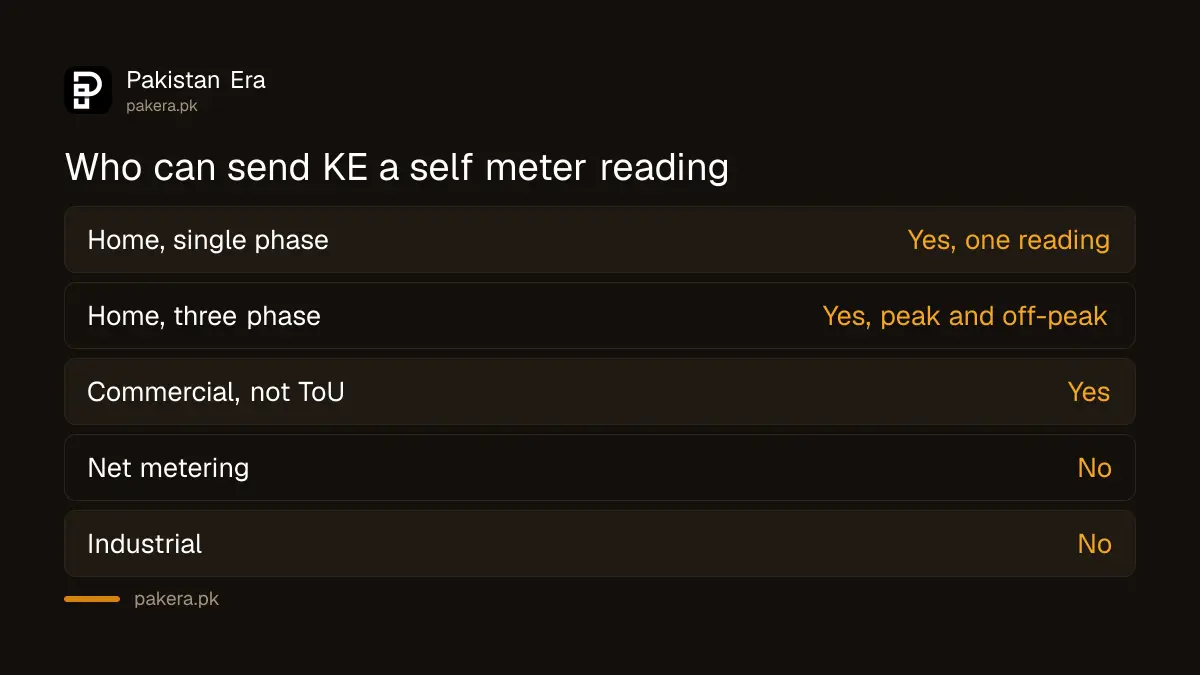
KE's FAQ opens self reading to all residential customers with single phase or three phase meters, and to commercial customers who are not on a time-of-use (ToU) tariff. Net metering customers and industrial customers cannot use it.
| Customer type | Self reading allowed? | Readings to enter |
|---|---|---|
| Home, single phase (load up to 4 kW) | Yes | One photo, one reading |
| Home, three phase (load 5 kW and above) | Yes | Two readings, peak and off-peak |
| Commercial, not on ToU | Yes | As per meter type |
| Net metering (solar) | No | Meter reader continues |
| Industrial | No | Meter reader continues |
Peak hours are the evening hours when units cost more. A three phase meter shows the peak and off-peak counts separately, so you enter both. If you have a solar net meter, keep reading your meter for your own record, but KE will not accept it through the app.
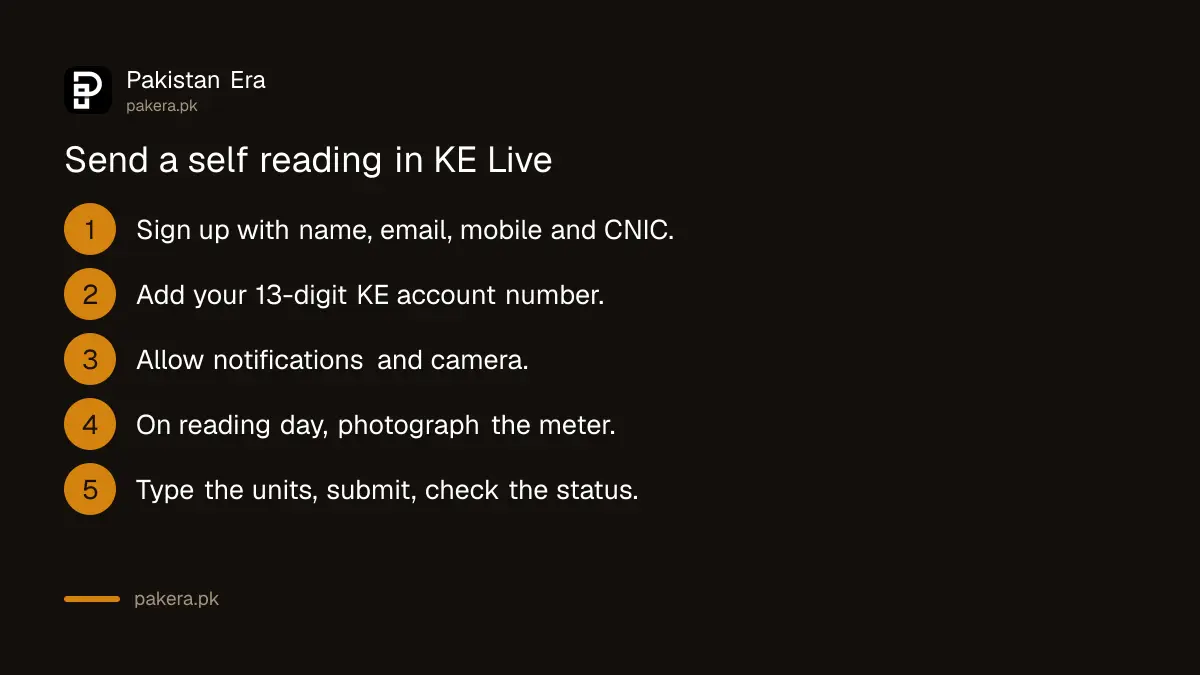
Submit your reading in KE Live in six steps
Register in KE Live with your name, email, mobile number and CNIC, then add your 13-digit account number from the top right of your KE bill. On your reading day, open Self Reading, take the meter photo with the app's camera, type the units and submit.
- Install KE Live from Google Play or the App Store. KE's FAQ says to check for the official KE Live logo.
- Sign up with your name, email, mobile number and CNIC. The password must be letters and numbers, at least 8 characters. Enter the OTP sent by SMS within 15 minutes.
- Add your 13-digit account number from the top right corner of your bill. You can add up to 5 accounts.
- Allow notifications and camera access. Both are needed for self reading.
- On your reading day, tap Self Reading, photograph the whole meter display with the meter number visible, and type the units exactly.
- Submit, then check View History for the status: In Progress, Accepted or Rejected.
The app warns you 2 days before your reading window opens and again on the day. The window is usually 24 hours and depends on your billing cycle. If you miss it, the app shows "Billing Date Passed" and you wait for next month.
Take a photo that passes KE's check
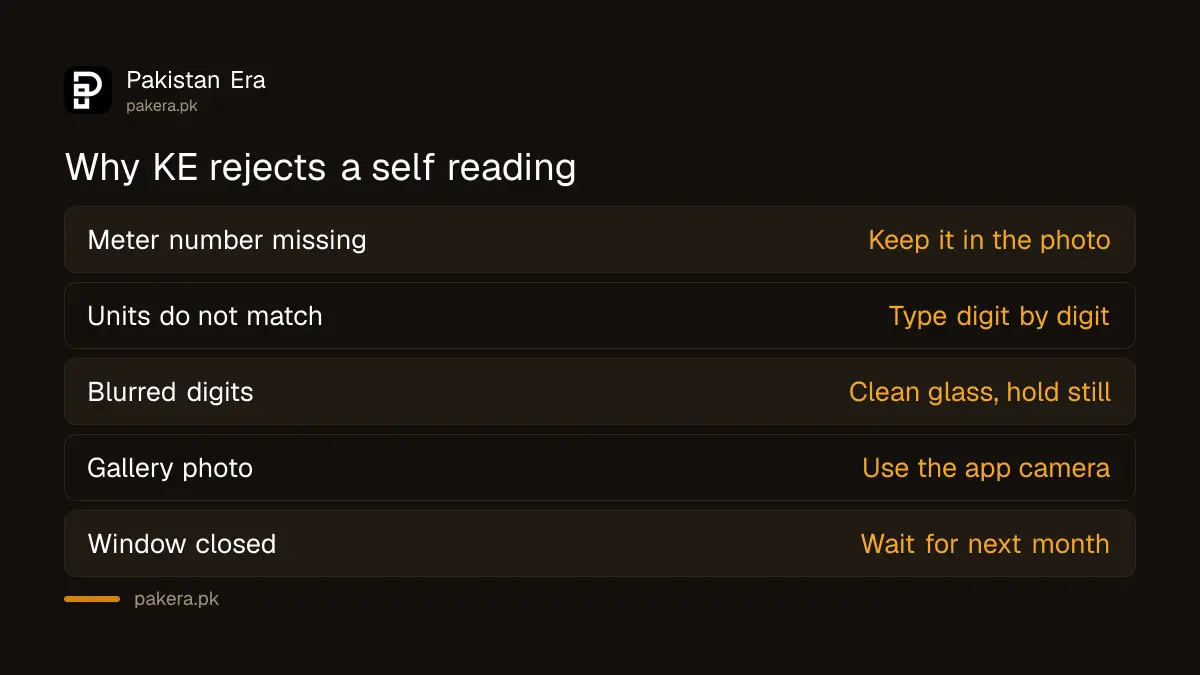
KE screeners compare your photo with the units you typed and with your registered meter number. A reading is rejected if the meter number is missing, the typed units differ from the photo, or the digits are blurred. Gallery photos are not accepted, and a submitted photo cannot be replaced.
| KE's check | How to pass it |
|---|---|
| Image is clear and shows the full display | Hold the phone steady, fill the frame with the display |
| Meter number matches your account | Keep the meter number in the same photo |
| Typed units match the photo | Read each digit twice before typing |
| No blur or glare | Avoid flash on the glass, use daylight or a torch from the side |
| No edits or tampering | Use only the app's camera, never an edited image |
Read the units the way you would for any meter check. The guide to checking your electricity meter reading explains what the display shows and how to compare it with the snapshot on your bill.
What to do when your reading is rejected
A rejected reading does not leave you without a bill. KE's normal meter reading continues for that month. To see why it was rejected, open Self Reading, go to View History, tap the three dots beside the red Rejected status and choose information.
- "Meter number missing in the image": retake next month with the number in frame.
- "Reading different from the picture": type more carefully, digit by digit.
- "Unclear units due to blur": clean the meter glass and hold the phone still.
- "Request Already Submitted": you already sent this month's reading. Check its status.
- Self Reading missing from the menu: update KE Live and check that your connection type is eligible.
For a technical fault during submission, restart the app or phone first. If it continues, KE's FAQ lists 118 or (021) 99000 for customer support.
Dispute a wrong reading on your K-Electric bill
If the bill shows a reading you do not accept, file a billing complaint in KE Live: open Billing Complaints and choose Wrong Reading. Keep your own dated meter photos, because they help your case. KE also takes complaints on 118 and at its customer experience centres.
The full list of complaint routes, including NEPRA if KE does not act, is in the guide to K-Electric complaints on 118 and at NEPRA. To find the office printed on your bill, see the list of K-Electric customer centres in Karachi. You can download the last 6 months of bills in KE Live, or check your K-Electric bill online with the account number.
Customers of the other power companies use a different app. The government's Power Smart app, "Apna Meter, Apni Reading", is explained in the guide to the Apna Meter, Apni Reading app.
Common questions
Is self reading compulsory for K-Electric customers?
No. KE's FAQ says it is completely optional. If you do not submit, the meter inspection officer's reading is used as usual.
Can I upload a meter photo from my gallery?
No. KE Live accepts only photos taken with its built-in camera, and a submitted photo cannot be removed or sent again.
How long does KE take to check my reading?
KE's FAQ says screening usually takes 24 to 48 hours. You get a notification when the status changes.
Can net metering customers submit a self reading?
No. KE's FAQ excludes net metering and industrial customers from self reading.
How many meters can I read in one KE Live app?
You can add up to 5 accounts and submit a reading for each account separately.
How do I know my reading was used for the bill?
KE Live sends a notification, View History shows a green Accepted status, and the reading appears on your bill.
How we verified this
What we checked and where we read it.
Last checked 25 November 2026. The eligibility rules, steps, photo checks, rejection reasons and support numbers come from the KE Live page and its self meter reading FAQ on ke.com.pk. The launch month, the 11,000 customers and the approval rate come from KE's press release of 13 January 2026 on its website.
We also read the KE Live listing on Google Play, updated on 31 October 2026, which lists self reading, bills, complaints and the KE WhatsApp number 0348-0000118. The FAQ's single phase and three phase load limits are as KE prints them.
Free on WhatsApp
Get last dates and rule changes on WhatsApp
We post new last dates, fee changes and fixes for common problems, a few short posts a day.
Follow Pakera on WhatsAppOther followers cannot see your number.
Pakera Solves It
Which online process wasted your time this week?
A portal that will not load, a form nobody explains, a complaint that went nowhere. Tell us. Every week we pick one, solve it step by step and publish the answer.
About the author

Tax, Bills and Technology Writer
Ali Akhtar is a young and curious voice here at Pakistan Era. He is currently pursuing his A-Levels and has a growing interest in Pakistan’s changing industrial landscape and educational trends. Ali likes to write in a way that helps him explain and explore the world around him. His writing reflects the perspective of the new generation navigating the evolving trends of Pakistan where technology, youth innovation, and shifting opportunities are reshaping the country’s future.