KW&SC New Water Connection Apply Online in Karachi: 4 Steps, 3 Documents and How to Track Status (Sindh)
Apply for a KW&SC new water or sewerage connection in Karachi online in 4 steps. The 3 documents, 29 towns, file size limits and how to track your status.
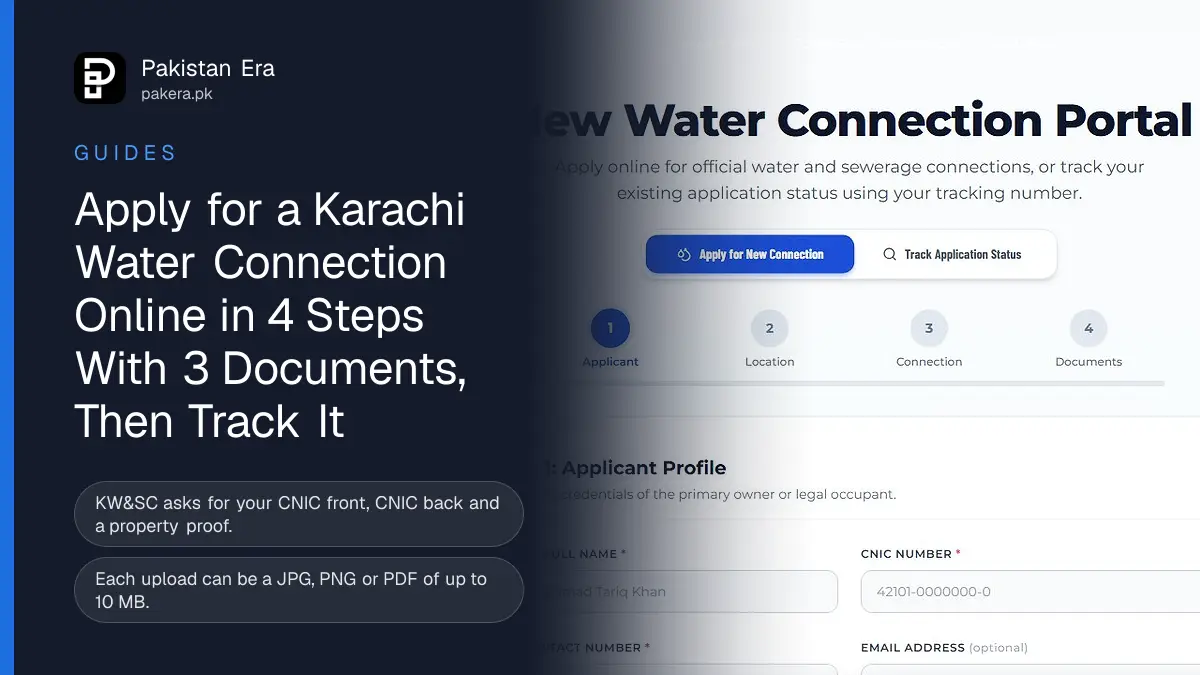
You can apply for a KW&SC new water or sewerage connection in Karachi online at kwsc.gos.pk/NewConnectionPage, in four steps, and track it later with your tracking number and CNIC at kwsc.gos.pk/TrackConnectionPage. You need clear photos of both sides of your CNIC and a property proof such as an allotment letter, title deed, registry or a utility bill. Each file can be up to 10 MB.
The Karachi Water and Sewerage Corporation (KW&SC) runs Karachi's water and sewerage network. We opened its new connection portal on 12 November 2026, went through all four screens without submitting anything, and read the public tracking page. Below is what each step asks for and what we would do to avoid a rejected application.
KW&SC takes new connection applications online in 4 steps
The portal at kwsc.gos.pk/NewConnectionPage splits the form into four steps: Applicant, Location, Connection and Documents. You fill your details, pick your town and union council, choose the service, then upload files. No office visit is needed to apply.
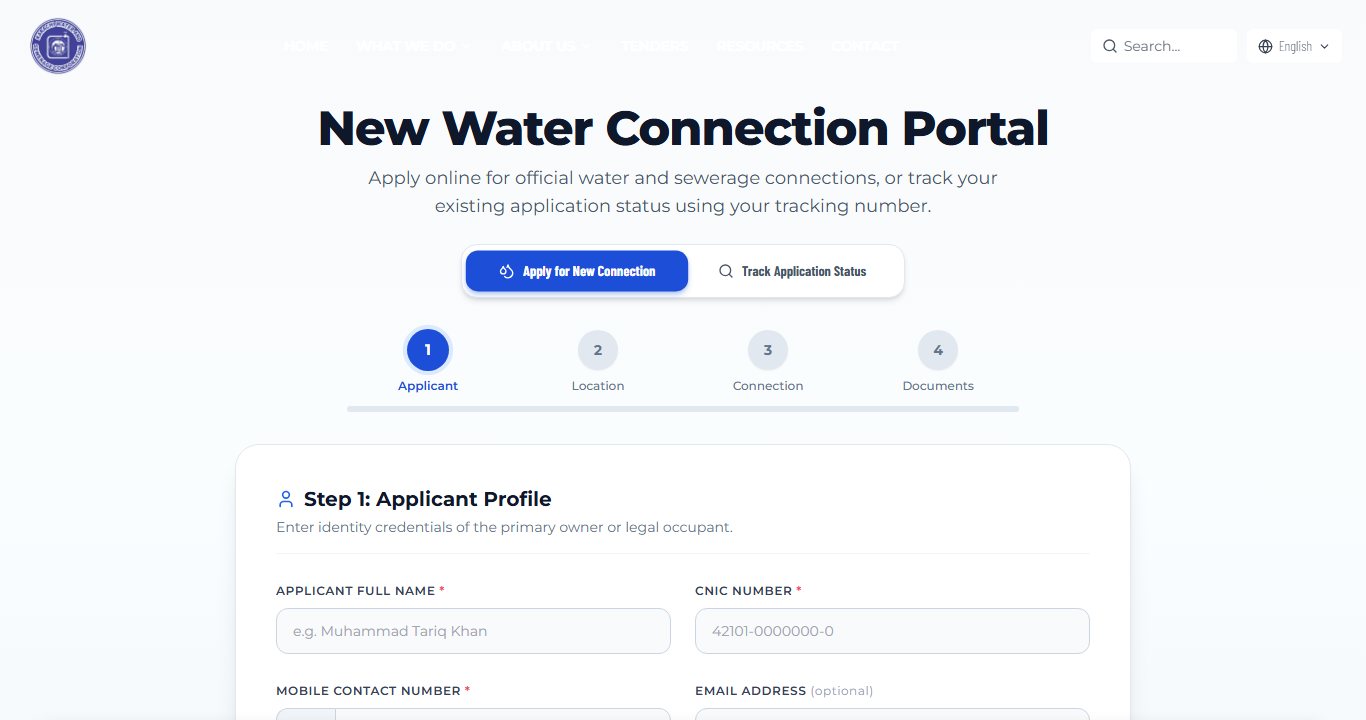
The page first shows only the words "Loading New Connection Portal", and the form appears a few seconds later, so wait before you reload. A cookie notice also sits over the bottom of the screen until you accept or decline it.
- Applicant. Full name, CNIC number, mobile number, and email if you have one. The name must be at least 3 characters.
- Location. Choose your town, then your union council or mohalla, and write the full house or plot number, street, block and sector. A landmark box helps the surveyor find you.
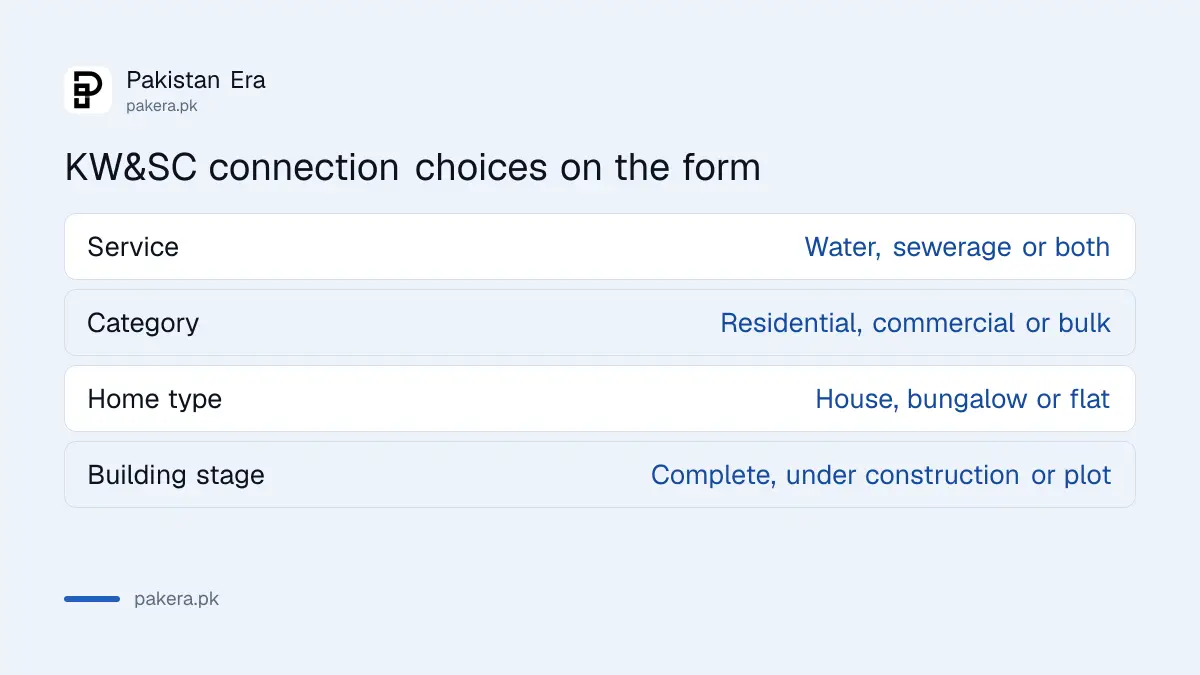
- Connection. Pick the service: new water connection, new sewerage connection, or both. Pick residential, commercial or bulk supply, and the property type.
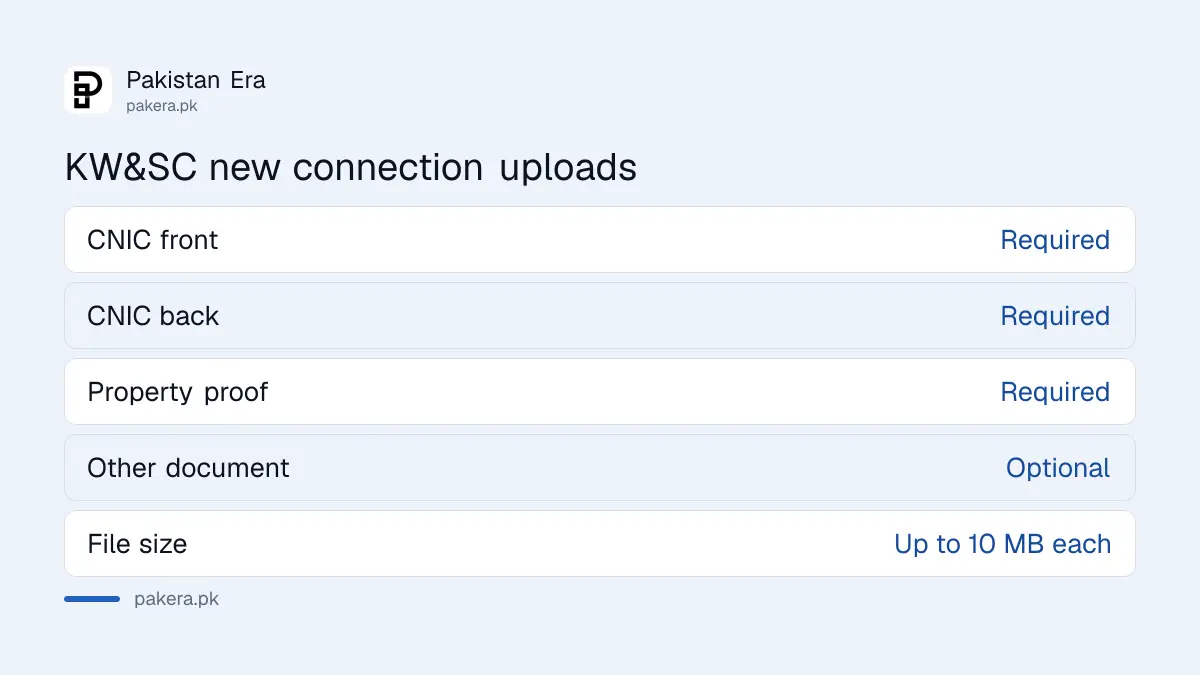
- Documents. Upload the CNIC front, CNIC back and property proof. A fourth slot takes any other supporting paper.
- Declaration and submit. Tick the legal undertaking and submit. The portal then shows a Consumer Tracking Number.
Karachi water connection documents KW&SC asks for
KW&SC makes three uploads mandatory: the CNIC front, the CNIC back and a proof of property ownership or allotment. The portal accepts JPG, PNG or PDF files, and a clear phone photo is fine. Each file can be up to 10 MB.
| Document | Required? | What the portal accepts |
|---|---|---|
| CNIC front | Yes | JPG, PNG or PDF, up to 10 MB |
| CNIC back | Yes | JPG, PNG or PDF, up to 10 MB |
| Property proof | Yes | Allotment letter, title deed, registry or utility bill |
| Other supporting document | Optional | Any extra paper, such as an NOC from the owner |
The CNIC should belong to the owner or the legal occupant, because step 1 asks for "the primary owner or legal occupant". If you rent, we would upload the owner's NOC and a copy of the tenancy in the optional slot. The portal does not say this, but it removes the most likely reason for a query.
KW&SC lists 29 Karachi towns in the form
The town list on the form held 29 entries when we opened it, from Baldia and Chanesar to Shah Faisal, SITE and Sohrab Goth. After you pick a town, a second list shows its union councils. Pick both carefully, because the application goes to that town's office.
Some towns appear twice, such as Saddar Town and Saddar Town2, and Safoora Town 1 and 2, and SITE Town and SITE Town (Moriro Mir Bahar). If you are not sure which one covers your street, check the town printed on your current water bill. Our KW&SC water bill check guide shows how to download it.
Choosing the right service and category
Step 3 offers three services: new water connection, new sewerage connection, or both. For the category, residential asks whether it is a plot or independent house, a bungalow or villa, or an apartment. It also asks whether the building is complete, under construction or an empty plot. Commercial asks for the nature of the business and the number of shops or units.
Track your KW&SC connection with the tracking number and CNIC
Open kwsc.gos.pk/TrackConnectionPage and enter the Consumer Tracking Number and the applicant's CNIC. The tracker shows the scrutiny stage, the survey and inspection notes, and later the Demand Note or challan to pay.
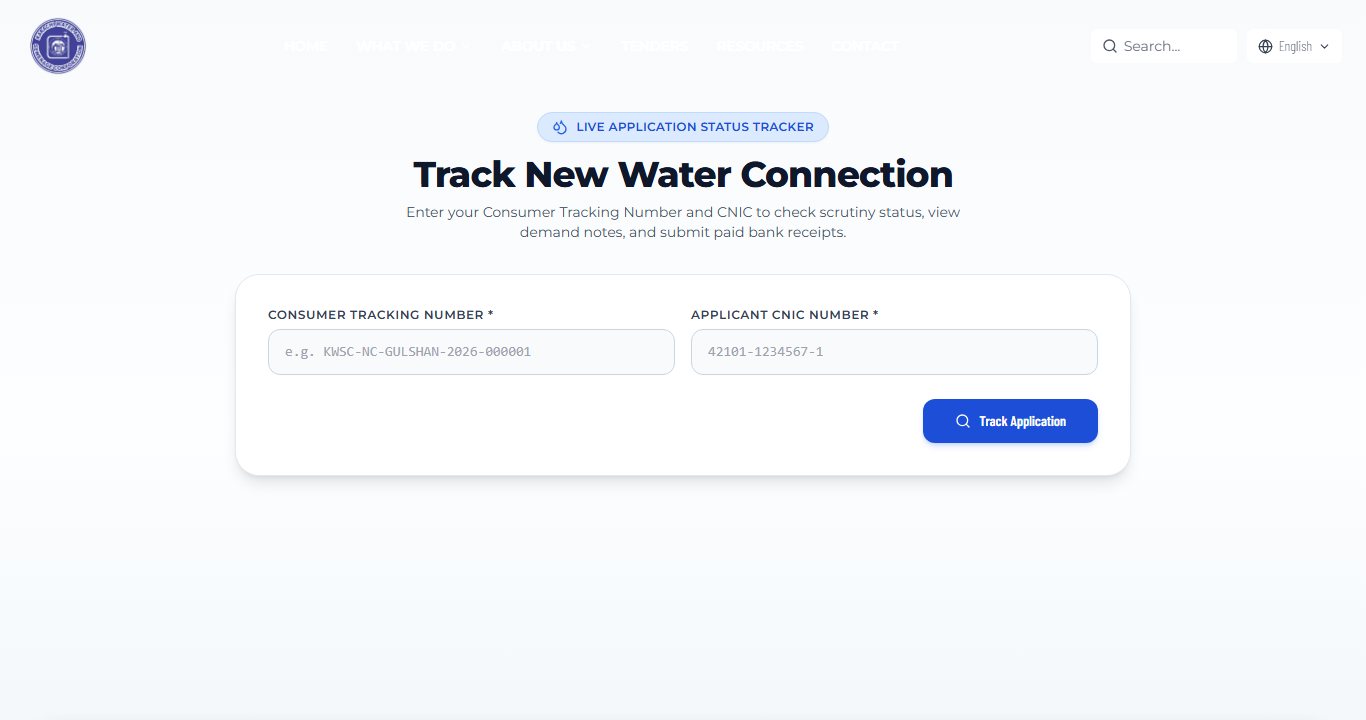
The tracking number looks like KWSC-NC-GUL-2026-00006, with a short code for your town. KW&SC's portal tells applicants to save it and says no separate consumer card or office visit is needed. If you lose it, the tracker will not find your record, so screenshot it the moment it appears.
KW&SC does not publish the connection fee on the portal
The application screens show no fee. KW&SC says the official Demand Note or challan appears on the tracking page after its scrutiny is finished. So the charge depends on your plot, pipe size and category, and you see it only after the survey.
The tracker also lets you submit the paid bank receipt. Pay only the challan shown on the official tracker, at the bank it names. Do not pay anyone who calls offering to speed things up.
If the application gets stuck
File a complaint through KW&SC's online complaint system or call its head office on 021-111-597-200, the number in the website footer. Our guide to filing and tracking a KW&SC complaint walks through the form. Until your connection is laid, the official KW&SC tanker booking is the safe stopgap.
Common questions
How do I apply for a new water connection in Karachi?
Online at kwsc.gos.pk/NewConnectionPage. Fill the four steps, upload your CNIC and property proof, and submit to get a Consumer Tracking Number.
What documents are needed for a KW&SC water connection?
Your CNIC front and back, and a property proof such as an allotment letter, title deed, registry or utility bill. Other papers can go in an optional slot.
How can I check my KW&SC new connection status?
Go to kwsc.gos.pk/TrackConnectionPage and enter your Consumer Tracking Number and CNIC. It shows the stage, survey notes and the demand note.
What is the KW&SC new connection fee?
The portal does not list it. KW&SC sends a Demand Note or challan to your tracking page after it checks the application and surveys the site.
Can I apply for a sewerage connection on the same form?
Yes. Step 3 lets you choose a water connection, a sewerage connection, or both together.
How we verified this
What we checked and where we read it.
We opened the KW&SC new connection portal and the KW&SC tracking page on 12 November 2026 between 21:20 and 21:50 PKT. We read every step of the form and its upload rules.
About the author

Tax, Bills and Technology Writer
Ali Akhtar is a young and curious voice here at Pakistan Era. He is currently pursuing his A-Levels and has a growing interest in Pakistan’s changing industrial landscape and educational trends. Ali likes to write in a way that helps him explain and explore the world around him. His writing reflects the perspective of the new generation navigating the evolving trends of Pakistan where technology, youth innovation, and shifting opportunities are reshaping the country’s future.