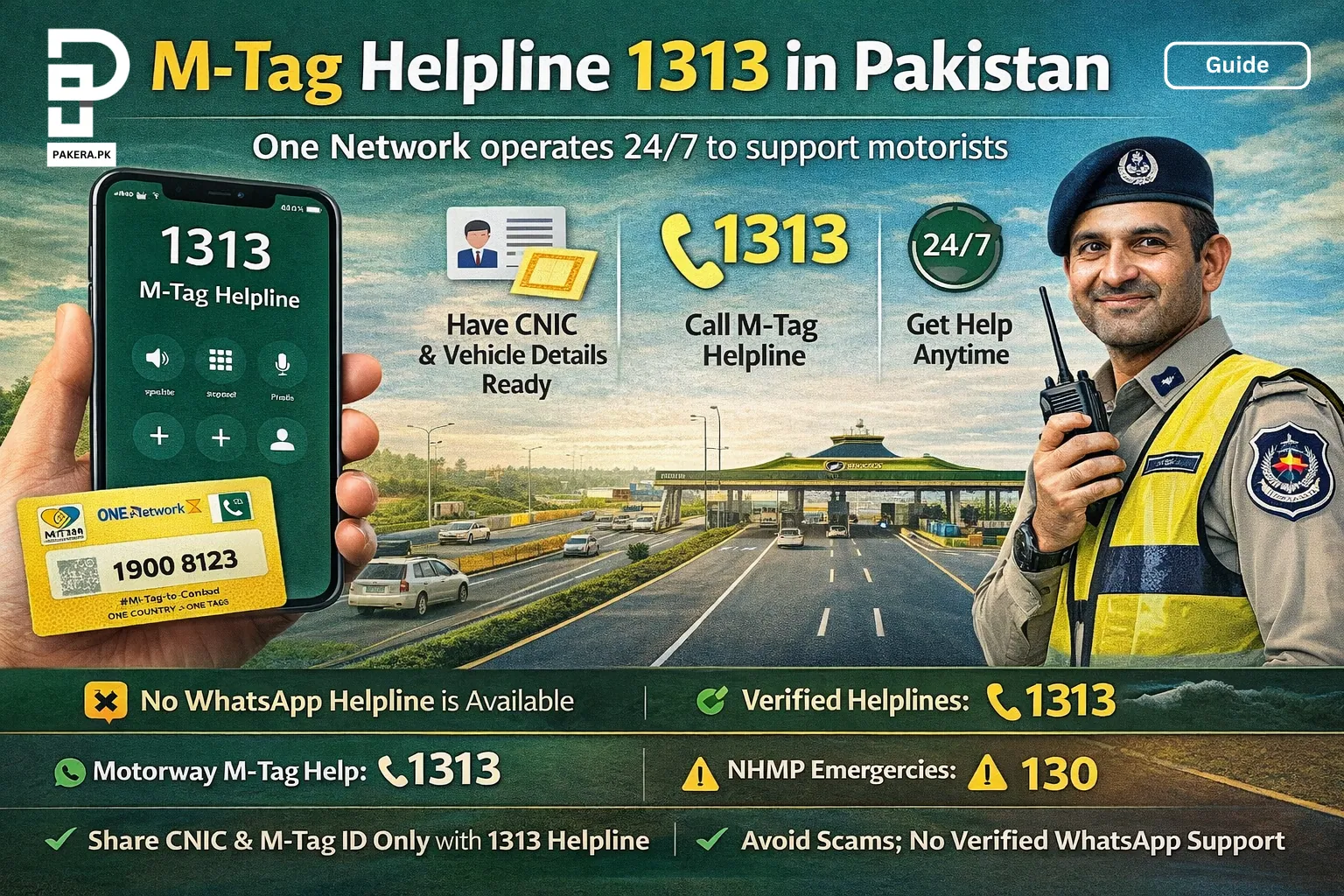
The official M‑Tag helpline in Pakistan is 1313, operated by One Network. It is available 24/7 for motorists across the country. When you call you’ll need your CNIC number, registered mobile number and M‑Tag ID or vehicle registration details to verify your identity. For general motorway emergencies or road‑safety help, the National Highways & Motorway Police (NHMP) helpline 130 provides round‑the‑clock assistance. As of 3 Jan 2026 there is no official WhatsApp helpline for M‑Tag; avoid sharing your personal information with unofficial numbers. For more ways to get help (email or visiting a centre), keep reading.
Reality check: what you can and can’t do
Before you pick up the phone, understand the limitations:
- No city‑specific numbers: There is only one M‑Tag helpline (1313) for the entire country. You cannot call a different number for Lahore, Islamabad, Rawalpindi or Karachi.
- No verified WhatsApp line: One Network has not announced a WhatsApp helpline; avoid scammers claiming to provide M‑Tag support on WhatsApp.
- CNIC & vehicle details required: To register a complaint or update your information you must provide your original CNIC and vehicle registration book/card.
- M‑Tag is compulsory on motorways: The National Highway Authority (NHA) has made M‑Tag registration mandatory for vehicles travelling on Pakistan’s motorways and expressways; vehicles without a valid tag may face fines or be refused entry.
Despite these limits, getting support is straightforward. The following sections explain the process step by step.
In a hurry? Checklist for calling 1313
- Gather your details: Have your CNIC number, the mobile number registered with your M‑Tag, your vehicle’s registration number and (if known) the M‑Tag ID.
- Dial 1313: Use any mobile or landline phone. The helpline operates 24/7.
- Select your language: Follow the automated voice prompts to choose Urdu or English.
- Explain your issue: State clearly whether you need to check balance, update ownership, report a lost tag, or resolve an app problem.
- Record reference number: Ask the agent for a complaint or reference number for future follow‑up.
- For emergencies: If you witness an accident or need road‑side help, call NHMP helpline 130.
Why trust Pakera.pk?
Our guides are based on official sources and authoritative reports. The One Network app listing on the Apple App Store and Google Play confirms that users can seek assistance via the 1313 helpline or email. The NHMP Yearbook explains that helpline 130 provides round‑the‑clock help to motorists, and a government news release states that motorists must bring their vehicle registration book/card and CNIC to obtain an M‑Tag. Where official confirmation is absent (such as WhatsApp support), we clearly say so.
What is an M‑Tag?
An M‑Tag is a small radio‑frequency identification (RFID) sticker that attaches to your car’s windscreen. When your vehicle approaches a motorway toll plaza, scanners read the tag and automatically deduct the toll from your prepaid account. This system reduces congestion and makes travel smoother. The National Highway Authority (NHA) has declared that M‑Tag registration is compulsory on Pakistan’s motorways and expressways. To obtain a tag you must visit a customer care centre with your vehicle registration book/card and CNIC.
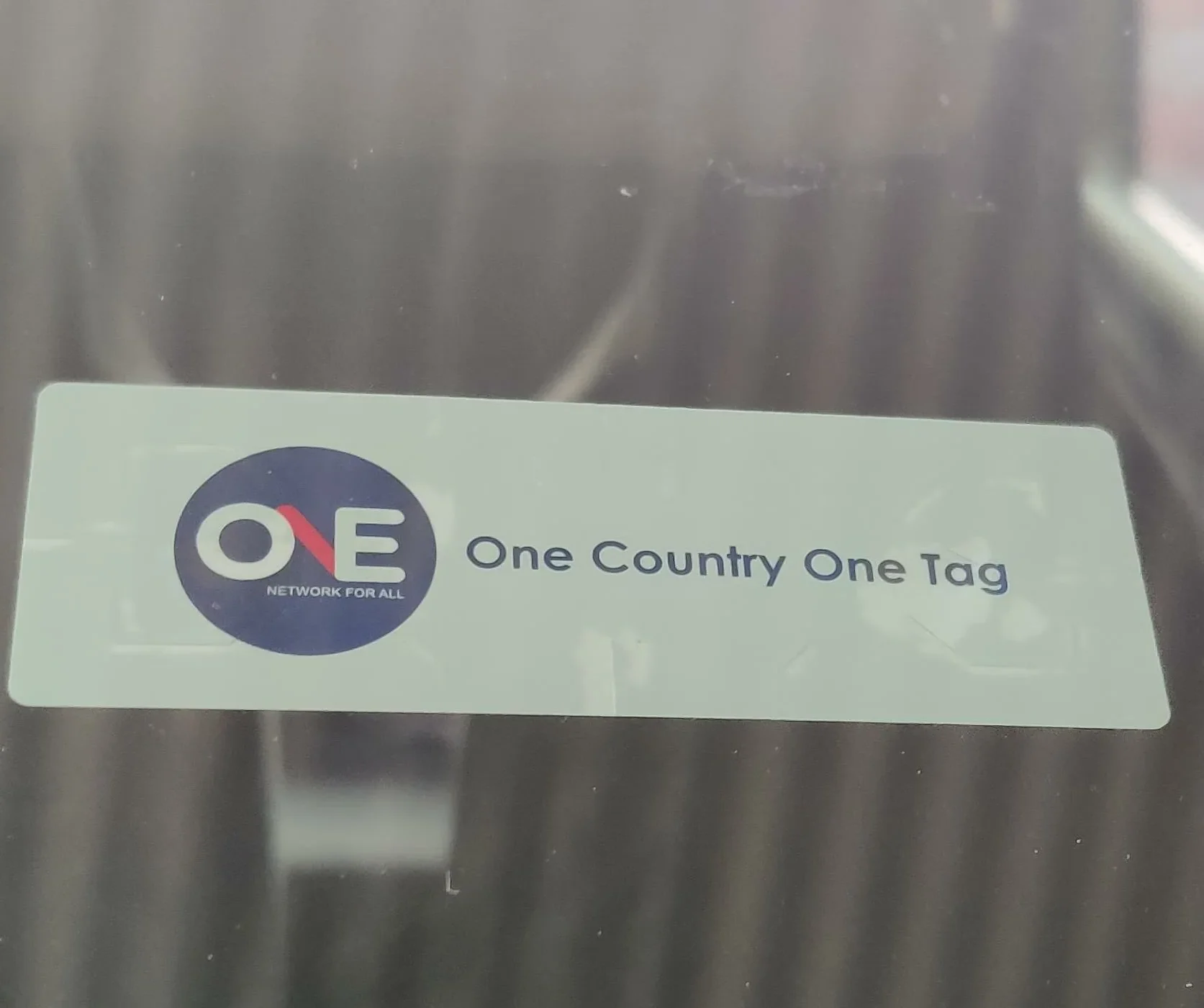
Visual example
Below is a photo of a real M‑Tag sticker affixed to a car windscreen. It displays the One Network logo and the motto “One Country One Tag”:
Are there different helpline numbers for each city?
No. Pakistan has a single M‑Tag helpline: 1313. Whether you’re in Lahore, Islamabad, Rawalpindi, Karachi, Peshawar or any other city, you call the same number. This centralised helpline operates 24/7 and handles registration issues, balance inquiries, ownership changes and other support requests. For general road‑safety emergencies, dial 130 to reach the NHMP control room.
Required details before you call
Having the right information ready helps the helpline agent verify your identity quickly. Gather the following:
- CNIC number (Computerised National Identity Card) of the vehicle owner.
- Registered mobile number linked with your M‑Tag account.
- Vehicle registration number or registration book/card.
- M‑Tag ID, if available (you can find it in the One Network app or printed on your tag).
- FIR number / complaint reference if calling about a stolen vehicle or lost tag.
Note: Agents may refuse to discuss account details if you cannot prove your identity. Keep your documents handy.
Methods to get help
Method 1 – Call the M‑Tag helpline 1313
This is the most direct way to resolve issues such as lost tags, balance inquiries, ownership changes or app login problems. It works nationwide, regardless of your city or province.
Steps
- Open your phone’s dialer.
- Dial 1313 and press call. You should hear an automated greeting.
- Choose your language (Urdu or English) using the keypad.
- Provide verification details when the agent answers. Have your CNIC number, registered mobile number, vehicle registration and M‑Tag ID ready.
- Describe your issue clearly. Mention whether you want to check balance, update phone number, change ownership, report a lost tag or resolve an app problem.
- Note down the reference number provided by the agent for future follow‑up.
Required details
- CNIC of the vehicle owner.
- Registered mobile number.
- Vehicle registration book/card.
- M‑Tag ID (if available).
Verification & approval
The helpline agent will verify your identity using your CNIC and registered phone number. For ownership changes or updates, you may be asked to email scanned copies of your CNIC and registration documents or visit a customer care centre for physical verification.
Method 2 – Email One Network support
If the helpline is busy or you prefer written communication, you can send an email. This method is useful for non‑urgent queries such as updating documents or reporting app bugs.
Steps
- Compose a new email using your preferred email client.
- Address the email to:
- connect@onenetwork.pk – general customer support.
- customercare1313@onenetwork.pk – alternative support channel if the helpline is busy.
- Use a clear subject line (e.g. “M‑Tag ownership update request” or “Unable to log into M‑Tag app”).
- Include all necessary details in the body:
- Your full name and CNIC number.
- Registered mobile number.
- Vehicle registration number and M‑Tag ID.
- A concise description of your issue.
- Scanned copies or photos of your CNIC and registration book (optional but may speed up verification).
- Send the email and wait for a response. Response times vary; urgent issues are better handled via phone.
Required details
Same as Method 1. Ensure the scanned documents are clear and readable.
Verification & approval
One Network may reply asking for additional verification or instructing you to visit a customer care centre. Keep copies of the correspondence for your records.
Method 3 – Visit a customer care centre
For registration, tag replacement or complex updates (such as transferring ownership between individuals), visiting a physical centre may be necessary. M‑Tag registration centres operate in major cities across Punjab, Islamabad and other regions.
Steps
- Locate your nearest M‑Tag registration/care centre. You can ask the 1313 helpline or check the One Network app for a list of centres.
- Gather your documents: original CNIC, vehicle registration book/card and (if applicable) your driver’s licence.
- Visit the centre during working hours (usually 9 am to 5 pm, but hours may vary by location).
- Fill out the required forms provided by the staff.
- Submit your documents and let the staff scan your car’s windscreen for tag placement or replacement.
- Receive your new tag or confirmation slip. The staff may ask you to call 1313 to activate or update your account.
Required details
Original CNIC, vehicle registration book/card, driver’s licence (optional) and proof of ownership. Some centres accept digital CNIC or e‑registration documents. Bring photocopies to speed up the process.
Verification & approval
Centre staff will verify your identity against your documents. For ownership transfer, both seller and buyer may need to be present with their CNICs. Approval is usually immediate, but complex cases might take 1–2 days.
Method 4 – NHMP helpline 130 (emergencies & general inquiries)
While not directly an M‑Tag service, the NHMP emergency helpline 130 is essential for motorists. The NHMP Yearbook notes that helpline 130 operates round the clock and provides prompt assistance within around 10 minutes. Call this number to report accidents, request roadside assistance or obtain weather and route information across all provinces. For challan queries or road‑traffic complaints, you can also call 130.
Extra: what else you can do with M‑Tag
Once you have an active M‑Tag, there are several useful features:
- Check your M‑Tag ID online: The One Network app shows your tag ID and account details. See our guide “Check M‑Tag number in Pakistan online” for step‑by‑step instructions.
- Recharge your account without queues: You can top up using debit/credit cards directly in the One Network app. Check Our guide “Recharge M‑Tag online” explains how to add funds safely.
- View travel history: The app lets you see detailed trip records and toll deductions. This helps you track expenses and claim reimbursements.
- Transfer balance (limited): According to user feedback, recent versions of the app allow balance transfer between your own tags. Balance transfers to other users are not yet supported.
- Avoid surcharge: The NHA has warned that vehicles without M‑Tags or those paying cash may face fines or higher tolls. Keeping your tag active helps you avoid extra charges.
Troubleshooting common issues
Even with a well‑designed system, problems can occur. Here are frequent complaints and how to resolve them:
- Helpline busy or unreachable: If 1313 is engaged, wait a few minutes and try again. Alternatively, send an email to customercare1313@onenetwork.pk with your details.
- Forgotten M‑Tag ID: Open the One Network app and check under the “History” or “Profile” tab; your tag ID appears alongside your travel records.
- App login issues: Ensure that the mobile number and CNIC used during sign‑up match the details on record. If the app shows “session expired” or similar errors, clear cache, update the app, and call 1313 for credential reset.
- Ownership change: Selling your vehicle? Call 1313 and request an ownership transfer. You’ll need CNICs of both parties and the vehicle registration book. The agent may instruct you to visit a centre for final verification.
- Lost or damaged tag: Report the issue immediately via 1313. The helpline will deactivate the old tag and guide you to the nearest centre for replacement. Bring your CNIC and vehicle documents.
- No balance at toll: If your balance is low, top up using the app or by visiting partner banks. Many toll plazas now allow on‑spot recharge via POS terminals. Recharging before your trip avoids delays.
FAQs
The official helpline is 1313. It operates 24/7 for all provinces.
No. As of 3 Jan 2026, One Network has not announced a WhatsApp helpline. Use the phone helpline or email addresses (connect@onenetwork.pk or customercare1313@onenetwork.pk).
Yes. The helpline 1313 is nationwide, so the same number works in Lahore, Islamabad, Rawalpindi, Karachi, Peshawar and other cities. There are no region‑specific numbers.
You’ll need your CNIC, registered mobile number, vehicle registration number and M‑Tag ID. Keep these handy for verification.
Install the One Network app, sign in with your CNIC and registered mobile number, and navigate to the History/Profile section. Our detailed guide explains each step: Read: [Check M‑Tag number in Pakistan online].
Use the One Network app to add funds via debit/credit card, or pay at selected partner banks/toll plazas. See our step‑by‑step guide: Read: [Recharge M‑Tag online].
Yes. Call 1313 and request a phone number update. You must provide your CNIC and may need to verify via SMS. For security, the agent may ask you to send a copy of your CNIC via email or visit a centre.
The M‑Tag account is linked to the vehicle’s registration. If you’re using a family member’s car, they should accompany you when calling or visiting the centre. Some centres allow a “multiple users” feature, but ownership verification is still required.
Yes. The NHA has stated that vehicles without M‑Tags may face fines or be refused entry onto motorways. In some cases, a 25 % surcharge is imposed on cash toll payments. Avoid penalties by registering and keeping your tag funded.
Call the NHMP helpline 130 for accidents, breakdowns, or safety issues. The helpline operates around the clock and aims to reach you within minutes.
Conclusion
M‑Tag has become an essential part of motorway travel in Pakistan. While there is no city‑specific or WhatsApp helpline, the universal number 1313 provides 24/7 support for registration, account management and complaint resolution. For roadside emergencies or general traffic questions, call the NHMP helpline 130.
Always keep your CNIC and vehicle registration documents ready, and ensure your tag remains funded to avoid penalties. If you need to check your tag ID or recharge online, follow our linked guides. Stay informed, travel safely and enjoy a smoother journey on Pakistan’s motorways.