Optix Bill Payment and Helpline in Pakistan: Easypaisa, JazzCash, Kuickpay, Card and 021-11-11-67849 (Every Method)
Pay an Optix bill on Easypaisa, JazzCash, Kuickpay, Blinq or card with the 67849 prefix, call the 24/7 helpline 021-11-11-67849, and fix a bill shown unpaid.
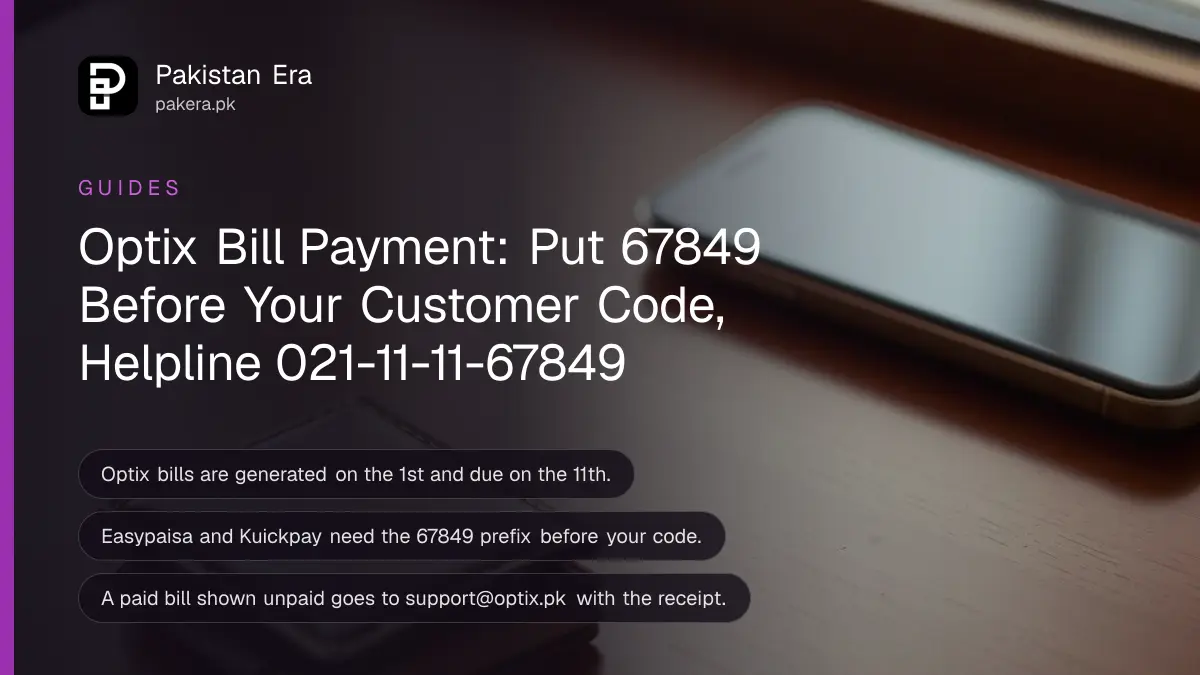
You can pay an Optix bill through Easypaisa, JazzCash, Kuickpay at any bank app or ATM, Blinq, or by card in the MyOptix app, using your customer code with the prefix 67849 in front of it. The Optix helpline is 021-11-11-67849, open 24 hours, and the same number works on WhatsApp. The bill is generated on the 1st and due on the 11th. Every method, the email for each problem, and what to do when a paid bill still shows unpaid are below.
The commonest Optix problem is not the fibre. It is a payment that went through on your side and never reached the account, followed by a suspended connection. We read Optix's payment options page, its FAQs, its customer support page and its contact page on 2 November 2026.
Optix bill payment methods and the code to enter
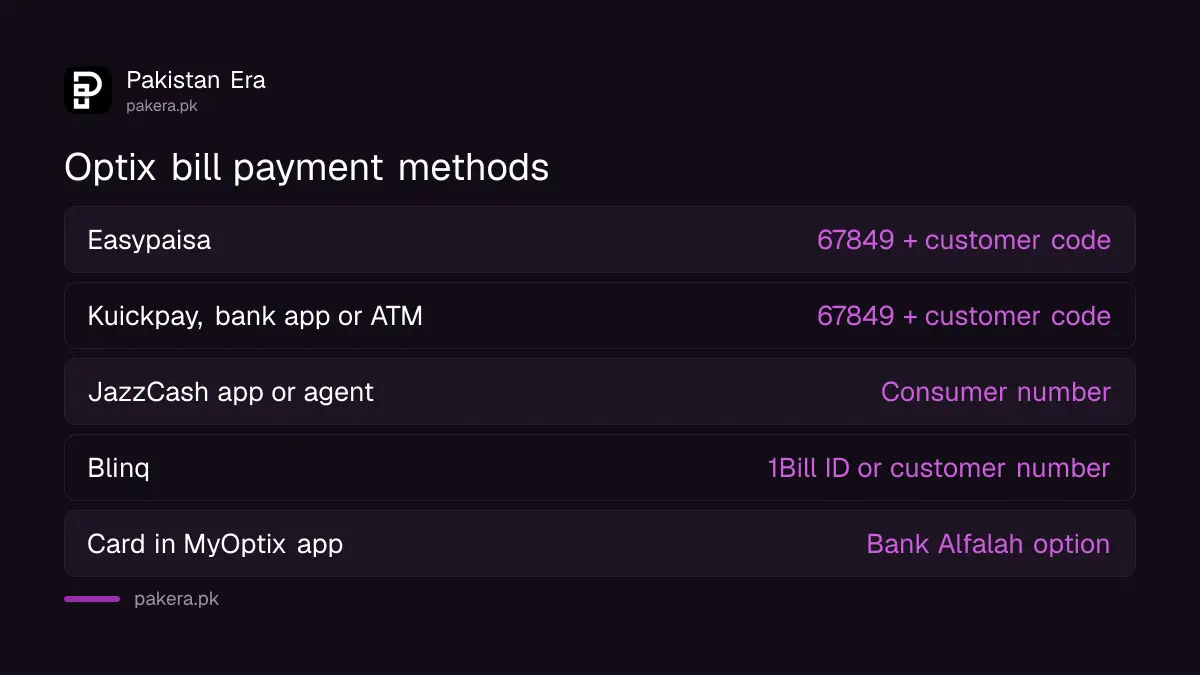
Optix lists five routes: Easypaisa, Kuickpay through banks and ATMs, the MyOptix app, JazzCash and Blinq. For Easypaisa and Kuickpay you enter your customer code with 67849 in front, so customer code 3048 becomes 678493048, the example Optix itself gives.
| Method | Where | What to enter |
|---|---|---|
| Easypaisa | App: Bill Payment, Internet, Optix | 67849 + customer code |
| Kuickpay | Any bank app, internet banking or ATM: Bill Payment, Kuickpay | 67849 + customer code |
| JazzCash app | Internet Payments, Optix | Consumer number |
| JazzCash USSD | Dial the USSD menu, Pay Bills, Internet, Optix | Consumer code, then MPIN |
| JazzCash agent | Any JazzCash shop, cash | Consumer number and your mobile number |
| Blinq | Blinq app or Blinq Pay Invoice page | 1Bill ID, Blinq ID or customer number |
| Debit or credit card | MyOptix app, Bank Alfalah option | Card number |
How to pay an Optix bill on Easypaisa or a bank app
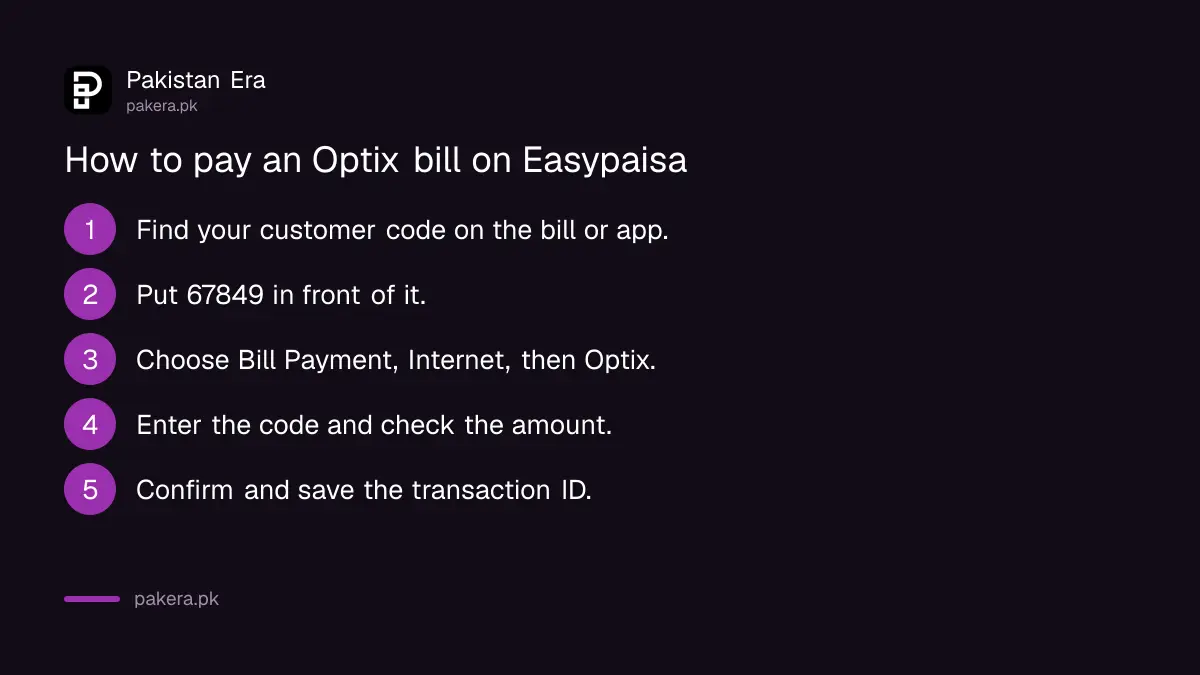
Open Bill Payment, choose Internet, then Optix, and enter 67849 followed by your customer code. In a bank app or at an ATM, choose Kuickpay instead of Optix and use the same prefixed code. Check the amount before you confirm.
- Find your customer code on your Optix bill or in the MyOptix app.
- Put 67849 in front of it. Code 3048 becomes 678493048.
- In Easypaisa, tap Bill Payment, choose Internet, then Optix. In a bank app or ATM, choose Bill Payment, then Kuickpay.
- Enter the prefixed code and check that the amount matches your bill.
- Confirm, then save the receipt or screenshot with the transaction ID.
Do not pay into a personal number that someone sends on WhatsApp claiming to be Optix staff. Every route Optix lists is a company bill payment, never a transfer to a person.
Paying an Optix bill with JazzCash
In the JazzCash app, choose Internet Payments, then Optix, enter your consumer number and confirm with your MPIN. At a JazzCash shop the agent selects Optix and collects cash. You get a confirmation SMS straight away in both cases.
For phones without the app, Optix's page describes a USSD route for Jazz SIMs: open the menu, choose 2 for Pay Bills, then 5 for Internet, then 7 for Optix, and enter the consumer code and MPIN. The page prints the code as *7863. JazzCash's own menu code is *786#, the same one used to send money on JazzCash without the app, so try that if *7863 does not open the menu.
Optix helpline, WhatsApp and email
The Optix helpline and WhatsApp number are both 021-11-11-67849, and Optix says the helpline and email support run 24 hours a day, 7 days a week. Live chat runs Monday to Saturday, 9 am to 10 pm. Billing and account emails go to support@optix.pk.
| Channel | Contact | Hours on Optix's page |
|---|---|---|
| Helpline (UAN) | 021-11-11-67849 | 24/7 |
| WhatsApp bot | 021-11-11-67849 | 24 hours, Monday to Sunday |
| Email support | support@optix.pk | 24/7 |
| General email | info@optix.pk | Not stated |
| Live chat | On the website | Monday to Saturday, 9 am to 10 pm |
| Office | 1D-27, Sector 30, Korangi Industrial Area, Karachi | Not stated |
Complaints are tracked in the MyOptix app, according to the FAQs. If the internet is down rather than unpaid, start with the checks on home internet down today before you call.
When a paid Optix bill still shows unpaid
Email your transaction details to support@optix.pk. Optix's FAQ says its billing team will verify the payment and reactivate the account. Include the transaction ID, the amount, the date and time, the method and your customer code.
- Wrong code: the most likely cause on Easypaisa or Kuickpay is a missing 67849 prefix or a mistyped customer code. Check the receipt.
- Suspension: Optix says an account is temporarily suspended if the bill is not paid by the due date, and reactivated once payment is made.
- Money left your wallet but no receipt: raise it with the wallet as well. The JazzCash failed transaction refund steps cover a deduction without a completed payment.
The same support email handles other account jobs in the FAQ: your tax certificate, which Optix says arrives by email within 7 working days; a usage graph; a change of registered mobile or email; and ownership transfer, with CNIC copies of both people.
Common questions
What is the Optix helpline number?
021-11-11-67849, open 24 hours. The same number is Optix's WhatsApp line.
What is the Optix Easypaisa code?
There is no separate code. Enter 67849 followed by your customer code, under Bill Payment, Internet, Optix.
When is the Optix bill due?
The bill is generated on the 1st of every month and is due on the 11th, according to Optix's FAQs.
Can I pay my Optix bill with a debit card?
Yes. In the MyOptix app, choose Bank Alfalah, enter your card number and pay.
How do I get my Optix tax certificate?
Ask by email, helpline, WhatsApp or chat. Optix says it emails the certificate within 7 working days.
How we verified this
What we checked, where we read it, and what we could not confirm.
We read Optix's payment options page, its FAQs, its customer support page and its contact page on 2 November 2026. We did not make a payment, so we have not confirmed the USSD code, which Optix prints as *7863, or how long a payment takes to show in the account. The Easypaisa steps sit under Optix's Easypaisa section, though the steps themselves do not name the app.
About the author

Technology Journalist & Multimedia Producer
Ahmad Ali is a technology journalist and multimedia producer at Pakistan Era, joining the team in October 2026. He covers consumer technology and digital life for Pakistani readers, combining research with hands-on product testing.