How to Open an Amazon Seller Account From Pakistan in 2026
Pakistan is on Amazon's accepted seller countries list. What you need to register, the $0.99 and $39.99 plans, and how Amazon money reaches a Pakistani bank.
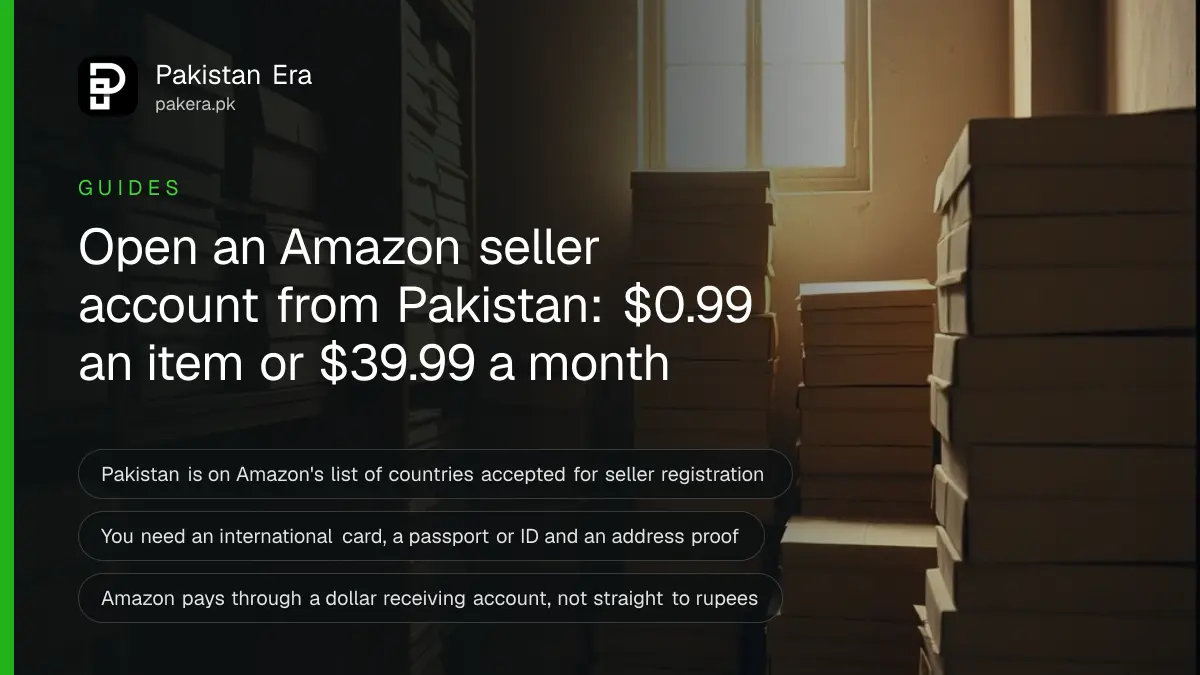
Pakistan is on Amazon's list of countries accepted for seller registration, so you can open an Amazon seller account from Pakistan in your own name. You need a valid phone number, an internationally chargeable credit or debit card, a passport or other government ID, and a bank account that can receive Amazon payouts. The Individual plan costs $0.99 per item sold; Professional costs $39.99 a month.
For years Pakistani sellers used a friend's address abroad or paid an agent to open accounts. That is no longer needed. Amazon's own help page, "Countries accepted for seller registration", lists Pakistan by name.
We read that page, Amazon's pricing page, its seller registration guide and its payout country list on 9 October 2026. The steps and fees below come from those pages. We did not open a seller account ourselves.
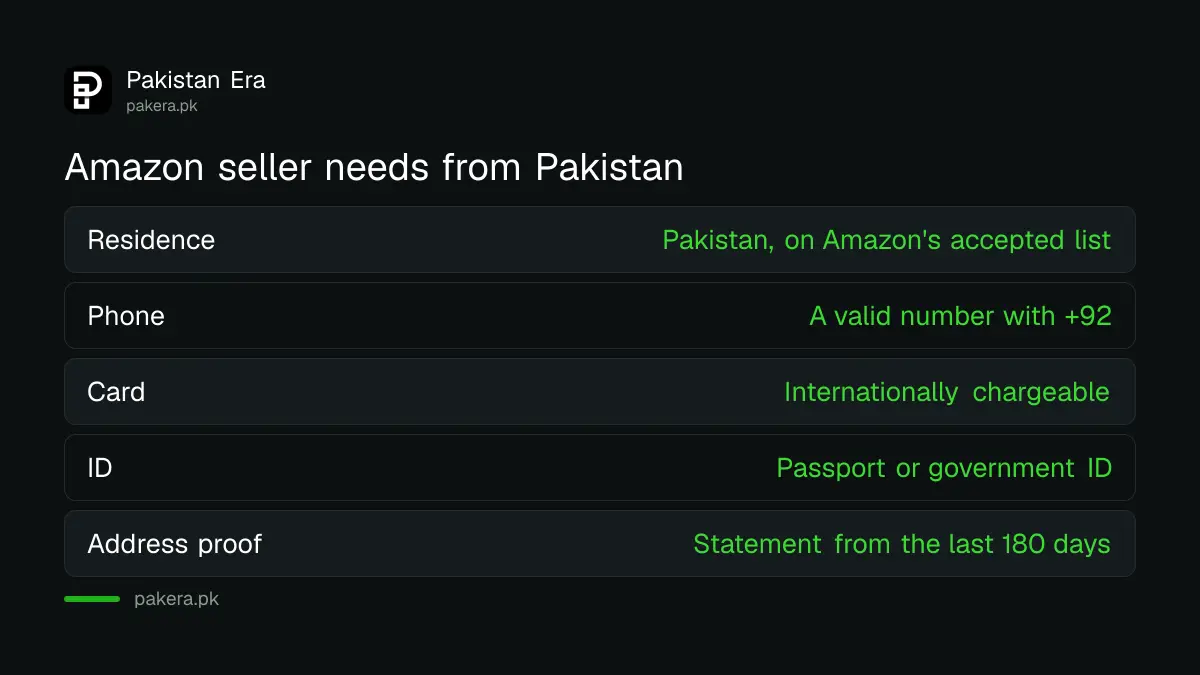
Amazon accepts sellers who live in Pakistan
Amazon's help page says you must live in an accepted country, have a valid phone number and have an internationally chargeable credit card. Pakistan is on that list. You do not need a company or a foreign address to register as an individual.
During sign up, Amazon asks for your business type. If you are not registered as a company, pick "None, I am an individual". Amazon's guide says you do not need an LLC or any incorporation to sell.
One account made on sell.amazon.com lets you sell in the US, Canada, Mexico and Brazil. Europe, the Middle East and Asia-Pacific stores need separate accounts. Most Pakistani sellers start with Amazon.com in the US because it is the largest store.
Amazon seller fees for a Pakistani account
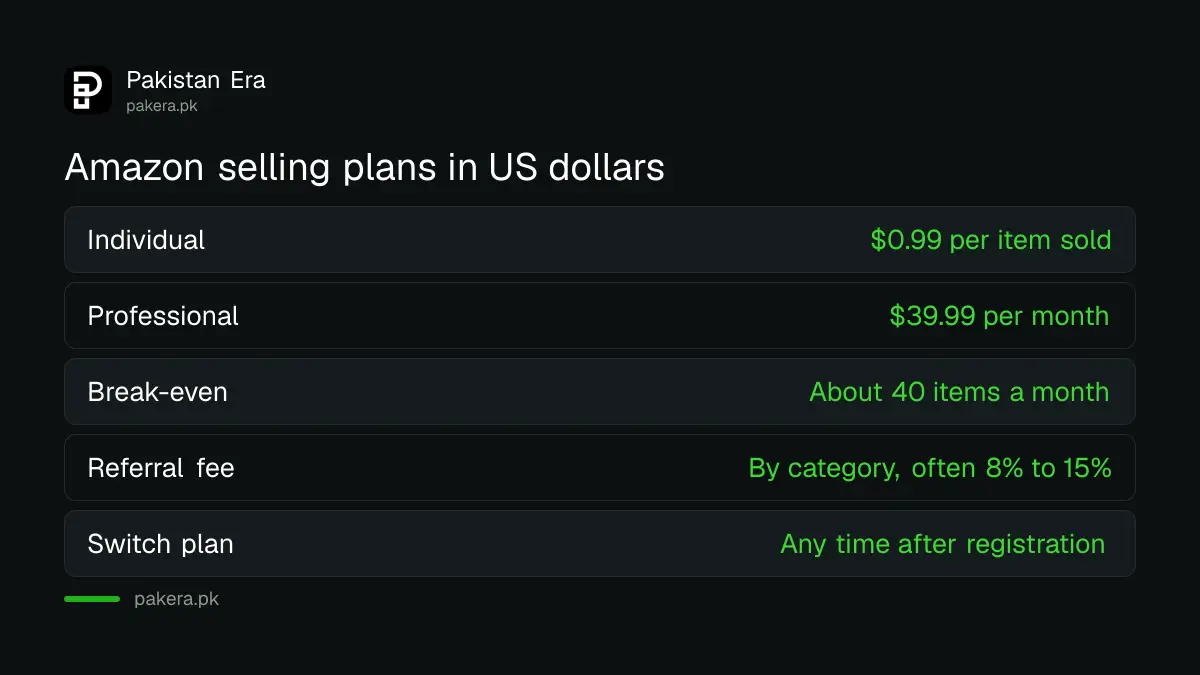
You pay a plan fee and a referral fee on every sale. The Individual plan charges $0.99 per item sold with no monthly fee. The Professional plan charges $39.99 a month. Referral fees depend on the category, often 8% to 15% of the sale price.
| Fee | Individual plan | Professional plan |
|---|---|---|
| Plan fee | $0.99 per item sold | $39.99 per month |
| Referral fee | By category, charged per sale | By category, charged per sale |
| Bulk listing tools | No | Yes |
| Amazon Ads | No | Yes |
| Fulfilment by Amazon (FBA) | Yes, extra fees | Yes, extra fees |
| Switch or cancel plan | Any time | Any time |
The simple rule: if you will sell fewer than about 40 items a month, Individual is cheaper. At 40 items, both plans cost the same in plan fees. Above that, Professional wins. Amazon lets you switch at any time after registration.
Referral fees are where the real cost sits. Amazon's fee table shows 15% for many categories, 8% for some, and 17% for clothing items priced over $20. Fulfilment by Amazon, where Amazon stores and ships your goods, adds its own fees on top.
How to register as an Amazon seller from Pakistan
Registration has five parts: business details, your personal details, billing, store details and identity checks. Amazon says the forms often take a few hours, and identity verification usually takes three business days or less. Keep your documents ready before you start.
- Go to sell.amazon.com and click Sign up. Use an email you do not use for Amazon shopping.
- Choose Pakistan as your business location. Pick "None, I am an individual" if you have no company.
- Enter your full legal name, date of birth and address exactly as on your passport or ID.
- Add your phone number with the +92 code.
- Enter your card details and the bank account that will receive your Amazon money.
- Choose a store name and answer the questions on product codes and brand.
- Upload your ID and an address proof from the last 180 days, such as a bank or card statement.
- Take a photo of your face and ID, or join a video call with Amazon.
Amazon accepts Visa, Mastercard, American Express, Diners Club, Discover and JCB. Its guide says the card does not have to be in your name. A Pakistani debit card works only if your bank has enabled international payments on it, so ask your bank first.
Use a passport if you have one. Amazon's guide gives the passport as its example of a government ID, and your name must match across the ID, the statement and the bank account.
Getting your Amazon money into Pakistan
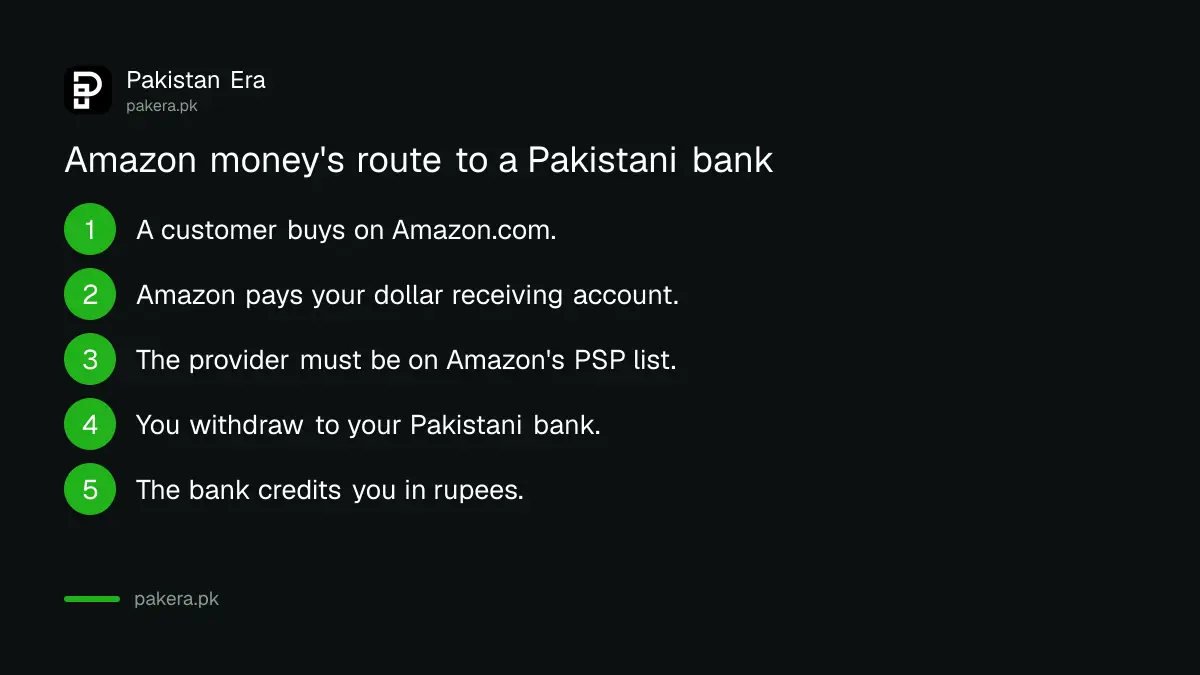
Amazon does not pay rupees straight into a Pakistani bank. Pakistan and the rupee are not on Amazon's list of supported payout countries. Most Pakistani sellers use a payment service provider, a company that gives you a US dollar receiving account, and then withdraw to their bank.
Amazon's own help page shows that Hyperwallet once supported PKR payouts. But Amazon also says that from 1 October 2024, sellers no longer have a direct link to Hyperwallet from Seller Central. Amazon now points sellers to its list of participating payment service providers.
Payoneer advertises Amazon payouts on its own site, and Payoneer's fees in Pakistan include a cost for withdrawing dollars to a rupee account. Before adding any provider, check that it appears on Amazon's participating list inside Seller Central. Amazon warns that a seller using a non-participating provider can lose payouts 45 days after its email notice.
Tax and records for Amazon sellers in Pakistan
Money from Amazon is foreign income earned through selling goods, so keep every payout record and bank statement. If you ship physical goods from Pakistan, you are exporting, which brings customs paperwork. Selling online inside Pakistan has its own tax rules.
Read the rules for an online seller registering for e-commerce tax before your sales grow. Many new sellers find it easier to test demand at home first. Weighing Daraz against your own website is part of deciding how to start an online store in Pakistan, and Amazon can come next.
Books are the easiest test. Amazon's publishing service avoids shipping entirely, and the steps to start Amazon KDP in Pakistan are separate from Seller Central.
Common questions
Can I make an Amazon seller account in Pakistan?
Yes. Pakistan is on Amazon's list of countries accepted for seller registration. You register in your own name with Pakistani details.
Do I need a company to sell on Amazon from Pakistan?
No. Amazon lets individuals register by choosing "None, I am an individual" as the business type.
How much does an Amazon seller account cost?
The Individual plan is $0.99 per item sold. The Professional plan is $39.99 a month. Referral fees by category apply on both.
Can I use a Pakistani debit card?
Only if it can be charged internationally. Amazon needs an internationally chargeable card, so ask your bank to enable international online payments.
How long does Amazon seller verification take?
Amazon says identity verification usually takes three business days or less after you submit your documents.
How we verified this
What we checked, where we read it, and what we could not confirm.
Last checked 9 October 2026. Sources: Amazon Seller Central, Countries accepted for seller registration; Amazon, selling fees and plans; Amazon, seller registration guide; Amazon Seller Central, countries and currencies supported for disbursement, Using Hyperwallet with Amazon, and the Payment Service Provider FAQ. Fees are in US dollars and change; Amazon shows the current fee before you confirm.
About the author

Founder and Editor
Umer Kureshi founded Pakistan Era in July 2024 and runs it as administrator, SEO lead and writer, overseeing website operations, search growth, content strategy and coverage of technology and current affairs.