How to File Your Tax Return With the FBR Tax Asaan App
The FBR Tax Asaan app files a salaried return, checks ATL status and pays tax. Where it stops and IRIS takes over, before 30 September.
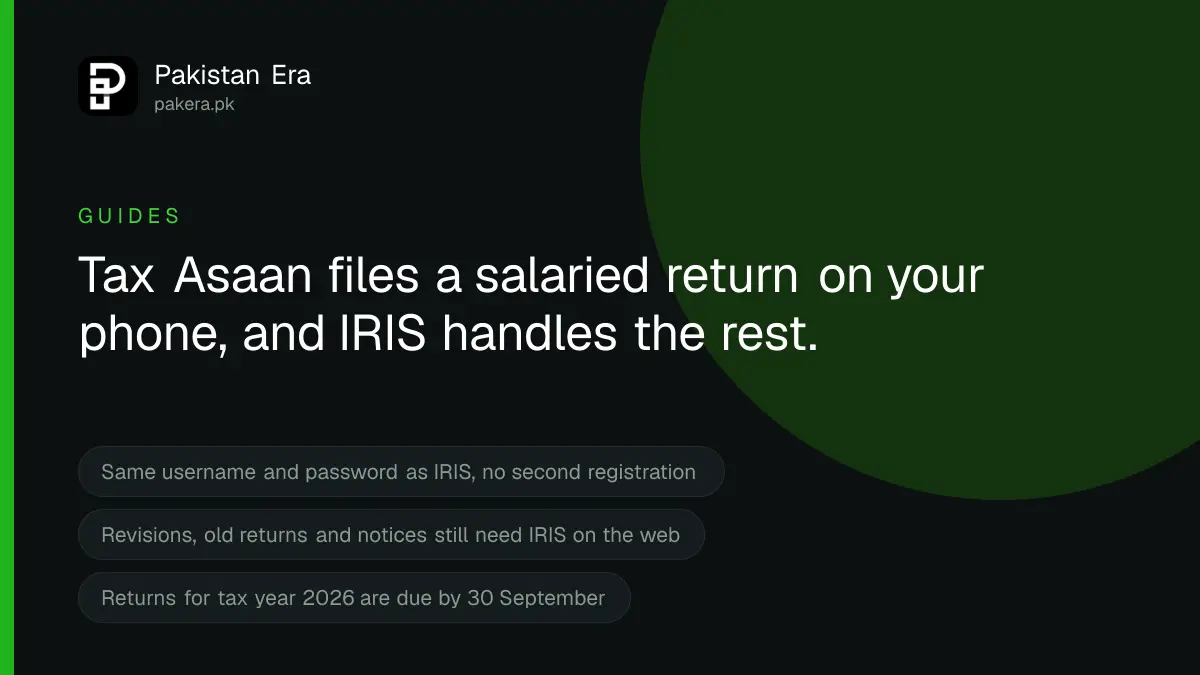
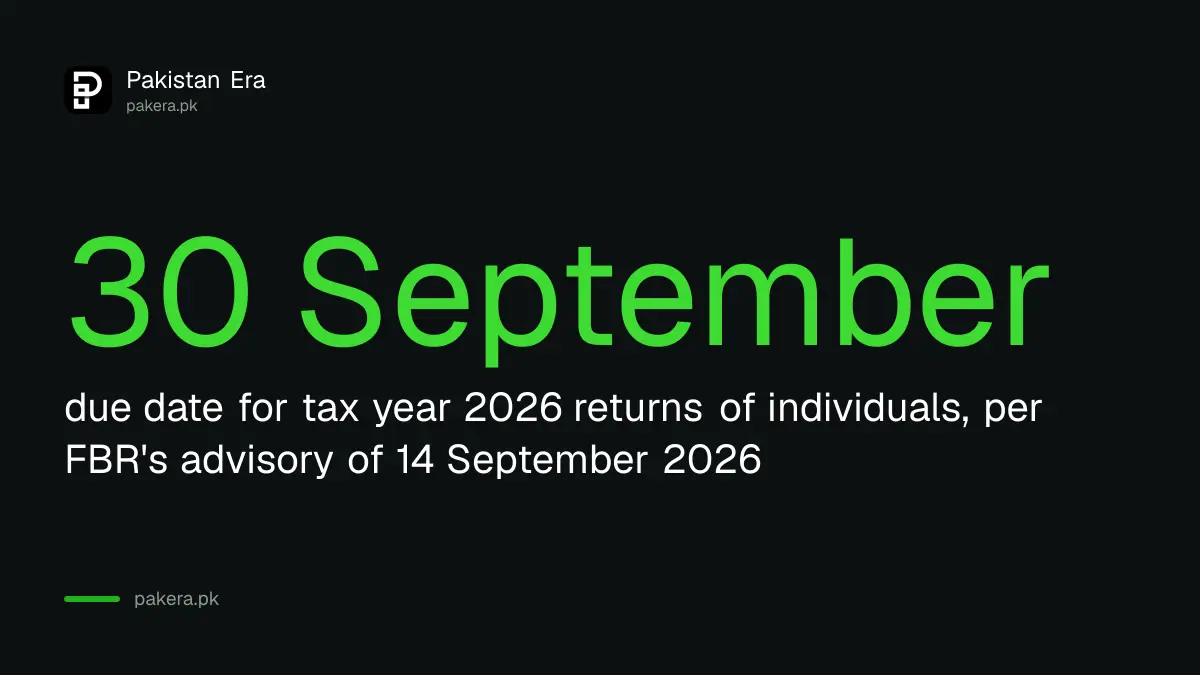
The Tax Asaan app is FBR's own phone app for filing a salaried income tax return, registering for an NTN, checking your Active Taxpayer List status and paying tax. It logs in with the same username and password as IRIS. It cannot revise a return, show old returns or read a notice, and for those you still open IRIS on a computer. Returns for tax year 2026 are due by 30 September.
Every September a familiar scene plays out in offices across Pakistan. Somebody in accounts mentions the return deadline, half the room says they will do it on the weekend, and by the following Friday nobody has. The Tax Asaan app exists for exactly those people. A plain salary, one bank account, a car, and a phone in your pocket.
We read the app's listings on both stores on 17 September 2026. Google Play shows it updated on 9 September 2026, with more than 1 million downloads and a 3.4 star rating from 5,520 reviews. Those numbers tell you two things at once: a lot of people use it, and a lot of them are unhappy. This guide covers what the app does well, the eight steps of a salaried return, and the places it stops working so you do not lose an evening finding out.
What can the Tax Asaan app do in 2026?
The app files a salaried or normal return, registers a new taxpayer, checks ATL and profile details, creates a tax payment slip, shows withholding deductions and resets a forgotten password. Those seven functions are the whole list published by FBR on Google Play.
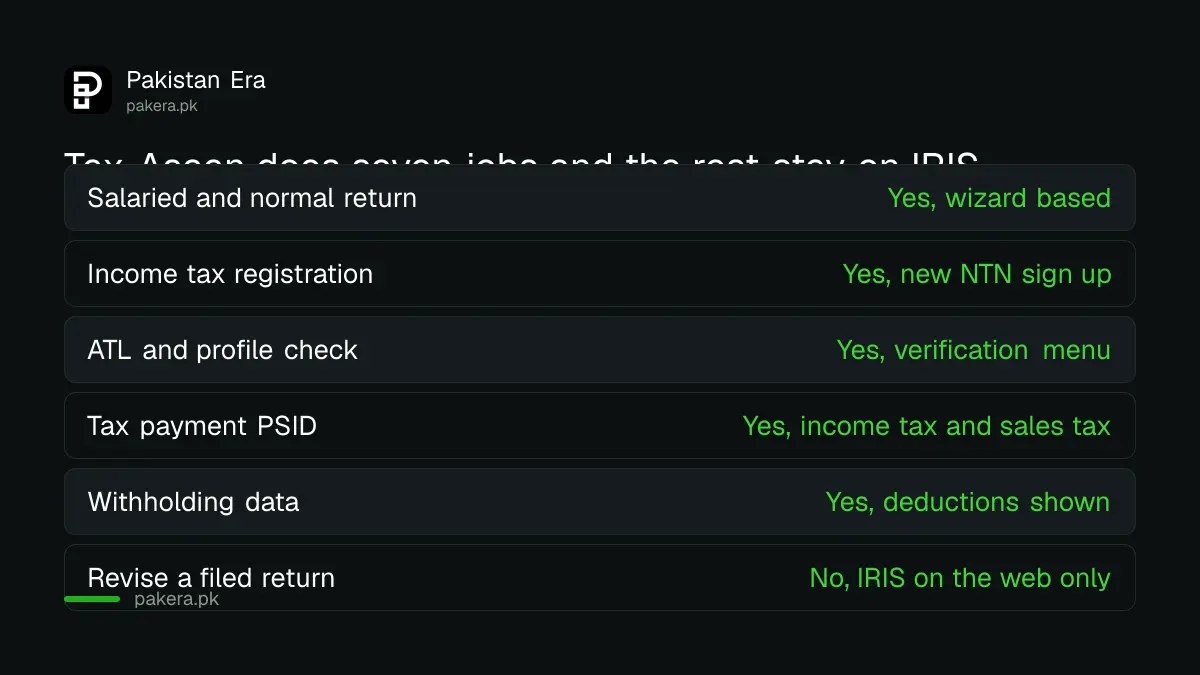
FBR's own FAQ document for the app adds POS invoice verification and FBR Maloomat, the screen that shows what the tax system already knows about you. The FAQ is a 2020 document, so treat its wording as the design intent rather than a description of the current build.
Two facts from that FAQ matter more than any feature. First, if you already have an IRIS login, you do not register again. The same username and password work in both. Second, the wizard is not unique to the phone. IRIS on the web has the same question and answer filing mode, so the app is a convenience, not a separate system.
| Job | Tax Asaan app | IRIS on the web |
|---|---|---|
| File a salaried return | Yes | Yes |
| Register for an NTN | Yes | Yes |
| Check ATL status | Yes | Yes |
| Create a payment PSID | Yes | Yes |
| Revise a submitted return | No | Yes |
| Read old returns or notices | No | Yes |
| Attach documents | Not required | Optional |
Who should file with the app, and who should not?
Use the app if you are a resident, most of your income is salary, and your assets fit on one screen. Skip it if you have business income, rental property with expenses to claim, foreign income, or a return from an earlier year to fix.
Resident status is the first question the wizard asks, and people get it wrong. You are resident for the tax year if you spent 183 days or more in Pakistan during it. An overseas Pakistani who was home for two months is not, and picks non resident, which changes which income is taxed.
If you have never filed and are wondering whether the whole exercise is worth it, the answer is usually yes, because the withholding rates for a non filer on bank profit, vehicles and property are double. The steps for becoming a tax filer in Pakistan start with the same registration screen the app offers.
How do you file a salaried return in the Tax Asaan app?
Log in with your IRIS credentials, choose Income Tax Return, select tax year 2026, answer the resident and salary questions, enter your salary and tax deducted, complete the wealth statement, sign the declaration with your name and CNIC, and submit. FBR describes it as eight steps.
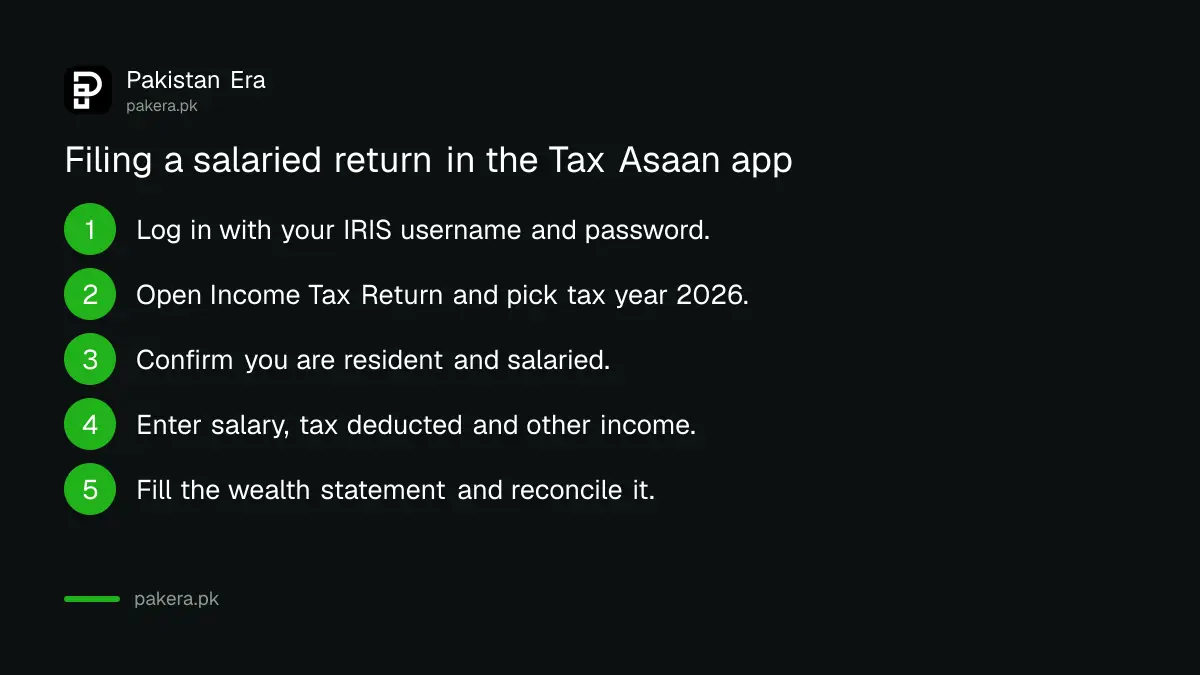
Before you start, collect three things: your salary certificate from your employer showing gross pay and tax deducted, your bank statements for 1 July 2025 to 30 June 2026, and last year's wealth statement if you filed one. The app asks for figures, not attachments, so nothing needs scanning.
- Install Tax Asaan from Google Play or the App Store. The publisher must read Federal Board of Revenue or FBR Pakistan. Do not sideload an APK from a mirror site.
- Log in. If you have an IRIS account, use it. If not, tap the registration option, which creates your NTN from your CNIC.
- Tap Income Tax Return and select the tax year. Tax year 2026 covers income from 1 July 2025 to 30 June 2026.
- Answer whether you are resident and whether salary is your main income.
- Enter your annual salary and the tax your employer deducted, then any other income such as bank profit, with the tax withheld on it. Save each entry.
- Add tax already paid on your behalf, such as the advance tax on a vehicle token or a mobile bill, so it is credited.
- Complete the wealth statement: assets, liabilities and expenses for the year. The app reconciles your opening and closing net worth and will not let you continue until the figures agree.
- Type your name and CNIC on the declaration page and submit. Save the summary and acknowledgement it shows.
Step 7 is where most first timers stall. The reconciliation is simple arithmetic: what you had last June, plus what you earned, minus what you spent, must equal what you have this June. If it does not, you have forgotten an expense or an income line. Guess at nothing. Go back to the bank statement.
The full form with every field, for anyone whose return outgrows the wizard, is walked through in how to file your income tax return in Pakistan.
Where does the app fail and IRIS takes over?
The app cannot revise a return, cannot show any earlier return or notice, cannot continue a draft you started on the web, and cannot recover a login when you have lost both the registered email and phone. Each of those needs IRIS on a computer, or a tax office visit.
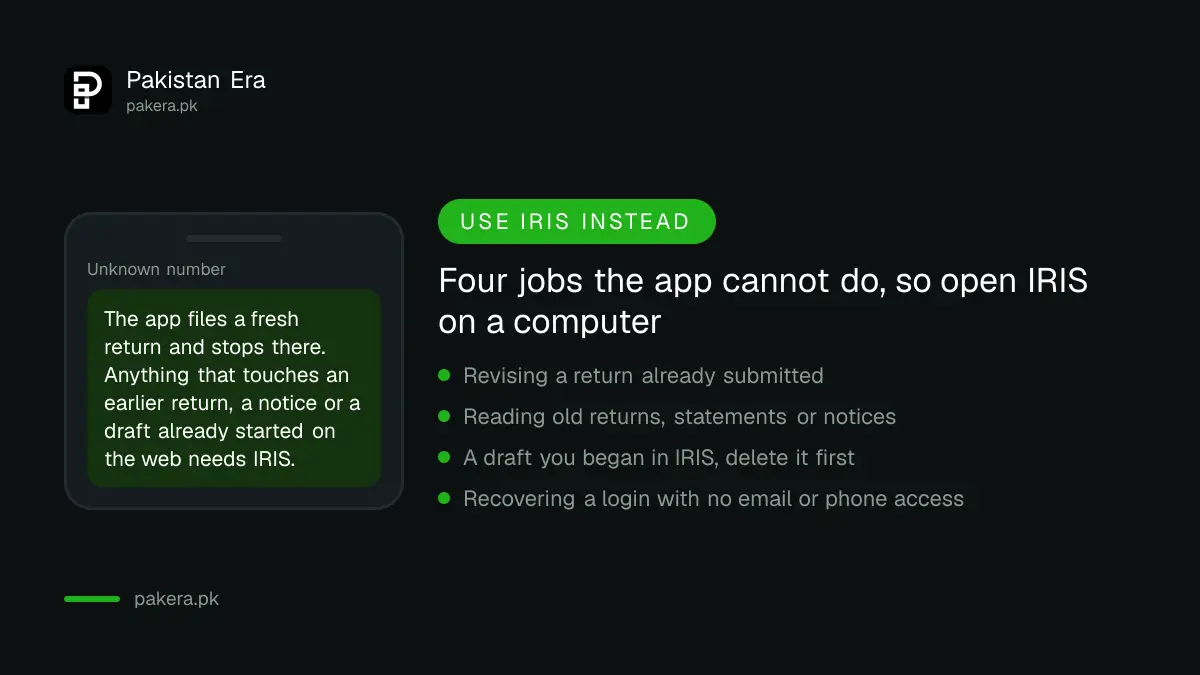
The draft rule catches people every year. If you opened a return in IRIS, saved it, and then decided the app looked easier, the app will not pick up that draft. FBR's instruction is to delete the draft in IRIS and start fresh in the app. Do it the other way round and you end up with two half returns and a confused system.
The stores tell you about the everyday failures. The App Store version, 1.1.53 at 73.5 MB, carries a 2.7 star rating from 265 ratings, and the recent complaints are specific: the dashboard does not fit small screens, the e-payment screen loads slowly, and once you pick a return type you cannot change it without starting over. On Google Play a review dated 14 August 2026 describes tapping login and being thrown back to the previous screen, even after clearing data and reinstalling.
When that happens to you, do not fight the phone at 11pm on 30 September. Open iris.fbr.gov.pk in a browser, log in with the same details, and use the wizard there. It is the same questions on a bigger screen.
And check the tax year list first. In mid 2026 users reported the picker stopping at 2024 for a while. If 2026 is not in the list on the day you file, that is not you, and IRIS is the answer.
How do you check your ATL status and pay tax in the app?
Open the verification menu, choose Active Taxpayer List and enter your CNIC to see whether you are a filer. To pay, open e-payment, create a PSID for the amount due, and pay it through your bank's app, an ATM or a branch, then attach nothing, since the system matches the payment itself.
The ATL check matters because a return filed on time only helps once your name appears on the list, and the list refreshes weekly, not the moment you submit. If the app says non filer a day after filing, wait for the refresh. The same answer comes by SMS, and both routes are compared in checking filer status in Pakistan.
| Date | What it is | Source |
|---|---|---|
| 1 July 2025 to 30 June 2026 | Income period for tax year 2026 | Income Tax Ordinance definition |
| 27 July 2026 | Filing for tax year 2026 opened, reported by ETTC citing FBR | Reported |
| 30 September 2026 | Due date for individuals and AOPs, FBR advisory reported by 24NewsHD | Reported |
| 9 September 2026 | Latest Google Play update | Read on Google Play |
Is the app safe, and which version is real?
The real app is published by the Federal Board of Revenue on the App Store and by FBR Pakistan on Google Play, and it is free. Anything asking for a fee, a card number to unlock filing, or an APK download from a third party site is not FBR.
Your IRIS password is the thing to protect. The app resets it through the registered email and phone, which means whoever controls those controls your tax profile. If your registered number is an old SIM you no longer hold, fix that in your profile now, while you can still log in, because fixing it later means a tax office visit with an authority letter.
Common questions about the Tax Asaan app
Is Tax Asaan free?
Yes. FBR publishes it free on Google Play and the App Store, and filing through it costs nothing.
Do I need a separate account for Tax Asaan?
No. Your IRIS username and password work in the app. Only somebody with no IRIS account registers, and that registration creates the IRIS login too.
Can I correct a return I filed in the app?
Not in the app. FBR's FAQ says a revision goes through IRIS on the web.
What if the app will not log in?
Update it, then try IRIS in a browser with the same details. Recent store reviews describe login loops that no reinstall fixed, and the web route always works with the same account.
Does filing in the app make me a filer immediately?
No. Your name goes on the Active Taxpayer List at the next weekly update after a valid return, and a late return needs the late filer surcharge paid first.
How we verified this
What we checked, where we read it, and what we could not confirm.
Last checked 17 September 2026. We read the Tax Asaan listing on Google Play, which showed an update on 9 September 2026, more than 1 million downloads, a 3.4 star rating from 5,520 reviews and FBR's seven listed features, along with a user review dated 14 August 2026 describing the login problem. We read the App Store listing for Pakistan, showing version 1.1.53, 73.5 MB, a 2.7 star rating from 265 ratings and an update about six days before our check. We read FBR's Tax Asaan FAQ document of 21 questions, a 2020 file, for the functions, the shared IRIS login, the draft rule, the eight steps, the no attachment rule, the revision rule and the password recovery rules, and FBR's Tax Asaan Application page for its tutorial list. The 30 September 2026 due date and FBR's advisory naming the app as a filing channel are reported by 24NewsHD on 14 September 2026; we found no dated deadline notice on FBR's home page. The opening of tax year 2026 filing on 27 July 2026 is reported by ETTC citing an FBR statement. We could not test the tax year picker inside the app, since that needs a live taxpayer login. Everything here can change with an FBR update, so check iris.fbr.gov.pk before relying on a date.
About the author

Tax, Bills and Technology Writer
Ali Akhtar is a young and curious voice here at Pakistan Era. He is currently pursuing his A-Levels and has a growing interest in Pakistan’s changing industrial landscape and educational trends. Ali likes to write in a way that helps him explain and explore the world around him. His writing reflects the perspective of the new generation navigating the evolving trends of Pakistan where technology, youth innovation, and shifting opportunities are reshaping the country’s future.