How to Update PHP on WordPress and cPanel Hosting in Pakistan After the Critical Flaw
Find your PHP version in WordPress Site Health, ask your host for the patched build and switch versions in cPanel safely. Steps for Pakistan after 21 October.
To protect a WordPress site from the critical PHP flaws announced on 21 October 2026, find your PHP version in WordPress Site Health, then ask your host to install PHP 8.5.12, 8.4.27, 8.3.36 or 8.2.35. If your site runs PHP 8.1 or older, plan a move to a supported version. You cannot fix the PHP layer by updating plugins.
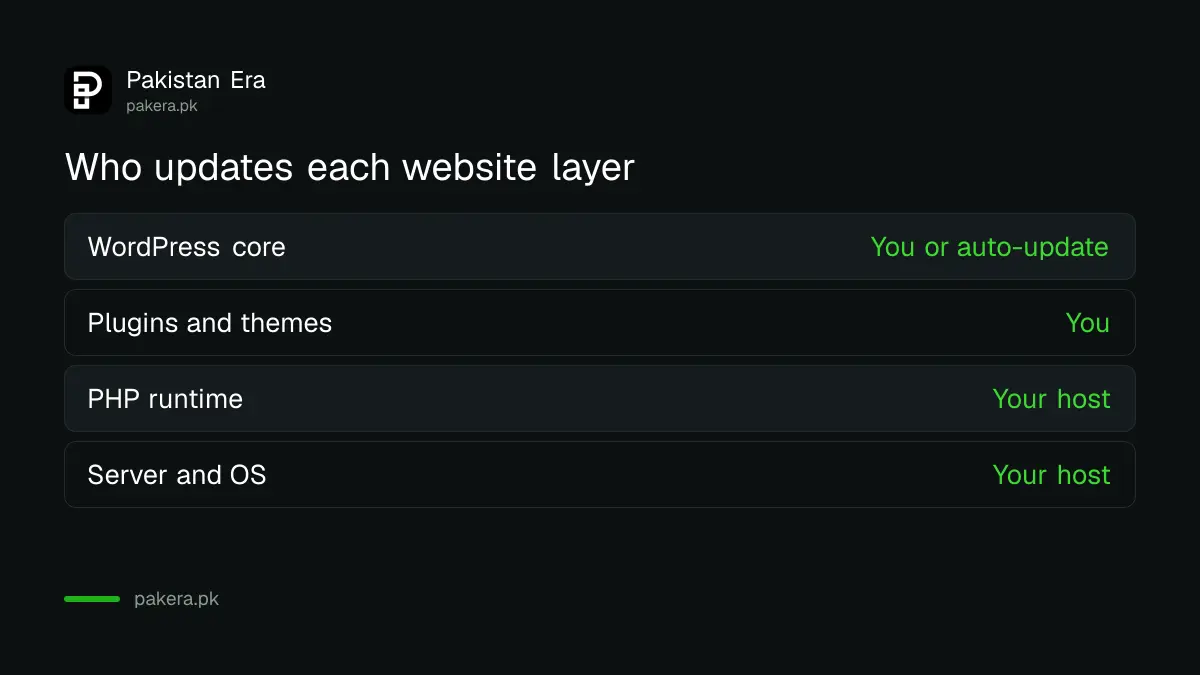
Most Pakistani small-business sites are WordPress on shared hosting, where the host installs PHP and you only pick a version from a menu. That makes your host's reply the deciding fact. The menu names below follow common WordPress and cPanel layouts, and your host's panel may differ. We did not log in to a live host while writing this.
Your PHP version is shown inside WordPress Site Health
In the WordPress dashboard, open Tools, then Site Health, then the Info tab, and expand the Server section. It lists the PHP version, such as 8.3.35. This shows the branch you run, which tells you whether a patched release exists for it.
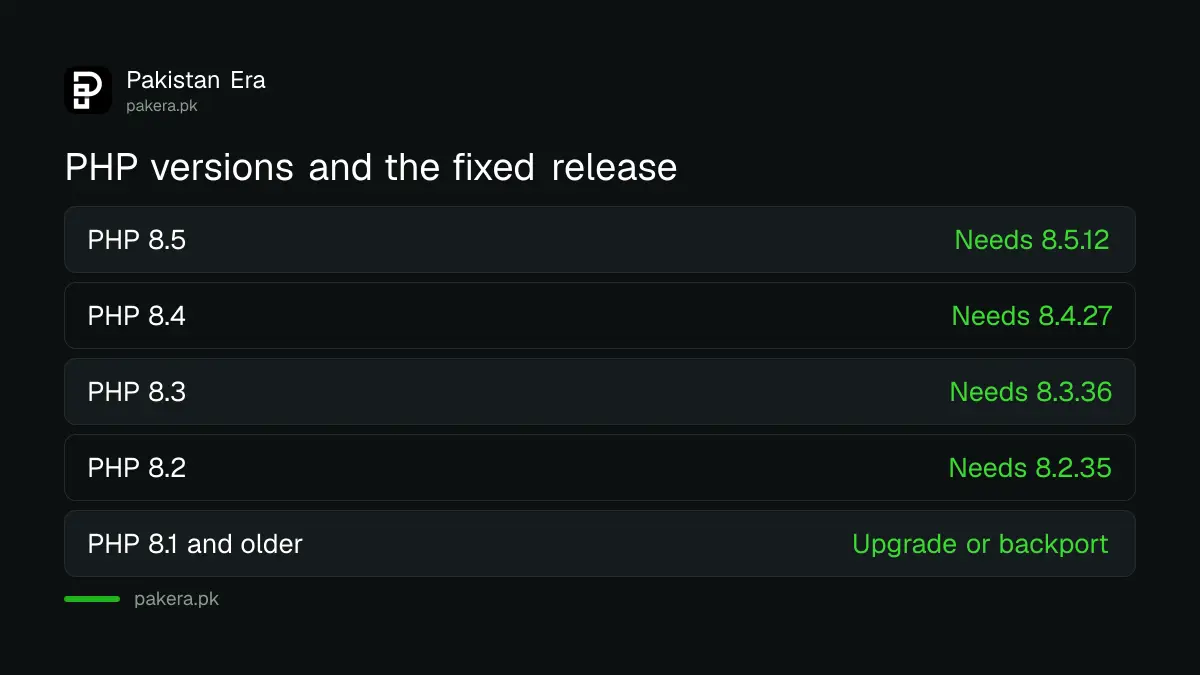
The version number alone does not show whether the October fix is inside. The fixed releases are 8.5.12, 8.4.27, 8.3.36 and 8.2.35. A site on 8.3.35 is one release behind the fix, so it still needs the update. The reasons are in the PHP project's security notice.
| If Site Health shows | What it means | Next step |
|---|---|---|
| 8.5.0 to 8.5.11 | Behind the fix | Ask the host for 8.5.12 |
| 8.4.0 to 8.4.26 | Behind the fix | Ask the host for 8.4.27 |
| 8.3.0 to 8.3.35 | Behind the fix | Ask the host for 8.3.36 |
| 8.2.0 to 8.2.34 | Behind the fix | Ask the host for 8.2.35 |
| 8.1 or older | No official update | Ask for a backport or upgrade |
Ask your host in writing which PHP build is running
Send your host a short message asking for the exact PHP version on your account, and whether it includes the fix for CVE-2026-109618 and CVE-2026-109619. A written reply gives you a record if something goes wrong later.
Many hosts patch every customer at once, so the answer may be "already done". Others leave it to you. Pakistan's National CERT stresses that the fix is separate from any WordPress, theme or plugin update, so do not accept "your plugins are updated" as an answer.
cPanel users can change the PHP version in MultiPHP Manager
In cPanel, the MultiPHP Manager screen lets you choose a PHP version for each domain. Choose a supported branch, 8.2 or newer, and save. This only gives you the host's installed build, which is patched only after the host has installed it.
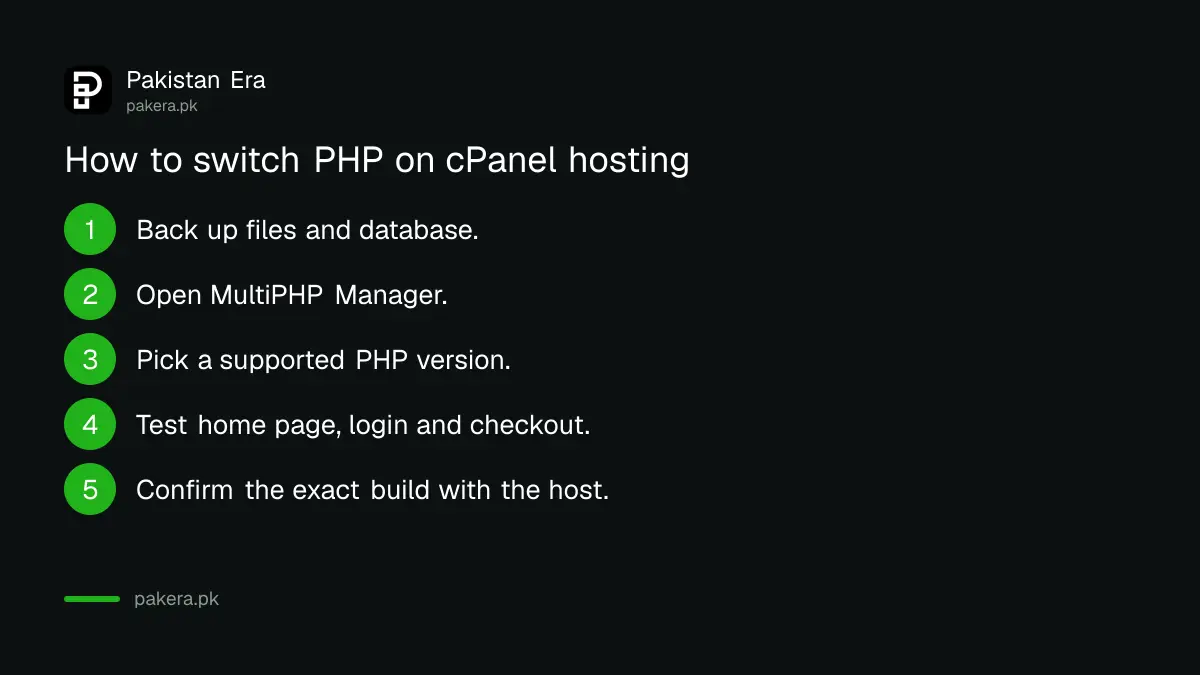
- Take a full backup of your files and database.
- Open MultiPHP Manager in cPanel, or the PHP selector your host provides.
- Pick PHP 8.3 or 8.4 unless your theme needs another version.
- Open your site and test the home page, login and checkout.
- Recheck Site Health, and confirm the exact build with your host.
Test the site before and after the switch
An old theme or plugin can break on a newer PHP version, with a white page or a fatal error. Test on a staging copy if your host offers one, and keep the backup ready to restore. If the site breaks, go back one branch and ask a developer to fix the code.
Do not leave the site on PHP 8.1 or older just because it works. The PHP project says it no longer updates those branches. The risk is highest for sites that take uploads or logins, which is every online shop. For a wider check of your web presence, see how to check a website's padlock and HTTPS.
If the host cannot patch, reduce exposure while you move
PHP lists settings that reduce risk but do not make a server safe: turn session upload progress off, set a low post_max_size, and on PHP 8.5 turn off fatal error backtraces. On shared hosting only the host can set most of them.
If your host will not give a patched version, move the site. Compare hosts on whether they publish patch notices. Keep a copy of every message for your records. If you suspect your site is already compromised, report it through PKCERT or NCCIA.
Agencies and freelancers should tell clients in writing
If you manage websites for clients, send each one a short note this week. Say which PHP version their site runs, whether the October fix is installed, and what you changed. Clients rarely know their host controls PHP, and a clear record protects you if something goes wrong later.
Keep the list of sites, hosts and PHP versions in one sheet. Mark which hosts have confirmed the fix, which are waiting, and which sites run PHP 8.1 or older and need a bigger job. That sheet is also your plan for the next security release, which will come sooner or later.
Common questions about updating PHP on WordPress
How do I find my PHP version in WordPress?
Go to Tools, Site Health, Info, then Server. The PHP version is listed there.
Does updating WordPress fix the PHP flaw?
No. National CERT says WordPress and plugin updates do not replace the PHP runtime. Your host updates PHP.
Which PHP version should I choose?
Pick a supported branch, 8.2 or newer, that your theme and plugins work on, then make sure the host's build is a fixed release.
Will changing PHP break my website?
It can with old themes or plugins. Back up first and test the home page, login and checkout.
What if my host says it is already patched?
Ask for the exact build number in writing, and compare it with 8.5.12, 8.4.27, 8.3.36 or 8.2.35.
How we verified this
What we checked, where we read it, and what we could not confirm.
Last checked 22 October 2026. Fixed versions, risk description and interim settings come from the PHP project's security notice at php.net, dated 21 October 2026, and from National CERT's advisory NCA-19.211026, which we read. The WordPress Site Health path and cPanel MultiPHP Manager steps are standard layouts that we did not test on a live host, so menu names may differ on yours. We did not verify any hosting company's patch status.
About the author

Technology Journalist & Multimedia Producer
Ahmad Ali is a technology journalist and multimedia producer at Pakistan Era, joining the team in October 2026. He covers consumer technology and digital life for Pakistani readers, combining research with hands-on product testing.