How to Check a Website Padlock and https Before You Pay Online in Pakistan
Check the https and padlock before entering card or wallet details in Pakistan. PKCERT explains certificates, and we add what a padlock cannot prove. 5 steps.
Look for "https://" at the start of the address and a padlock in the address bar before you type a card number or wallet PIN. Pakistan's National CERT teaches this check. But a padlock only means the connection is encrypted. It does not prove the shop is honest, so read the address letter by letter too.
A fake courier site, a copied bank page, a cloned online shop: they all ask for the same thing, your card or wallet details. The first quick test is the padlock, and every user should know what it says and what it leaves out. We read the SSL certificates page of the National CERT of Pakistan (PKCERT) on 15 October 2026, and this page follows it, with our own warning added where the page is silent.
https and the padlock mean the connection is encrypted
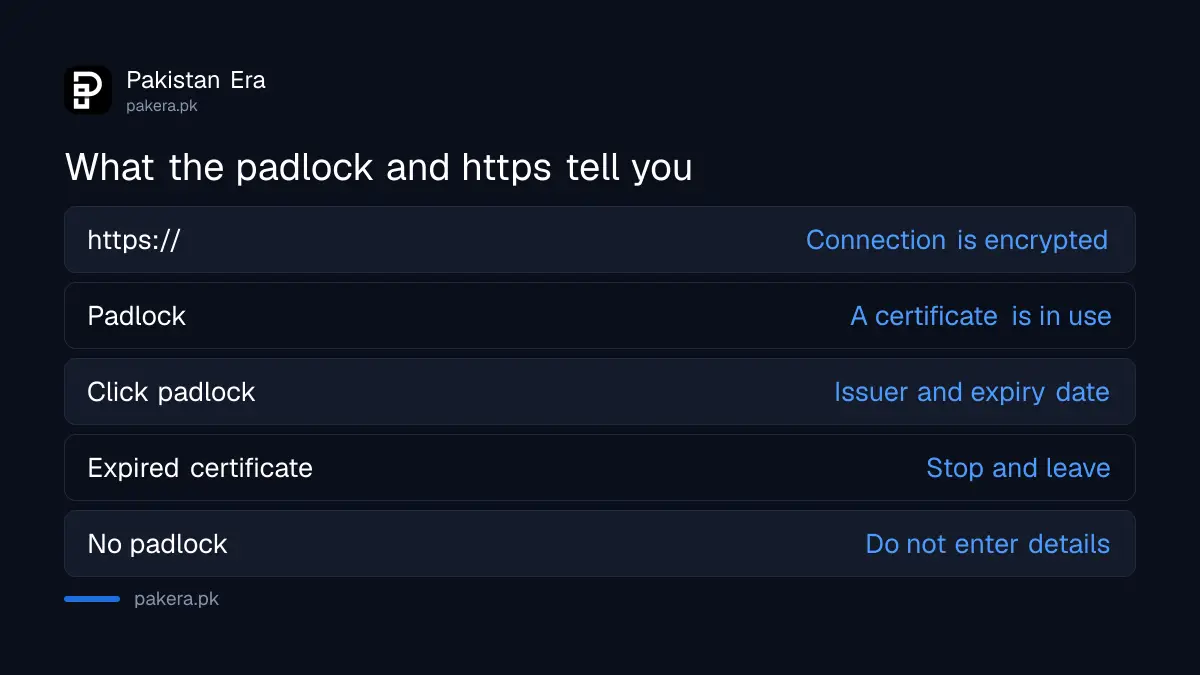
PKCERT says a secure website shows "https://" at the start of its address, which means it uses SSL/TLS to encrypt data. Most browsers also show a padlock in the address bar. Encryption scrambles what you type, so someone on the same network cannot read it.
SSL and TLS are the technology behind the padlock. PKCERT also says a certificate verifies the identity of the website, so visitors know they are dealing with a legitimate entity. That last point has a limit, which we cover below.
Click the padlock to see who issued the certificate and when it expires
PKCERT says you can click the padlock to see details of the certificate, such as the issuing certificate authority and the expiry date. A certificate authority is the organisation that issues the certificate. An expired certificate is a sign to stop.
The exact wording of the padlock menu differs between browsers and versions. In most, the padlock or the icon beside the address opens a small panel about the connection and the certificate. We did not test every browser.
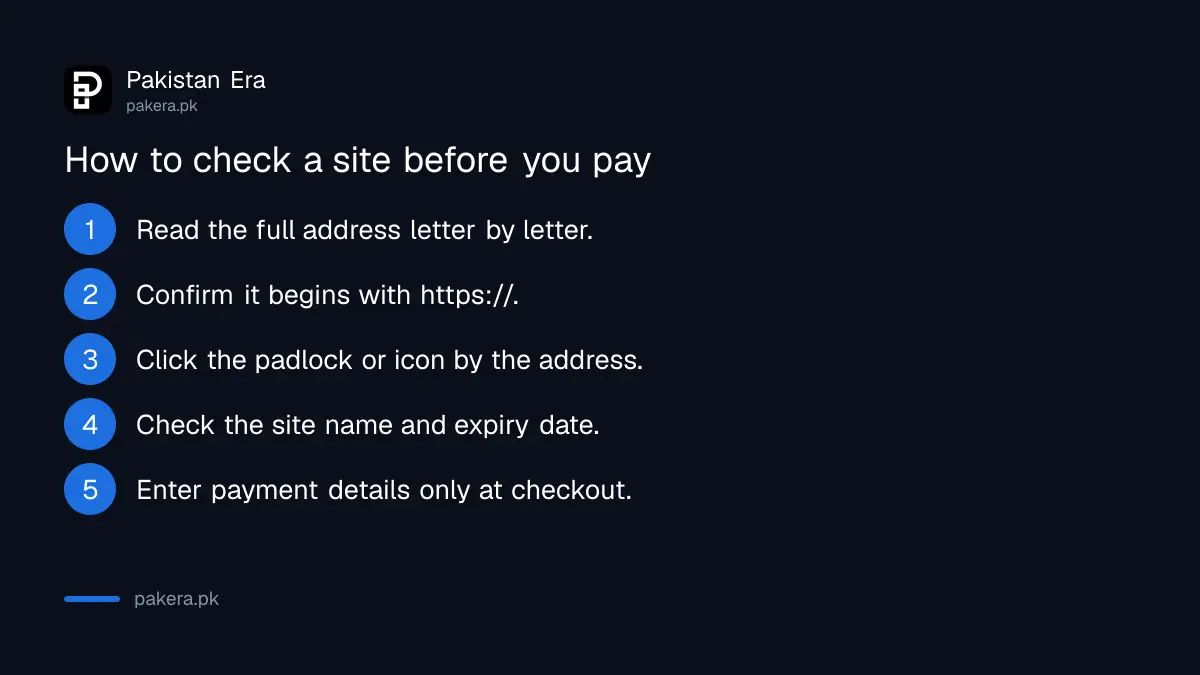
- Read the full address, not only the start. Check each letter of the name.
- Confirm the address begins with https://.
- Click the padlock or the icon beside the address.
- Open the connection or certificate details and check the site name and expiry date.
- Only then enter payment details, and only on the payment step.
A padlock does not prove the site is honest
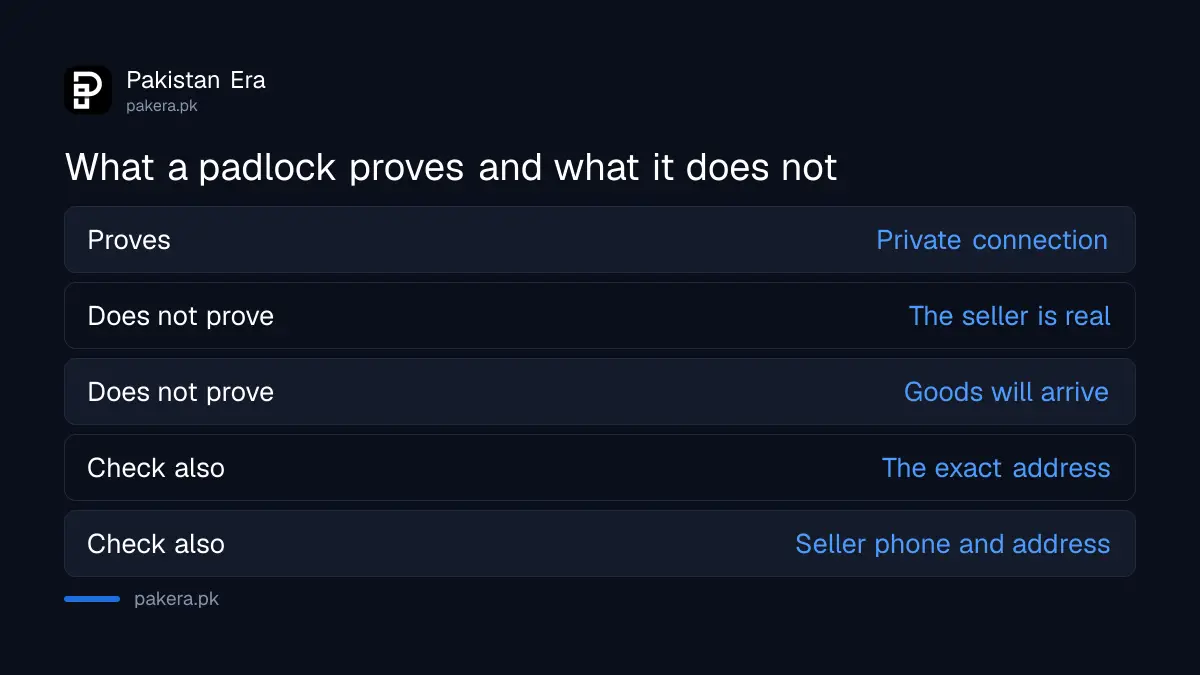
This is our warning, not a PKCERT line. A scammer can also get a certificate for a fake site and show a padlock. The padlock tells you the line is private. It does not tell you who is on the other end.
So the address matters more. A fake bank page may read as a real name with one letter changed, or an extra word added. Real government sites in Pakistan use addresses ending in .gov.pk, and the example of the real HEC attestation portal and its fake lookalike shows how close copies can look.
| What you see | What it proves | What it does not prove |
|---|---|---|
| https:// in the address | The connection is encrypted | That the seller is real |
| Padlock icon | A certificate is in use | That the shop delivers goods |
| A correct .gov.pk name | The site belongs to a government body | That a link in a message leads to it |
| An expired certificate | Something is wrong with the site's security | Anything good, so stop |
The first two rows follow PKCERT. The other columns are our reading. Treat an address that arrived in an SMS or WhatsApp message with extra caution, even when it shows a padlock. The steps in the guide to the fake e-challan SMS scam show how convincing these messages can be.
Check the shop itself, not only the page
After the address check, look at the business. Does it list a real phone number and address? Can you pay on delivery? Do reviews exist off the shop's own page? Never pay by direct transfer to a personal wallet for an unknown shop.
The checks for a doubtful shop are covered in the steps to check an online store for a scam. If money has already left your account after a card or wallet fraud, move fast and follow the steps to claim a digital fraud refund from a bank or wallet.
Common questions about https and padlocks in Pakistan
What does https mean?
It means the page uses SSL/TLS to encrypt data between your browser and the site, as PKCERT explains.
Is a site with a padlock always safe?
No. The padlock shows encryption, not honesty. Check the full address and the business as well. This is our warning, not a PKCERT statement.
Where do I see the certificate expiry date?
Click the padlock or the icon next to the address and open the certificate details. PKCERT says the panel shows the issuer and expiry date.
Should I enter a card number on a site with no padlock?
No. A page that starts with http:// and no padlock does not encrypt what you type. Leave without entering any details.
Do government websites use https?
Official portals should. Check that the address is the correct one and ends in .gov.pk, and do not trust a link from an unknown message.
What if the browser warns about the certificate?
Stop. A warning about an expired or mismatched certificate is a reason not to continue, and certainly not to pay.
How we verified this
What we checked, where we read it, and what we could not confirm.
Last checked 15 October 2026. The explanations of https, SSL/TLS, the padlock, certificate details and certificate expiry come from the SSL certificates page of the National CERT of Pakistan at pkcert.gov.pk, read from its published infographic on 15 October 2026. The warning that a padlock does not prove honesty, the table's right-hand column and the shop checks are our own advice. We did not test browser menus on every device.
About the author

Technology Journalist & Multimedia Producer
Ahmad Ali is a technology journalist and multimedia producer at Pakistan Era, joining the team in October 2026. He covers consumer technology and digital life for Pakistani readers, combining research with hands-on product testing.