50 AI Tools for Students in Pakistan: What Each Does and Which Are Free
We opened 50 AI tools for students from Pakistan. 49 work, Tome has shut down, and 30 are free to start. What each does and how to use them safely at uni.
Most Pakistani students need only five free AI tools: ChatGPT, Claude or Gemini to explain topics, NotebookLM to turn notes into study guides, Perplexity for search with sources, Photomath for maths steps, and Anki for flashcards. We opened all 50 tools on the popular list from Pakistan: 49 work, and one, Tome, has shut down.
A list of "50 AI tools every student needs" is going round on WhatsApp and social media. It is a useful list, but it mixes free tools with paid ones, study tools with business tools, and at least one tool that no longer exists.
So we checked it. On 26 September 2026 we opened each tool's official website from Pakistan, noted whether it loaded, and read its own page or pricing page for a free option. Below is what each tool is really for, which ones are free to start, and how to use them without getting into trouble at your university.
We opened all 50 from Pakistan, and 49 still work
Forty-nine of the 50 tools loaded from Pakistan on 26 September 2026. Tome, listed as a presentation maker, returned a "404: NOT FOUND" error on its own website, so it is no longer available. A few sites showed a "check you are human" screen first, which is normal and not a block on Pakistan.
ChatGPT, Claude, Perplexity, QuillBot, Poe, Character.AI and Quizlet all use bot checks that stopped our automatic test. When we opened them in a normal Chrome browser, every one of them loaded, apart from Quizlet, which asked us to "press and hold" to prove we were human. That is a one-click step for a real person.
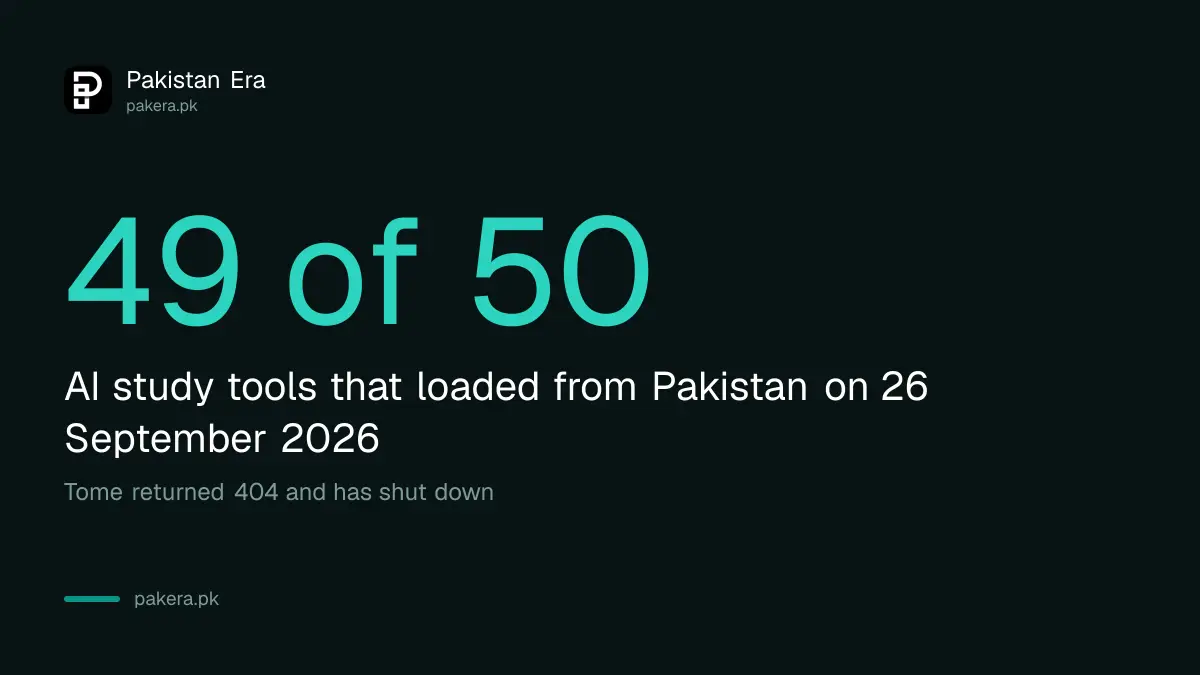
Tome is the lesson here. Lists like this get copied for months after they are written, and tools change or close in that time. Before you build a habit around any tool, open it and check it still does what the list says.
The free starter kit, by what you need to do
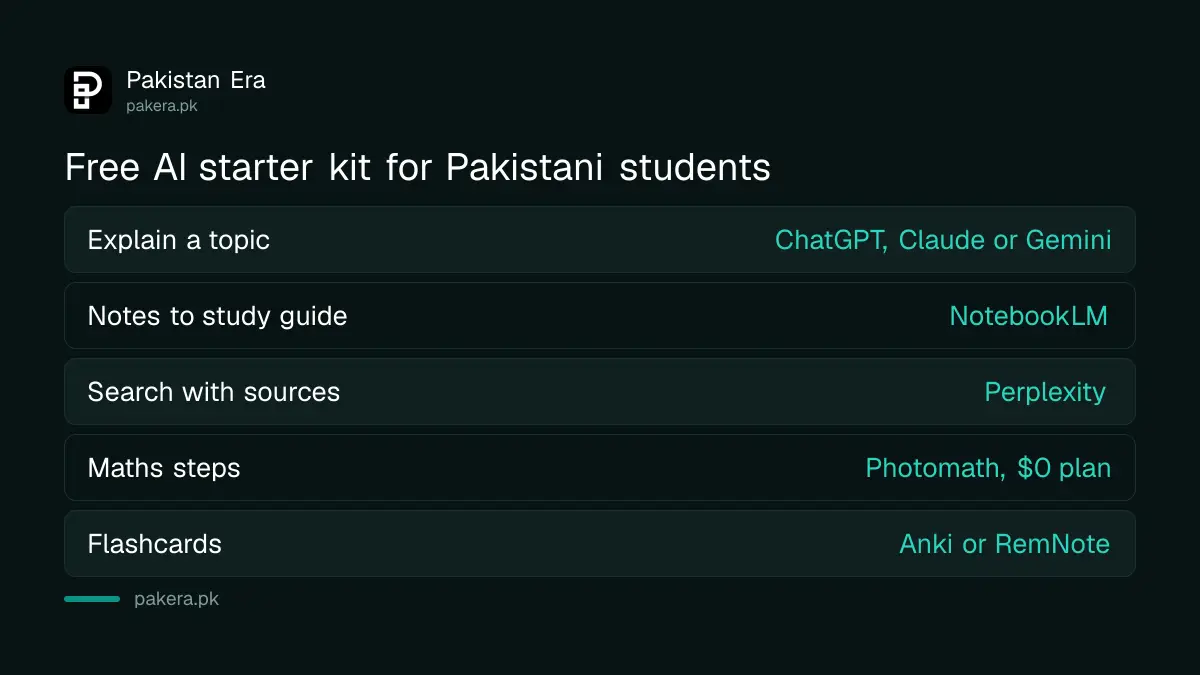
You do not need 50 tools. Pick one tool for each job below, learn it well, and add more only when you hit a real limit. Every tool in this table showed a free way to start on its own website when we checked.
| Job | Start with | Why |
|---|---|---|
| Explain a topic, brainstorm, draft | ChatGPT, Claude or Gemini | All three offer a free plan |
| Turn your notes into a study guide | NotebookLM | Works from the notes and PDFs you upload |
| Search with sources you can cite | Perplexity | Shows the sources behind each answer |
| Understand a research paper | Explainpaper or SciSpace | Both have a free tier |
| Maths step by step | Photomath | Basic plan is $0 with step-by-step answers |
| Lecture recordings to text | Otter.ai or Fireflies.ai | Fireflies has a "free forever" plan |
| Slides from your notes | Gamma or SlidesAI | SlidesAI's free plan allows 12 presentations a year |
| Flashcards and revision | Anki or RemNote | Anki's Android app, AnkiDroid, is free |
Two of these deserve a special word. If you study in Urdu, the chat assistants are not equally good at it; the comparison of the best AI for Urdu shows which handles it best. And Google has offered students a free year of its paid Gemini plan, which is worth claiming before you pay for anything else; the steps are in free Gemini for Pakistani students.
All 50 tools, what each is for, and whether it is free to start
This is the full list, grouped by job. "Yes" means the tool's own website showed a free plan, a $0 tier or a free start when we checked. "Not shown" means the page we read did not show one, which does not mean there is none. Free plans have limits, so read them before you rely on one.
AI chat assistants
- ChatGPT: explanations, brainstorming, drafting. Free to start: yes.
- Claude: writing, long documents, PDF analysis. Free to start: yes, a $0 plan.
- Gemini: answers backed by Google search, help in Docs and Drive. Free to start: yes.
- Perplexity: search with cited sources. Free to start: yes, it works without signing in.
- Grok: quick explanations and current topics. Free to start: not shown.
- Microsoft Copilot: writing and summaries, linked to Office. Free to start: not shown.
- Google AI Studio: deeper prompting and testing Google's models. Free to start: not shown.
- Poe: one app with many AI models. Free to start: not shown.
- Character.AI: roleplay and language practice. Free to start: not shown.
- DeepSeek: reasoning, maths and coding. Free to start: not shown.
Notes, PDFs and summaries
- NotebookLM: turns your notes into study guides; needs a Google account.
- Notion AI: notes, summaries and planning. Free to start: yes.
- Humata, ChatPDF and AskYourPDF: ask questions of a PDF. Free to start: yes for all three.
- Mem AI: note-taking and recall. Free to start: not shown.
- Readwise Reader: reading and highlights. Free to start: yes.
Writing and language
- Grammarly: grammar, tone and polishing. Free to start: yes.
- QuillBot: paraphrasing and rewriting. Free to start: yes, with a Premium upgrade.
- Jenni AI: academic writing support. Free to start: yes.
- Writefull: academic English. Free to start: not shown.
- Canva Magic Write: quick drafts inside Canva; Canva says it is powered by OpenAI. Free to start: not shown.
- Turnitin: plagiarism checking. Universities run it on the work you submit; it is not a tool you normally sign up for yourself.
Research papers
- SciSpace: paper summaries and explanations. Free to start: yes.
- Elicit: literature search and evidence extraction. Free to start: yes; its Plus plan is $11 a month billed yearly.
- Consensus: answers drawn from research papers. Free to start: not shown.
- Semantic Scholar: finding papers. Free to start: not shown.
- Scholarcy: article summaries. Free to start: yes.
- Explainpaper: simplifies research papers. Free to start: yes, a $0 plan.
Presentations
- Gamma: AI presentations and simple websites. Free to start: yes.
- Beautiful.ai: slide design. Its site advertises free plans for students.
- SlidesAI: text to slides. Free to start: yes, 12 presentations a year.
- Tome: no longer available. Its website returned "404: NOT FOUND".
Lectures, audio and listening
- Otter.ai: lecture and meeting transcription. Free to start: yes.
- Fireflies.ai: meeting notes. Free to start: yes, a "free forever" plan.
- Speechify: text read aloud. Its site offers a free try.
Maths
- Wolfram Alpha: maths and computation. Free to start: not shown.
- Photomath: solves maths problems from a photo. Free to start: yes, Basic is $0; paid is $9.99 a month.
- Symbolab: step-by-step equations. Free to start: not shown.
Coding and data
- GitHub Copilot: coding help. Free to start: yes, a free plan.
- Cursor: AI code editor. Free to start: not shown.
- Julius AI: data analysis and spreadsheets. Free to start: not shown.
- Excel Copilot: formulas and analysis inside Microsoft Excel. We could not check it; the Microsoft page we tried had moved.
- Airtable AI: organising data. Free to start: yes.
Planning and automation
- Zapier AI: automating repetitive tasks. Free to start: yes, "free forever".
- Taskade AI: study planning and tasks. Free to start: yes.
Flashcards and exam revision
- RemNote: flashcards and spaced repetition. Free to start: yes.
- Anki: flashcards; AI features come from add-ons. AnkiDroid for Android is free.
- Quizlet: practice questions and flashcards. We could not check its plans; its site asked for a human check.
- StudySmarter: summaries and exam prep. Free to start: yes.
Paying for an AI tool from Pakistan
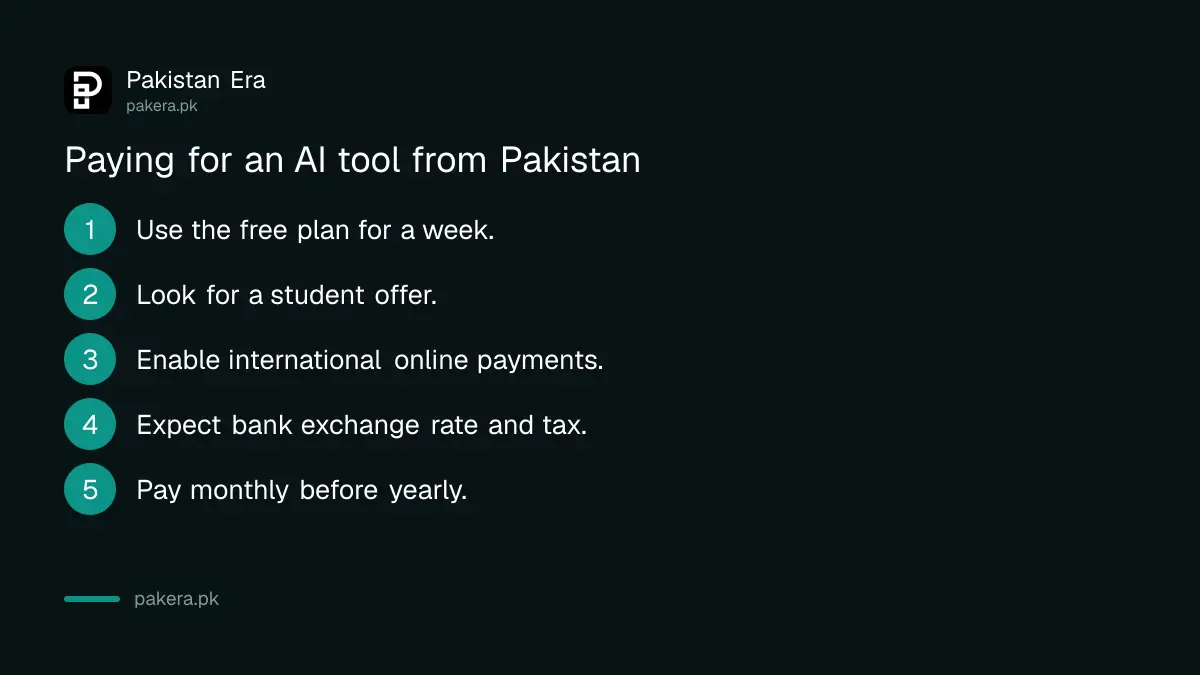
Most paid plans are billed in US dollars, so you need a debit or credit card that works for international online payments. Before paying, check three things: whether a student discount exists, whether the free plan is enough, and whether your card is enabled for foreign transactions.
- Use the free plan for at least a week to see if you hit its limits.
- Look for a student offer on the tool's own pricing page, such as Beautiful.ai's student plans or Google's free Gemini year.
- Check your bank card works for international online payments. Some banks require you to switch this on in their app first, and the fees on Pakistani credit cards vary a lot for foreign spending.
- Remember the final charge includes your bank's exchange rate, any tax and bank charges, so it will be more than the dollar price times the open-market rate.
- Pay monthly first, not yearly, until you are sure you will keep using it.
Use AI without breaking your university's rules
Universities in Pakistan check submitted work with tools such as Turnitin, and many now have their own rules on AI. Using AI to understand a topic is usually fine, and it helps when you are preparing for tests such as the HEC Law Admission Test. Submitting AI-written text as your own work can count as plagiarism.
- Read your university's policy. Rules differ between universities and even between teachers. If it is not written down, ask your teacher before you use AI on graded work.
- Use AI to learn, not to submit. Ask it to explain, quiz you or check your draft, then write the answer yourself.
- Check every fact and source. AI tools can invent references that do not exist. Open every paper before you cite it.
- Be careful with paraphrasing and "humaniser" tools. Rewriting someone else's work with QuillBot or a similar tool does not make it yours, and your teacher may still treat it as plagiarism.
- Keep your drafts. Notes and earlier versions show how your work developed if you are ever questioned.
Privacy matters too. Do not upload your CNIC, exam papers or other people's personal data to any AI tool. ChatGPT's own page, for example, says chats may be reviewed and used to improve its AI.
Common questions
Which AI tool is best for students in Pakistan?
For most students, one chat assistant (ChatGPT, Claude or Gemini) plus NotebookLM covers explanations, summaries and revision. Add Photomath for maths and Anki or RemNote for flashcards.
Are these AI tools free in Pakistan?
Many are free to start. On 26 September 2026, 30 of the 50 showed a free plan or free start on their own site. Free plans have limits, and some tools are paid only after a trial.
Do these AI tools work in Pakistan?
Forty-nine of the 50 loaded from Pakistan when we checked. Tome has shut down. Some sites show a "check you are human" screen first, which is not a block.
Can my university tell if I used AI?
Universities use tools such as Turnitin to check work. Detection is not perfect in either direction, so the safe approach is to follow your university's AI policy and write your own final answers.
Is Tome still available?
No. Tome's website returned a "404: NOT FOUND" error when we checked on 26 September 2026. Use Gamma, Beautiful.ai or SlidesAI instead.
Is there a free AI tool for maths?
Yes. Photomath's Basic plan is $0 and gives step-by-step explanations. Symbolab and Wolfram Alpha are also popular for maths.
How we verified this
What we checked, where we read it, and what we could not confirm.
Last checked on 26 September 2026. We opened the official website of each of the 50 tools from Pakistan, first with an automated request and then, for sites with bot checks, in a normal Chrome browser, and recorded whether each loaded. Tome's site returned "404: NOT_FOUND"; Quizlet showed a "press and hold" human check; the Microsoft Excel page we tried returned an error, so Excel Copilot is marked as not checked. Free plans and prices are read on each tool's own homepage or pricing page on that date: the $0 Claude plan; ChatGPT's "Sign up for free"; Photomath's $0 Basic and $9.99 monthly plan; Explainpaper's $0 plan; SlidesAI's $0 plan with 12 presentations a year; Fireflies and Zapier "free forever"; Elicit's Plus plan at $11 a month billed yearly; Beautiful.ai's "free plans for students"; GitHub Copilot's free plan; Canva's statement that Magic Write is powered by OpenAI; and "free" or "start for free" wording on the other tools marked yes. Where no free option was shown, the list says so. We did not test each tool's features in depth. Plans and prices change often, so check the tool's own site before paying.
About the author

Public Services and Education Journalist
Fajr Riaz is a journalist and content writer at Pakistan Era, based in Lahore. She covers the questions people meet in everyday life in Pakistan: how a public service works, what a change in the rules means, and where to find a reliable answer.