Allied Bank ATM Card Activation: myABL App, Helpline or Biometric ATM
Activate an Allied Bank ATM card in myABL under Services and Debit Card, on 042-111-225-225, or at a biometric ABL ATM. Steps, OTP and lost card advice.
You can activate an Allied Bank ATM card in three ways: in the myABL app under Services, then Debit Card, by calling the Allied Contact Center on 042-111-225-225, or at a biometric Allied Bank ATM. In the app you slide Activate on, set a 4-digit PIN and confirm with an OTP.
A new Allied debit or prepaid card arrives switched off. Until you activate it and set a PIN, no ATM will pay out and no shop will accept it. We read Allied Bank's Self Card Activation Service page and its debit card guidelines on 24 October 2026. Below are the three routes, the exact app taps, and what to do if the card is lost before you even use it.
Allied Bank lists three ways to activate a debit card
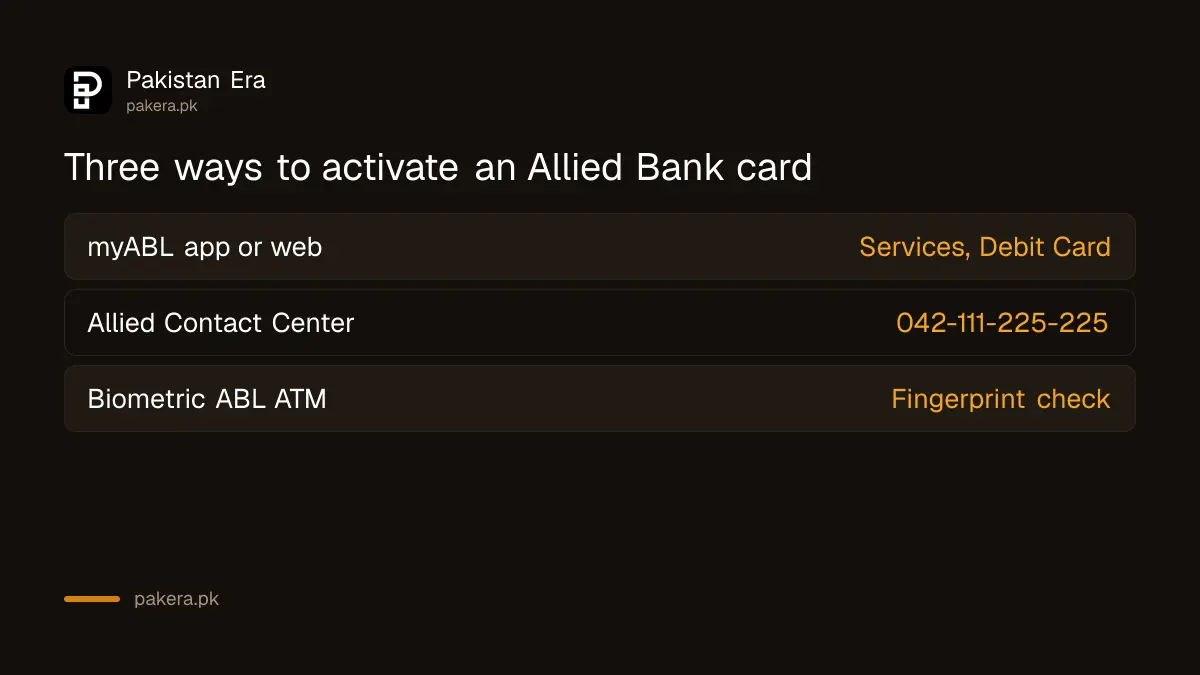
Allied Bank's debit card guidelines name three activation routes: the myABL app or website, the 24/7 Allied Contact Center on 042-111-225-225, and any biometric-enabled ABL ATM. Each one activates the card and sets your ATM PIN. The app is quickest if you already use myABL.
| Method | What you need | Good to know |
|---|---|---|
| myABL app or website | A myABL login, the card, your registered mobile or email | OTP confirms the activation |
| Allied Contact Center | Call 042-111-225-225 | Open 24/7; verification first |
| Biometric ABL ATM | The card, your CNIC fingerprint | Only ATMs with a fingerprint reader |
The service covers both debit cards and prepaid cards. Allied Bank says the myABL route works the same on the mobile app and on the desktop site.
In myABL, activation takes seven taps under Services
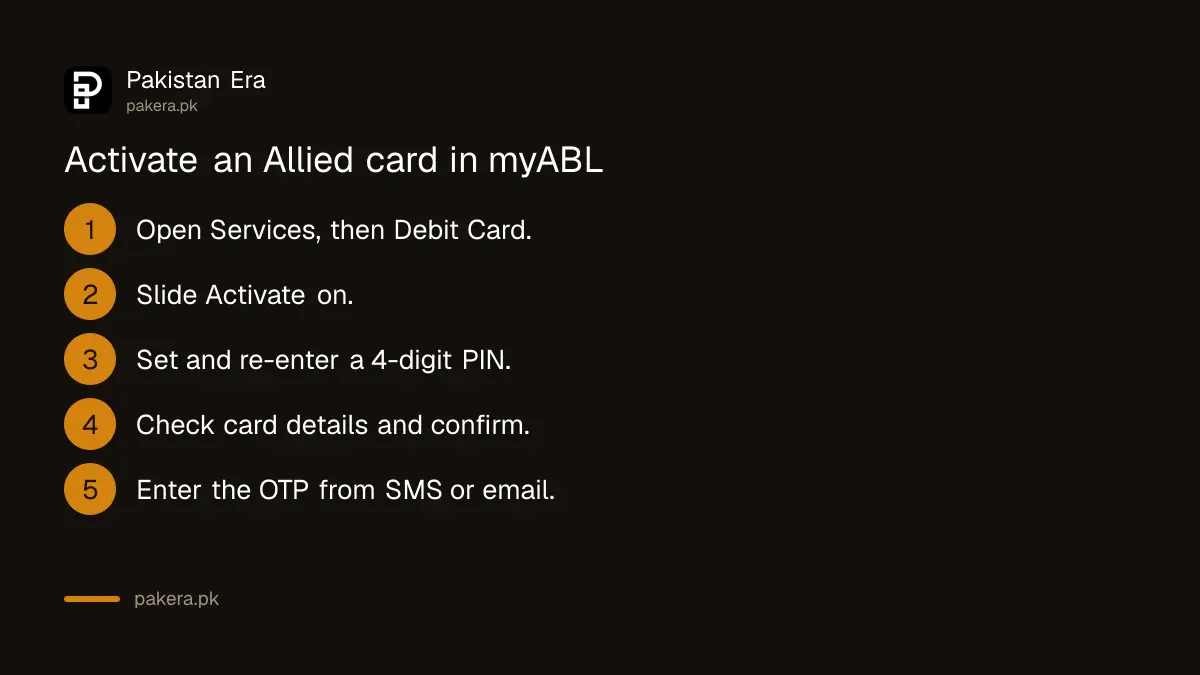
Log in to myABL, open Services, then Debit Card, and switch on the Activate slider. Set a new 4-digit PIN, enter it again, check the card details, confirm, and type the OTP sent to your registered mobile or email. A success message closes the process.
- Log in to myABL on the app or the website.
- Go to Services, then Debit Card.
- Tap the Activate slider to turn it on.
- Enter a new 4-digit card PIN.
- Enter the PIN again and tap Proceed.
- Check the card details and tap Confirm.
- Enter the OTP sent to your registered mobile number or email.
The PIN you set here is your ATM PIN. Pick four digits that are not your birth year or 1234. Allied Bank's guidelines tell customers never to share the card number, account number or PIN with anyone.
Not on myABL yet? myABL registration is done only in the app and ends with a verification call and a 2-hour wait. If you need the card today, use the helpline or an ATM instead.
The helpline route works from any phone, 24 hours a day
Call the Allied Contact Center on 042-111-225-225 and ask for card activation. Allied Bank says a representative verifies you first and then guides you through the secure activation process. The line is open 24/7, so a card that arrives late can still be switched on.
Have your CNIC and the card in hand before you call. The agent will not ask for your PIN, and you should never read it out. Allied Bank's guidelines also say the Allied Contact Center calls customers from 1222 for verification inside Pakistan. A call from any other number claiming to be Allied Bank and asking for an OTP or PIN is a fraud attempt.
The same helpline generates your TPIN (the telephone PIN used for phone banking), which Allied Bank lists as a separate step from card activation.
Biometric ABL ATMs activate the card with your fingerprint
Allied Bank says debit card activation is widely available on its biometric ATMs, the machines with a fingerprint reader. Insert the card, follow the activation option on screen and verify with your fingerprint. This route suits people who do not use mobile banking at all.
Not every Allied ATM has a fingerprint reader, so look for one before you go. If your fingerprints do not scan well, the helpline is the easier route.
What to switch on after activation
myABL card management lets you turn international and online (e-commerce) use on or off, and raise a limit for a short time. Keep online use off if you never shop online. You can also turn off online and international payments and switch them back on only when you need them. Allied Bank also offers a virtual debit card in myABL, which its schedule of charges lists as free.
Block a lost Allied card in myABL or on 042-111-225-225
If the card is lost or stolen, block it instantly in myABL or call the Allied Contact Center. Allied Bank says acting fast limits your liability and the risk of fraud. A temporary block can be undone if the card turns up.
State Bank rules require banks to answer a lost or stolen card call within one minute. Ask for a reference number when you call and keep it.
One more rule worth knowing: under the State Bank's conduct framework, a debit card's annual fee can start only after activation. If a card arrived that you never asked for, you can refuse it instead of activating it.
Common questions
How do I activate my Allied Bank ATM card without going to a branch?
Use myABL under Services, then Debit Card, or call the Allied Contact Center on 042-111-225-225. Both work without a branch visit.
Can I activate an Allied Bank card at any ATM?
Allied Bank lists its biometric-enabled ATMs for activation. An ordinary ATM without a fingerprint reader is not named as an activation route.
Where do I get the OTP for myABL card activation?
Allied Bank sends it to the mobile number or email address registered with the bank, after you confirm the card details in myABL.
Does Allied Bank activate prepaid cards the same way?
Yes. Allied Bank's Self Card Activation Service covers both debit and prepaid cards through myABL and the contact centre.
What number does Allied Bank call from?
Allied Bank says its contact centre calls customers in Pakistan from 1222 for verification.
Can I activate an Allied credit card in myABL too?
Yes. Allied Bank says you can activate a credit card and generate its PIN in myABL without calling the contact centre.
How we verified this
What we checked, where we read it, and what we could not confirm.
We read Allied Bank's Self Card Activation Service page (last updated 9 February 2026 by the bank), its guidelines for debit cards, its myABL page and its July to December 2026 schedule of charges on 24 October 2026. We did not activate a live card, so the ATM screen wording is not confirmed. The schedule's card fee table did not extract cleanly, so we do not quote Allied card fees here.
About the author

Senior Writer, Public Services and Technology
Shahid joined us in 2024 as an author. He is a senior contributor to Pakistan's leading technology websites. He writes detailed articles, mostly covering his expertise in the latest tech, mobiles, apps, gadgets, and step-by-step guides. His ideology is to help people understand the latest trends and explain complex methods through very easy-to-understand guides.