myABL Registration: Allied Bank App Sign Up Steps, OTP and Robocall Fixes
Register on myABL in the app with your CNIC, network and registered number, then a 10-character OTP. Fix a failed fingerprint, a missed robocall and the wait.
myABL registration works only in the myABL app. Tap Register Now, enter your 13-digit CNIC without dashes, pick your mobile network, type your number as 03XXXXXXXXX twice, and enter the 10-character OTP. Pass the fingerprint check, set a username and password, answer Allied Bank's verification call, then wait 2 hours.
Allied Bank's sign up has one step most people do not expect: an automated phone call after you finish. Miss it and the app looks registered but will not let you pay anyone. We read Allied Bank's myABL Personal Internet and Mobile Banking page on 24 October 2026. Here are the steps, the call, and the fixes for each place it can stall.
myABL registration needs an active Allied account and your registered number
You need an active Allied Bank account, and registration is done only in the myABL mobile app, not the website. Keep your CNIC, the phone with your registered SIM inside, and a working camera for the fingerprint check.
The app is on Google Play, the App Store and Huawei AppGallery. If you were registered on myABL before, Allied Bank says you do not need to register again. Just log in.
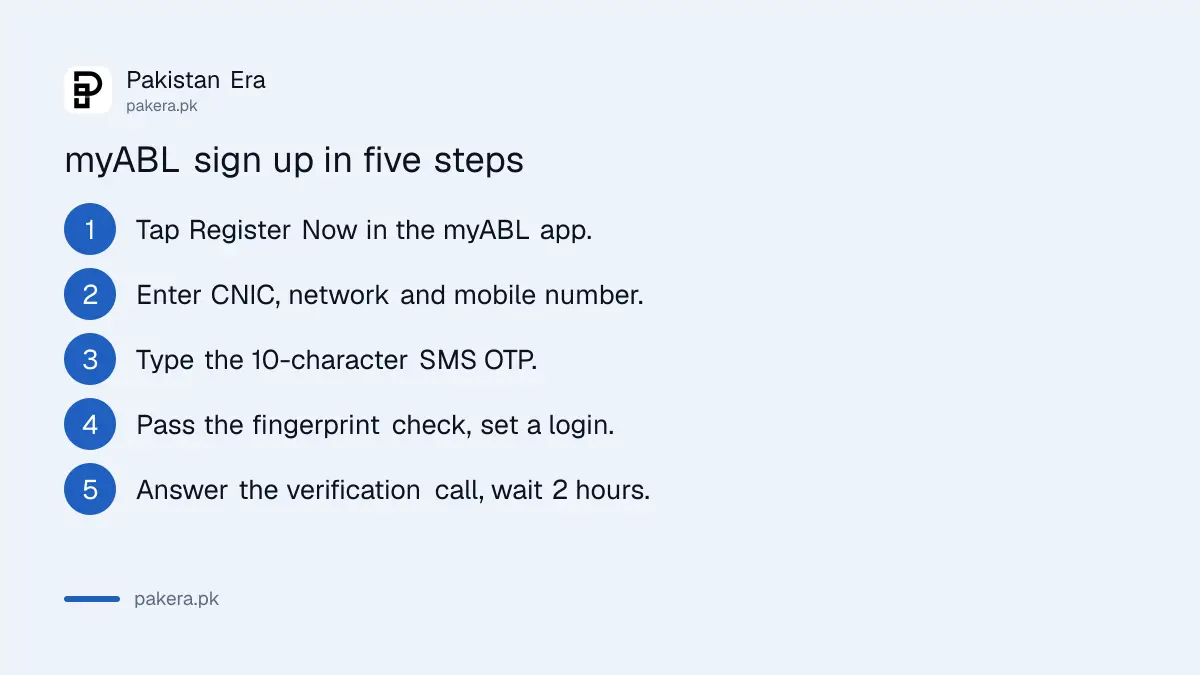
The registration steps in order
- Install the myABL app and tap Register Now.
- Enter your CNIC as 13 digits without dashes. Foreign nationals use a passport number.
- Select your current mobile network.
- Enter your mobile number as 03XXXXXXXXX, exactly as the bank has it, then enter it again and tap Continue.
- Type the 10-character OTP that arrives by SMS.
- Complete the in-app biometric check.
- Choose which accounts to link. All are ticked; untick any you want to leave out.
- Set a username and password. The app checks whether the username is free.
- Answer the automated verification call from Allied Bank.
After the call, a 2-hour cooling period starts. You can log in and look around. Transfers and payments open when it ends.
The 10-character OTP needs the SIM inside the same phone
Allied Bank sends a 10-character OTP by SMS to your registered number. It is longer than the usual 4 or 6 digits and mixes characters, so type it carefully. On Android, the SIM with that number must be in the phone you are registering on.
If you moved your number from one network to another, Allied Bank says to follow the instructions shown on screen. That is also why the form asks for your current network. Pick the network your SIM uses today, not the one you started with.
If the OTP never comes, the usual cause is that the bank holds an old number. Allied Bank's page notes that a mismatch from changed personal details, such as a new mobile number, needs your contact details updated first. Do that at a branch with your CNIC, then try again.
| Problem | What Allied Bank says to do |
|---|---|
| OTP not received | Check the number on bank record; update contact details if it changed |
| Ported mobile number | Follow the on-screen instructions |
| Biometric check fails | Visit any ABL branch for in-person biometric, then register again |
| Username taken | Choose another; the app checks availability |
| Missed the verification call | Log in, open the side menu, tap Activate myABL |
A failed fingerprint check means one branch visit
After the OTP, myABL asks for an in-app biometric check using your phone. If it fails, Allied Bank says to visit any ABL branch for in-person biometric verification and then try registering again. The branch visit only fixes the fingerprint step.
Clean the camera lens and use good light before you try again. If your fingerprints are worn from work or age, State Bank rules give banks a second route, and a fingerprint that will not match should not lock you out of banking.
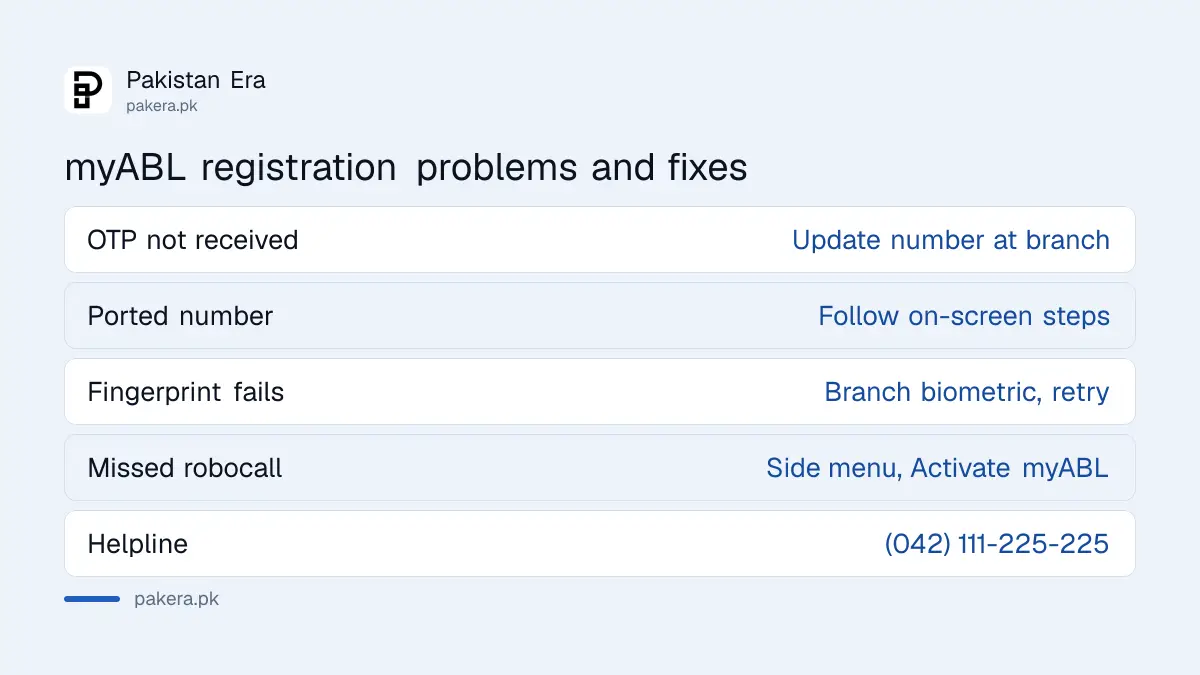
Missed the robocall? Tap Activate myABL in the side menu
After registration Allied Bank places an automated verification call. If you miss it or decline it, log in to myABL, open the side menu and choose Activate myABL to request the call again. Once confirmed, the 2-hour cooling period runs and payments open.
Allied Bank says its contact centre calls customers in Pakistan from 1222. Keep that in mind when an unknown short number rings right after you register. It is the call you need.
The 2-hour wait is a State Bank security rule, not a fault. Banks and wallets must hold a 2-hour wait after a new device or new login, so someone with your password cannot clear the account straight away. Register a few hours before you need to make a payment.
The Transaction PIN for new payees
Allied Bank secures payments with a 4-digit Transaction PIN. You enter it whenever you send money or pay a bill to a new beneficiary or biller. Change it under Settings, then Manage Transaction PIN. Never share it with anyone.
What you can do in myABL after you register
Once active, myABL handles transfers, bill payments, Raast payments and card management. Allied Bank lists card activation, PIN generation, temporary block and unblock, and switching international and online use on or off. myABL Digital Banking is free to use, unlike WhatsApp banking.
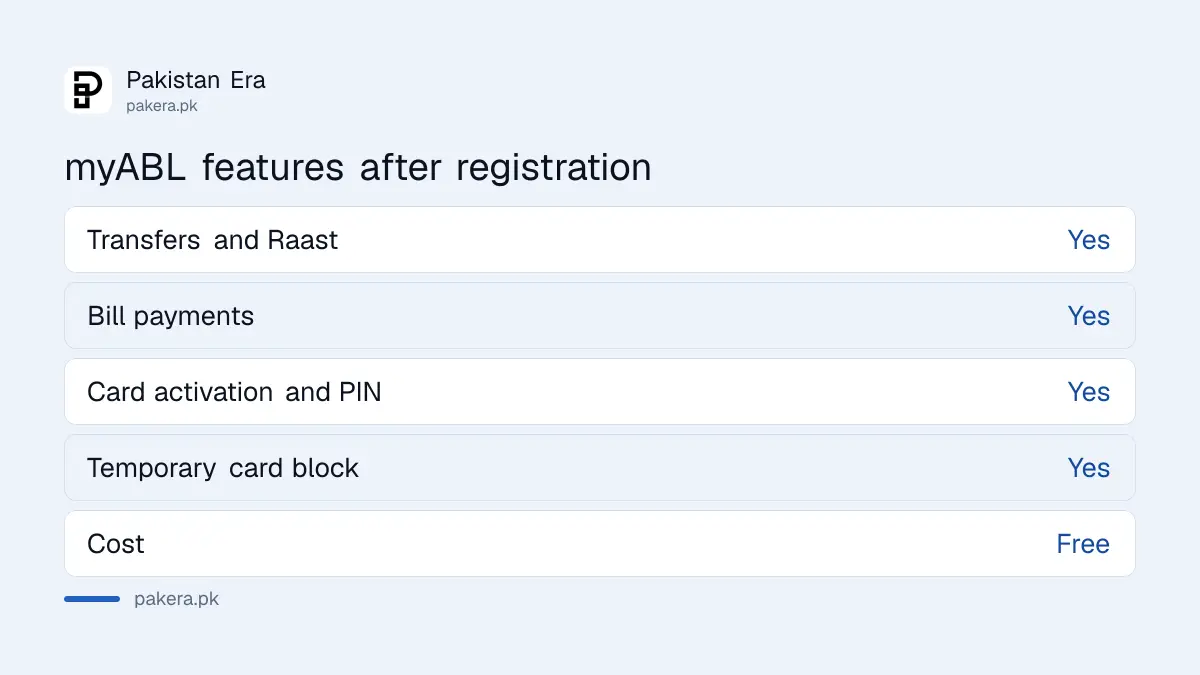
A new Allied debit card can be switched on from the app, and Allied Bank ATM card activation takes seven taps under Services. You can also create a Raast ID for your mobile number, open a virtual debit card, raise a limit for a short time, and wake up a dormant account. Allied Bank's page lists all of these.
Allied Bank also sends an SMS alert every time a new device is registered on your myABL. If that alert arrives and it was not you, change your password at once and call the Allied Contact Center on (042) 111-225-225. If your balance is the only thing you check, compare this with myABL WhatsApp banking, which now carries a monthly fee.
Common questions
Can I register for myABL on the website?
No. Allied Bank says registration is done only through the myABL mobile app. After that, you can log in on the web at myabl.com.
How long is the myABL OTP?
Allied Bank sends a 10-character complex OTP by SMS to your registered mobile number.
Why can I not send money after registering on myABL?
You either missed the verification call or the 2-hour cooling period has not ended. Use Activate myABL in the side menu if the call was missed.
Do I need to register again on a new phone?
Allied Bank says users already registered do not need to register again. Log in on the new phone. A device registration alert and the 2-hour wait will follow.
What is the Allied Bank helpline for myABL?
The 24/7 Allied Contact Center is (042) 111-225-225. The email address is cm@abl.com.
Is myABL free?
Yes. Allied Bank says myABL Digital Banking services are free of charge and have no fair usage limits.
How we verified this
What we checked, where we read it, and what we could not confirm.
We read Allied Bank's myABL Personal Internet and Mobile Banking page (last updated 10 September 2026 by the bank) and its myABL WhatsApp Banking page on 24 October 2026. The steps, OTP length, robocall, 1222 caller number, helpline and features come from those pages. We did not register a live account, so we could not confirm the screen wording or how long the robocall takes to arrive.
About the author

Senior Writer, Public Services and Technology
Shahid joined us in 2024 as an author. He is a senior contributor to Pakistan's leading technology websites. He writes detailed articles, mostly covering his expertise in the latest tech, mobiles, apps, gadgets, and step-by-step guides. His ideology is to help people understand the latest trends and explain complex methods through very easy-to-understand guides.