How to Redeem a Call of Duty Mobile Code in Pakistan With Your UID
Redeem a Call of Duty Mobile code in Pakistan at the official Redemption Center with your UID, then claim it in Mail. Error messages, fixes and code scams.
To redeem a Call of Duty: Mobile code in Pakistan, go to the official Redemption Center at callofduty.com/redemption, enter your UID, the 12-character code and the verification picture, then tap Submit and Confirm. The reward arrives in your in-game Mail, under the envelope icon at the top of the home screen.
Pakistan is not on the list of excluded countries, so codes from official promotions work here. Update the game first. The Redemption Center itself warns that you should update if prompted, to avoid losing a code once it is entered.
| What you need | Where to find it |
|---|---|
| Your UID | In game: tap your nickname at top left, then the second tab (Player Profile). About 20 digits under your nickname. |
| A 12-character code | From an official Activision promotion or partner |
| Verification code | The picture shown on the Redemption Center |
| Latest game version | Google Play or the App Store |
How to redeem a Call of Duty: Mobile code
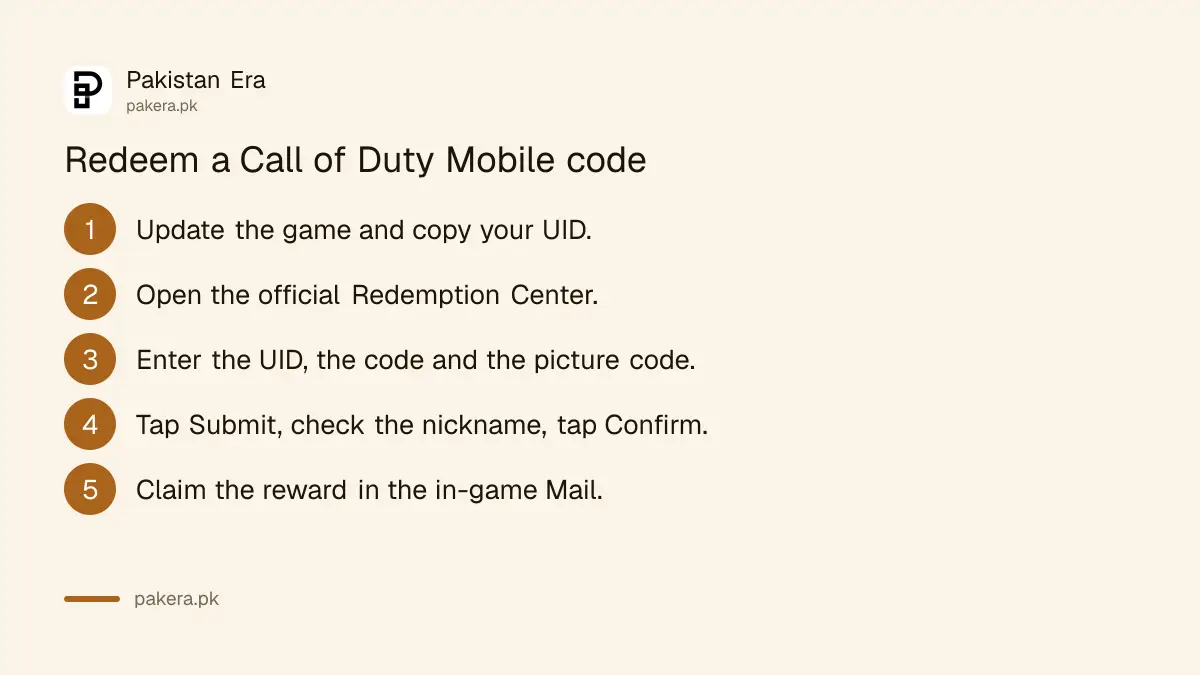
The Redemption Center has three boxes: UID, Redeem Code and Verification. After you submit, it shows the nickname and UID it found and asks you to confirm. Check the nickname, because a code goes to whichever account the UID belongs to.
- Update Call of Duty: Mobile from Google Play or the App Store.
- Open the game and copy your UID from Player Profile.
- Go to callofduty.com/redemption in any browser.
- Paste your UID in the UID box.
- Type the code in the Redeem Code box exactly as written.
- Type the characters from the picture in Verification and tap Submit.
- Check the nickname and UID in the pop-up, then tap Confirm.
- Open the game, tap the envelope icon and claim the reward in Mail.
You do not need to log in or pay anything on the Redemption Center. Any page that asks for your Activision password, Google login or a fee to "unlock" a code is not the official one.
How to find your Call of Duty: Mobile UID
Your UID is a long number, about 20 digits, shown under your nickname in Player Profile. To open it, tap your nickname at the top left of the home screen, then tap the second tab. Copy the whole number with no spaces.
The UID is not your nickname and not the Player ID used by other games. A gift sent to the wrong UID goes to another player, and the code is then used up. If you share an account with a brother or cousin on two phones, check the UID on the phone you play on.
The same UID is what the official COD Points web store for Pakistan asks for when you buy CP. You never need to give the store your password. Inside the game, CP is bought through Google Play, and paying on Google Play with JazzCash or Easypaisa explains which methods work there.
What each Redemption Center error means
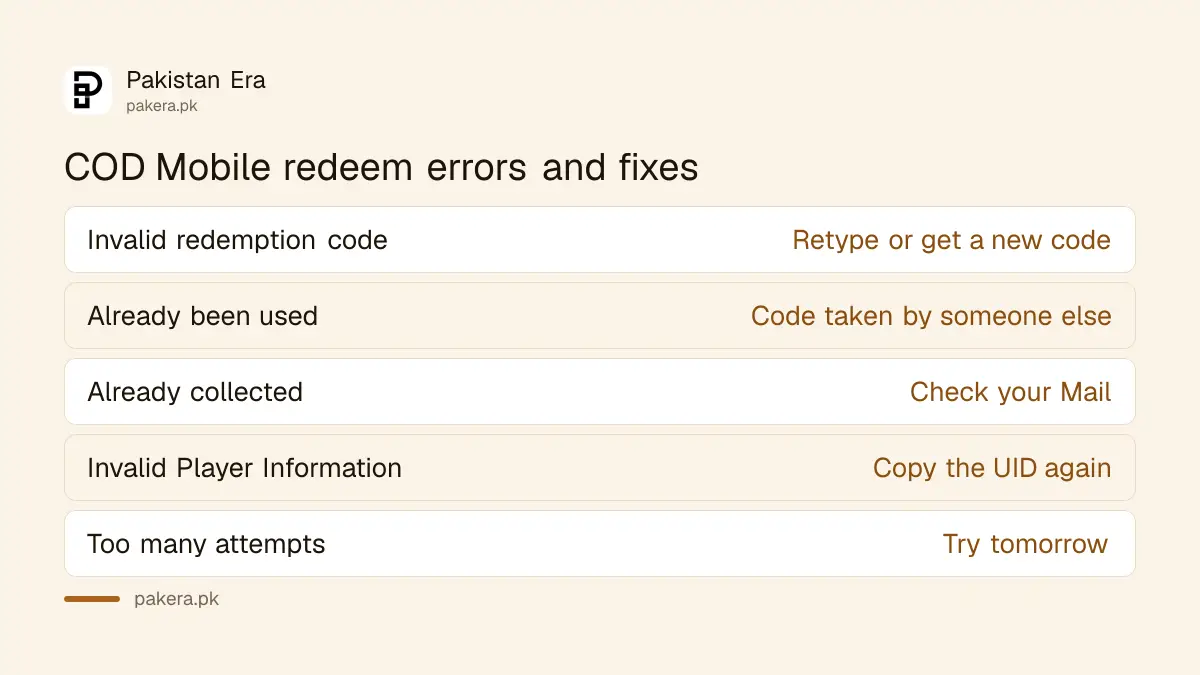
The Redemption Center shows a short message when a code fails. Most failures are a typing mistake, an expired or used code, or a code your account has already claimed. The table below gives each message and the fix.
| Message | What it means | What to do |
|---|---|---|
| Invalid redemption code | Code wrong or expired | Retype it, check O and 0, I and 1 |
| Redemption code has already been used | Someone redeemed it first | Get a new code from the promotion |
| Your account has already collected the reward | One claim per account | Check your Mail for the earlier reward |
| Redemption limit reached | The code's limit is used up | Wait for the next official code |
| Invalid Player Information! | UID wrong | Copy the UID again from Player Profile |
| Verification code error | Picture code typed wrong | Tap the picture for a new one and retype |
| Too many attempts. Please come back tomorrow. | Daily attempt limit hit | Try again the next day |
| System busy, please try again. | Server busy | Wait a few minutes |
Where official Call of Duty: Mobile codes come from
Real codes come from Activision promotions and partner offers, such as a drink brand campaign or a bonus with another Call of Duty game. Each promotion has its own terms and expiry date. If a promised code never reaches you, Activision says to contact the promotional partner.
Some partner codes are first claimed on the partner's own website, then redeemed on the Call of Duty: Mobile Redemption Center. Read the partner's steps carefully, and keep your proof of purchase until the reward is in your Mail.
Lists of "free codes" on social media are mostly old, already used or fake. A real code works only once per account, and many have a use limit, so a code posted publicly is often gone within hours. Never pay for a code, and never type your login into a site that promises free CP.
Reward missing after redeeming
A redeemed reward goes to your in-game Mail, not straight to your inventory. Open Mail and claim it. If it is not there, restart the game. For bonus content tied to another Call of Duty title, Activision says it can take up to 24 hours to appear.
- Tap the envelope icon at the top of the home screen and check every Mail tab.
- Close the game fully and open it again.
- Make sure you are on the account whose UID you entered.
- Still missing after 24 hours? Tap the ? icon at the top of the main lobby to contact Activision Support in the app.
Give support your UID, the code, the date and a screenshot of the Redemption Center message. Keep the message polite and short. For a new season's rewards, the Season 10 Verdansk update guide lists what changed in the game.
Common questions
Is the Call of Duty: Mobile Redemption Center available in Pakistan?
Yes. Its excluded list covers several Southeast and East Asian countries and Mainland China. Pakistan is not on it.
Do I need to log in to redeem a Call of Duty: Mobile code?
No. The Redemption Center asks only for your UID, the code and a verification picture. It then shows your nickname so you can confirm.
How long is a Call of Duty: Mobile redeem code?
Activision's help page says 12 characters. Type it exactly, and watch for letters that look like numbers.
Can I redeem a code for a friend?
Yes, by entering your friend's UID. The reward then goes to their Mail, and the code cannot be used again on your account.
Why does it say too many attempts?
You tried too many times in one day. The message asks you to come back tomorrow, so wait and try once, carefully.
Where do I complain if a code does not work?
Tap the ? icon at the top of the main lobby to reach Activision Support, or contact the partner who gave you the code.
How we verified this
What we checked and where we read it.
We opened the official Call of Duty: Mobile Redemption Center on 24 November 2026 and read its fields, confirmation pop-up, update notice, territory exclusions and the error messages built into the page. The UID location, 12-character code length, Mail claim and support route come from Activision Support's Call of Duty: Mobile Promotions page, read the same day. The 24 hour note comes from Activision's bonus content help pages.
About the author

Technology Journalist & Multimedia Producer
Ahmad Ali is a technology journalist and multimedia producer at Pakistan Era, joining the team in October 2026. He covers consumer technology and digital life for Pakistani readers, combining research with hands-on product testing.