How to Appeal a Roblox Account Ban in Pakistan: 30 Days, One Review
Appeal a Roblox ban in Pakistan through Violations and Appeals or the Support Form within 30 days. Game bans with Error 600 or 267, what to write, and scams.
To appeal a Roblox ban, open the moderation message Roblox showed you and follow its appeal link. Eligible cases go through Violations and Appeals at roblox.com/report-appeals. Others go through the Roblox Support Form at roblox.com/support. You have 30 days from the ban to appeal, only the account owner can appeal, and each ban is reviewed only once.
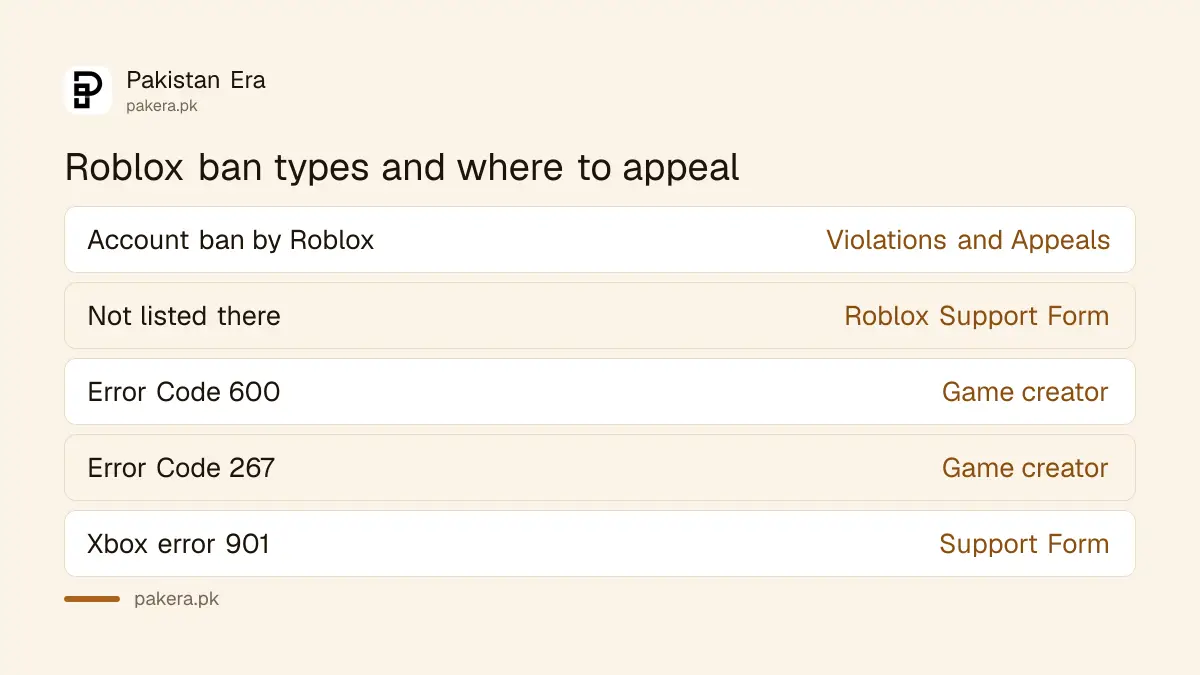
First, check who banned you. A ban from one game, with Error Code 600 or 267, comes from that game's creator, not from Roblox. Roblox Support cannot lift those. A ban on your whole account is a Roblox decision, and that is the one you appeal.
| What you see | Who banned you | Where to appeal |
|---|---|---|
| Moderation message with a Violations and Appeals link | Roblox | roblox.com/report-appeals |
| Moderation message pointing to the Support Form | Roblox | roblox.com/support |
| Error Code 600 or 267 in one game | That game's creator | Message the creator, not Roblox |
| Xbox error 901 when signing in | Roblox, if the linked account is moderated | Support Form |
Roblox bans and game bans are not the same
A Roblox moderation action covers your account or your content across the platform. A game ban, shown as Error Code 600 or 267, is set by one game's creator. You can still play every other game, and Roblox says its Support team cannot remove that ban.
For a game ban, contact the creator. Send a message on Roblox, post on their community wall, or use social links on their profile or the game's page. The creator cannot refund Robux spent on the platform, though.
How to appeal a Roblox account ban through Violations and Appeals
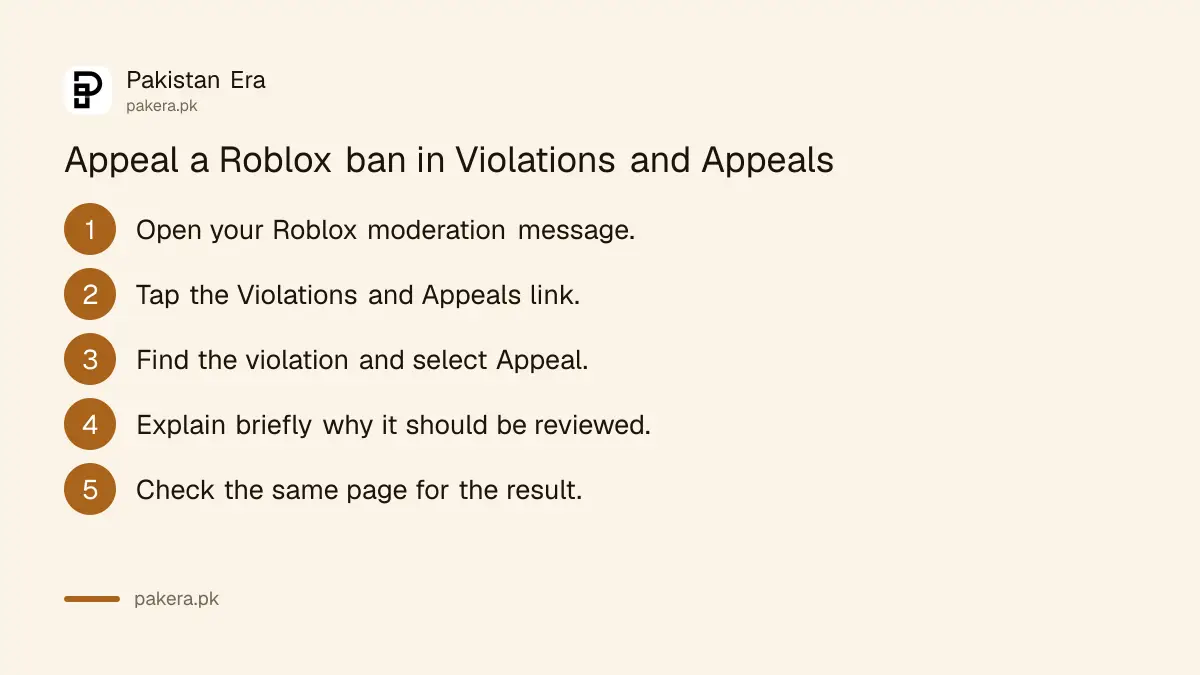
Violations and Appeals is the fastest route when your moderation message links to it. You select the violation, choose Appeal, explain why the decision should be looked at again, and then track the status on the same page.
- Log in on the website or open the moderation message in the app.
- Tap the Violations and Appeals link in the message, or go to roblox.com/report-appeals.
- Find the violation and select Appeal.
- Write a short, calm explanation. Say what happened and why you think the decision was wrong.
- Submit, then check the same page for the result.
If your violation is not listed there, use the Support Form below. Do not file both for the same ban, since duplicate appeals are not reviewed.
How to appeal through the Roblox Support Form
The Support Form at roblox.com/support handles every appeal that Violations and Appeals does not cover. For an account appeal Roblox asks for two things only: your account username and a brief statement of why you are appealing. Send it from the email on the account.
- Go to roblox.com/support in a browser.
- Fill in your contact details. Use the email address linked to the banned account.
- Enter your Roblox username exactly as it is.
- Choose the help category that matches your ban or deleted item.
- Write your brief statement and submit.
For a content appeal, such as a deleted shirt, decal or game, also add the asset ID and a link to the item on the Roblox website. Most moderated content cannot be restored, Roblox says, but the Appeals team tries to find a fix.
Rules that decide whether your appeal is reviewed
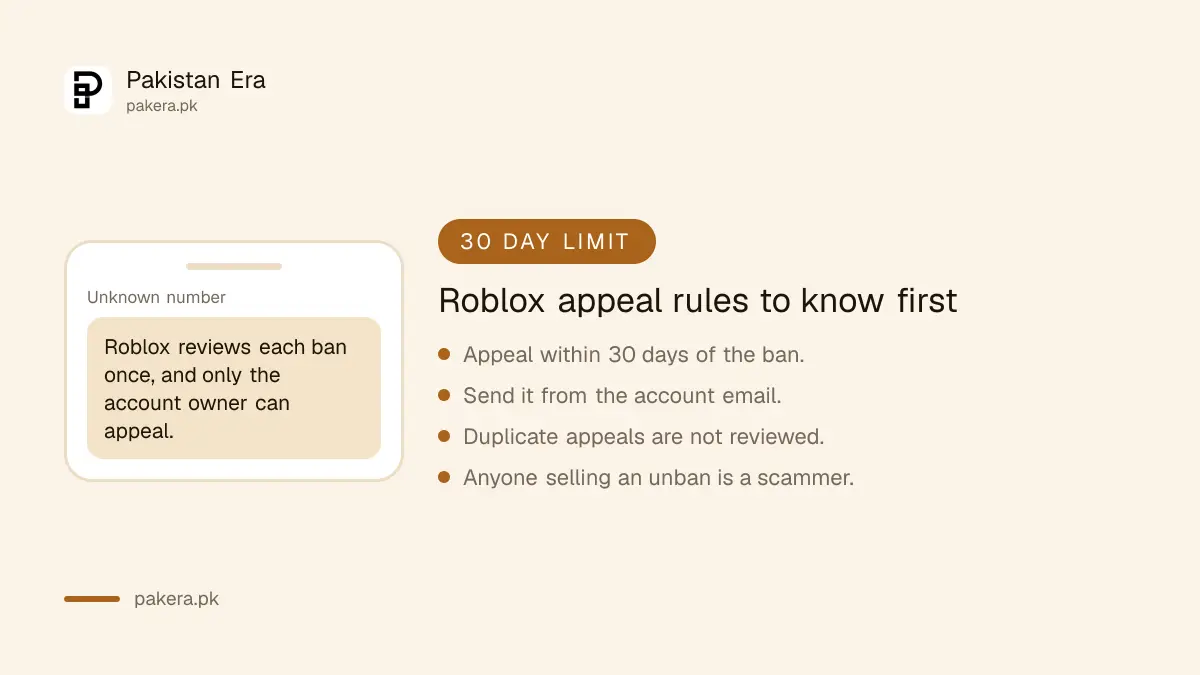
Roblox reviews an account appeal only if it arrives within 30 days of the ban, comes from the account owner, and is the first appeal for that action. A second appeal for the same ban is ignored, and a reviewed decision is final.
- 30 days: count from the date of the moderation action, not from when you noticed it.
- Owner only: a friend or a "recovery service" cannot appeal for you.
- Right email: contact Roblox from a valid email address on the banned account.
- One review: once a moderation has been reviewed, it cannot be reviewed again.
The 6 month window and the out-of-court dispute bodies in the Roblox help page apply to users in the European Union. They do not apply to accounts in Pakistan.
An appeal is a request, not a promise. Roblox says submitting one does not guarantee the ban will be reversed. A clear first appeal is your best chance, because there is no second one.
What to write in your Roblox appeal
Keep the appeal short, polite and factual. State your username, the date of the ban and what you were doing at the time. If someone else used your account, say so plainly. Never share your password in an appeal, since Roblox does not need it.
| Situation | What to say | What to avoid |
|---|---|---|
| You think it was a mistake | What you did that day, in 3 or 4 sentences | Insults or threats |
| Someone took over your account | When you lost access and when you got it back | Blaming a "friend" you shared the password with |
| A child's account | Appeal from the account email, as the owner | Several appeals from different emails |
| Deleted item or game | Asset ID and the item link | Re-uploading the same item |
If the ban followed a hack, secure the account first. The steps to recover a hacked Roblox account cover password reset and 2-step verification. If you lost money to a fake seller or scammer, you can report cybercrime to NCCIA.
Scams that target banned Roblox players
Banned players are easy targets. Anyone who offers to "unban" an account for money, Robux or your password is a scammer. Roblox has no paid unban and no staff who sell appeals. The only routes are Violations and Appeals and the Support Form.
Be careful with free Robux sites and cheat scripts too. They ask for your login, and an account that uses them can be moderated again. Buy Robux only through Roblox, Google Play or the App Store, as set out in buying Robux in Pakistan. Parents can limit chat and spending through Roblox parental controls.
Common questions
How long do I have to appeal a Roblox ban?
30 days from the moderation action for users outside the European Union, including Pakistan. After that, Roblox does not review the appeal.
Can I appeal a Roblox ban more than once?
No. Duplicate appeals for the same action are not reviewed, and a decision that has been reviewed cannot be reviewed again.
Why can Roblox Support not lift my Error Code 600 ban?
Error Code 600 and 267 bans come from the game's creator, not Roblox. Contact the creator through Roblox messages or their community page.
Can a parent appeal a child's Roblox ban?
Only the account owner can appeal. Send the appeal from the email address linked to the child's account, with the username and a short statement.
Does a Roblox appeal always work?
No. Roblox says an appeal does not guarantee the ban will be reversed. It gets a second review, taking into account what you write.
Is there a Roblox helpline number in Pakistan for bans?
No. Roblox handles appeals online, through Violations and Appeals or the Support Form at roblox.com/support.
How we verified this
What we checked and where we read it.
We checked this guide on 24 November 2026 against the Roblox Help Center article Appeal Your Content or Account Moderation (updated 23 November 2026), the Error Code 600 and Error Code 267 articles on game bans, and the Xbox error 901 article. The appeal forms themselves are at roblox.com/support and roblox.com/report-appeals.
About the author

Technology Journalist & Multimedia Producer
Ahmad Ali is a technology journalist and multimedia producer at Pakistan Era, joining the team in October 2026. He covers consumer technology and digital life for Pakistani readers, combining research with hands-on product testing.