Change Mobile Number on Electricity Bill Online: PITC Verify Customer PIN for LESCO, IESCO, GEPCO, FESCO, MEPCO, Plus LESCO SMS Alerts
Change the mobile number on your LESCO, IESCO, GEPCO or MEPCO electricity account online with PITC's free PIN check, and register for LESCO SMS alerts too.
To change the mobile number on your electricity account, open PITC's Verify Customer page at ccms.pitc.com.pk/verifycustomer, search your 14 digit reference number, click the link to enter a valid mobile number, and confirm it with the PIN sent to that phone. It works for government owned companies such as LESCO, IESCO, GEPCO, FESCO, MEPCO and PESCO, and costs nothing. LESCO customers can also sign up separately for free SMS alerts with their 7 digit Customer ID.
The number on your account decides who gets the bill alerts, the complaint tickets and the PIN codes. If you rent, or bought the house from someone else, the number on file may still be theirs. We read PITC's page and LESCO's SMS form on 2 November 2026.
PITC's Verify Customer page shows and changes the linked number
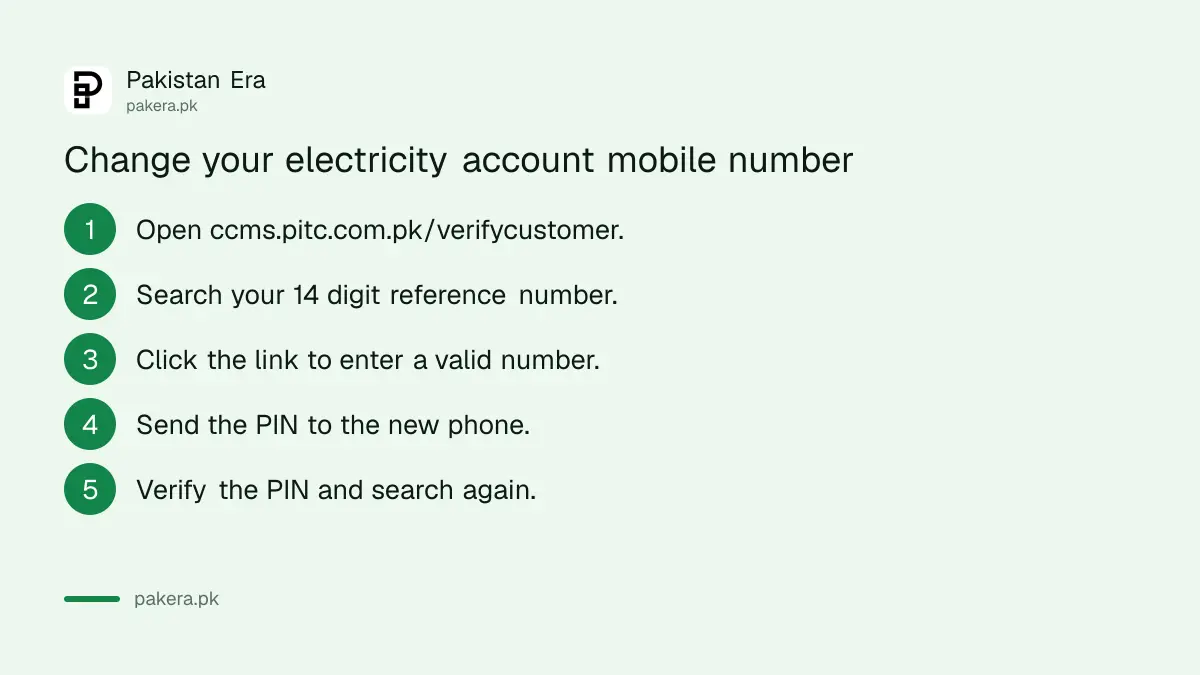
The page has two searches. Verify by Reference No shows the mobile number linked to a connection. Verify by Mobile No lists every reference number linked to a phone. A third step, Change your Number, updates the mobile after a PIN check.
| Option on the page | What you type | What it shows |
|---|---|---|
| Verify by Reference No | 14 digit reference number | The mobile number on that account |
| Verify by Mobile No | Mobile number as 03xxxxxxxxx | Every reference number linked to it |
| Change your Number | New mobile, then the PIN sent to it | "Number Successfully Updated" |
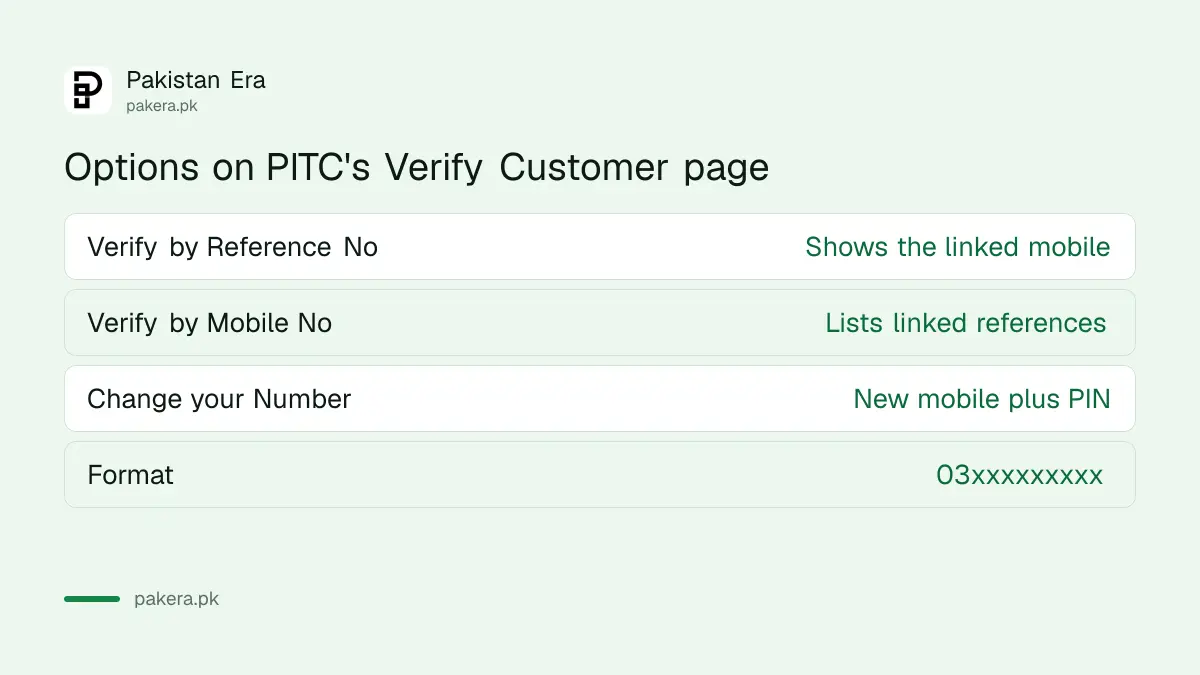
Change the mobile number on your electricity bill in six steps
The change takes two or three minutes. Keep the new phone in your hand, because the PIN goes to it. If the PIN does not arrive in a few minutes, check the number you typed and press Send PIN No again.
- Open ccms.pitc.com.pk/verifycustomer.
- Choose Verify by Reference No and type the 14 digit reference number from your bill.
- Read the mobile number shown. If it is wrong or old, click the link that says to enter your valid mobile number.
- Type the new number in the 03xxxxxxxxx format and press Send PIN No.
- Enter the PIN that arrives on the new phone and press Verify PIN.
- Wait for "Number Successfully Updated", then search again to confirm the change.
Do this for every connection you pay. A house with a separate upstairs meter has two reference numbers, and each needs its own update.
Check which connections are linked to your phone
Verify by Mobile No works the other way round. Type your number and the page lists every reference number linked to it. This is the quickest way to spot an old shop or a sold house still sending its alerts to you.
It also catches the opposite problem. If your own connection does not appear under your number, your alerts and complaint tickets are going to someone else. Fix it with the six steps above.
The number also matters for complaints. PITC's complaint portal searches accounts by reference number or by the linked mobile, and its feedback step sends a code to the complainant's phone. So the steps to track an electricity complaint work best once the right number is on file.
LESCO customers can also register for free SMS alerts
LESCO runs its own SMS service on lesco.gov.pk. It is free and sends supply and billing information. Register with your 7 digit Customer ID from the bill and your mobile number written with the country code, such as 923001234567.
| Field on LESCO's form | What to enter |
|---|---|
| Select Service | SMS Only, Email Only or Both (email not yet started) |
| Customer ID | 7 digits from your bill, no spaces |
| Mobile Number | Up to 12 characters, starting 92, for example 923001234567 |
| Optional |
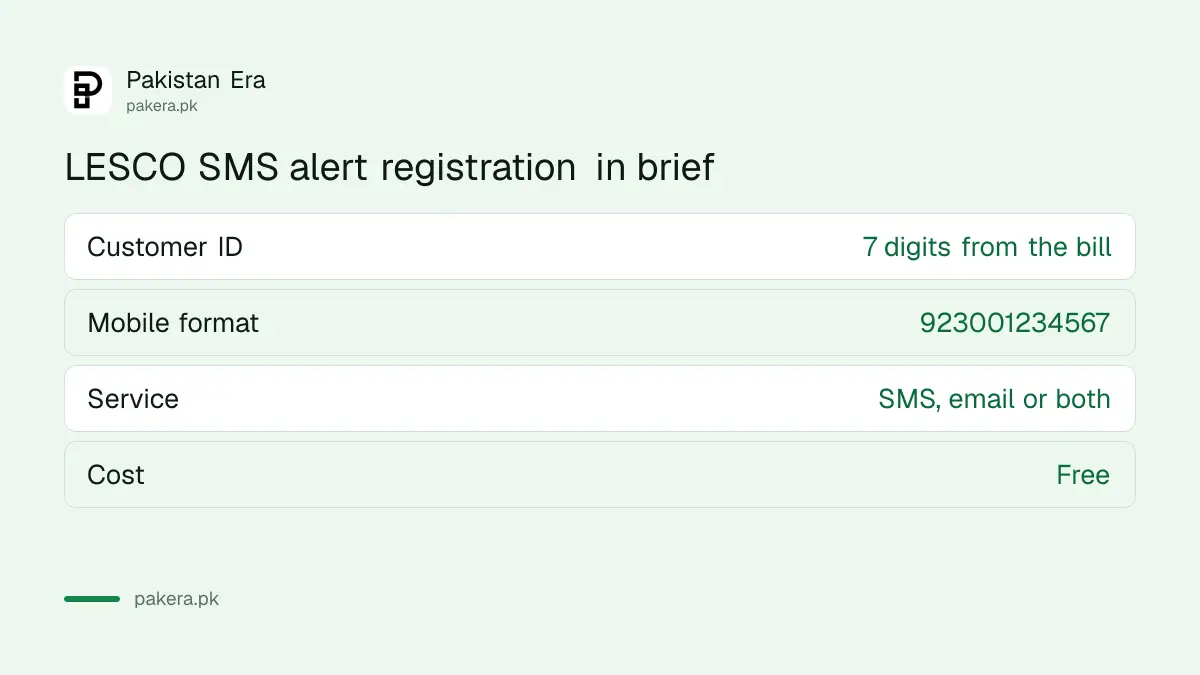
The form has separate tabs for SMS alert registration and payment confirmation, and an unsubscribe link for when you move house. Open it at LESCO's SMS Service Registration page.
The same 7 digit Customer ID is what LESCO asks for when you download a LESCO tax certificate. Linking your CNIC is a separate step, explained in registering your CNIC on an electricity bill.
When the change does not work
If the reference search returns nothing, check that you typed all 14 digits with no spaces. If the PIN never arrives, check the number for a typing mistake and try once more. If it still fails, ask your company's customer service centre for help.
Take your CNIC and a recent bill. For LESCO, the centre addresses and numbers are in the LESCO complaint number list. K-Electric accounts in Karachi are not on PITC's system, so this page will not find them.
Never share the PIN with anyone who calls you. Nobody from an electricity company needs it, and PITC's own portal warns against sending money to individuals who call about bills or meters.
Common questions
How do I change my mobile number on my LESCO bill?
Use ccms.pitc.com.pk/verifycustomer. Search your reference number, enter the new number and verify it with the PIN sent to that phone.
How can I see which mobile number is on my electricity account?
Choose Verify by Reference No on the same page and type your 14 digit reference number.
Is changing the number free?
Yes. We saw no fee on the Verify Customer page or on LESCO's SMS form.
Does this work for K-Electric?
No. K-Electric is a private company in Karachi with its own systems.
What format should the mobile number be in?
PITC's page wants 03xxxxxxxxx. LESCO's SMS form wants the country code first, such as 923001234567.
Can I stop LESCO SMS alerts?
Yes. LESCO's SMS registration page has an unsubscribe link.
How we verified this
What we checked, where we read it, and what we could not confirm.
We read PITC's Verify Customer page, including its search options, the "Send PIN No" and "Verify PIN" steps and the success message, and LESCO's SMS Service Registration form on 2 November 2026. We did not change a real number, because that needs a customer's own account and phone, so we cannot say how long the PIN takes or whether the bill reflects the change next month.
About the author

Global Affairs & Political Economy Writer
Muhammad Hatim is a book lover who started writing because he enjoys it. At Pakistan Era he writes about international relations, geopolitics and the global economy, with a particular interest in South Asia and the forces behind current events.