Check Your Pakistani Website for Back Button Hijacking: Google Spam Policy Since 15 June 2026
Google has treated back button hijacking as spam since 15 June 2026. Test your Pakistani website in five steps, find the ad script causing it and fix it.
Google treats back button hijacking as spam. Since 15 June 2026, a site that stops visitors from returning to the page they came from can get a manual spam action or lose rankings. To check your site, open it from a Google result on your phone, tap Back, and see whether you land on the results page at once.
We read Google's announcement and its spam policies on 11 October 2026. The rule is short. The risk for Pakistani sites comes from code they did not write: ad scripts, pop-up tools and old plugins.
Many news, download and recipe sites in Pakistan run several ad networks. One bad script is enough. The owner often never sees the problem, because it only fires when a visitor arrives from search.
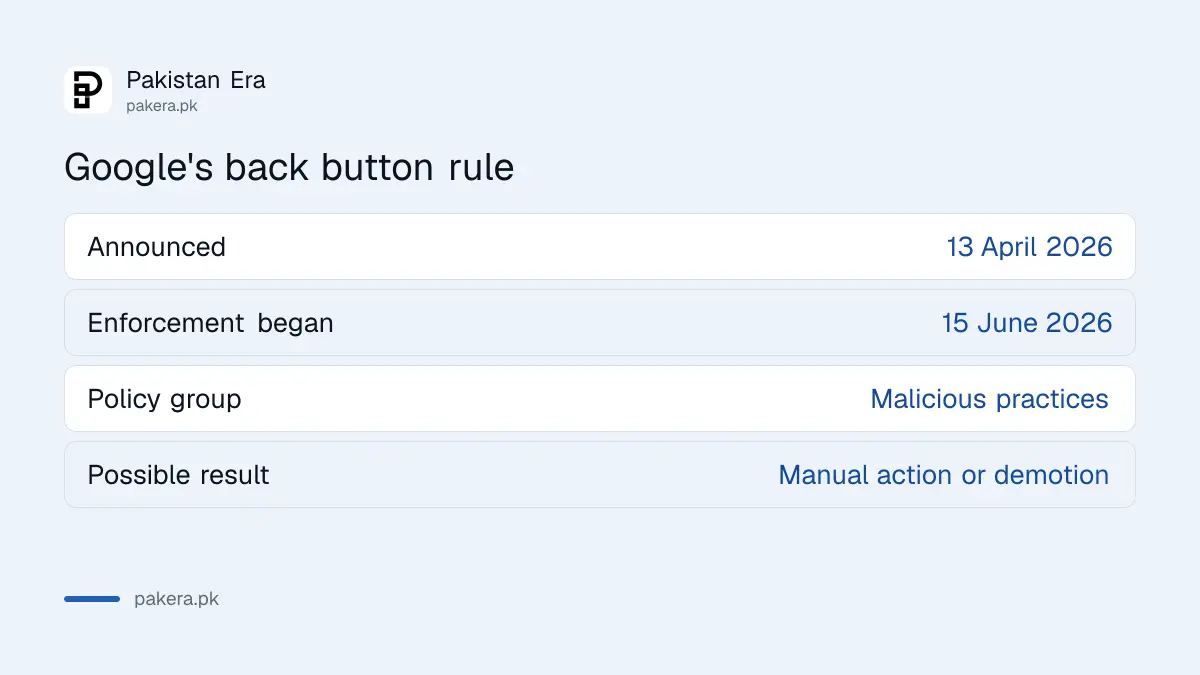
Google made back button hijacking an explicit spam violation
Google announced the policy on 13 April 2026 and began enforcing it on 15 June 2026. It sits under the "malicious practices" part of Google's spam policies. Pages that do it may get a manual action or an automatic demotion, which can lower the whole site's performance in Search.
Google defines the practice plainly. When a visitor clicks Back, they expect to return to the previous page. Back button hijacking breaks that. The visitor may be sent to pages they never opened, shown unrequested recommendations or ads, or simply kept from leaving.
| Date | What happened |
|---|---|
| 13 April 2026 | Google announced the policy and gave two months' notice |
| 15 June 2026 | Enforcement began |
| Now | Pages can face manual actions or automatic demotion |
Google adds that some cases come from a site's included libraries or its advertising platform. So "I did not write that code" is not a defence. You are responsible for every script on your pages.
A five minute test shows whether your pages trap visitors
Search for one of your own pages on Google using a phone. Tap your result, wait for the page to load, scroll a little, then tap Back. A clean site returns you to the Google results in one tap. If you see another page, an ad, or nothing happens, you have a problem.
- Pick five pages: your home page, two top articles, one page with many ads and one older page.
- On a phone, search Google for each page and open it from the results.
- Scroll for 10 seconds, then tap the Back button or swipe back once.
- Note every page where one Back tap does not return you to Google.
- Repeat on a computer in a private window, and again on mobile data, since some ad scripts behave differently on different networks.
- Test a page opened from a social link as well, because some scripts only act on that path.
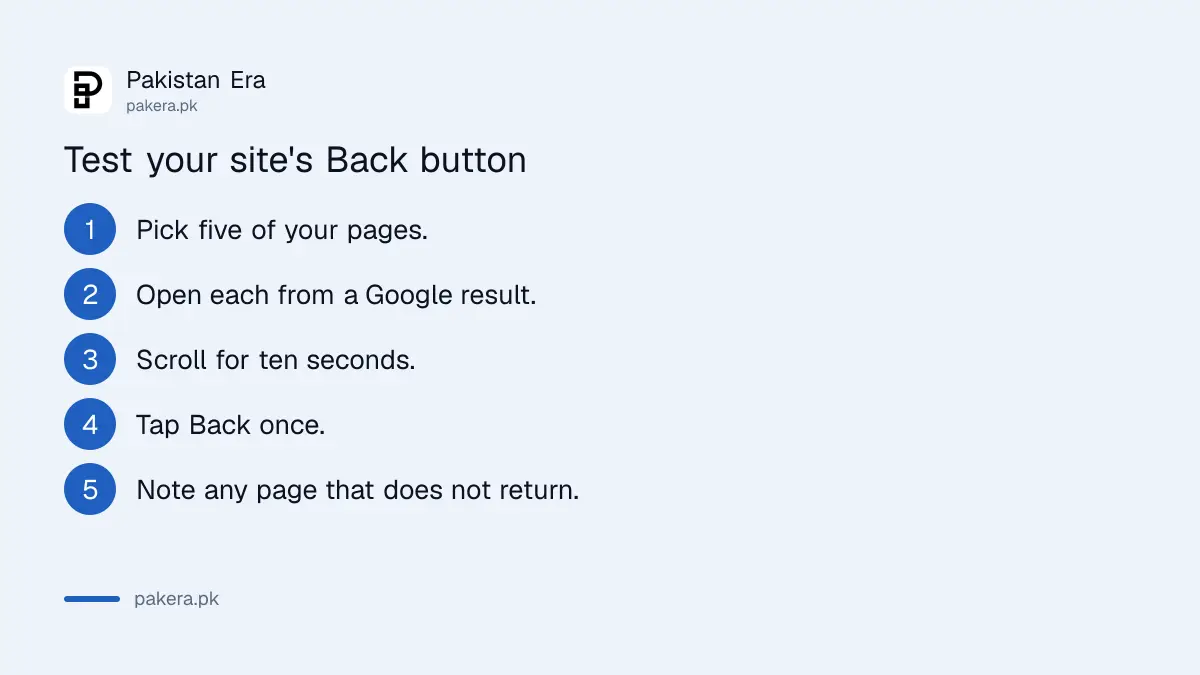
One test is not proof. Some scripts fire only for certain countries, devices or times of day. Try more than once, and ask a friend in another city to try too. We did not run this test on any specific Pakistani site for this guide, and we are not naming any.
Ad scripts and old plugins are the usual cause
Google says to review your technical setup and remove any code, imports or settings that cause it. The usual suspects are ad network tags, pop-under tools, "related content" widgets, push-notification prompts and old themes. As web code generally works, such scripts change the browser's history so that Back leads to a new page.
That last part is our general knowledge of web code, not a statement from Google. Google's page names the behaviour, not a particular script.
- Switch off each ad network or widget one at a time on a test copy of the page.
- Repeat the Back test after each change. The one that fixes it is your culprit.
- Ask the ad network in writing whether it alters browser history. Switch networks if it does.
- Remove plugins you no longer use, especially free ones that inject scripts.
- Check any page builder or pop-up plugin for a "stay on page" or "exit offer" setting.
Be honest about the money. A script that traps visitors may earn a little extra today, but it can cost you the search traffic that brings the visitors. The trade is poor.
Check Search Console for a manual action
Open Search Console and go to Security and Manual Actions, then Manual actions. If Google has applied a spam action, the report says so and names the issue. An automatic demotion does not appear there, so a clean report does not prove you are safe. Compare traffic before and after 15 June 2026 as well.
If you fix the cause after a manual action, Google says to send a reconsideration request in Search Console. The steps are in fixing a Google manual action on your Pakistani website. If your drop lines up with the latest update instead, read the September 2026 spam update check.
Keep ads and pop-ups on the right side of the line
You can still show ads and recommendations. The line is whether Back works. A banner or a "read next" panel on the page is fine. A new page pushed into the history, or a Back tap that does nothing, is not.
If you run a site for readers in Pakistan, the same habit helps people on slow connections and low-end phones, who are the most likely to be stuck by a heavy script. For the wider picture of what Google demotes, see Google's rules on AI-written content and its scaled content policy.
Common questions
What is back button hijacking?
It is when a site stops a visitor from using the browser's Back button to return to the page they came from. They may be sent to other pages or shown ads instead.
When did Google start enforcing the policy?
On 15 June 2026. Google announced it on 13 April 2026 and gave two months' notice.
What happens if my site does it?
Google says affected pages may get manual spam actions or automatic demotions. Either can lower the site's performance in Google Search.
Can an ad network cause it without my knowledge?
Yes. Google says some cases come from a site's included libraries or advertising platform, and expects site owners to find and remove them.
How do I ask Google to review my site after fixing it?
If you have a manual action, send a reconsideration request in Search Console once the cause is removed.
Does a clean Manual actions report mean I am safe?
Not fully. Automatic demotions do not show in that report, so also test your pages and watch your traffic.
How we verified this
What we checked, where we read it, and what we could not confirm.
Last checked 11 October 2026. We read Google's blog post Introducing a new spam policy for back button hijacking, dated 13 April 2026, and Google's spam policies for Google web search. The test steps are our own method, based on Google's definition. We did not test any live site.
About the author

Founder and Editor
Umer Kureshi founded Pakistan Era in July 2024 and runs it as administrator, SEO lead and writer, overseeing website operations, search growth, content strategy and coverage of technology and current affairs.