How to Complete Google Ads Advertiser Verification From Pakistan With a CNIC or SECP Papers
Google Ads advertiser verification in Pakistan takes a CNIC, passport or SECP and NTN papers. See the tasks, steps, common rejections and the deadline rule.
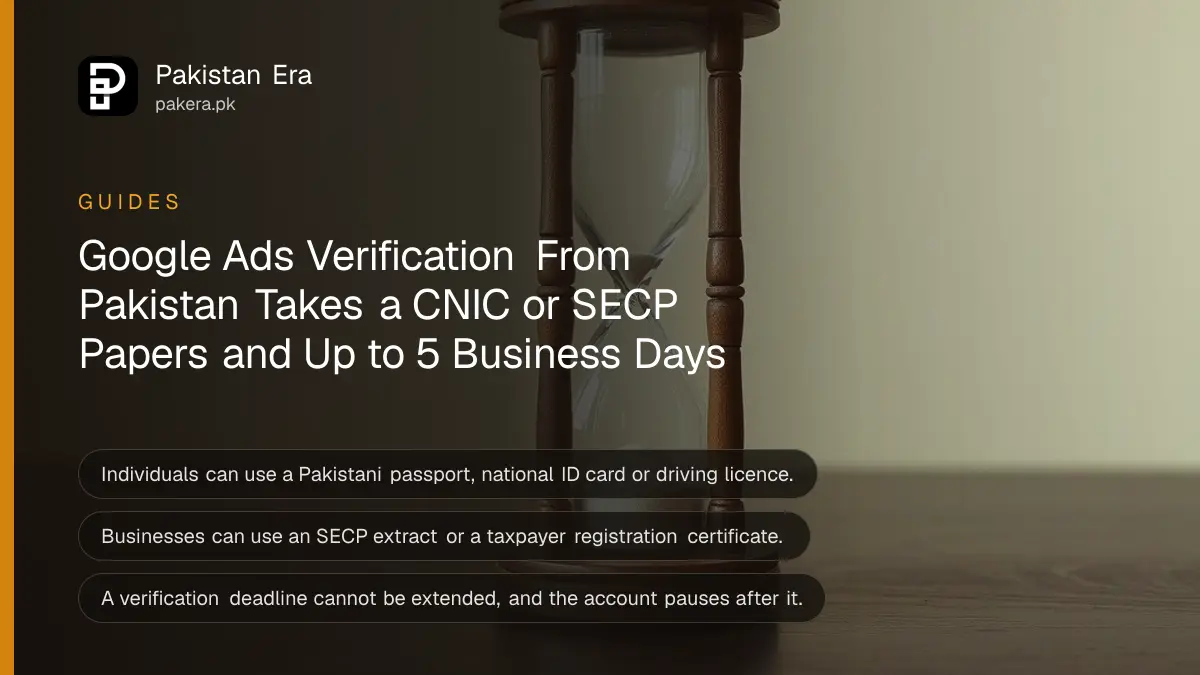
To pass Google Ads advertiser verification from Pakistan, an individual uploads a Pakistani passport, national ID card (CNIC) or driver's licence, and a business uploads a certificate of incorporation, an SECP registry extract or a taxpayer registration certificate plus an admin's photo ID. Start in Google Ads under Admin, then Policy, then Account. Review takes up to 5 business days, and a deadline cannot be extended.
A name mismatch sits near the top of Google's own list of failures: the name on the CNIC or company papers must match the Google Ads payments profile exactly. We read Google's advertiser verification help page and its document requirements for Pakistan on 20 October 2026.
Google asks every advertiser to verify sooner or later
Google says all advertisers will eventually have to complete verification. Some are picked earlier: new or suspicious accounts, financial services, brand-name searches, often misused features, and anyone appealing a suspension. Once verified, your name and location appear in ad disclosures.
That last part surprises people. After verification, the Ads Transparency Center shows your advertiser name, location, ads, and where and when they ran. If you run ads under your own name as a freelancer, your name is what shoppers will see.
Pakistan accepts these documents for individuals and businesses
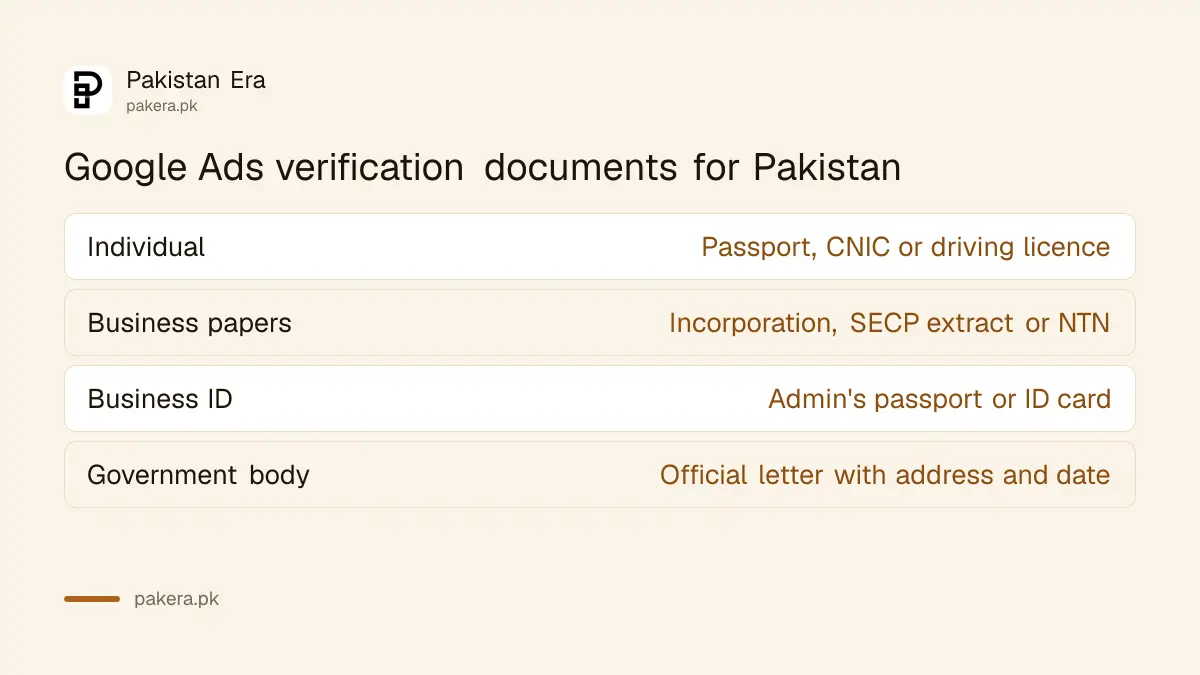
Individuals need a Pakistani government photo ID: passport, national ID card or driver's licence. Organisations need a registration document and a photo ID from an authorised representative, which can be issued in any country. Digital IDs are not accepted.
| Account type | Document group | Accepted documents for Pakistan |
|---|---|---|
| Individual | Pakistani photo ID | Passport, national ID card, driver's licence |
| Organisation | Registration document | Certificate of incorporation or registration, SECP registry extract, taxpayer registration certificate |
| Organisation | Representative's photo ID | Passport, identification card, driving licence, permanent residence card |
| Government body | Registration document | Official letter with full name, address and date |
A sole trader with an NTN but no company can choose the organisation route with a taxpayer registration certificate. Check the name on that certificate first: verifying your NTN online shows exactly how FBR has your name recorded.
Your account type decides which tasks you get
Your payments profile is set to Individual or Organisation, and that decides the tasks. Individuals may confirm a phone number, upload ID or take a video selfie. Organisations may enter business details, upload papers and confirm a code sent by SMS or work email.
Google says to contact support before you start if the account type is wrong, for example a registered company set up as Individual. Changing it halfway causes trouble. Every account also answers questions about who pays for the ads, and an agency must answer Yes to "Is your organization an agency?" or risk a pause or suspension.
Some accounts get billing tasks. One is a small charge on your card, up to US$1.95, carrying a 6-digit code. Google says the charge appears within minutes, sometimes up to 7 days, and is refunded within 14 days. The last six digits of the charge are the code.
Seven steps complete verification from Pakistan
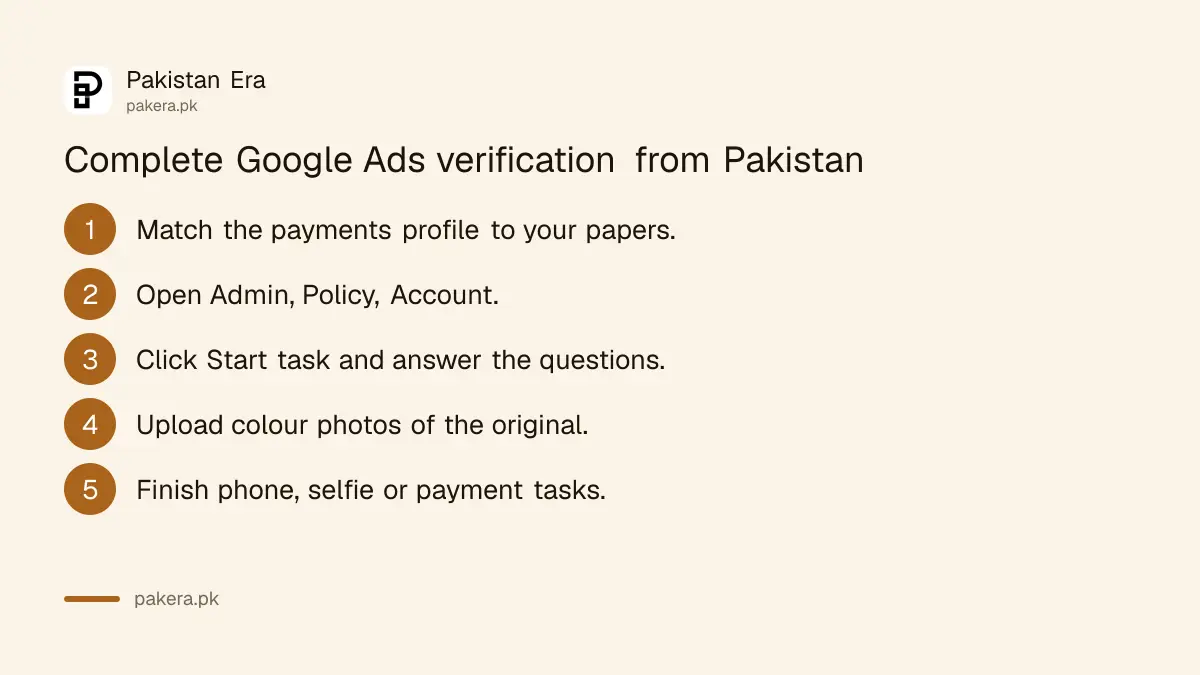
Open Admin, then Policy, then Account, and click Start task. Answer the questions, upload clear colour photos of each document, finish any phone, selfie or payment task, then wait up to 5 business days. Google emails you when it is done.
- Check the payments profile name and address under Billing, then Settings. Edit them to match your CNIC or company papers exactly.
- In Google Ads, open Admin, then Policy, then Account.
- Click Start task and answer the questions about your organisation and who pays.
- Photograph the original document with your phone's own camera, in colour, all four corners showing.
- Upload the front and back separately when asked.
- Complete any phone code, video selfie or payment task. The phone number must carry Pakistan's code if your profile is in Pakistan.
- Check the Account page for your status. It can take up to 5 business days to update.
Most rejections come from a mismatch or a poor photo
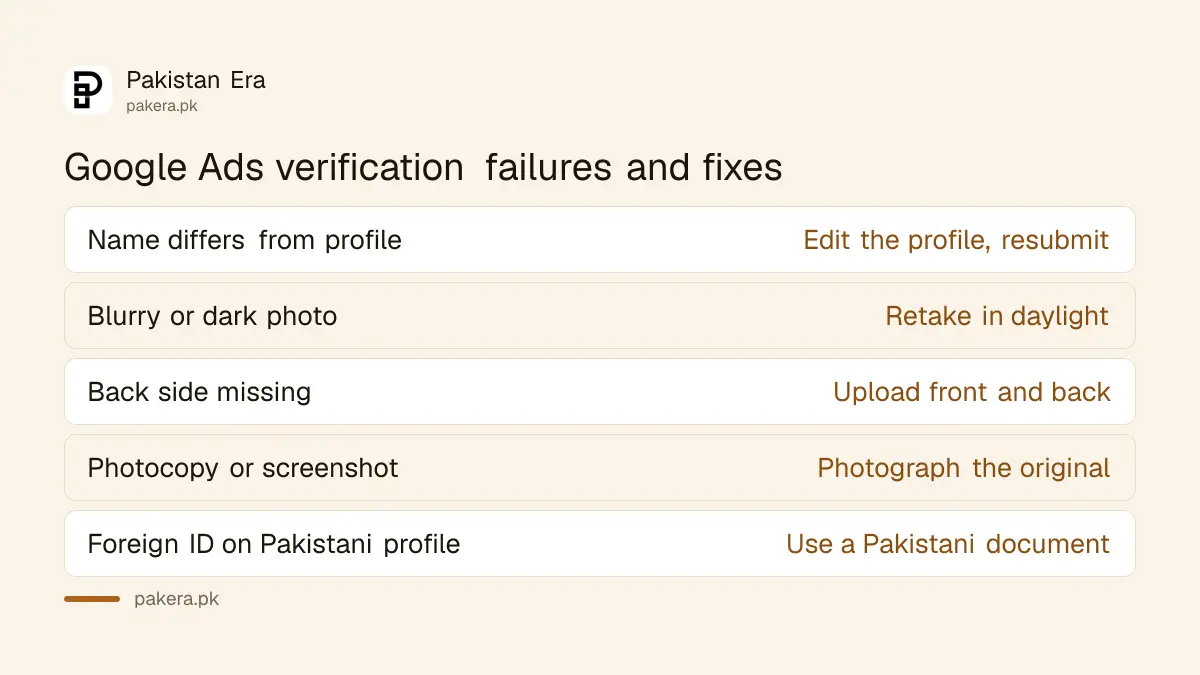
Google lists the usual failures: a name or address that differs from the payments profile, a blurry or dark image, a missing back side, a photocopy or screenshot, or an unsupported document. Fix the cause, then resubmit from the same Account page.
- Name mismatch. "Muhammad" on the CNIC and "M." on the profile counts as different. Edit the profile, then resubmit.
- Self-printed copy. A scan, photocopy or screenshot is rejected. Photograph the original card.
- Country mismatch. An individual must submit an ID issued by the payments profile country. A Pakistani profile needs a Pakistani document.
- Limited tries. Google allows a limited number of attempts. After five failed phone codes you are asked for ID instead.
Never upload a fake or edited document. Google treats false information as a serious breach of its Circumventing systems policy and suspends the account.
Missing a deadline pauses the account
If Google gives you a deadline, the account is paused when it passes, and Google says the deadline cannot be extended. Without a deadline you can verify by choice. Review normally takes up to 5 business days, and rarely up to 30 days.
Start the day the email arrives. Pakistani advertisers paying through an agency or reseller should also check who is the account admin, because only an admin can complete the tasks. The rules on paying foreign ad platforms are in the SBP rule on ad resellers and aggregators, and the card options in paying for Google Ads from Pakistan.
Verified accounts get a small bonus too: Google says verification opens features such as showing your business name and logo in Search ads. Once the account is in order, the new channel priority and budget cap settings are worth a look.
Common questions
Can I verify Google Ads with my CNIC?
Yes. Google's Pakistan list accepts the national ID card for individuals, along with a passport or driver's licence.
How long does Google Ads verification take?
Up to 5 business days for most tasks, and in rare cases up to 30 days, says Google.
Can the verification deadline be extended?
No. Google says the deadline cannot be extended, and the account is paused if you miss it.
Is an NTN certificate enough for a business?
Google lists a taxpayer registration certificate as a registration document for Pakistan. You also need a representative's photo ID.
Will people see my name after verification?
Yes. Your verified name and location appear in ad disclosures and the Ads Transparency Center.
Why did Google charge my card a small amount?
It is a payment check of up to US$1.95 carrying a 6-digit code. Google says it is refunded within 14 days.
How we verified this
What we checked, where we read it, and what we could not confirm.
Last checked 20 October 2026. We read five Google Ads Policy help pages on 20 October 2026: "About advertiser verification", "Timelines for verification", "Tasks required for verification", the "Fix issues with your documents" table, and "Document requirements for advertiser verification" with the country set to Pakistan. The document lists, the 5 business day and 30 day review times, the US$1.95 charge, the 14 day refund and the menu path come from those pages. The Muhammad and M. example is our own illustration of Google's exact-match rule. We did not run a verification ourselves.
About the author

Founder and Editor
Umer Kureshi founded Pakistan Era in July 2024 and runs it as administrator, SEO lead and writer, overseeing website operations, search growth, content strategy and coverage of technology and current affairs.