Easypaisa IBAN Number: Find and Copy It in the App, and Read All 24 Characters
Find your Easypaisa IBAN under Account Settings and Account Information, tap to copy it, and check all 24 characters. See when to give the IBAN or the number.
To find your Easypaisa IBAN, open the Easypaisa app, go to Account Settings and tap Account Information. Your IBAN is shown there, and tapping the number copies it. It is 24 characters long and starts with PK. Below is how to read each part, how to check you copied it right, when to give the IBAN and when your mobile number is enough, and why the JazzCash Payoneer IBAN works differently.
We read the Easypaisa FAQ on 24 October 2026, along with the State Bank's IBAN guidelines. Easypaisa's FAQ also says your mobile account number is the same as your mobile number. People mix the two up all the time, and a bank form will usually reject a mobile number in the IBAN box.
Your Easypaisa IBAN is in Account Settings, under Account Information
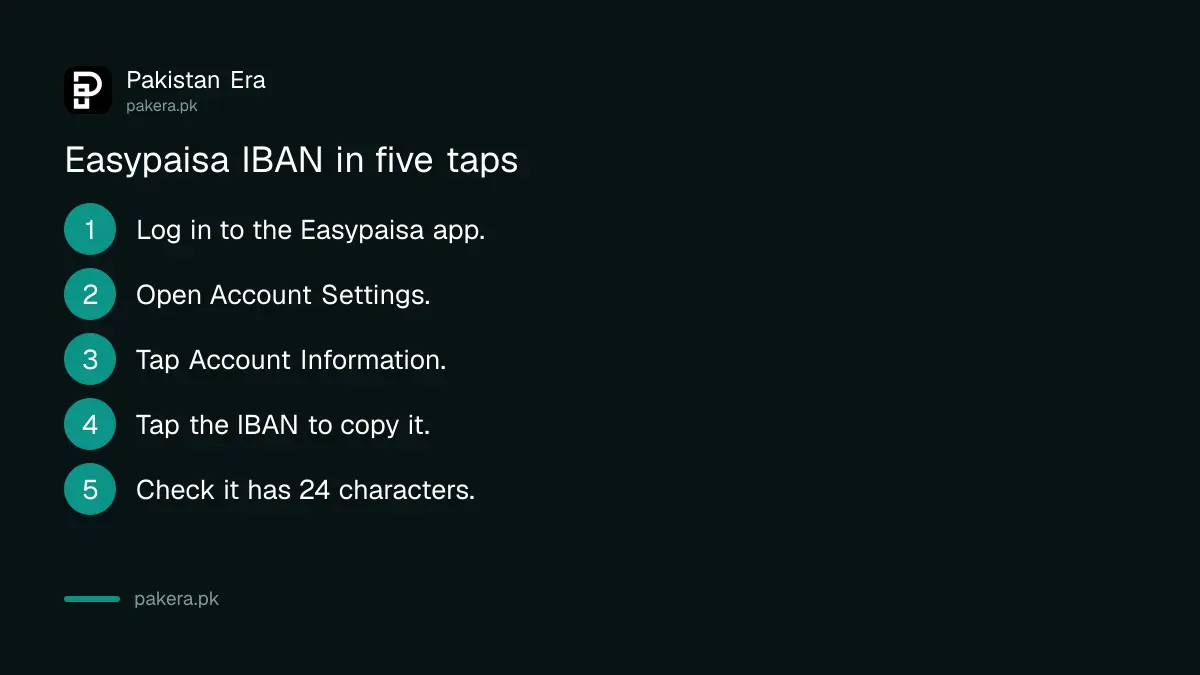
Easypaisa's FAQ gives the path: open the app, go to Account Settings, then Account Information. The IBAN appears on that screen. The FAQ adds that you can copy it by tapping the number, so you can paste it straight into WhatsApp or a form.
- Open the Easypaisa app and log in with your 5-digit PIN.
- Open Account Settings from your profile or menu.
- Tap Account Information.
- Read the IBAN, which starts with PK.
- Tap the number to copy it.
- Paste it into the message or form and check every character.
Menu names change between app updates. If you cannot see Account Settings, tap your profile picture first, which is where Easypaisa puts the account level and transaction history options in its FAQ.
A Pakistani IBAN has 24 characters in four parts
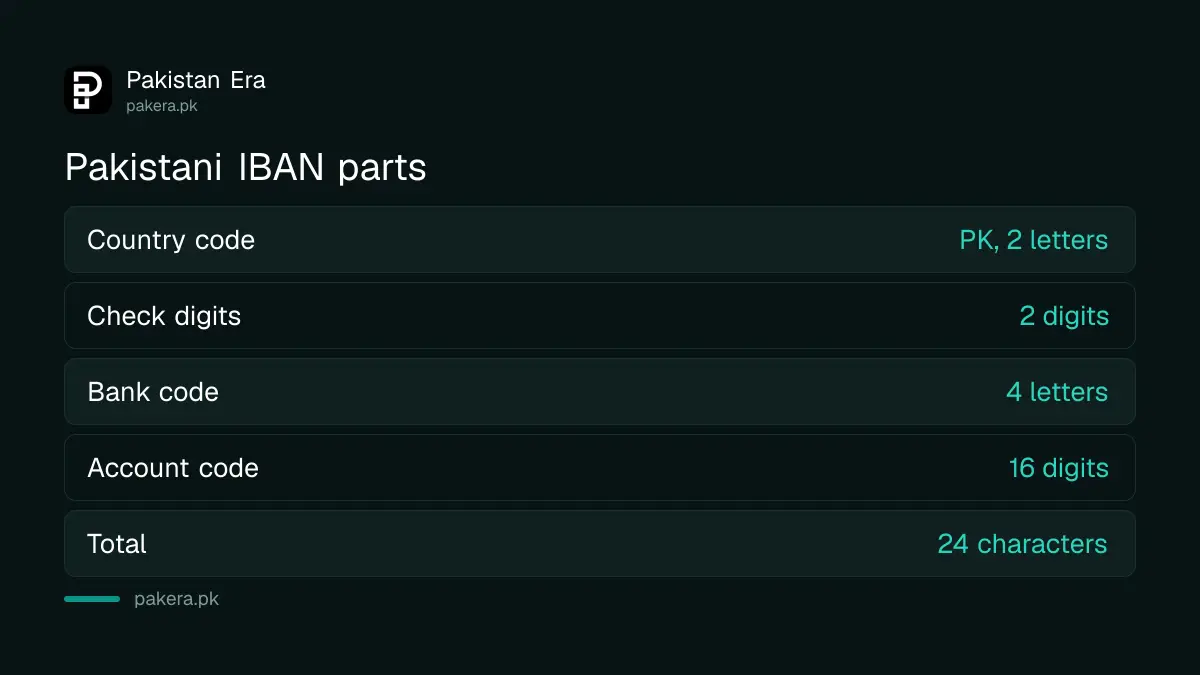
Every IBAN in Pakistan has 24 characters: PK, two check digits, a four-letter bank code, then a 16-digit account code. The State Bank's IBAN guidelines set this format, and banks print it in groups of four to make it easier to read.
| Part | Length | Example from SBP guidelines | What it does |
|---|---|---|---|
| Country code | 2 letters | PK | Always PK for Pakistan |
| Check digits | 2 digits | 36 | Catches typing mistakes |
| Bank code | 4 letters | SCBL | First four letters of the bank's SWIFT code |
| Account code | 16 digits | 0000001123456702 | Your account, padded with zeros |
The State Bank's IBAN guidelines give the worked example PK36 SCBL 0000 0011 2345 6702. The check digits are calculated from the rest of the number, so one wrong digit usually makes the whole IBAN fail validation instead of reaching a stranger. That is the point of the format.
Count to 24 before you share or use an IBAN
Copy the IBAN from the app rather than typing it, then count the characters: there should be exactly 24. Check that it starts with PK followed by two digits and four letters. A short or long IBAN will be rejected.
Common mistakes are easy to spot once you know them. The letter O typed instead of zero. A space pasted in the middle. A mobile number pasted where the IBAN should go. Screenshots also go wrong, because people retype from an image.
The four letters in the middle identify the bank. We did not find Easypaisa's four-letter code printed on its own website, so take it from your app screen rather than from a list online.
Use the IBAN for bank transfers and remittances, the number for wallets
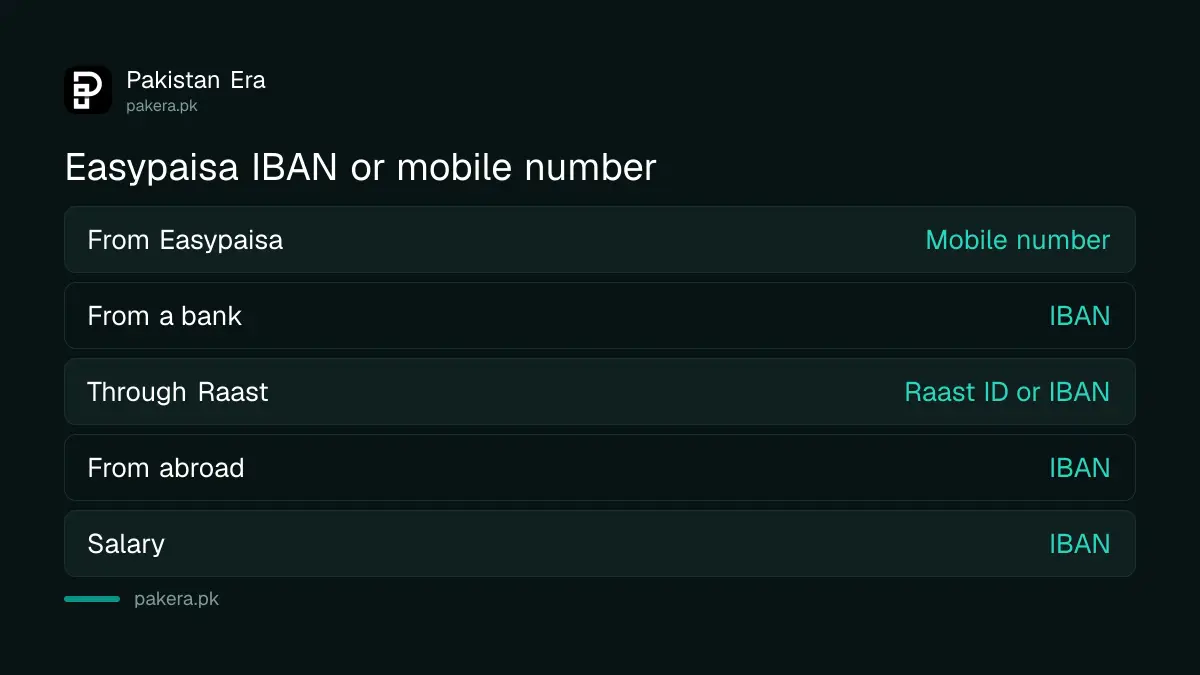
Give your IBAN when money comes from a bank account, a salary, a freelance platform or a remittance company. Between Easypaisa wallets, your mobile number is the account number. For Raast, a Raast ID linked to your number also works.
| Money coming from | What to give the sender |
|---|---|
| Another Easypaisa account | Your mobile number |
| A bank account (IBFT) | Your IBAN, or account number if their app asks for it |
| Raast | Your Raast ID (mobile number) or IBAN |
| Abroad, through an exchange company | Your IBAN and name as on your CNIC |
| Employer or institution | Your IBAN |
Easypaisa's FAQ confirms you can add money by IBFT from any conventional bank account, which is separate from linking a bank account with Easypaisa, and receive remittances from countries such as the UK, US and Australia. Setting up a Raast ID for your mobile number lets senders skip the IBAN entirely, and Raast transfers are free.
The JazzCash Payoneer IBAN is a fixed code, not your account
JazzCash's Payoneer section says the system fills in the IBAN PK29JAZZ0000000000000001 during Payoneer registration. JazzCash says this IBAN is not linked to your mobile account number. It is an agreed code that routes Payoneer money to your wallet.
So never give that code to an employer or a relative as "your JazzCash IBAN". It only works inside the Payoneer link, which linking JazzCash with Payoneer walks through. Easypaisa has no such shared code in its FAQ; your Easypaisa IBAN is your own.
Bank account holders find their IBAN in a different place, usually the cheque book or statement. The methods for checking an IBAN number in Pakistan cover the big banks.
Common questions
Where is the IBAN in the Easypaisa app?
Go to Account Settings and tap Account Information. Easypaisa's FAQ says the IBAN is shown there.
Is my Easypaisa account number my mobile number?
Yes. Easypaisa's FAQ says your mobile account number is the same as your mobile number. Your IBAN is a separate 24-character number.
How many digits is an Easypaisa IBAN?
Like every Pakistani IBAN, it has 24 characters: PK, 2 check digits, 4 bank letters and 16 account digits.
Can I receive money from a bank in Easypaisa?
Yes. Easypaisa says you can add money by IBFT from any conventional bank account. The sender needs your IBAN or your mobile number, depending on their bank's app.
Can I find my Easypaisa IBAN without the app?
Easypaisa's FAQ only describes the app. Without it, call 3737 from Telenor or 042-111-003-737 from other networks and ask the helpline.
Can I receive foreign remittance in Easypaisa?
Yes. Easypaisa says its account can receive remittances from countries such as the UK, US and Australia.
How we verified this
What we checked, where we read it, and what we could not confirm.
Last checked 24 October 2026. We read the Easypaisa FAQ at easypaisa.com.pk, the State Bank of Pakistan's IBAN Implementation Guidelines (PSD Circular No. 2 of 2012), and the JazzCash remittance FAQ on jazzcash.com.pk, all on 24 October 2026. We did not open an Easypaisa account, so we could not see the IBAN screen ourselves or confirm Easypaisa's four-letter bank code.
About the author

Senior Writer, Public Services and Technology
Shahid joined us in 2024 as an author. He is a senior contributor to Pakistan's leading technology websites. He writes detailed articles, mostly covering his expertise in the latest tech, mobiles, apps, gadgets, and step-by-step guides. His ideology is to help people understand the latest trends and explain complex methods through very easy-to-understand guides.