How to Create a Raast ID for Your Mobile Number in Pakistan
Create a Raast ID in Pakistan by linking your mobile number to your account in your bank's app, internet banking, branch or USSD. Free, 24/7. See the steps.
یہ صفحہ اردو میں پڑھیں
Short answer: Open your bank's mobile app, internet banking, a branch counter or its USSD service, find the Raast option, and link your mobile number to your account number (IBAN). That mobile number becomes your Raast ID. The State Bank says Raast services are free, there is no minimum amount, and it works around the clock.
You are at a tea stall and the owner asks for your account number. You read out 24 characters of an IBAN, he types them slowly, and one digit is wrong. A Raast ID replaces that: the mobile number you already know by heart.
We read the State Bank's Raast person-to-person page on 14 October 2026. It is short, and it does not give the menu names inside each bank's app. Those differ by bank, so we describe the idea and tell you where to look.
A Raast ID is your mobile number linked to your account
The State Bank says banks let customers create a Raast ID by linking their preferred IBAN with their registered mobile phone number. People can then send you money using only your mobile number, without a long account number or IBAN.
Raast is the State Bank's instant payment system. The page says it moves money instantly into accounts, whether the account is a wallet, a bank account or a branchless banking account. It describes the system as free of charge, with no minimum transaction size.
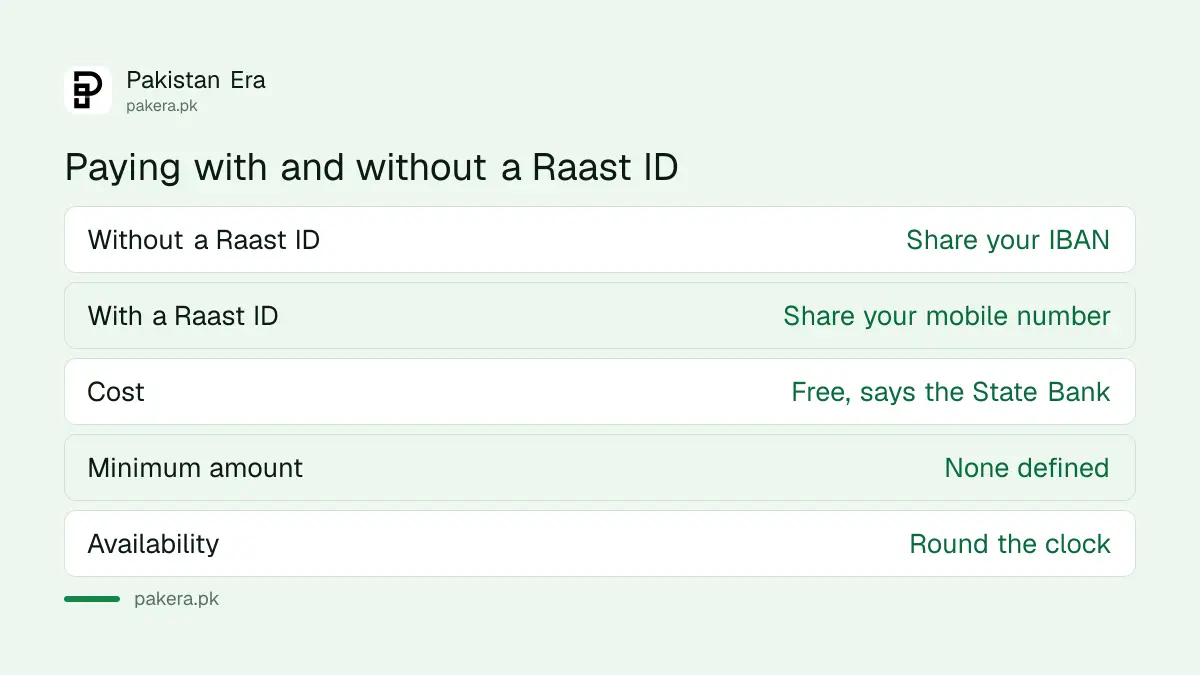
You do not need a Raast ID to use Raast. The page says people can send and receive money with an IBAN even without one. The ID is a convenience for receiving.
Where you can create it
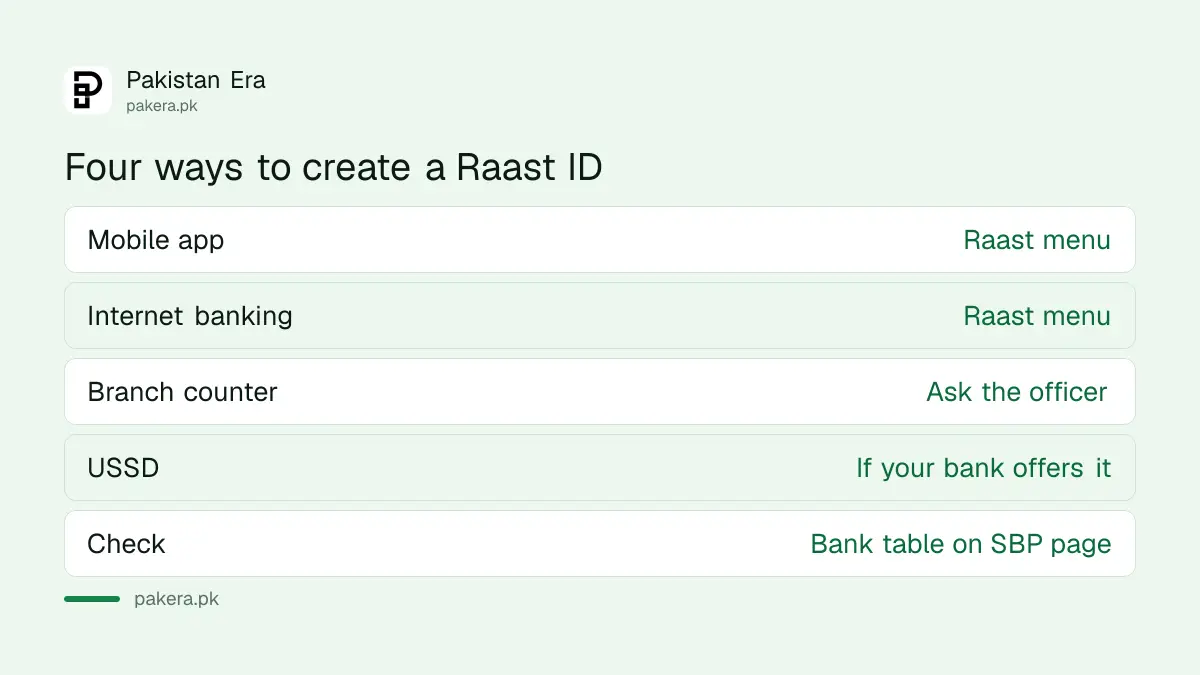
The State Bank page names four ways: the bank's mobile app, internet banking, the branch counter and USSD. A table on the page shows which partner banks offer which channel. Not every bank offers all four.
| Channel | What to expect |
|---|---|
| Mobile app | Look for a Raast tab or menu |
| Internet banking | Log in on the bank's website and look for Raast |
| Branch counter | Ask the officer to create a Raast ID on your account |
| USSD | Use the bank's USSD service, if it offers one for Raast |
The page does not publish a single menu path. Each bank names its own menu. If you cannot find it, search your app's help section for "Raast", or ask at a branch. Do not follow a link sent by SMS or WhatsApp for this. Use only your bank's app or website.
Four steps to set it up
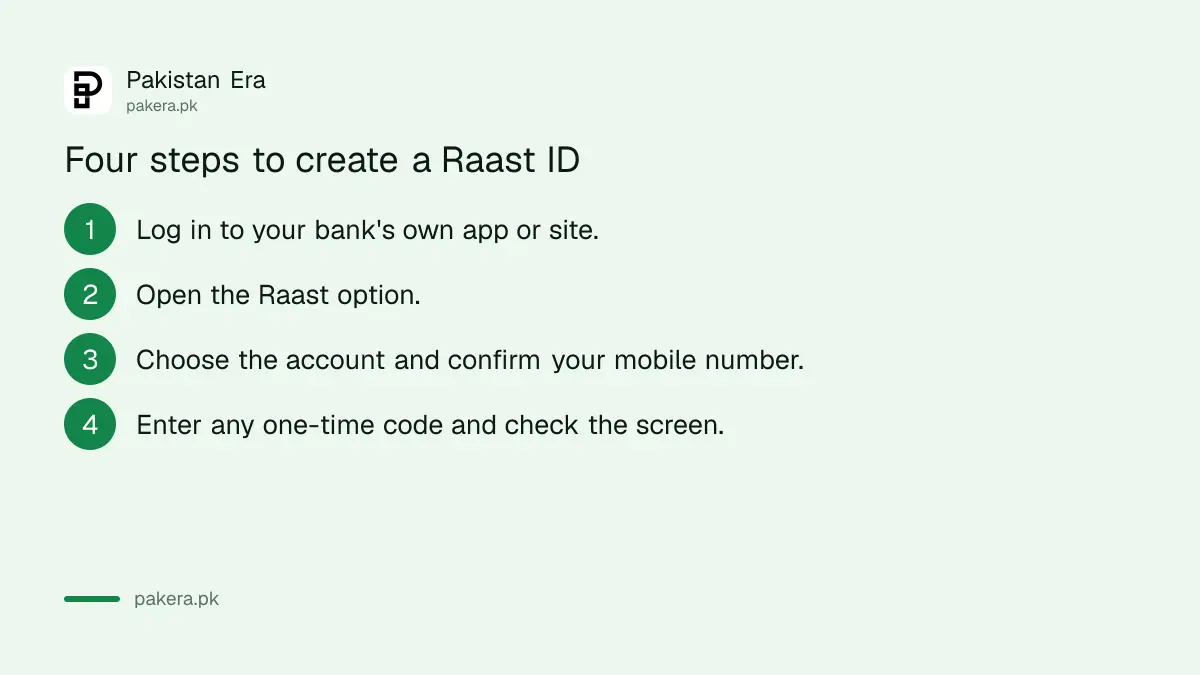
Log in to your bank's own channel, find Raast, choose the account you want money to land in, and confirm your registered mobile number. After you confirm, the number acts as your Raast ID for that account.
- Log in to your bank's mobile app or internet banking, with your own password and the usual security checks.
- Open the Raast option from the menu.
- Choose the account (IBAN) that should receive money, and confirm your registered mobile number.
- Enter the one-time code if the bank asks for it, then check the confirmation screen.
Use the mobile number your bank holds for your account. If the number is old or in someone else's name, update it with the bank first. The page says the ID links the IBAN to your registered mobile number, so a number that does not match your bank record may cause trouble.
The State Bank page does not say how many Raast IDs one person can have. Meezan Bank's Raast page does: one person can register only one Raast ID, linked to one account, however many bank accounts or mobile numbers they hold. The same page says you can de-link the ID from your current bank account and re-link it with another bank account.
Using your Raast ID safely
Share your Raast ID only for receiving money. It does not give anyone access to your account. Never share your password, one-time codes or card PIN, which Raast does not need. If someone asks for them to "activate" Raast, it is a scam.
When you send, check the name or number carefully before you confirm. If a transfer goes to the wrong person, act fast. Read how to recover a wrong bank transfer. For fraud in general, see how to claim a refund for digital fraud.
For shop payments, Raast also works through QR codes. See how to pay a shop by scanning a Raast QR. Shop owners can read how to register a shop for Raast QR. To learn how the system is used overall, the introduction to Raast is a good start.
What Raast costs and what it does not cover
The State Bank page says there are no charges on Raast-related services. Your bank may still charge for other things, and wallets may have their own limits. The page does not publish a maximum amount, so check your own account's limit.
Other transfer routes can carry fees. Compare with interbank transfer charges at Pakistani banks. If you receive money from abroad, how to receive home remittance through Raast explains one route. And check an account number first with an IBAN check.
Common questions
What is a Raast ID?
It is your registered mobile number linked to your IBAN, so others can pay you without typing a long account number.
Do I need a Raast ID to receive money?
No. The State Bank says money can be sent and received with an IBAN even without one.
Does Raast cost anything?
The State Bank page says there are no charges on Raast-related services. Your bank may charge for other services, so check its schedule.
Is there a minimum amount?
No. The page says no minimum transaction size is defined. It does not publish a maximum, so ask your bank about limits.
Can I use it at night or on holidays?
Yes. The page says Raast is available round the clock, with help desk support offered by banks at all times.
How we verified this
What we checked, where we read it, and what we could not confirm.
Last checked on 14 October 2026, Pakistan time. We read the State Bank page Raast P2P. We did not create a Raast ID in any bank's app, and the page did not show the menu names, the number of IDs allowed per person, how to change the linked account, or transfer limits. Check those with your bank. On 6 November 2026 we read Meezan Bank's Raast page, which gives one Raast ID per person, linked to one account, and allows de-linking and re-linking.
About the author

Public Services and Education Journalist
Fajr Riaz is a journalist and content writer at Pakistan Era, based in Lahore. She covers the questions people meet in everyday life in Pakistan: how a public service works, what a change in the rules means, and where to find a reliable answer.