How to Use Raast in Pakistan: Create a Raast ID, Pay and Fix Errors
A Raast ID is your mobile number linked to one account. Create it in your bank app, pay a Raast QR, see the SBP limits and fix a failed transfer.
A Raast ID is your registered mobile number linked to one bank or wallet account, created inside your bank's app in about a minute. With it, anyone can pay you by typing your number instead of an IBAN, and you can pay merchants by scanning a Raast QR. The State Bank sets no transaction limit of its own; your bank must allow at least Rs 200,000 a transfer. Customers pay no fee on Raast merchant payments, and since September 2026 the passport fee is reported to be collected only this way.
Update, 11 October 2026: SBP has clarified that Raast is for domestic payments only. Read the clarification.
The shopkeeper who used to say "IBAN bhej do" now points at a sticker. That sticker is a Raast QR, and the change behind it is bigger than a payment method. The State Bank of Pakistan describes Raast on its own page as "Pakistan's national instant payment system", operated by Raast Payments Pakistan (Private) Limited, a wholly owned SBP subsidiary, and built for "low-value retail payments with instant settlement".
We read that page, the two SBP circulars that set the rules, and the Raast pages of Bank AL Habib, HBL, MCB and ABL on 17 September 2026. The Raast ID is where all of it starts.
What is a Raast ID?
A Raast ID is an alias for your bank account, and today that alias is your mobile number. Bank AL Habib's page defines it as "a simple identifier (currently mobile number) that you link with your bank account". ABL's FAQ puts it more bluntly: the Raast ID "is a substitute to your bank account number".
Three rules follow from that, and all three come from the ABL FAQ. You can link a Raast ID to only one account. You can link an account to only one Raast ID. And you can delete the ID and register it again, which Bank AL Habib describes as unlinking it from one bank and relinking it with another. The number itself is a SIM, so it has to be one registered to you; a quick check of which SIMs are on your CNIC avoids registering an ID on a number you will lose.
The one account rule is also the source of the most common surprise. If your number is linked to a wallet, money sent to your Raast ID lands in the wallet, not the bank. That is not a fault; it is what you chose when you linked. How a JazzCash wallet links to a bank account is the other half of that picture.
How do you create a Raast ID in a bank app?
Open your bank's app, find the Raast ID management screen, choose your mobile number as the ID, pick the account to link, and confirm with the OTP. HBL, MCB and ABL each publish the flow and they differ only in the menu name.
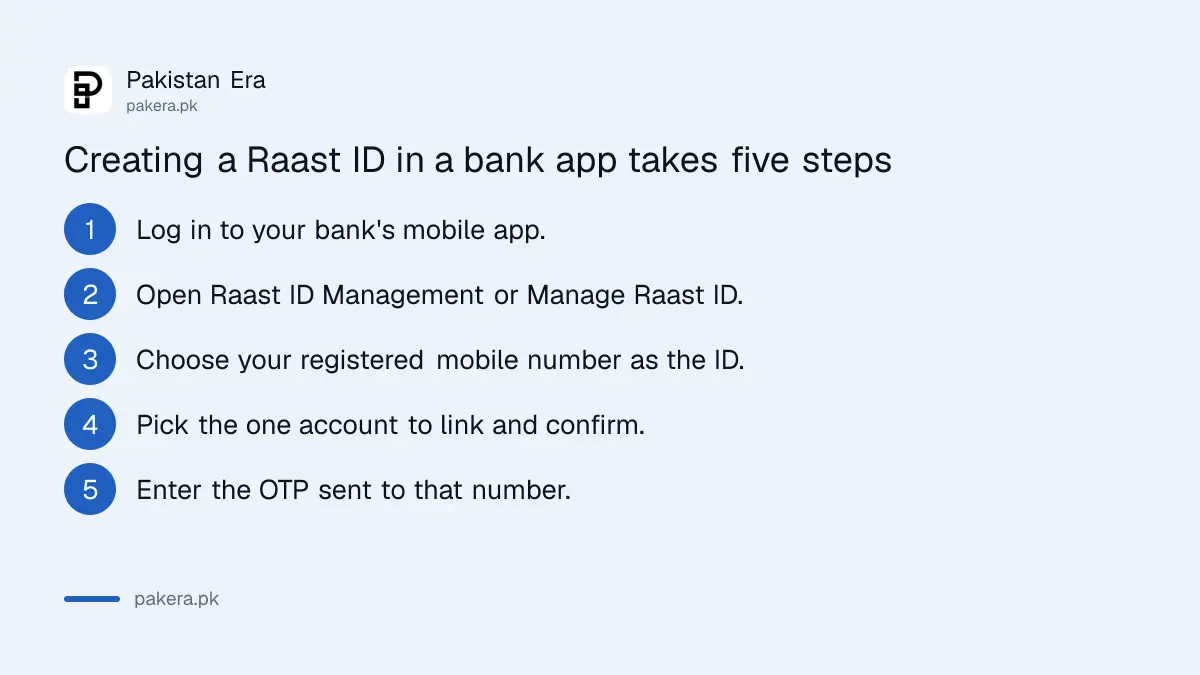
- Log in to the app. HBL calls the screen "RAAST ID Management", MCB calls it "Manage Raast ID", and ABL puts "RAAST Id Management" on the dashboard and under More.
- Select the mobile number. MCB's page says the app shows "Raast ID Type, registered mobile number and accounts (along with corresponding IBANs)".
- Choose the one account you want linked and press create.
- Verify the details on the review screen and confirm.
- Enter the six digit OTP sent to that number. The ID is live at once.
MCB and Bank AL Habib also register Raast IDs at the branch on a form, for people who do not use the app. To remove an ID, the same screen carries a de-link option; HBL's page gives it as "De-Link ID".
How do you send money with Raast?
Choose Raast transfer in the app, enter the receiver's Raast ID or IBAN and the amount, check the name that appears, and confirm with an OTP. The money settles in seconds, and the SBP circular of December 2023 requires banks to give "instant transaction confirmation or rejection".
ABL's flow is typical: go to Transfer or Raast, pick Raast Payment under New Payee, enter the details, review, confirm, OTP. You can also send to an IBAN through the Raast option, so the receiver does not need a Raast ID at all. What they need, if you are using the ID, is a number that is actually linked; ABL says a transfer to an unlinked number will not go.
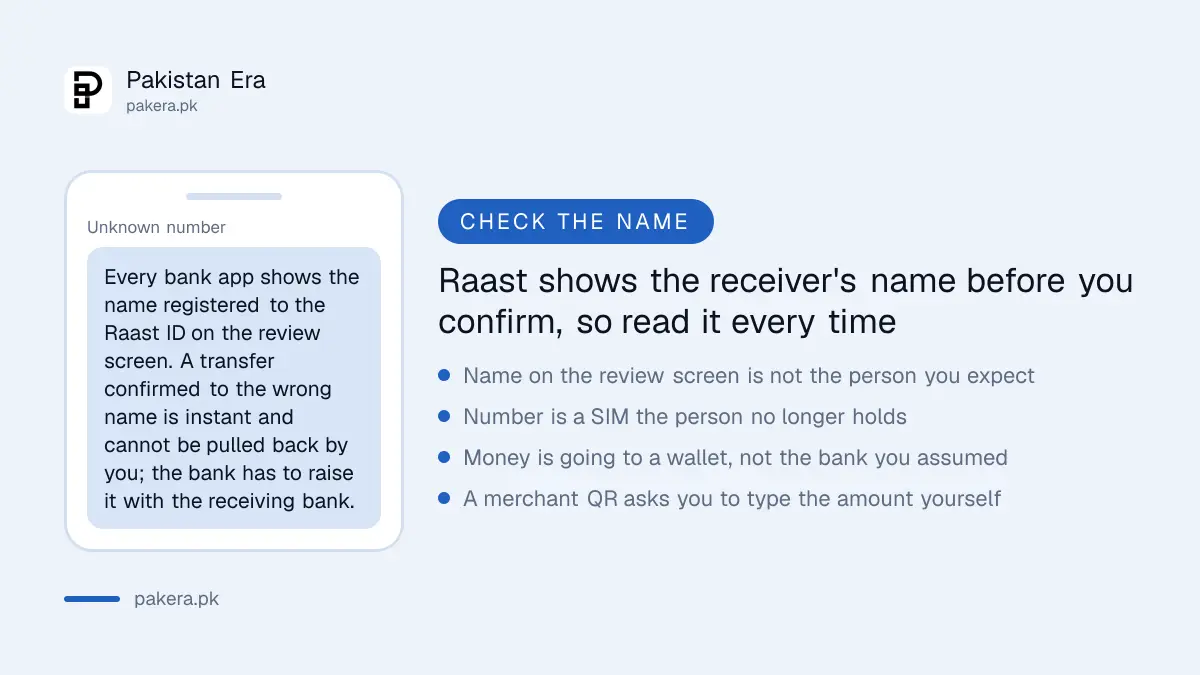
The review screen is your only safety net. Every bank app shows the name registered against the Raast ID before you confirm. Read it. A transfer confirmed to the wrong person is settled instantly, and the only route back is through your bank, which is why we spend a section on that below.
What are the Raast transaction limits and fees?
SBP removed its own ceiling on 1 April 2022 and set a floor instead. DI&SD Circular Letter No. 02 of 2022, dated 15 March 2022, says customer limits for Raast payments "shall not be less than Rs.200,000/- per transaction", that the aggregate limit shall not be below your IBFT limit, that the available limit must be shown in the app, and that you must be able to raise or lower it yourself. The old advice that Raast is capped at Rs 200,000 has it backwards.
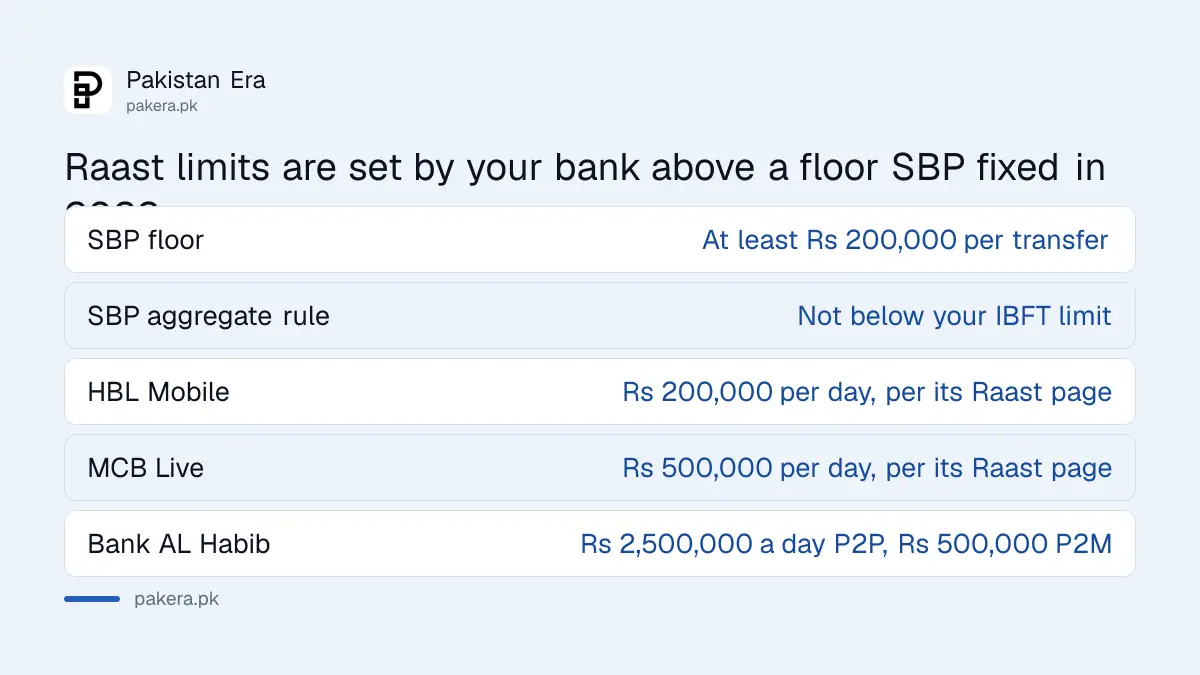
| Who sets it | Limit | Source |
|---|---|---|
| State Bank of Pakistan | No SBP ceiling since 1 April 2022; banks may not set less than Rs 200,000 per transaction | DI&SD Circular Letter No. 02 of 2022 |
| HBL Mobile | Rs 200,000 per day | HBL Raast page |
| MCB Live | Rs 500,000 per day | MCB Raast page |
| Bank AL Habib | Rs 2,500,000 a day for P2P, Rs 500,000 a day for P2M | Bank AL Habib Raast page |
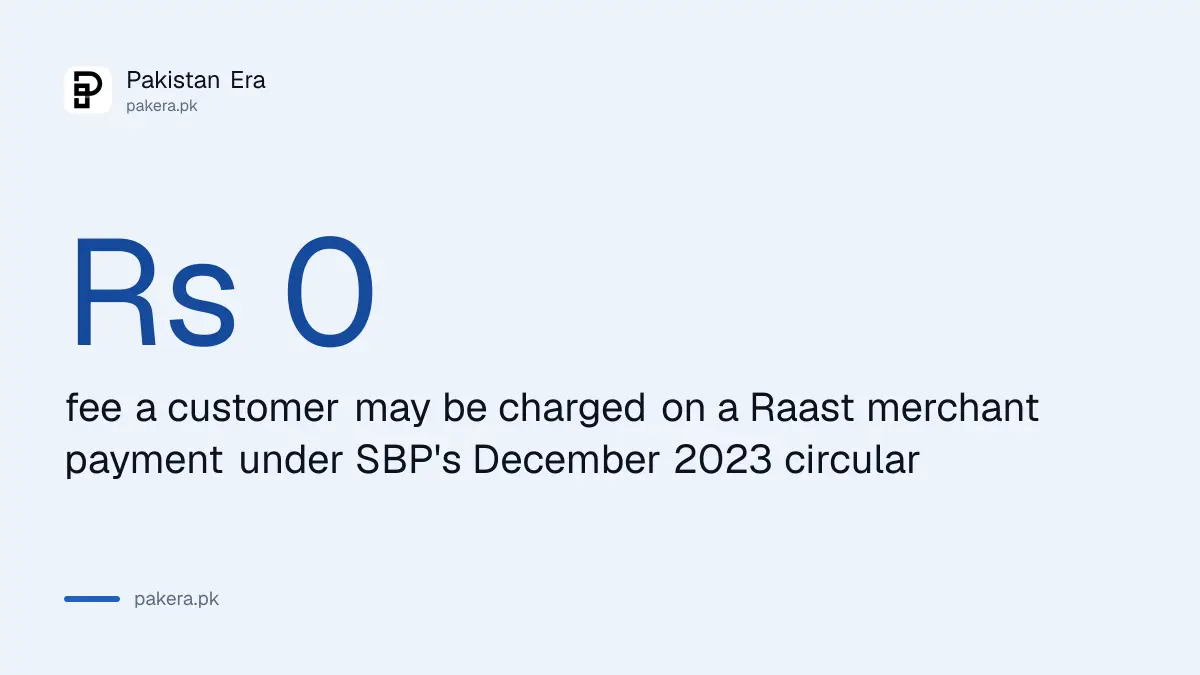
Fees are simpler. For merchant payments the SBP circular of 5 December 2023 orders banks to "not charge any fee from their customers paying for their transactions", and tells merchants and third parties the same. For person to person transfers, HBL says "as of now there are no charges for using RAAST services" and Bank AL Habib says "currently there are no charges on RAAST transactions". Merchants may be charged by their own bank, which is the merchant's cost, not yours.
How do you pay a merchant with a Raast QR?
Scan the QR in your bank app, check the merchant name and the amount, and confirm. SBP's P2M circular required every bank, microfinance bank and e-money institution to read Raast QR codes, process Request to Pay, and push payments to merchant aliases and IBANs by 1 March 2024, and required existing card acquirers to replace their old QR codes with Raast ones by 31 March 2024.
The circular lists five ways a merchant can take your money: a static QR that you scan and type the amount into, a dynamic QR generated for one bill with the amount already in it, a Request to Pay "Now" with a short expiry, a Request to Pay "Later" with a longer one, and a merchant alias such as a till code. Government collections now use the same rails, and two examples from this year show how fast that is moving.
- Passport fees. On 11 September 2026 ProPakistani and Business Recorder reported that National Bank of Pakistan had enabled passport fee collection through Raast P2M QR, and that the Directorate General of Immigration and Passports advised applicants to pay "only through the designated RAAST QR code", with IBFT to an IBAN and the PSID route through Passport Fee Asaan no longer accepted. The DGIP e-services page we read carried no advisory text, so this is reported.
- Motorway challans. ProPakistani reported on 18 June 2026 that e-challans on the M1, the M2 and the Islamabad to Murree Expressway can be paid by Raast QR in any banking app, as a pilot run with the NHA, the Motorway Police and Zindigi by JS Bank. Also reported.
Both examples share one feature worth noticing: the QR is generated for a specific bill, so the amount is already in it. If a "government" QR asks you to type the amount yourself, stop and check where it came from.
What do you do when a Raast transfer fails or goes wrong?
Start with the app's status, then your bank, in writing, on the same day. A failed transfer with the money still in your account needs nothing more. A debited transfer that the receiver did not get, or a transfer to the wrong Raast ID, becomes a complaint with your bank, and the clock on that complaint matters.
- Check the status in the app. The SBP circular requires instant confirmation or rejection and real time statements, so a transaction that shows as rejected has not left your account.
- For a merchant payment, use the refund request. The December 2023 circular obliges banks to let customers "initiate the request for returns/refunds through Raast provided option", and obliges the merchant to accept or reject it through their own Raast interface.
- For a person to person error, call the bank at once. Bank AL Habib gives its 24 hour call centre for Raast issues; every bank has one. Give the transaction ID, the amount, the time and the Raast ID you sent to.
- Follow with a written complaint. Your bank has 30 days to answer a written complaint before you can go to the Banking Ombudsman, and the steps and dates in our guide to bank fraud complaint deadlines apply to a wrong Raast transfer as well.
- If the receiver refuses to return the money, the bank pursues it through the receiving bank. Raast cannot be reversed by you, which is why the review screen is the place to be careful.
Common questions about Raast ID
What is a Raast ID?
Your registered mobile number, linked to one bank or wallet account, used in place of an IBAN to receive Raast payments.
Can I link two accounts to one Raast ID?
No. ABL's FAQ says one Raast ID links to one account and one account to one Raast ID. You can de-link and re-link to a different account.
Is Raast free?
Customers pay no fee on Raast merchant payments under SBP's December 2023 circular, and HBL and Bank AL Habib say there are currently no charges on Raast transfers.
What is the Raast limit?
SBP sets none of its own since 1 April 2022. Your bank sets it, and may not set it below Rs 200,000 per transaction. HBL shows Rs 200,000 a day, MCB Rs 500,000, Bank AL Habib Rs 2,500,000 for P2P.
Can I pay the passport fee by Raast?
Reported yes, and only that way: DGIP advised on 11 September 2026 that passport fees are accepted only through the designated Raast QR, with NBP collecting them.
Sent money to the wrong Raast ID. Can I reverse it?
Not yourself. Call your bank the same day, then complain in writing; the bank has 30 days to answer before the Banking Ombudsman can take it.
How we verified this
What we checked, where we read it, and what we could not confirm.
Last checked 17 September 2026. We read the State Bank of Pakistan's Raast page at sbp.org.pk/raast, which describes Raast as the national instant payment system operated by Raast Payments Pakistan (Private) Limited; SBP's DI&SD Circular Letter No. 02 of 2022 dated 15 March 2022, which removed SBP's transaction limits from 1 April 2022 and set the Rs 200,000 per transaction floor, the IBFT aggregate rule, the requirement to show the limit in the app and to let customers change it; SBP's PSP&OD Circular No 04 of 2023 dated 5 December 2023, which launched Raast P2M with QR codes, Raast Alias, IBAN and Request to Pay, set the 1 March 2024 and 31 March 2024 deadlines, barred customer fees, required instant confirmation or rejection and gave customers a refund request option; Bank AL Habib's Raast page for the Raast ID definition, the no charge statement, the relinking rule and its daily limits; HBL's Raast page for its creation and de-link steps, its Rs 200,000 daily limit and its no charge statement; MCB's Raast page for its creation steps and Rs 500,000 daily limit; and ABL's Raast FAQ and user guide for the one ID one account rule, deletion and re-registration, IBAN transfers through Raast, and the registration and transfer flows. Reported rather than read at source: the passport fee change, ProPakistani and Business Recorder, 11 September 2026, the DGIP e-services page carrying no advisory when we read it; and the motorway e-challan pilot, ProPakistani, 18 June 2026. Bank limits and menu names change, so your own app's Raast screen is the authority on both.
About the author

Senior Writer, Public Services and Technology
Shahid joined us in 2024 as an author. He is a senior contributor to Pakistan's leading technology websites. He writes detailed articles, mostly covering his expertise in the latest tech, mobiles, apps, gadgets, and step-by-step guides. His ideology is to help people understand the latest trends and explain complex methods through very easy-to-understand guides.